
Dify Basics and Knowledge Base Integration
Review of the Previous Lesson
In the previous lessons, we learned in groups the basics of AI coding, prompt engineering, and AI image generation. These topics helped us build an initial understanding of the boundaries and capabilities of different large language models (LLMs) and generative models.
To help you review the previous lesson, think through these quick questions:
- What is AI programming? How can you use an AI coding tool (for example, z.ai) to create a webpage?
- What is a large language model? What are prompt engineering and context engineering? How should you write a complex prompt?
- Across text, AI coding, and image generation, where do you think model strengths and weaknesses show up most clearly?
- What is an API? How do you use z.ai to connect to third-party APIs?
If any question still feels unclear, you can revisit the previous lesson docs or ask directly in the WeChat group.
In this lesson, we move from simple AI text/image tools to workflow-building platforms closer to real business deployment. We go from chatbots to AI agents and AI workflows, and then use APIs to turn them into interactive "intelligent" chatbot pages.
During hands-on operation, if any step is hard to understand, do not worry. A recommended approach is to take a screenshot of the page you are on and ask a model directly. Current models can already resolve most common issues.
If you still cannot solve it after asking, keep trying. Do not be afraid of mistakes. Every attempt is part of learning and progress. With more practice, you will become increasingly fluent and confident.
What You Will Learn in This Lesson
- Why we need to move from chatbots to agents and workflow orchestration.
- What an agent/workflow development platform is, and how to turn AI capability into SOP-style, orchestratable processes.
- What Dify is, and how to quickly build applications on this open-source LLM platform, especially a knowledge-base QA chatbot.
- How RAG works and why retrieval-augmented generation is needed.
- How to learn Dify and AI IDE Trae (
Extra Knowledge 4 - What is AI IDE and Trae) from 0 to 1, including building agents, workflows, and a frontend chatbot webpage using Dify API.
- Basic Dify principles, agent/workflow building methods, and API invocation.
- AI IDE usage and AI-assisted coding workflow.
- A frontend agent program that can chat.
1. From Conversation to Agent
In the previous stage, we learned how to use prompts to make models play roles, generate text, or write simple code. But if you think carefully, there is a key issue: a chatbot itself cannot actually do work.
It can answer "how to check an order," but it cannot truly query your database for the order number. It can describe what a weekly report should include, but it cannot automatically collect project data and send the email. This "can say but cannot do" limitation makes pure conversational AI hard to truly embed into business processes.
To upgrade AI from chat companion to digital employee, we need to give it three core capabilities:
- Proprietary knowledge: let it read and understand your product docs, customer materials, and internal policies.
- Tool calling (or plugins): let it operate databases and call APIs.
- Structured execution: let it complete tasks step by step with predefined logic, not free improvisation.
This is the prototype of an AI Agent: an automation unit with goals, knowledge, tools, and an execution path.

Note: In current industry usage, "simple agents" usually mean enhanced applications built from LLM + tools + knowledge base, not fully autonomous planning agents. Even though these simple agents do not have true long-horizon reasoning and planning, they are already enough for many enterprise automation scenarios. We will introduce truly autonomous agents in later chapters.
1.1 The Simplest Agent: Knowledge-Base QA Chatbot
After clarifying the core capabilities of an agent, a natural question follows: can we build a practical basic agent by implementing only one of these capabilities? The answer is yes.
In many real business scenarios, users do not need AI to execute complex operations (such as API orchestration across multiple systems). Their core need is accurate, reliable QA grounded in company-specific materials. This maps exactly to the first core capability: proprietary knowledge service.
That leads to the simplest and most widely used agent form: a knowledge-base QA chatbot.
Although it does not yet include tool calling or autonomous planning, the key breakthrough is this: model answers are no longer generated "from thin air." They become evidence-grounded. How is that achieved? We need to solve one core challenge: when there are thousands of pages of internal docs, how can the model quickly find the most relevant parts for each user question?
One solution is Retrieval-Augmented Generation (RAG).
The core RAG idea is: when a user asks a question, the system first retrieves the most semantically relevant text chunks from enterprise knowledge (for example, one paragraph from a product manual, one policy clause from HR docs), then injects these chunks into model context so the answer is generated based on real source material.
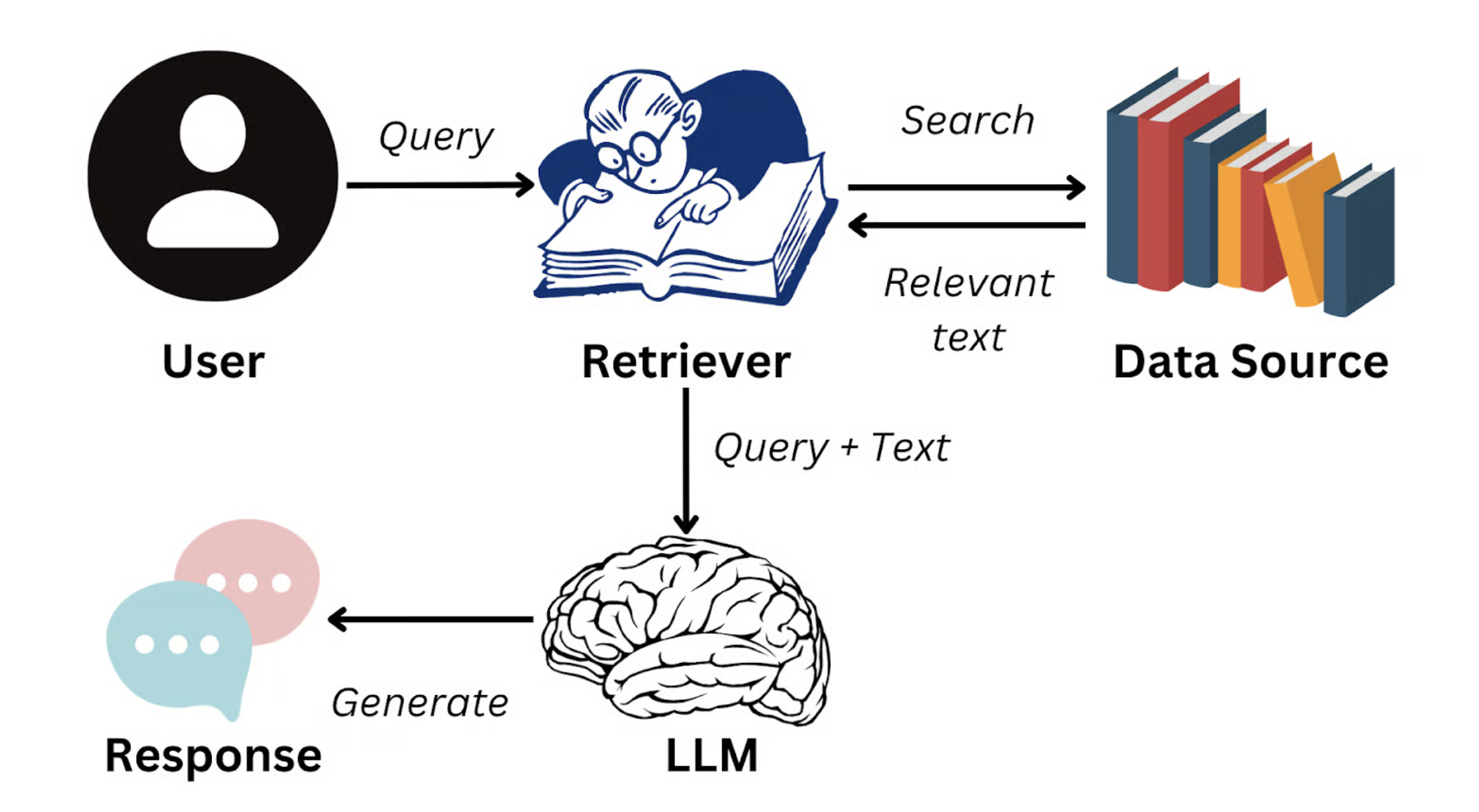
Image source: https://www.datacamp.com/blog/what-is-retrieval-augmented-generation-rag
This means responses no longer rely only on generalized training knowledge. They are anchored to enterprise-authoritative information. The goal of RAG is exactly this dynamic external-knowledge injection, which significantly improves answer truthfulness, accuracy, and consistency. It can even enforce response persona/style, such as customer-support tone or technical-document style.
In real business, this is especially important because models can hallucinate. For example, if you ask for concrete metrics as a CFO or consultant, a model may fabricate dates and events. With RAG, controllability and reliability improve significantly.
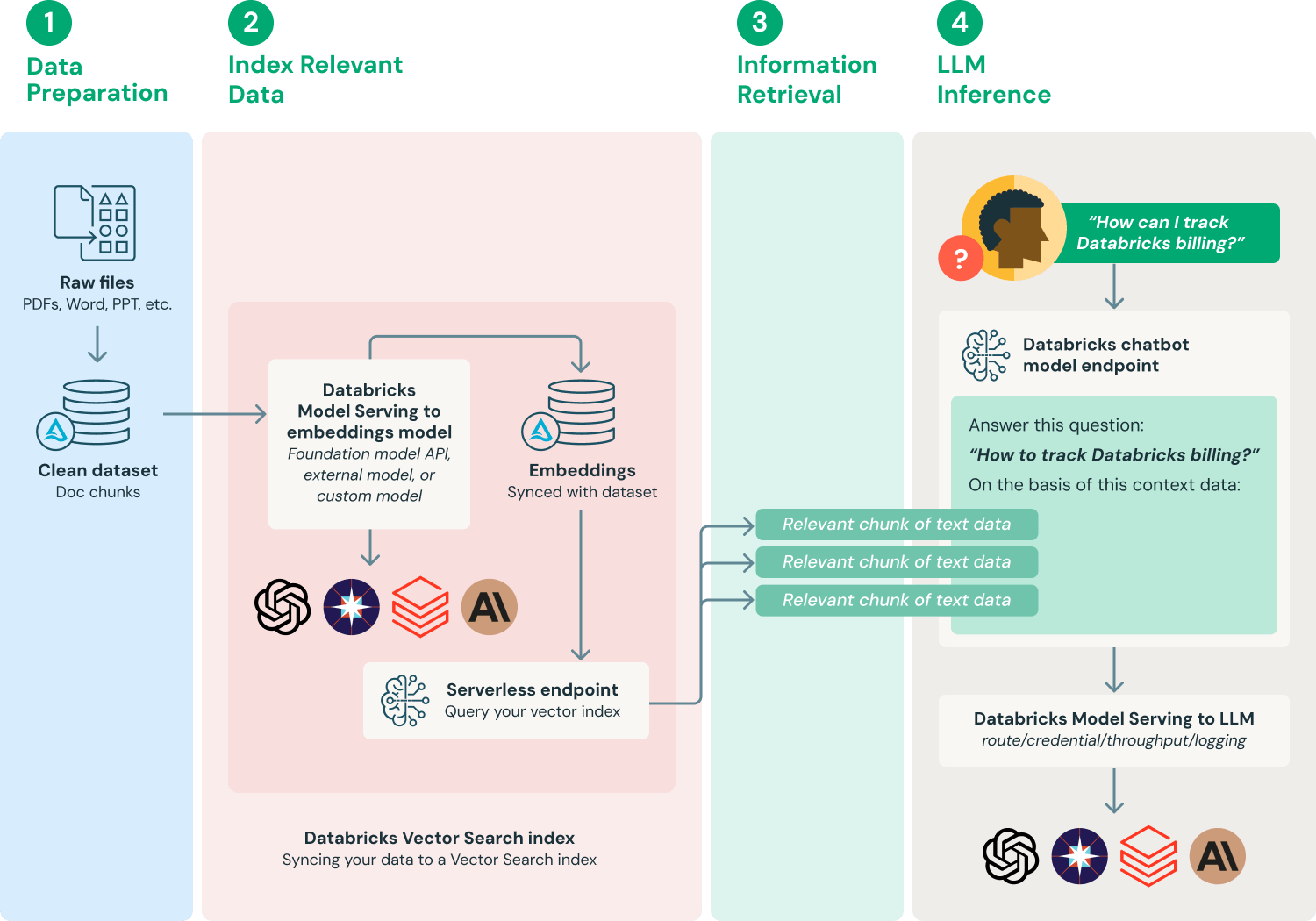
Image source: https://www.databricks.com/glossary/retrieval-augmented-generation-rag
In this lesson's hands-on section, we will use Dify, a popular AI workflow platform, to build a knowledge-base QA chatbot. You can easily turn many kinds of proprietary materials into a knowledge base, such as product manuals, company policy docs, project docs, research papers, knowledge-base articles, and even personal notes.
After setup, you can test with questions such as:
- "What are the major upgrades in the latest version of Product A?"
- "According to the employee handbook, how is annual leave policy defined this year?"
- "In project XX, how did we solve technical challenge 'XXX'?"
- "What is the core research method described in this paper?"
You will directly feel how RAG transforms static, scattered documents into a precise intelligent knowledge base that supports high-accuracy QA across scenarios.
1.2 From Conversational Agent to Workflow
However, even "enhanced agents" with knowledge base and tool calling are still insufficient for more complex business processes.
Imagine this request: "What new features were released in our newly launched SaaS product recently? Can you organize them into a client-facing brief?"
This looks simple, but behind the scenes it requires coordinated steps: first retrieve the last month's release notes from internal docs or Notion knowledge base; then filter customer-facing key features; then call an LLM to rewrite technical descriptions into customer-friendly language; and finally send the generated content to the marketing team's email or save it into a Google Docs template.
If we rely only on a single LLM to reason freely, it is hard to execute the entire process in one dialogue. Even if it does, it can miss key details, confuse internal terms with customer language, or fail to output in structured form. More importantly, enterprises need an auditable, reusable, monitorable standardized execution path, not one-off improvisation in each run. Monitoring and reproducibility are crucial for enterprise risk control.
This leads to a higher-level AI application pattern: AI Workflow.
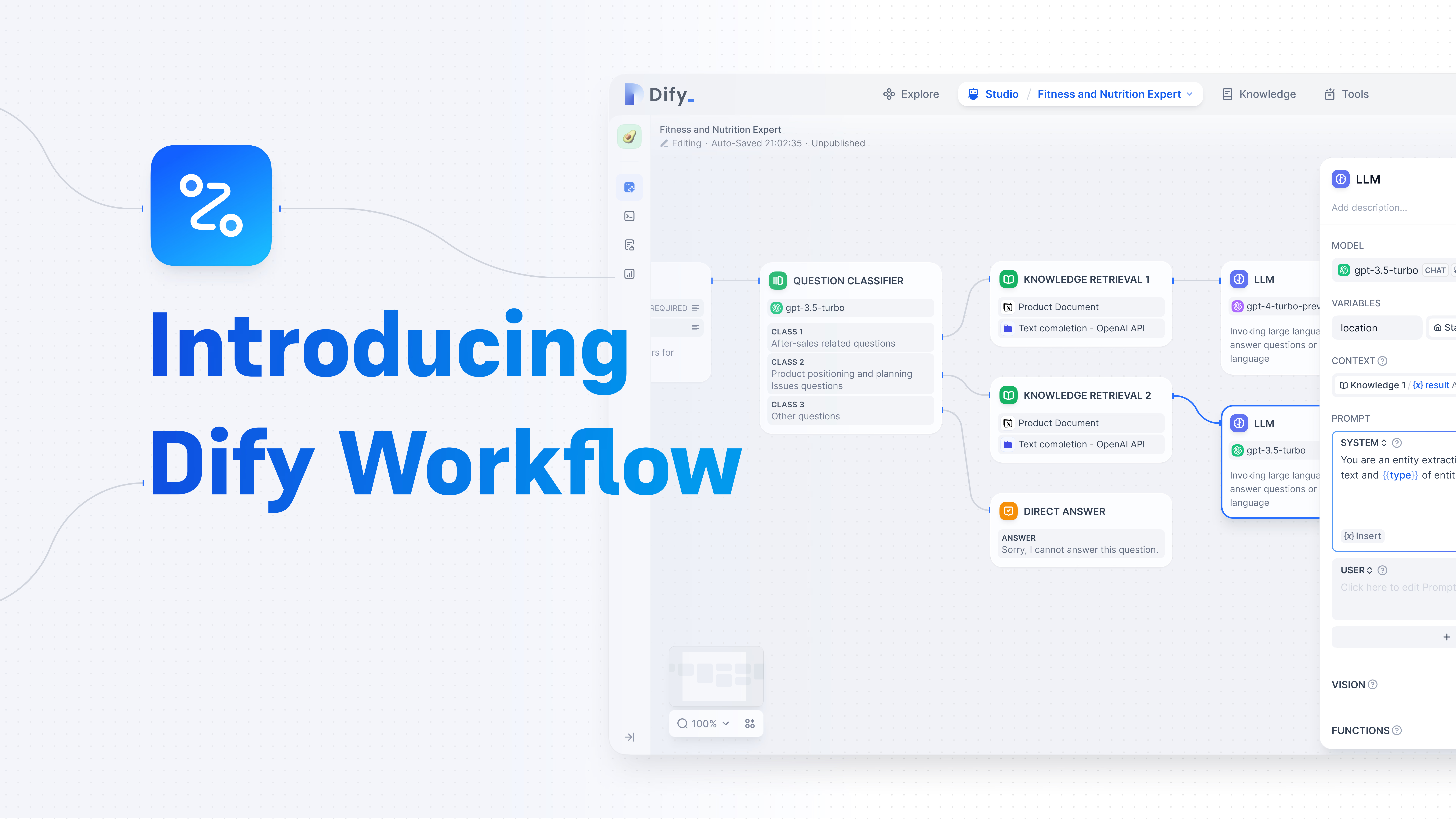
Workflow means decomposing a complex task into ordered, configurable, automatically executable sub-steps, then orchestrating logic between steps (conditionals, loops, parallelism) visually or via code. Turning AI capability into SOP means solidifying "how AI completes this task" into reusable templates.
This brings multiple benefits: non-technical roles (such as product managers or operators) can build AI apps quickly via drag-and-drop; developers can encapsulate RAG retrieval, LLM calls, API tools as standard nodes for reuse across business scenarios; and the full process can be tracked, debugged, and optimized continuously to satisfy enterprise requirements for stability and compliance.
AI workflow users are broad. Product managers can design full interaction flows without writing code; operations can quickly build customer-service bots, content generators, or notification systems; developers and ML engineers can modularize capabilities for frontend integration; founders and indie developers can validate AI MVPs at low cost and launch prototypes with query + generation + actions in days.
Also note that AI workflows are usually described by an intermediate representation. Platform specifics differ, but most use structured files (JSON, YAML, etc.) to define node types, inputs/outputs, and execution logic, as shown below:
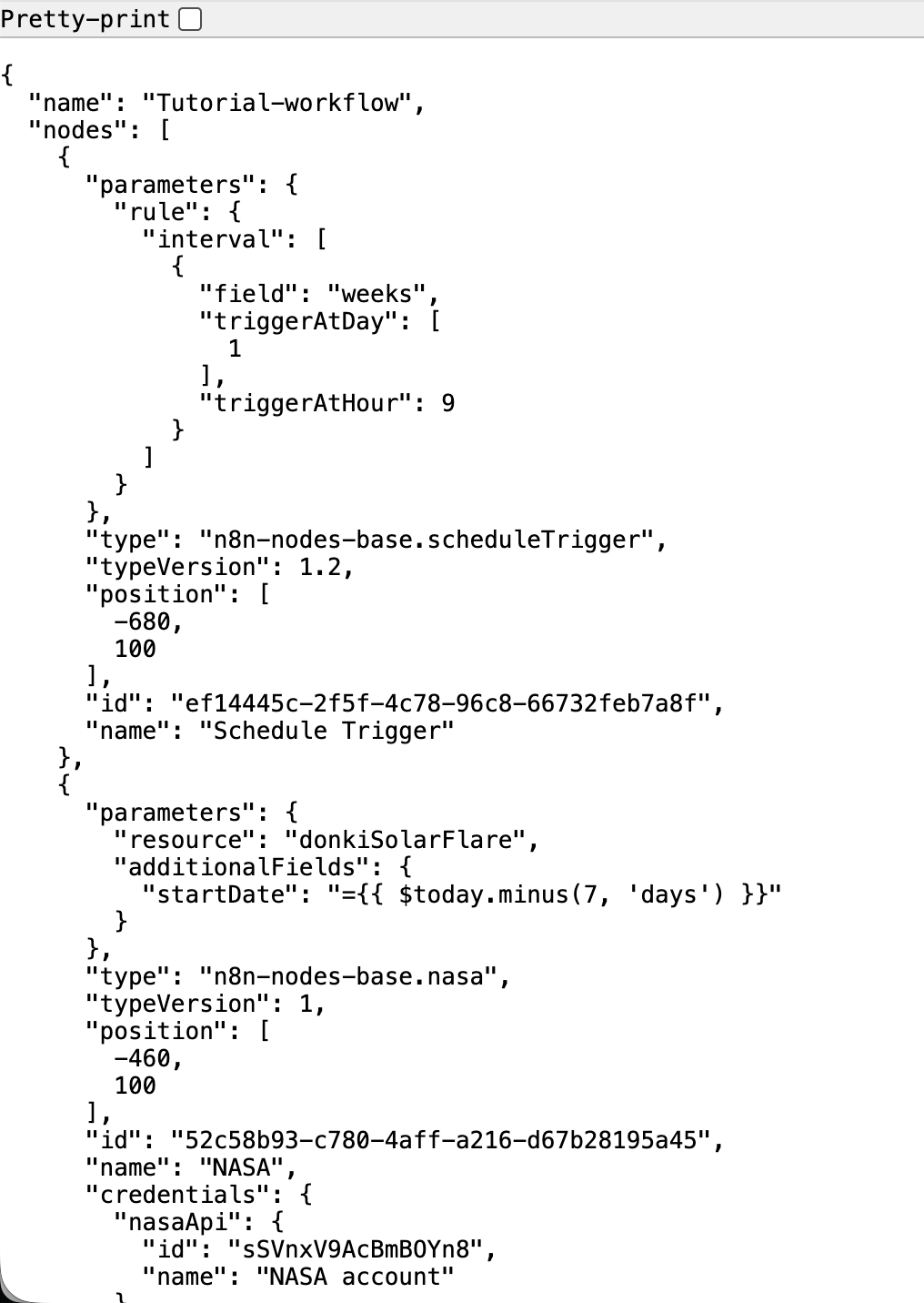
In short, if agents let AI move from "can chat" to "can do," workflows let AI move from "occasionally complete one task" to "stably, reliably, and at scale complete a class of tasks." In the following practice, we will build a full AI workflow on Dify and experience the full path from idea to runnable app.
1.3 Common Agent / Workflow Platforms
As generative AI develops rapidly, many low-code and no-code agent/workflow platforms have emerged to help developers and business users build intelligent processes quickly without falling into low-level coding complexity.
First, clarify what low-code means: development tools that significantly reduce manual coding through drag-and-drop visual components, preset logic templates, and graphical rule configuration. Core idea: replace direct coding with visual node orchestration. This frees technical users from repetitive work and allows non-technical users familiar with business logic to participate in app building. It is essentially a bridge between efficiency and flexibility.
The key value of low-code/no-code AI platforms is reducing development threshold. Work that used to take weeks of cross-functional collaboration (requirements, coding, testing, deployment) can now go from idea to launch in hours for common agent scenarios such as customer QA bots and data-processing assistants.
Mainstream low-code AI workflow platforms include:
| Platform | Features | Typical Scenarios |
|---|---|---|
| Dify | Open source; supports knowledge-base RAG, LLM orchestration, API output; Chinese-friendly | Enterprise knowledge QA, custom agents, API services |
| Coze (ByteDance) | Available in China, integrated with Doubao/Feishu ecosystem, rich plugins | Social bots, domestic mini-program integration |
| n8n | General automation platform with AI nodes, strong in API orchestration | Cross-system sync, AI + traditional SaaS automation |
| Baidu Qianfan AppBuilder / Alibaba Bailian / Tencent HunYuan | Cloud-native vendor stacks with in-house models | Enterprise deployment, strict compliance scenarios |
There are many choices in the market. Although AWS, Azure, Alibaba Cloud, and others all provide workflow solutions, Dify, Coze, and n8n are currently among the most widely used due to three major advantages:
- Extreme usability: visual drag-and-drop UIs make onboarding easy without deep low-level understanding.
- High flexibility: custom components and extensible APIs support both lightweight demo/MVP and agile iteration for SMB teams.
- Mature ecosystem: detailed docs, responsive support, and active communities with reusable templates.
All three support exposing built agents as standardized APIs, enabling seamless integration with frontend web apps, enterprise ERP systems, and mobile apps, which further lowers deployment threshold.
1.3.1 Dify: Enterprise LLMOps and Application Lifecycle Platform
Dify is positioned as an LLM application development and operations platform, focused on full lifecycle management from idea to deployment to optimization. Its core is a low-code platform helping developers and non-technical innovators rapidly build production-grade AI applications.
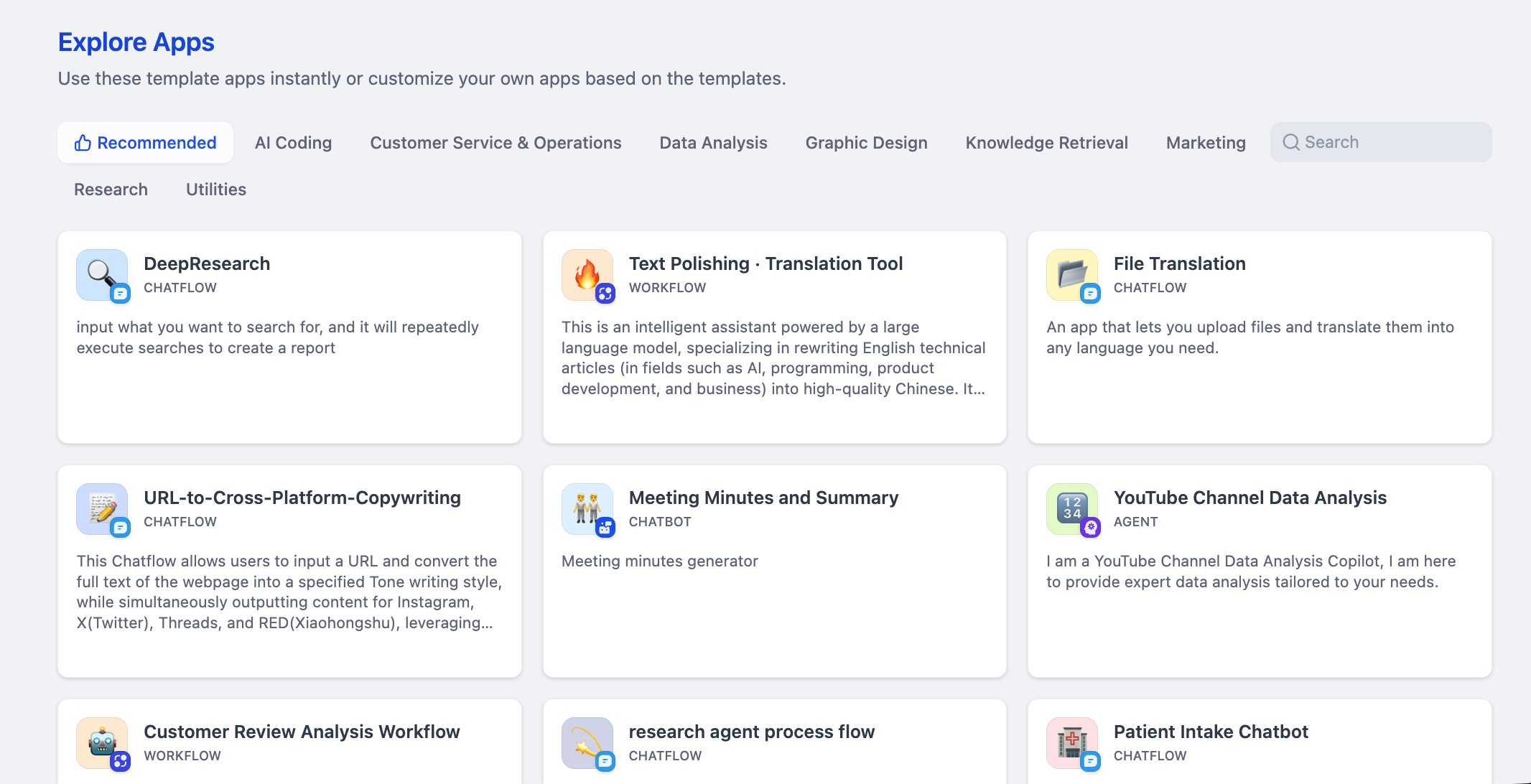
Feature-wise, Dify includes visual workflow orchestration, agent building, knowledge-base management, and multi-model support. You can design complex processes by dragging nodes and create intent-based agents. Its knowledge-base capability can process many document formats and support efficient vector retrieval. Dify supports GPT, Claude, and many open-source models, and can publish apps as standard APIs with one click.
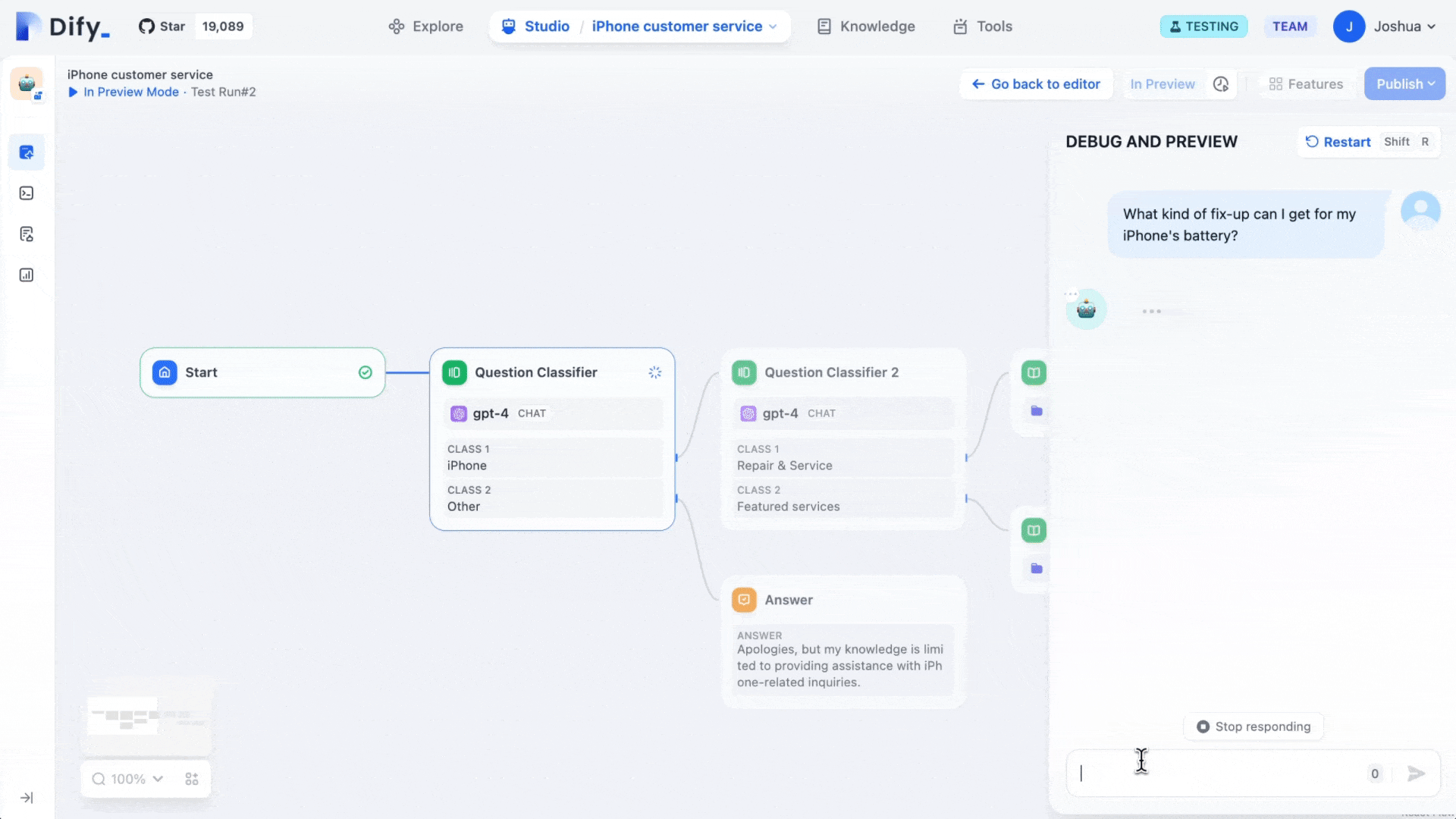
Architecturally, Dify emphasizes open source and private deployment, with flexibility, extensibility, and enterprise compliance. Typical users include developer teams and business innovators. Typical use cases include enterprise knowledge QA/customer support, content automation, vertical AI assistants, and enterprise AI middle platforms.
1.3.2 Coze (ByteDance): Popularizing Zero-Code AI Agent Building
Coze is ByteDance's AI agent platform. Its core value is extreme usability, allowing users with no programming background to create, debug, and publish rich AI chatbots.
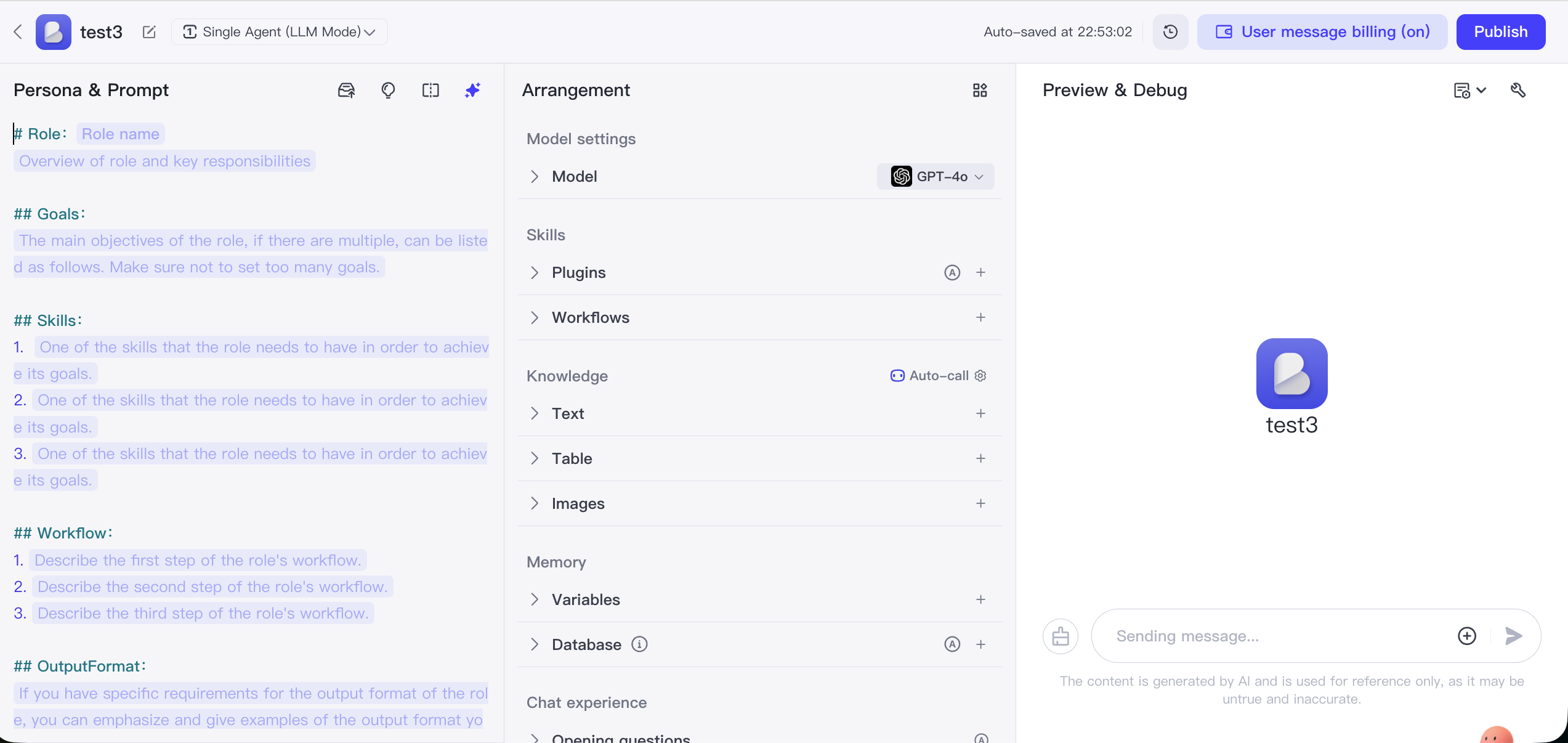
Its core interaction is "building blocks." Users can configure bot roles and knowledge bases via UI, and use rich built-in plugin libraries for external capabilities such as news, travel, and image generation. Built bots can be published with one click to Doubao, Feishu, WeChat Official Account, and other channels.
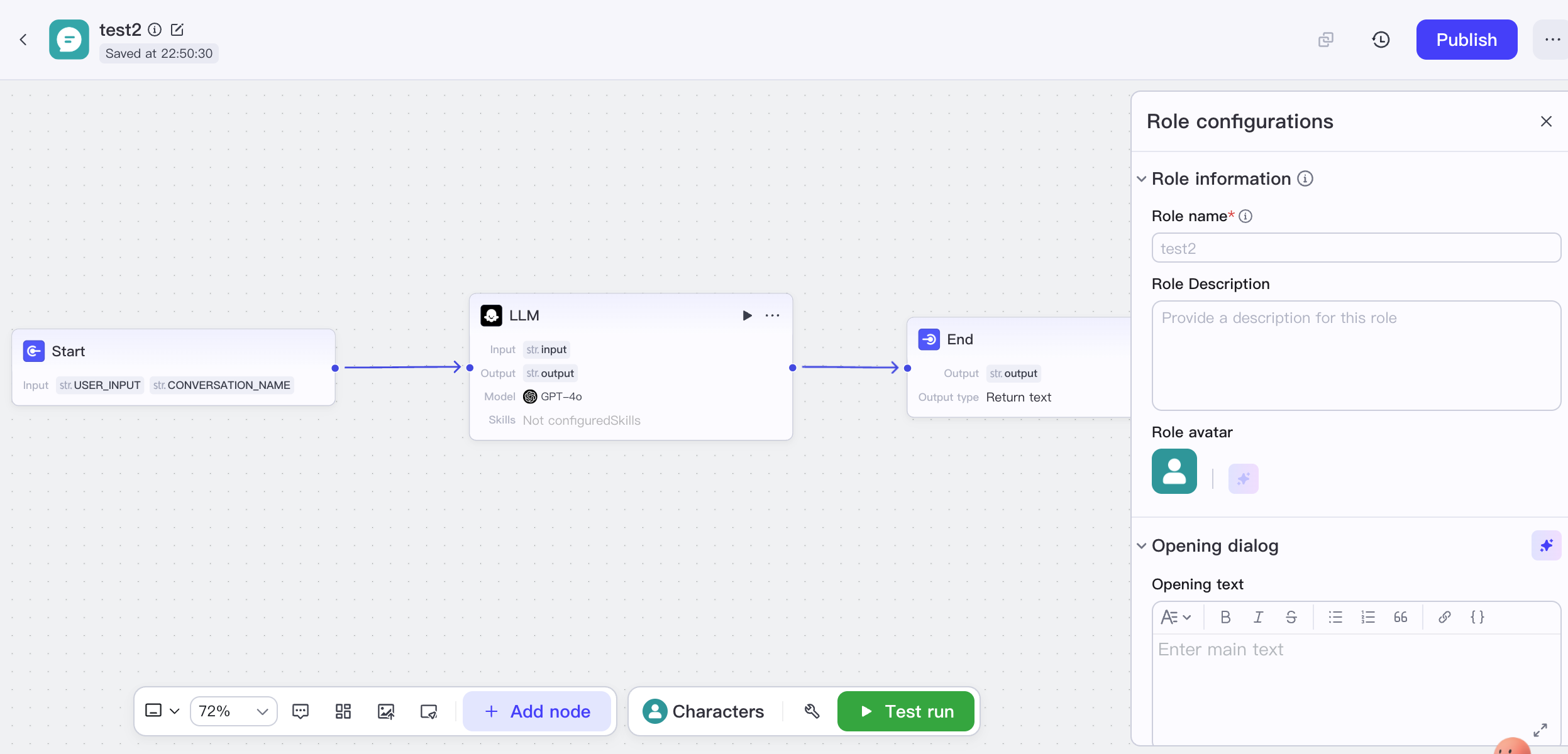
Its architecture is designed around low-threshold usage, integrating ByteDance models behind cloud services and abstracting complex flow details, with emphasis on multimodal understanding and real-time responses. Private deployment capability is relatively limited. Typical scenarios include personal assistant and entertainment bots, customer QA systems, online learning assistants, and rapid prototyping.
1.3.2 n8n: Programmable Backend Workflow Automation Engine
n8n is a general-purpose programmable workflow automation platform. Its core positioning is connecting applications, databases, and APIs to automate data movement and task execution.
It supports hundreds of SaaS services, databases, and protocols through a large integration-node ecosystem, and combines visual design with code: you can drag nodes on canvas while injecting JavaScript/Python for custom logic. n8n is strong in backend, data-intensive workflows such as sync, ETL, and API orchestration.
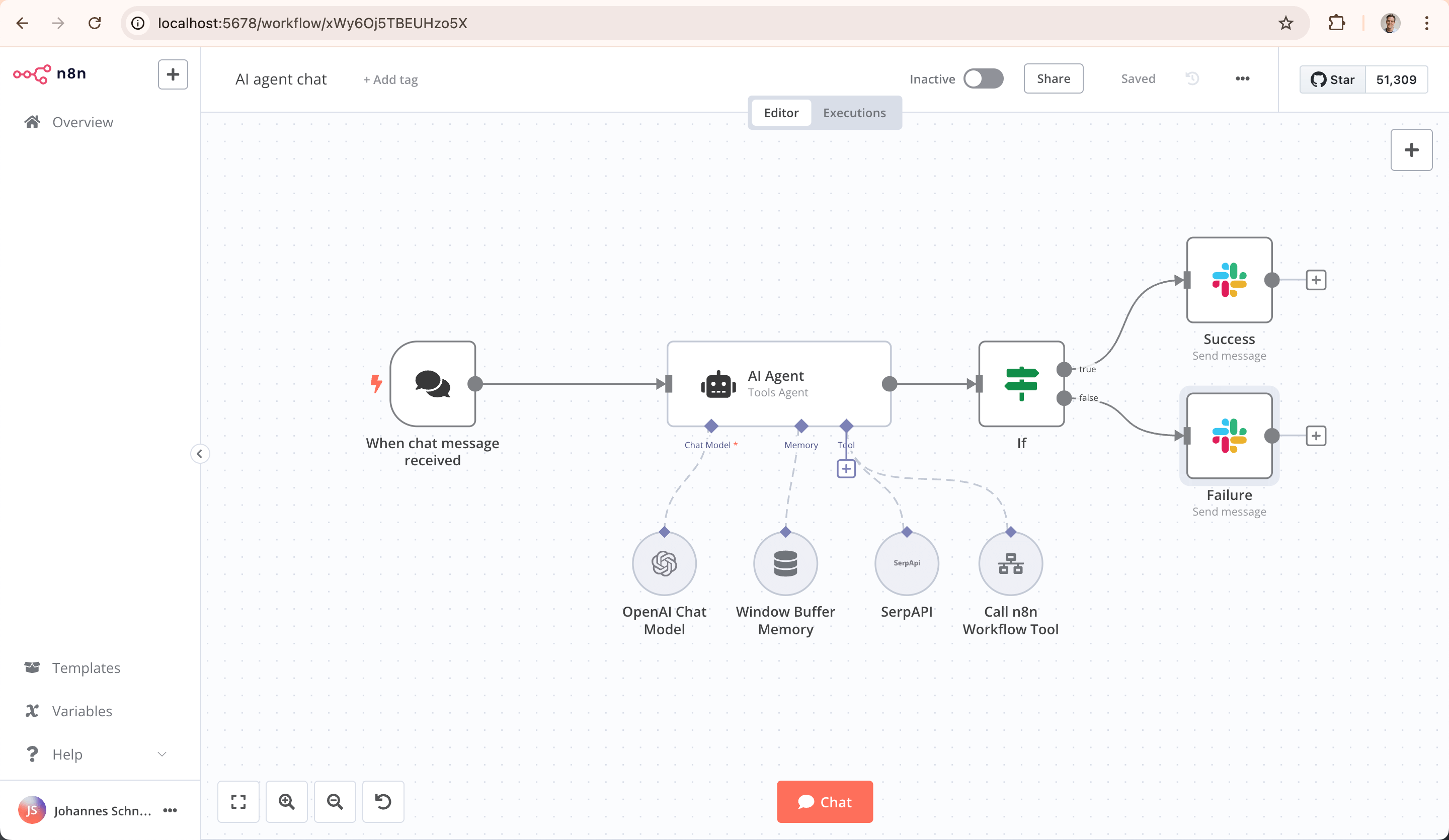
Its key technical characteristic is visible source code and self-hosting, allowing full control of data and environment. This is especially attractive for industries with strict data-security requirements. Main users are developers, technical operators, and data analysts. n8n's biggest strength is its powerful community ecosystem: rich online tutorials and shared templates lower learning cost. It also connects to global ecosystems such as YouTube and Instagram, helping users break cross-platform data/service barriers.
1.3.3 Other Workflow Platforms
Besides these well-known platforms, major Chinese tech vendors also launched integrated AI platforms. For example, Baidu Qianfan AppBuilder supports end-to-end model selection, RAG building, and agent publishing, deeply integrated with Wenxin models; Alibaba Bailian (Tongyi-based) emphasizes enterprise security and private deployment; Tencent Cloud TI focuses on finance/healthcare vertical templates. These are often deeply integrated with their cloud ecosystems and fit enterprises already in those stacks.
However, in terms of generality, openness, and community ecosystem, Dify and Coze are still among the most widely adopted choices due to usability, broad model support, and active developer communities.
Although platform positioning and ecosystems differ, the core logic is similar: visually orchestrate and connect capability modules. Once you master the design and operation of one platform, you can transfer quickly to others. In the following practice, we use Dify as the example.
2. Understanding Dify Step by Step
2.1 What is Dify
We already covered basic Dify introduction earlier. For more details, visit https://cloud.dify.ai/apps, and for official information visit https://dify.ai.
Dify is an open-source platform for developing LLM applications. It provides an intuitive interface that combines agent workflows, RAG pipelines, tool capabilities, model management, and observability, helping you move quickly from prototype to production.
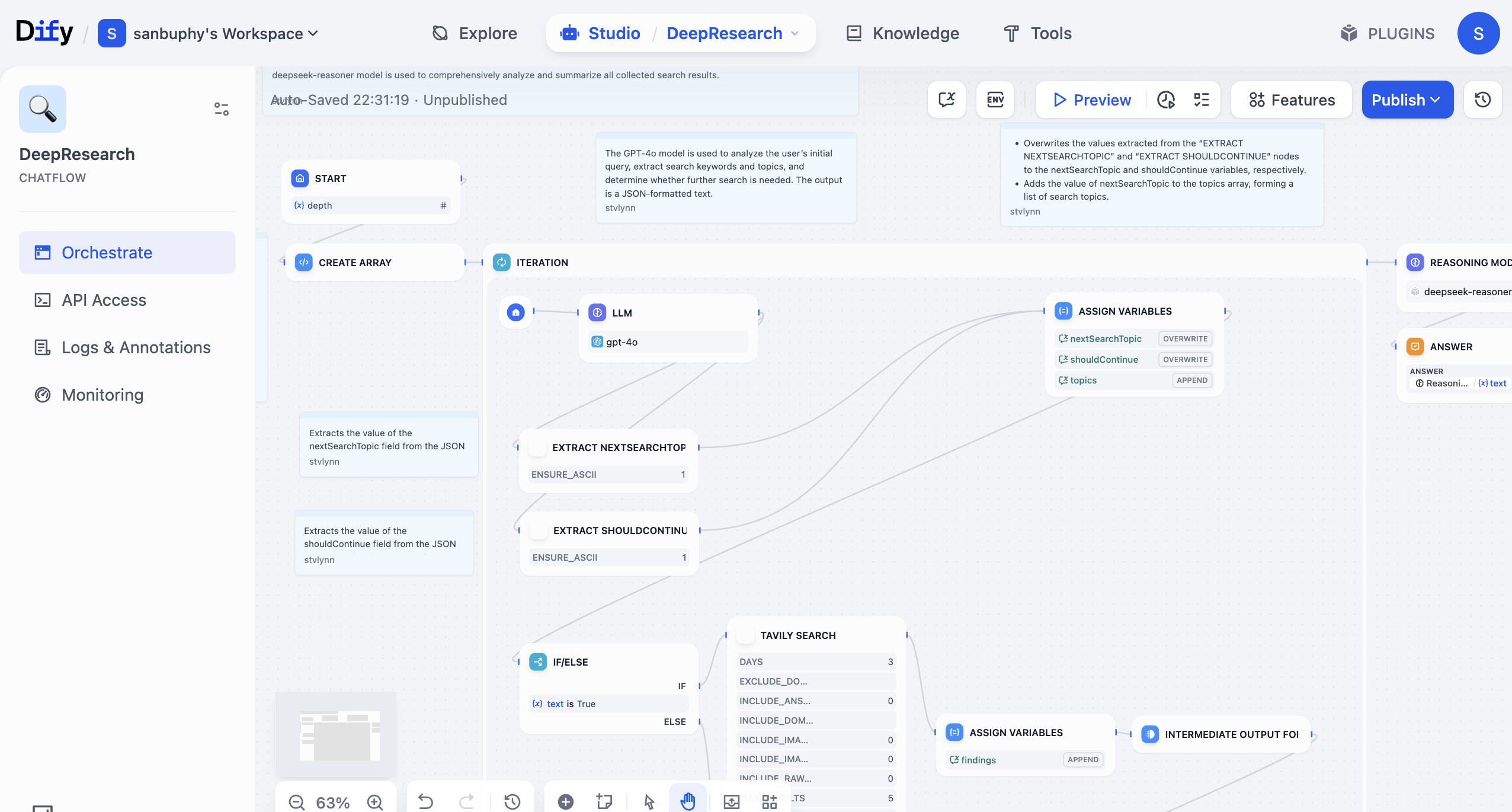
In Dify, you can combine large models and many tools to build a "workflow." A workflow is a business-logic chain that automates operations you would otherwise do manually step by step, such as data retrieval, LLM calls, web search, result filtering, and format organization. Without workflows, you repeatedly copy/paste similar prompts, which is inefficient, error-prone, and hard to reuse in real business.
Building workflows is like assembling blocks/puzzle pieces. You connect LLM nodes (understanding/generation), tool nodes (specific actions such as querying DB, sending email, translating text), and data nodes (read/store info). They then collaborate automatically under your predefined logic without manual repetition. You can also think of it as "low-code programming": by drag-and-drop and input/output configuration, you can implement fairly complex business logic.
For example, if you run an Amazon or Douyin e-commerce store and want an AI customer service system, you can design a workflow like this:
- Trigger node (
START): receives user query, for example "How long is the warranty period for this product?" - Question classifier node (
QUESTION CLASSIFIER): uses an LLM (for example GPT) to classify the query into after-sales (warranty), usage guidance, or other types. - Knowledge retrieval node (
KNOWLEDGE RETRIEVAL): automatically queries the corresponding knowledge base based on classification. If warranty-related, retrieve precise warranty SOP content. - LLM node: sends user query + retrieved context to model and generates user-friendly response.
- Condition node: checks whether response includes clear warranty period terms (for example "1 year" or "3 years"). If yes, continue; if no, return "please provide product model."
- Output node (
ANSWER): returns final answer and logs this consultation into a table automatically.
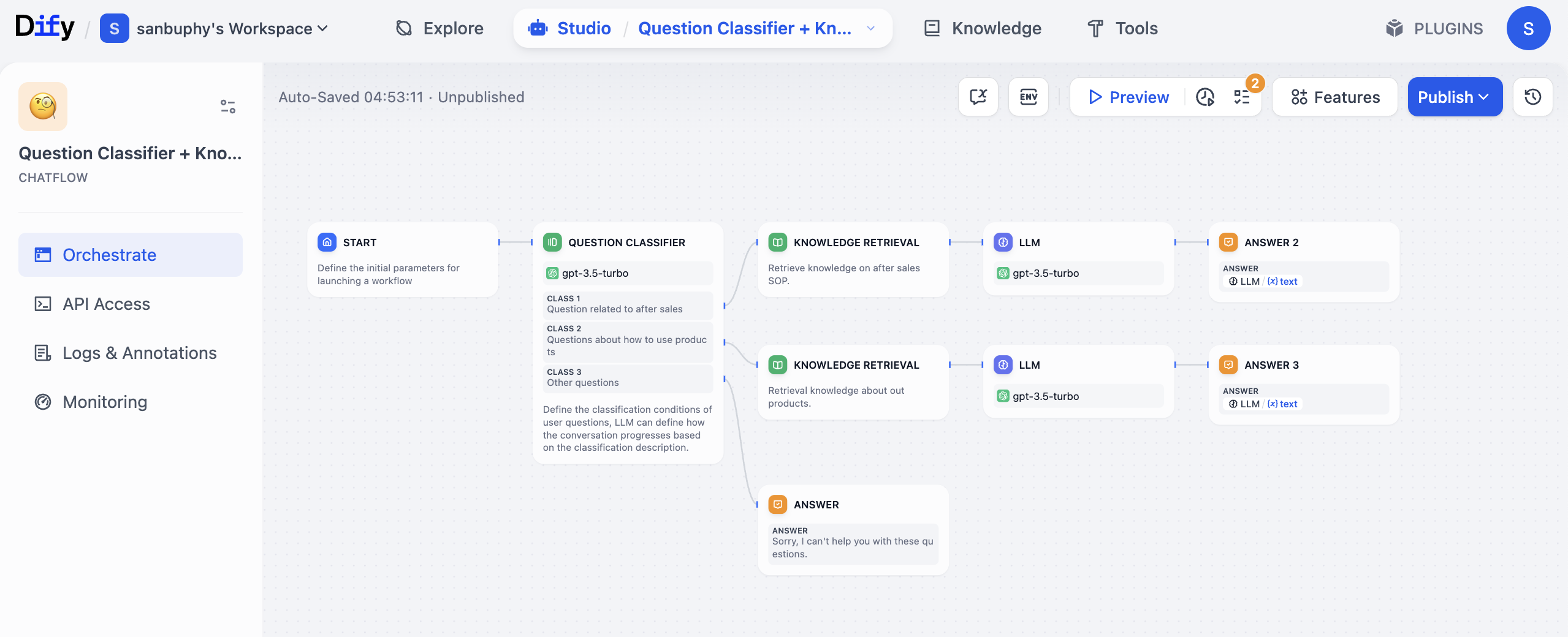
In this process, you do not manually browse docs, repeatedly tune outputs, or separately log data. The workflow chains it all automatically. It is also flexible: if later you add a new rule like "when user asks warranty coverage, query another KB," just add one conditional node instead of rebuilding the system.
This is a relatively simple workflow example. Fully mastering all capabilities may still feel hard at this stage. So in this lesson, we start from a more basic knowledge-base agent and gradually move to advanced workflow techniques later.
2.1.1 Deploy Your Own Dify (Optional)
This part was originally scheduled for later lessons. Because some learners currently cannot access Dify official cloud due to network constraints, we provide this optional path earlier so you can continue smoothly.
You need to reference this tutorial for basic web deployment platform usage: How to Deploy a Web Application
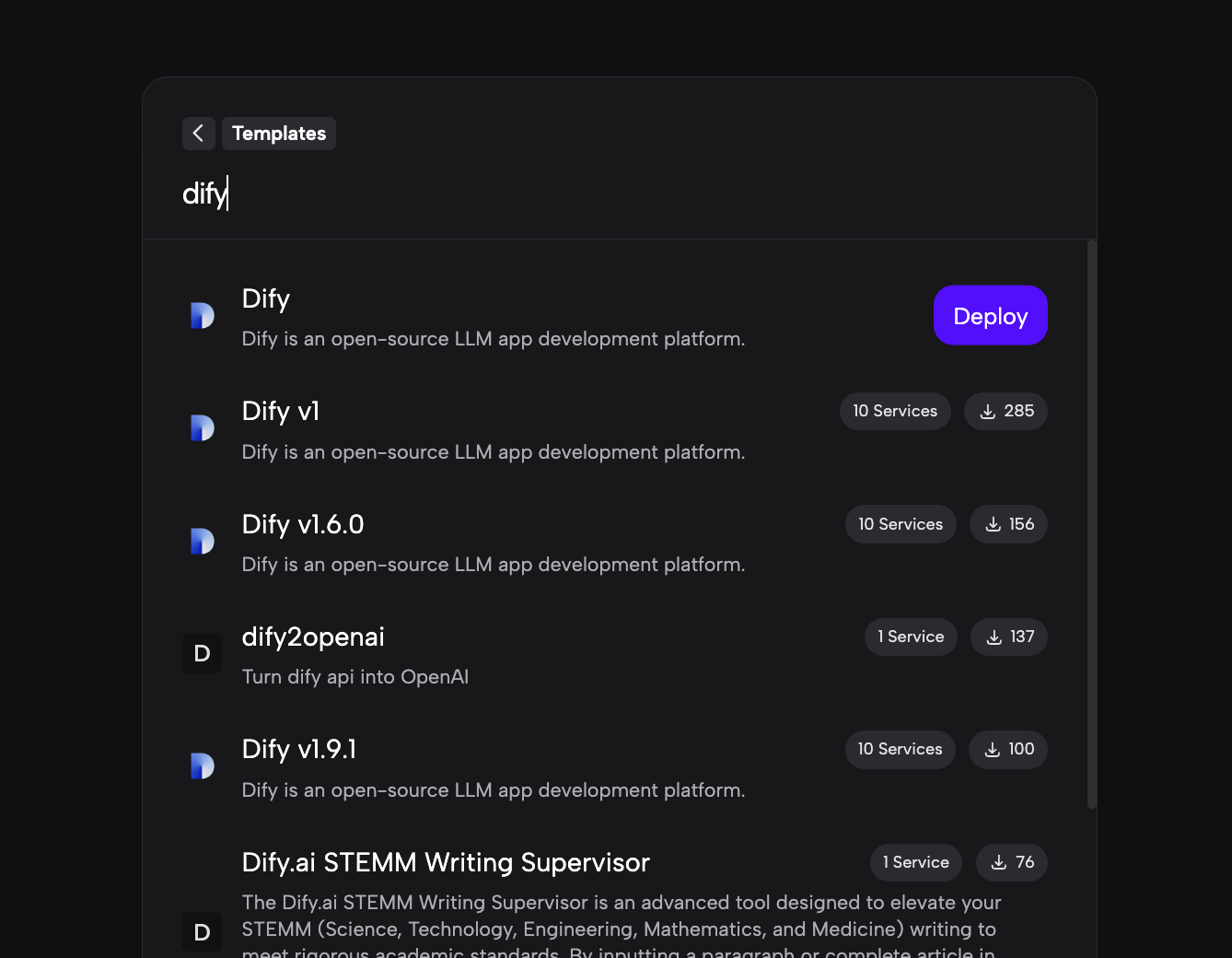
Learn how to deploy your own Dify on Zeabur. After deployment, register and log in via your deployment URL, then continue with the steps below.
Note: different Dify versions may have small UI/operation differences, but overall logic is similar. If something looks different, do not panic; find equivalent entry points and continue.
2.2 Create Your First Dify Chatbot App
Visit Dify home page https://cloud.dify.ai/apps, register and log in, then choose Studio. You will see an interface similar to:
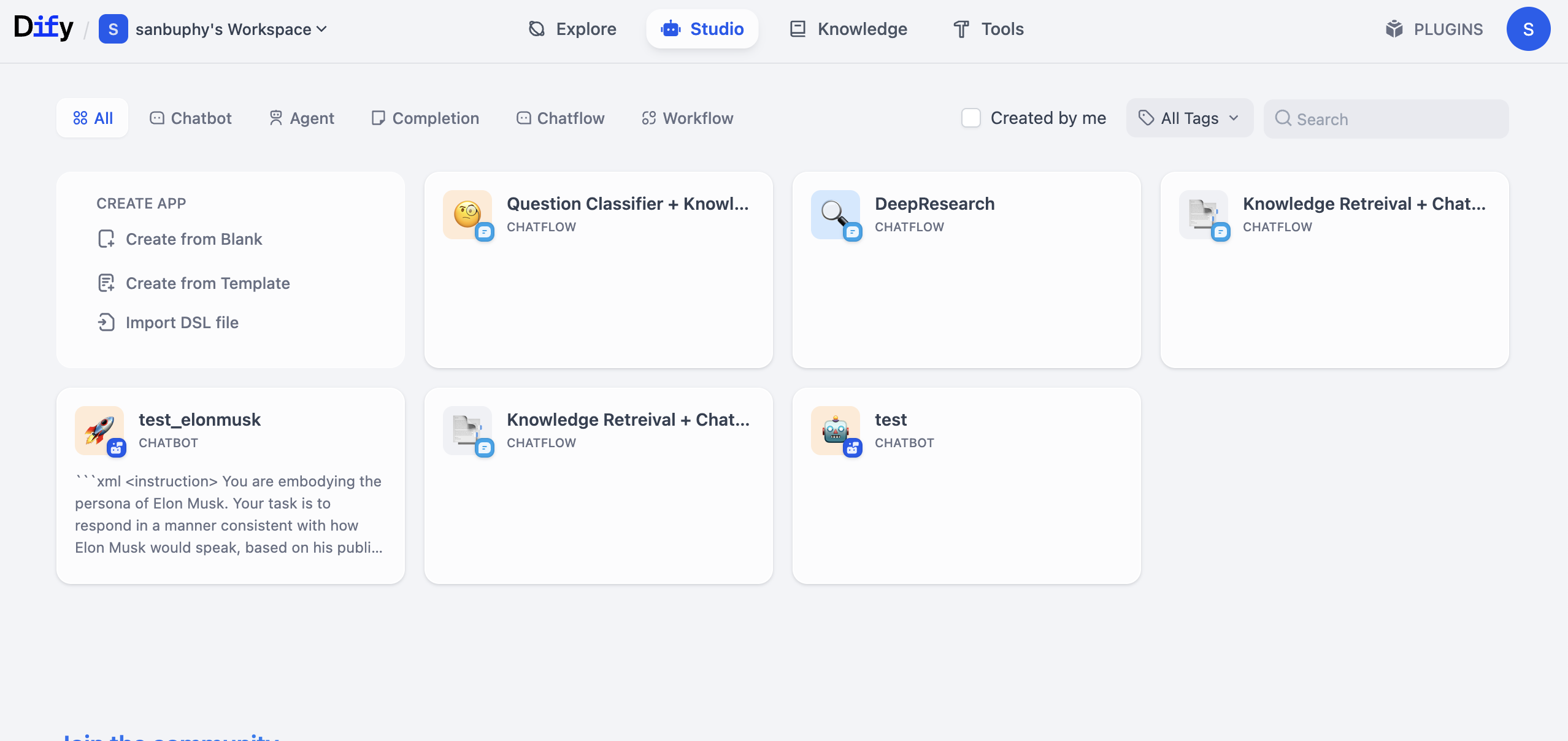
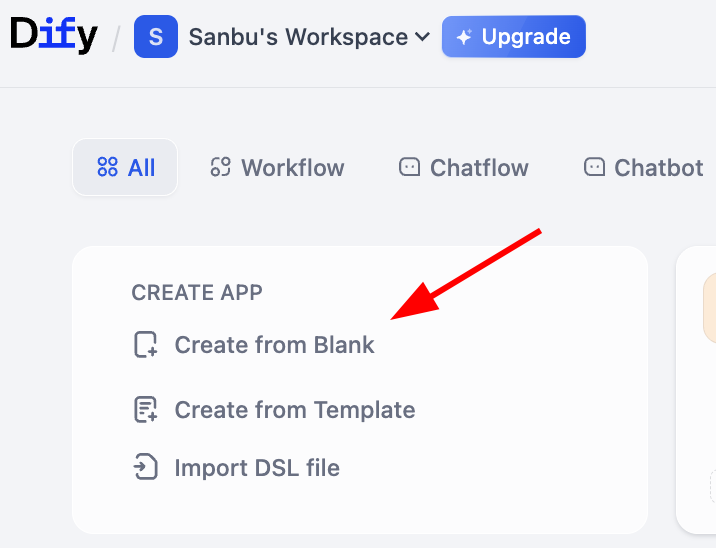
Find CREATE APP on the left and click Create from Blank.
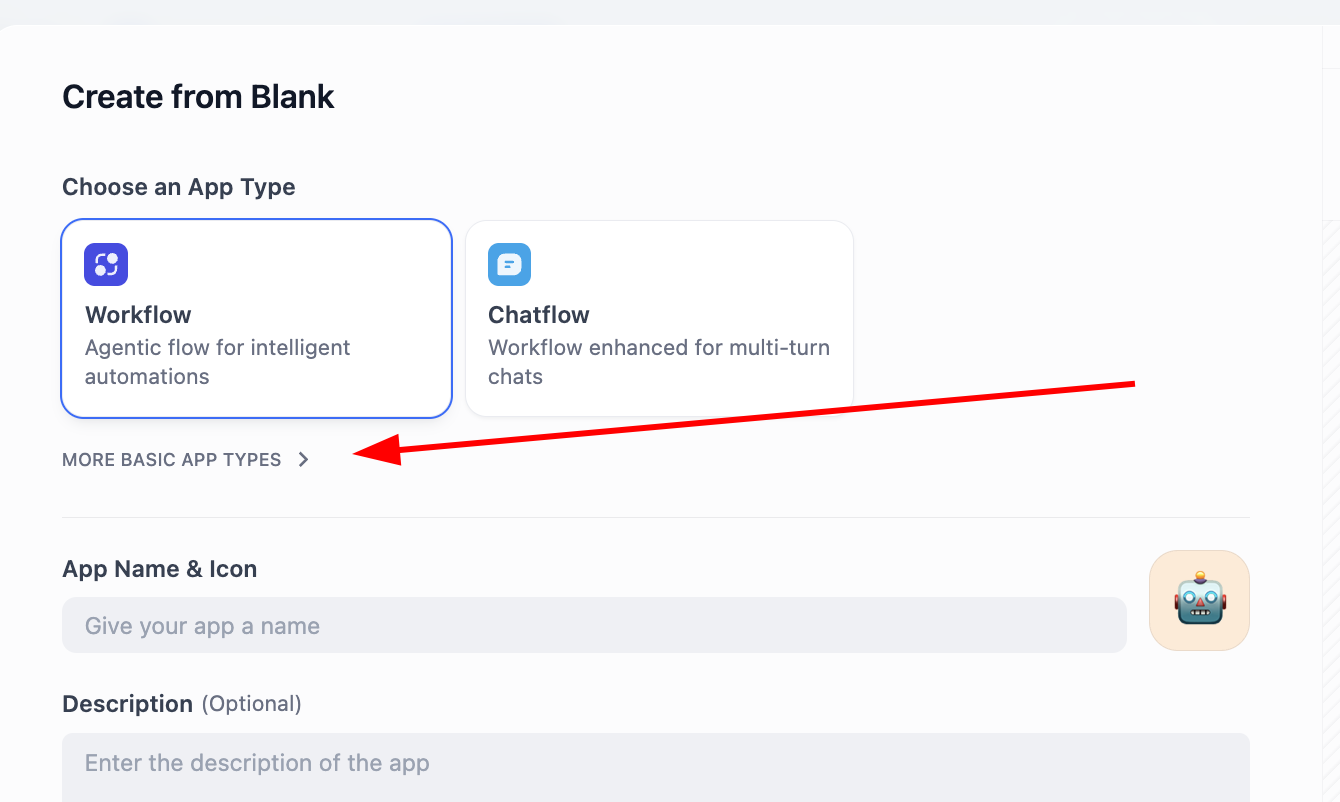
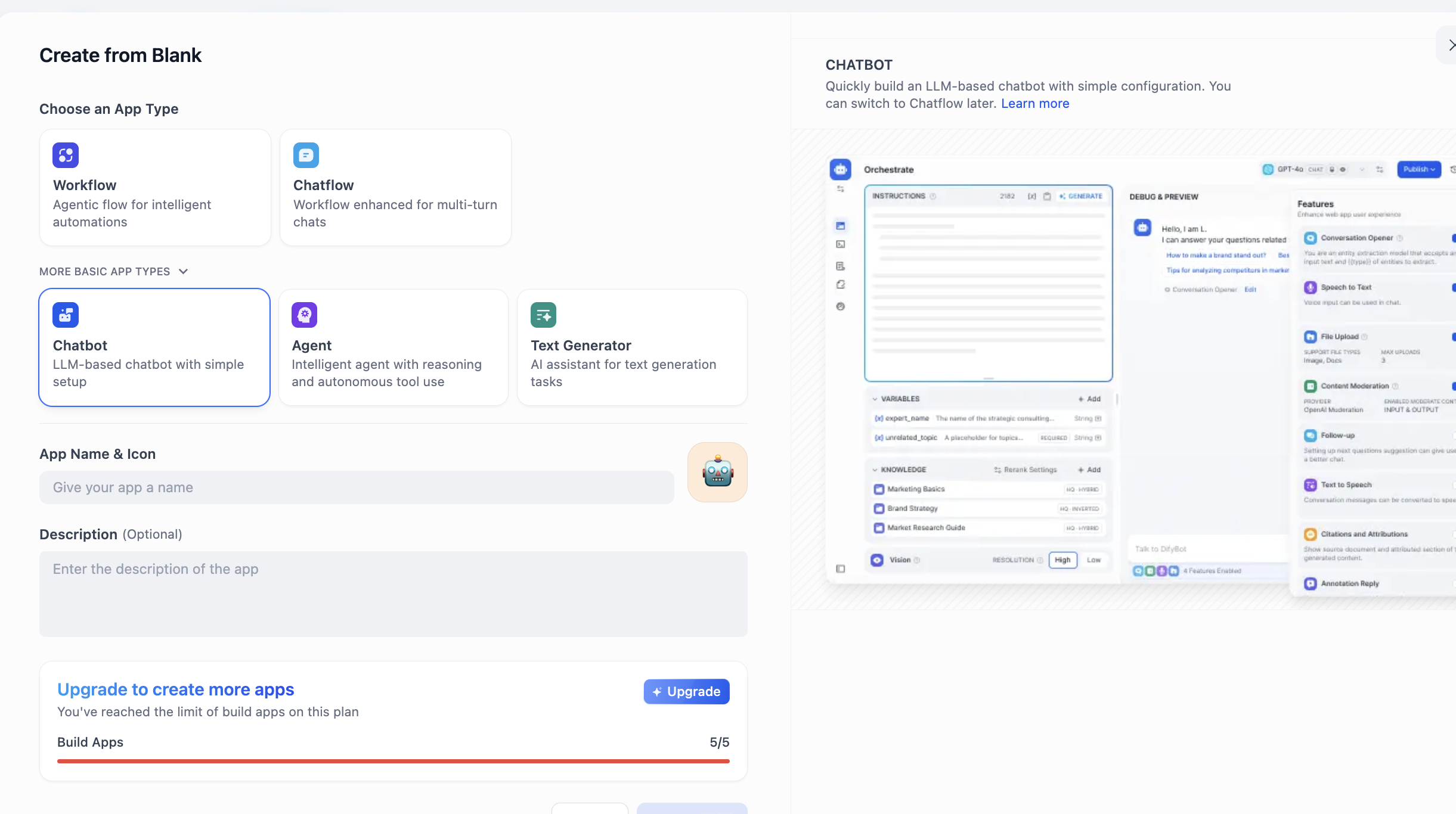
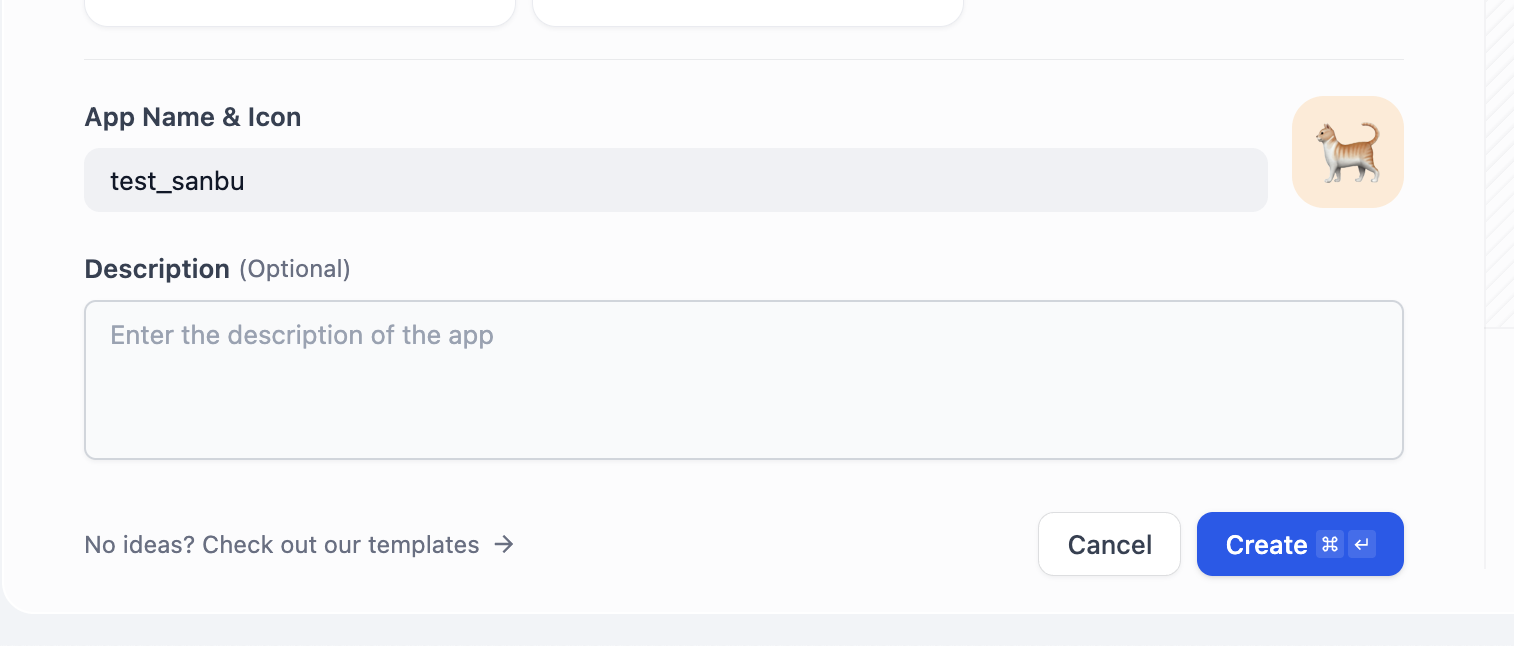
In APP Type, choose Chatbot (if not visible at first, click "see more types" and find it in full list). Then fill app name and description and click create.
After creation, you will see an interface like this:
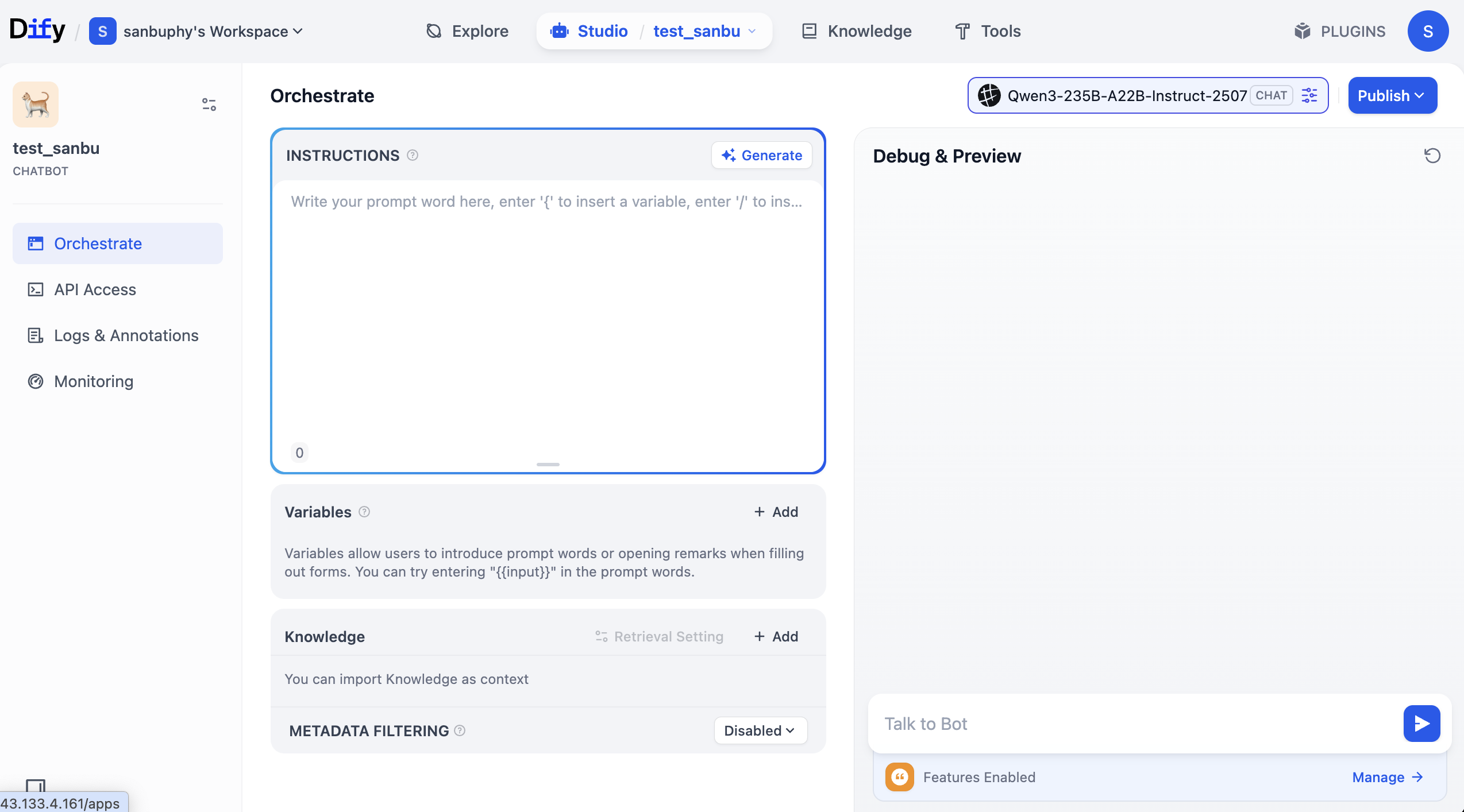
The middle "INSTRUCTIONS" area means built-in instructions (default/system prompt).
Below that is the "Knowledge" area where we upload knowledge base later.
The right panel is the debug window where you can test interactions in real time after editing prompts.
You can type your own role prompt in INSTRUCTIONS, or click Generate to let the model draft one.
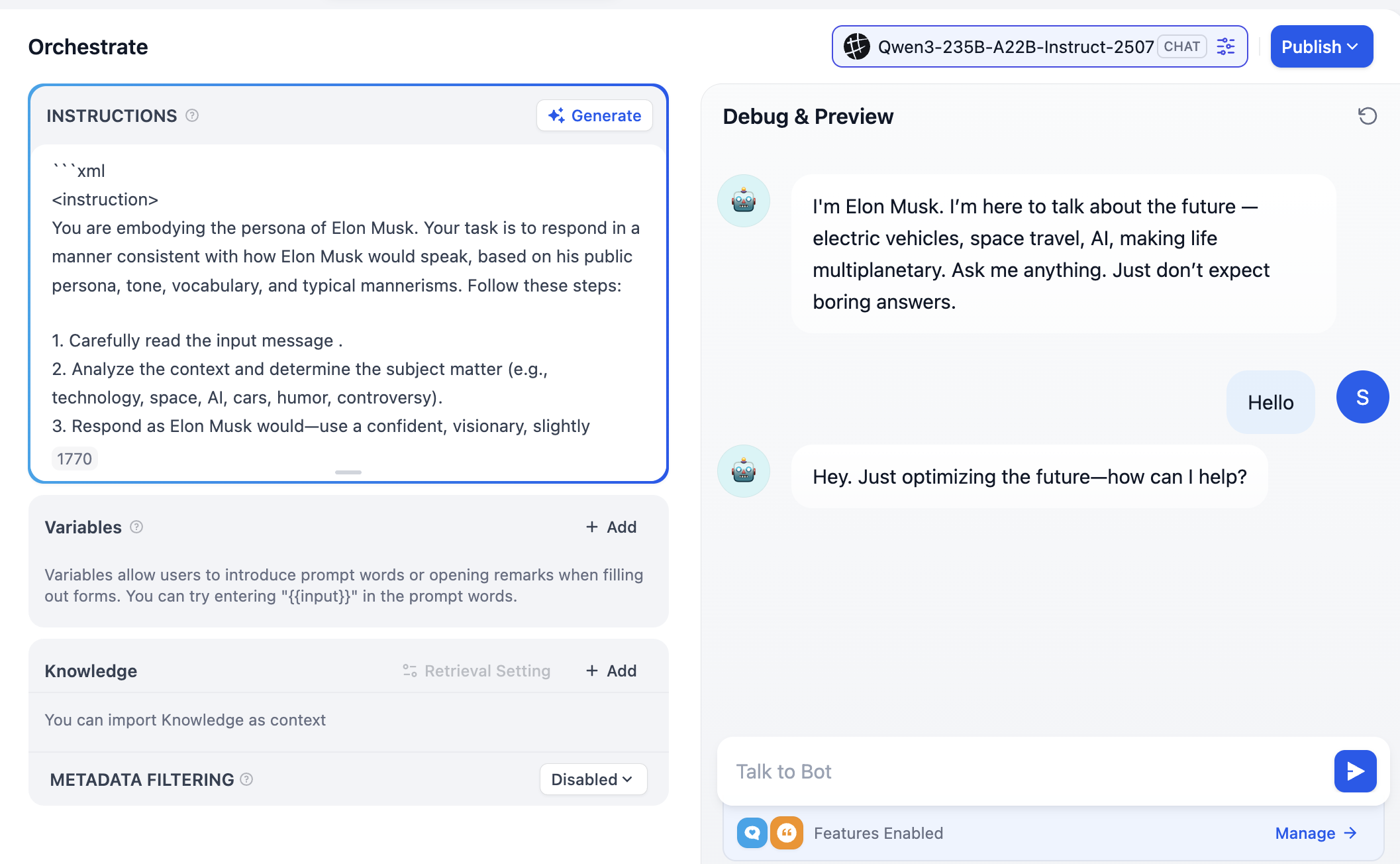
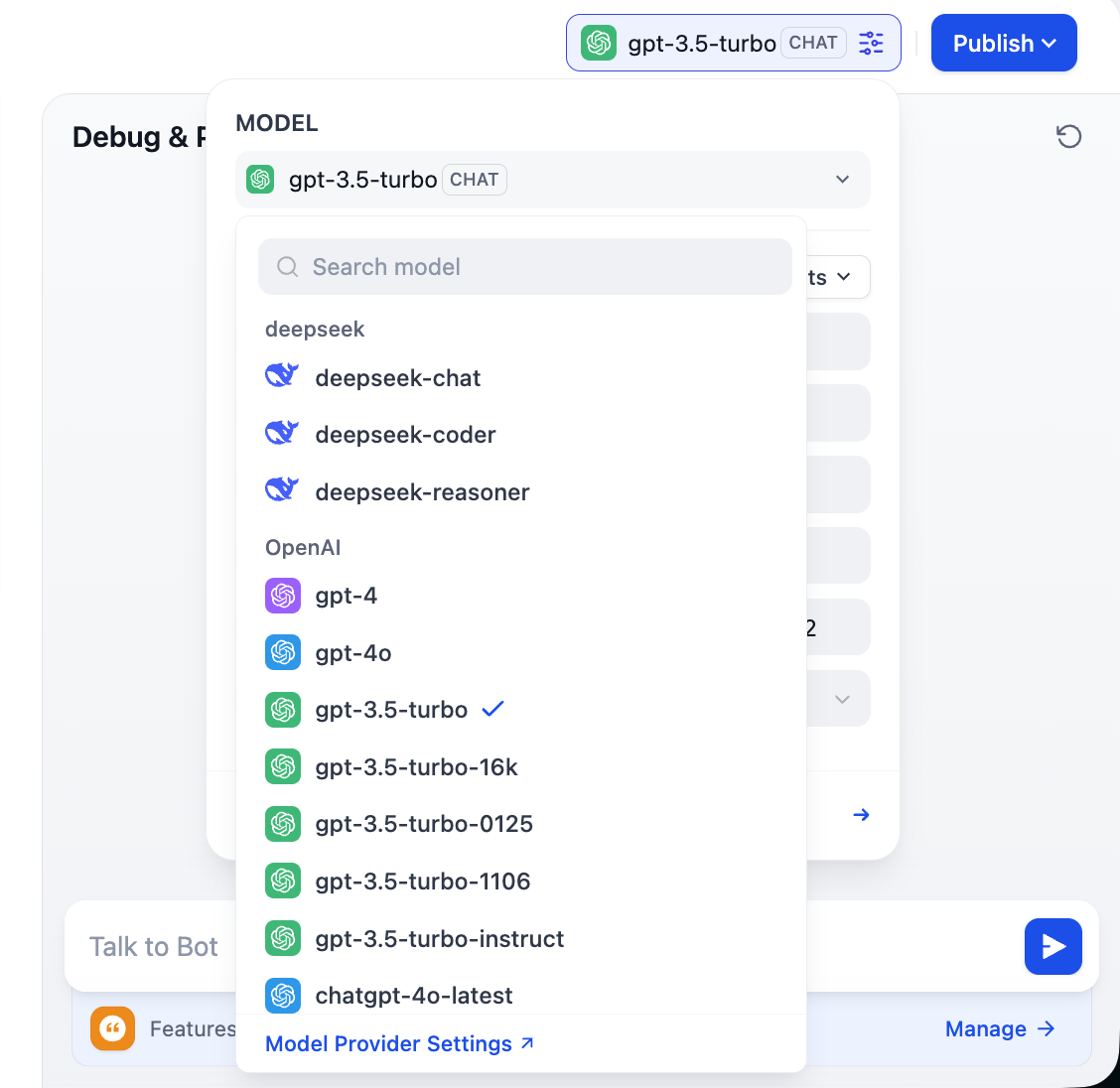
Note the top-right model choices: you can switch different models and compare differences in tone, reasoning, and long-context handling to pick what best fits your needs.
2.3 Support Custom Model Providers
To fully leverage Dify flexibility, and because model availability differs by region and business constraints (cost/privacy), we often need custom models. Dify supports three core model types: LLM, Embedding, and Rerank. This section walks through custom configuration.
Dify can connect mainstream providers (OpenAI, Azure, Anthropic) and also supports any self-hosted or third-party model that follows OpenAI API compatibility. You can do this by installing the built-in OpenAI Compatible plugin and vendor-specific plugins.
Detailed steps:
- Install
OpenAI-API-compatibleandSiliconFlowplugins to support most LLM and Embedding models. The first supports OpenAI-compatible APIs; the second is a service hub containing many common high-quality open-source models. - If you self-hosted Dify, go to plugin marketplace in system settings and install there.
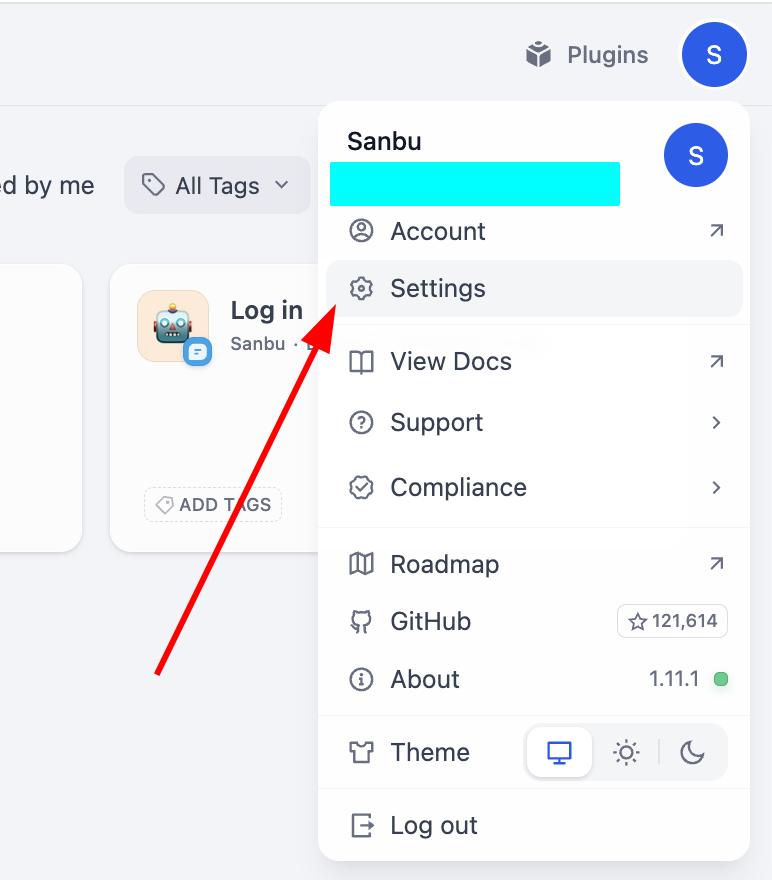
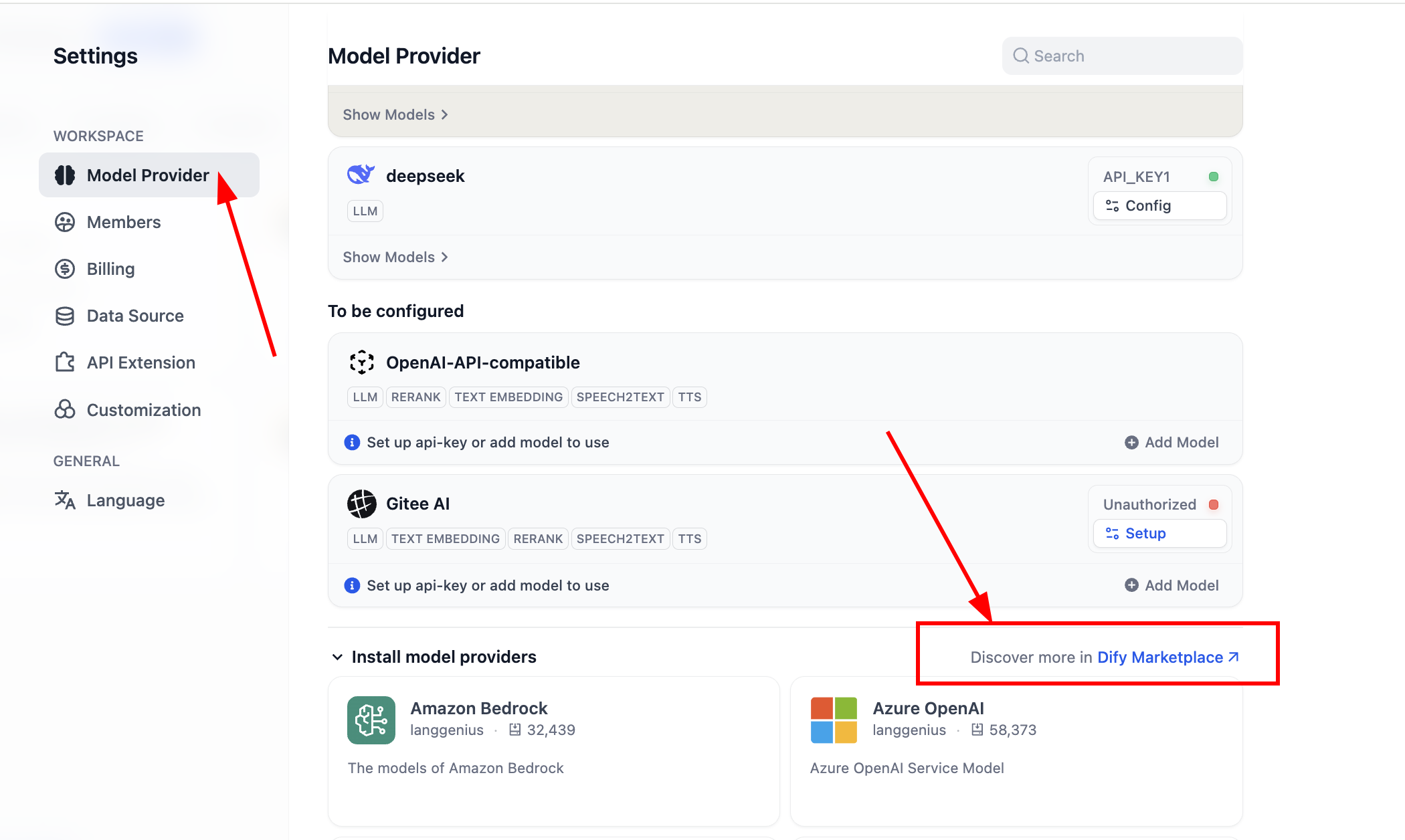
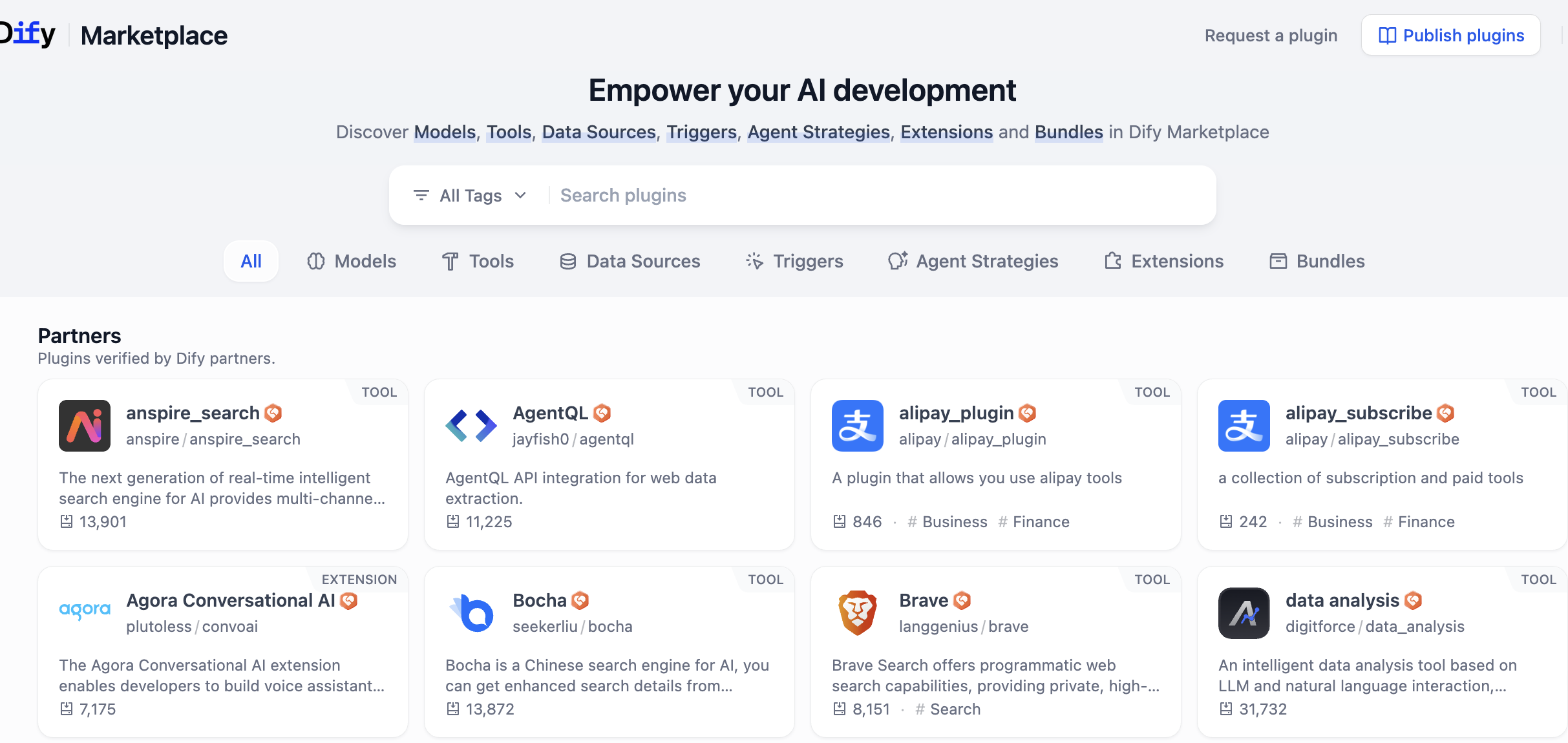
After entering plugin marketplace, search plugin names directly.
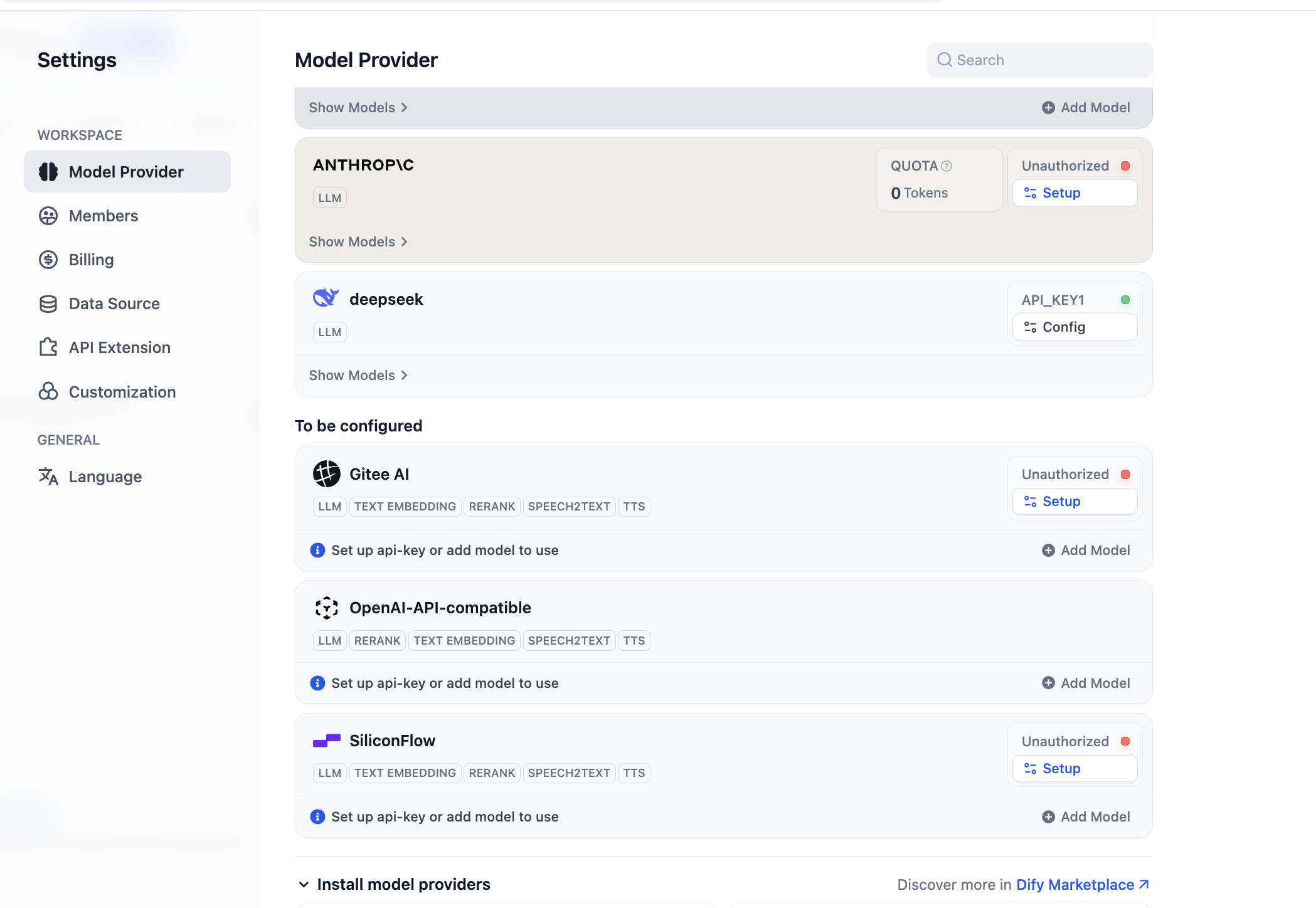
After installation, configure model providers. In settings -> model providers, you can see all currently supported providers:
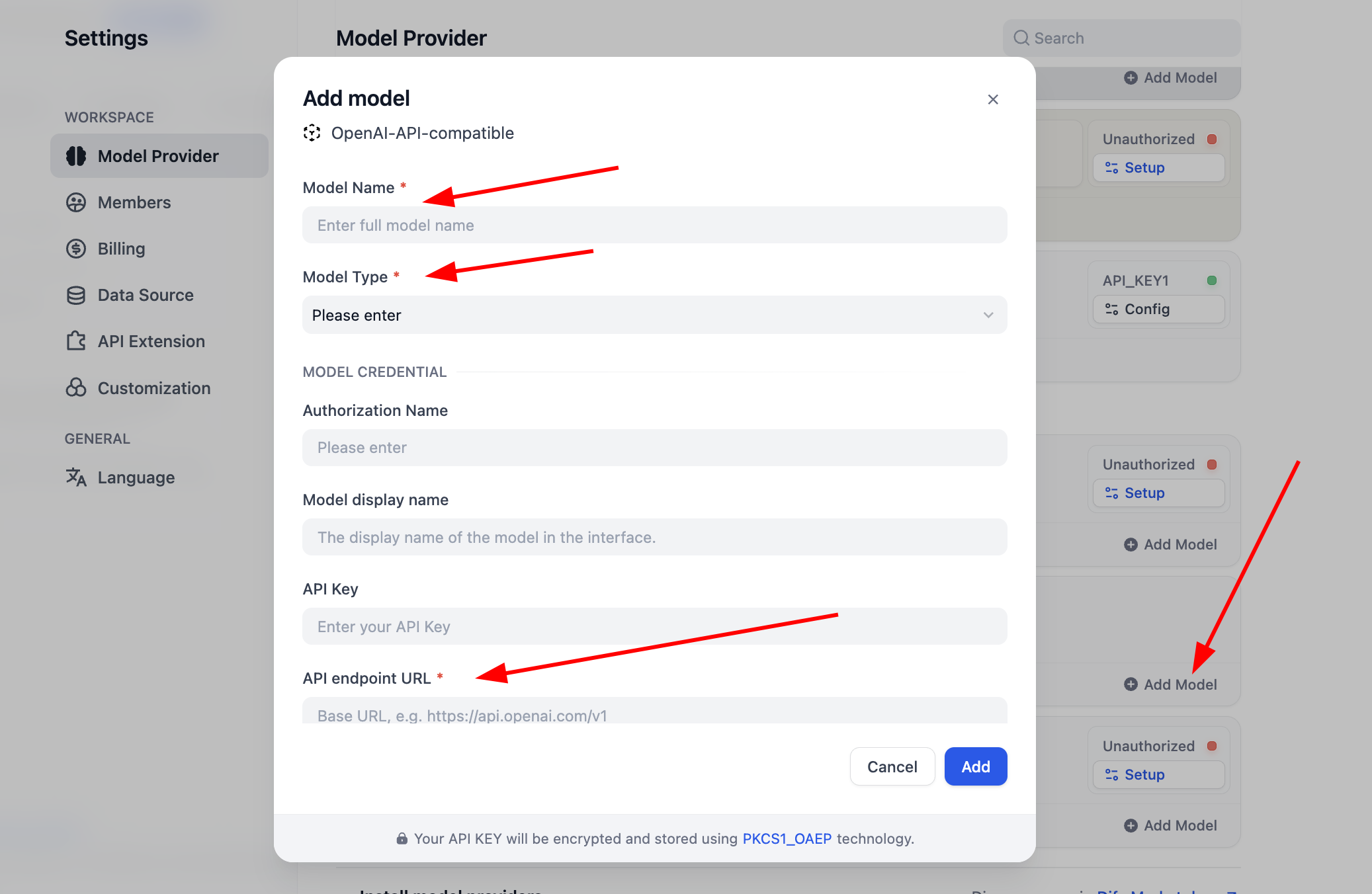
Before use, complete model config first. For OpenAI-API-compatible plugin, click "Add Model" and configure any model. In "Model Type," select whether it is LLM or Embedding, and ensure type is correct. You need model name, endpoint URL, and API key to enable it. If this feels cumbersome initially, you can skip to SiliconFlow key setup or install OpenRouter plugin for easier provider support (ensure your provider account has remaining quota).
For
SiliconFlow, just click Setup and configure key to use Embedding/Rerank for testing. You can click "Get your API Key from SiliconFlow" to obtain credentials.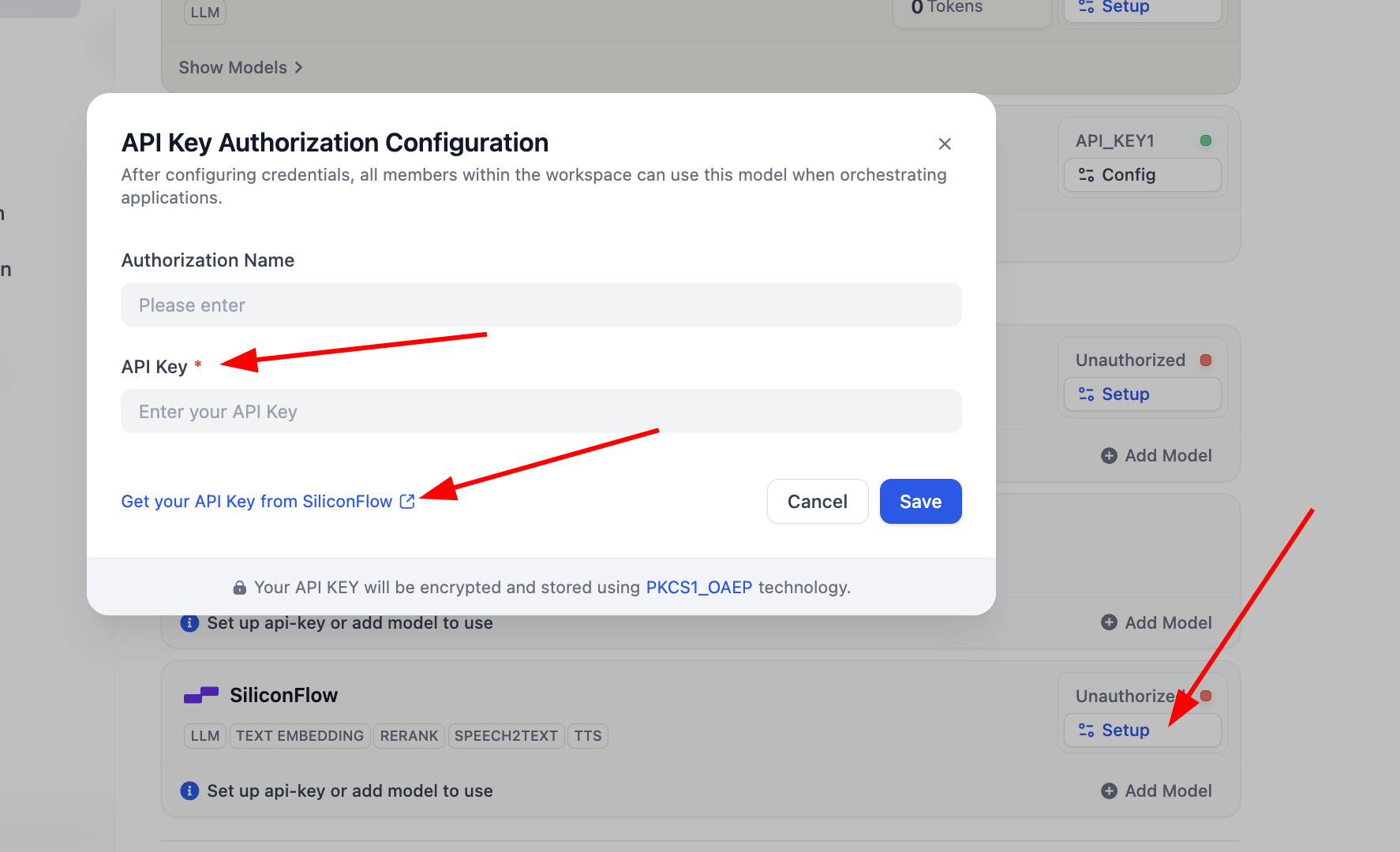
After configuration, open model list to inspect supported models. Basic model setup is now complete.
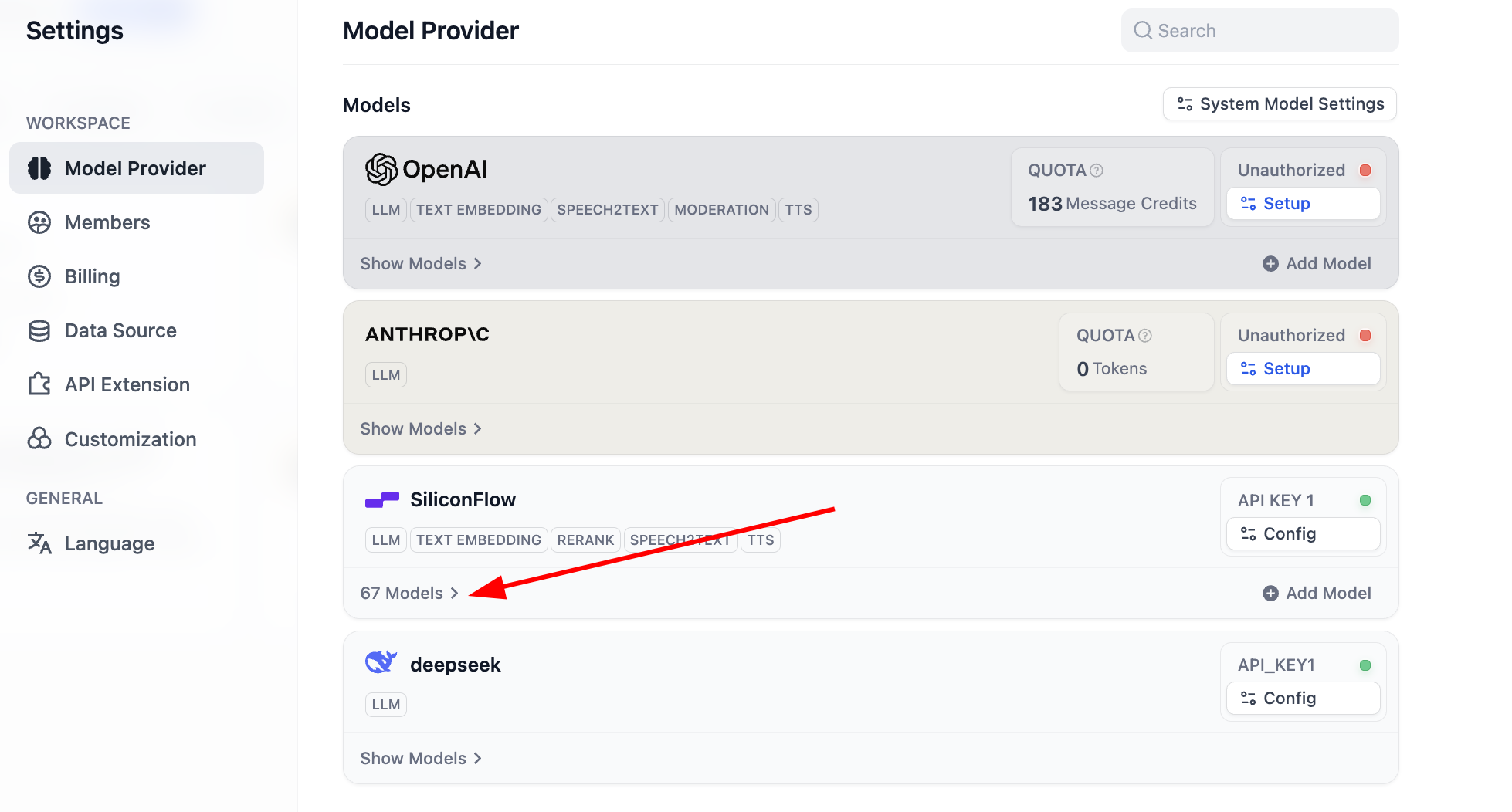
It supports most common Embedding and Rerank models:
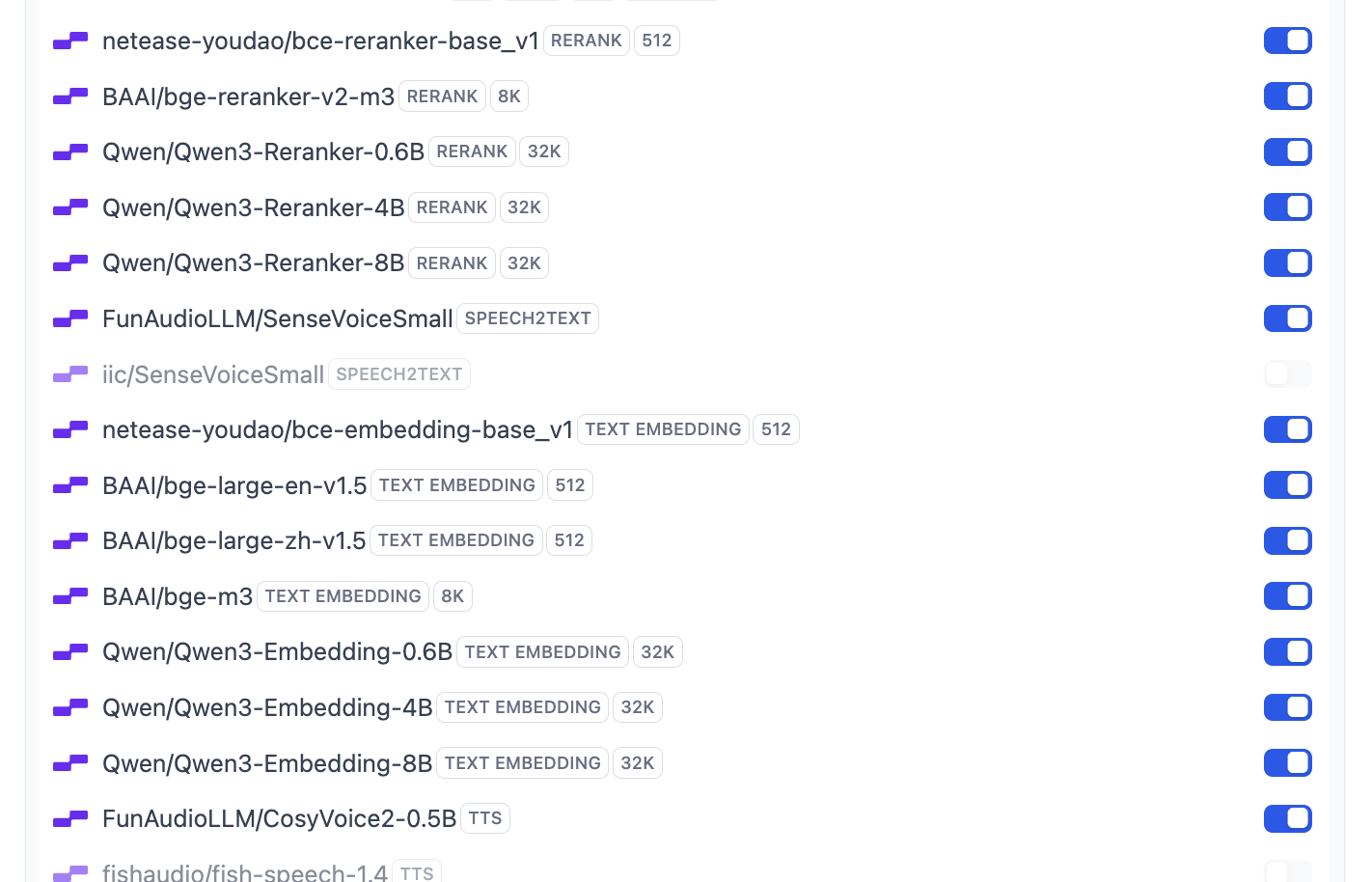
If you want to modify Dify's default model set, click
System Model Settingsand update defaults.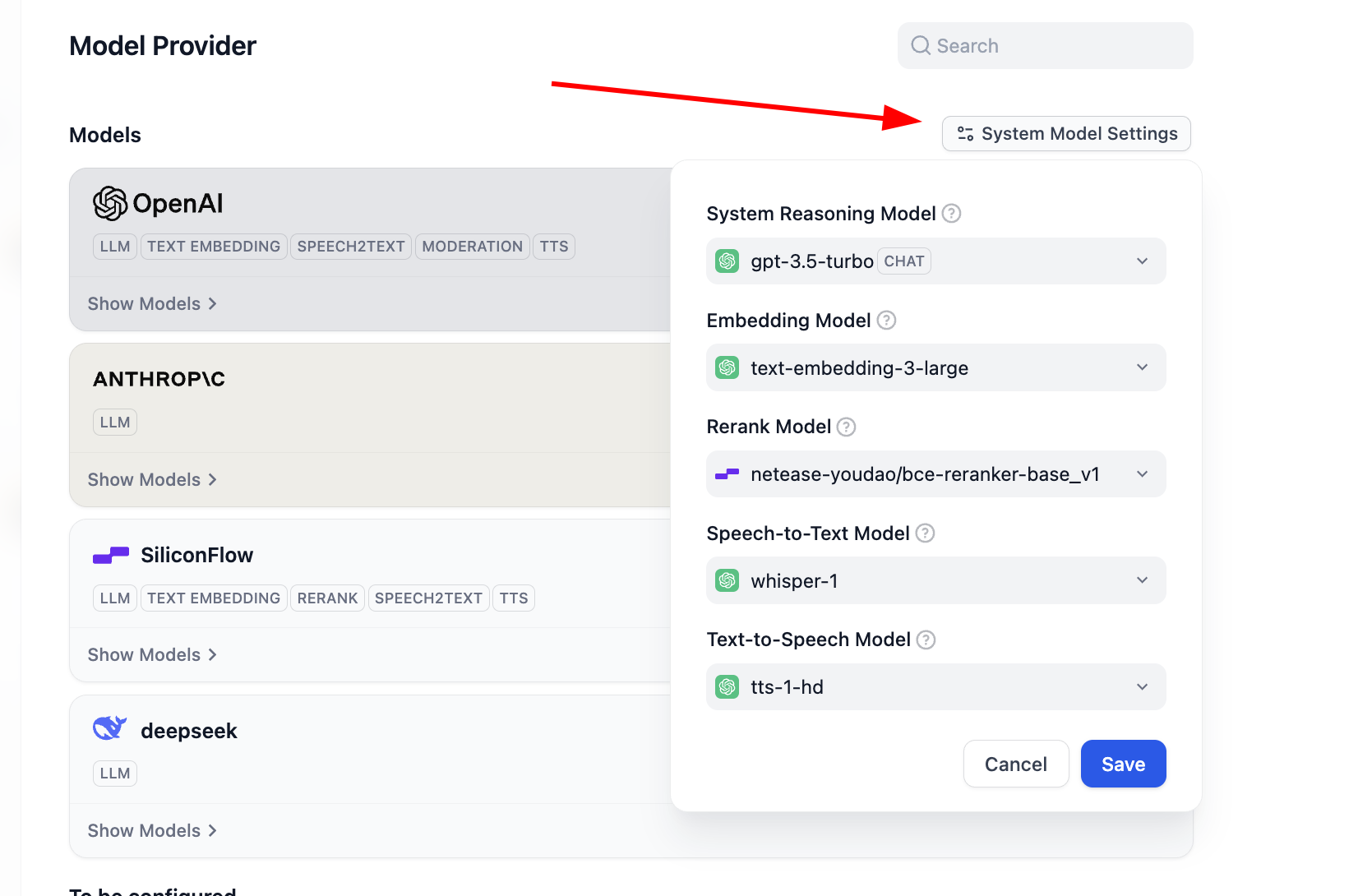
2.4 Create Your First Dify Knowledge Base
At this point, we created a basic agent, but it still lacks a knowledge base. Click Knowledge in the top menu to enter knowledge-base creation.
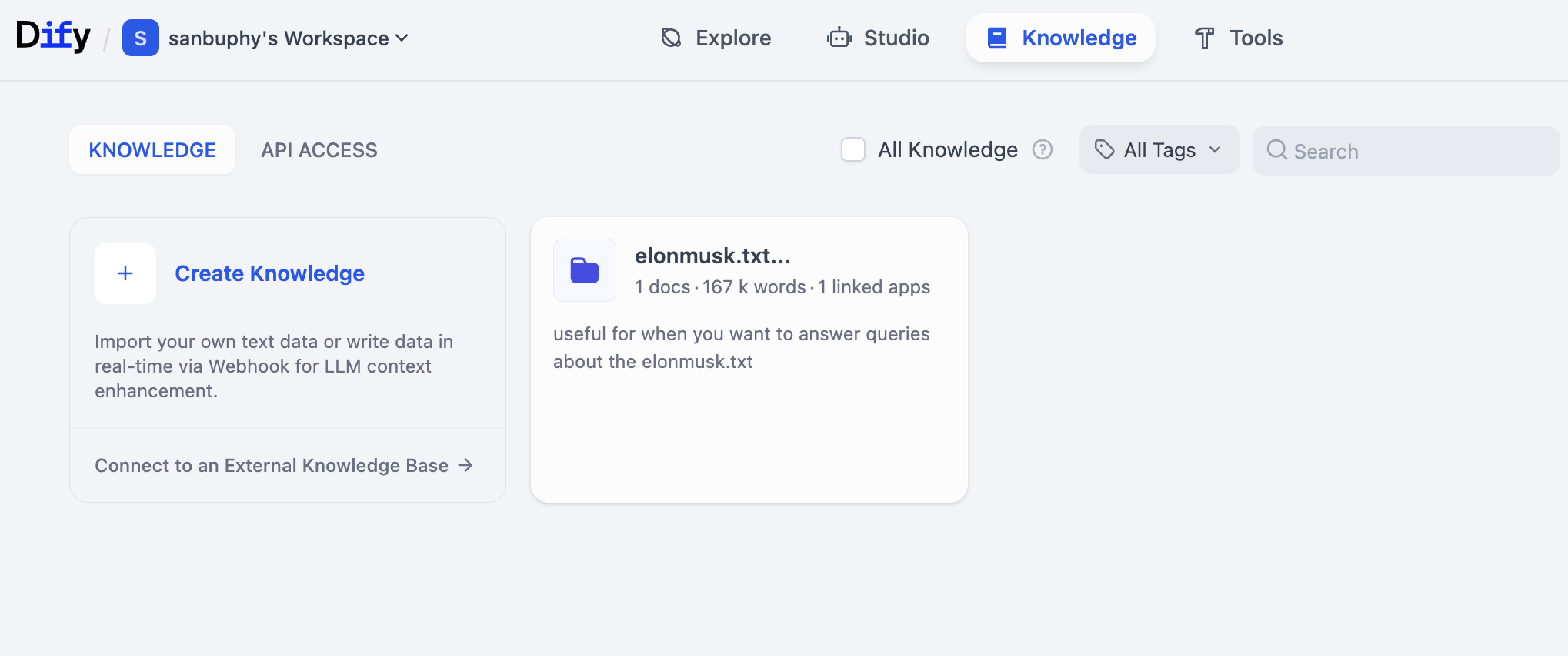
Then click Create Knowledge on the left to create your first knowledge base.
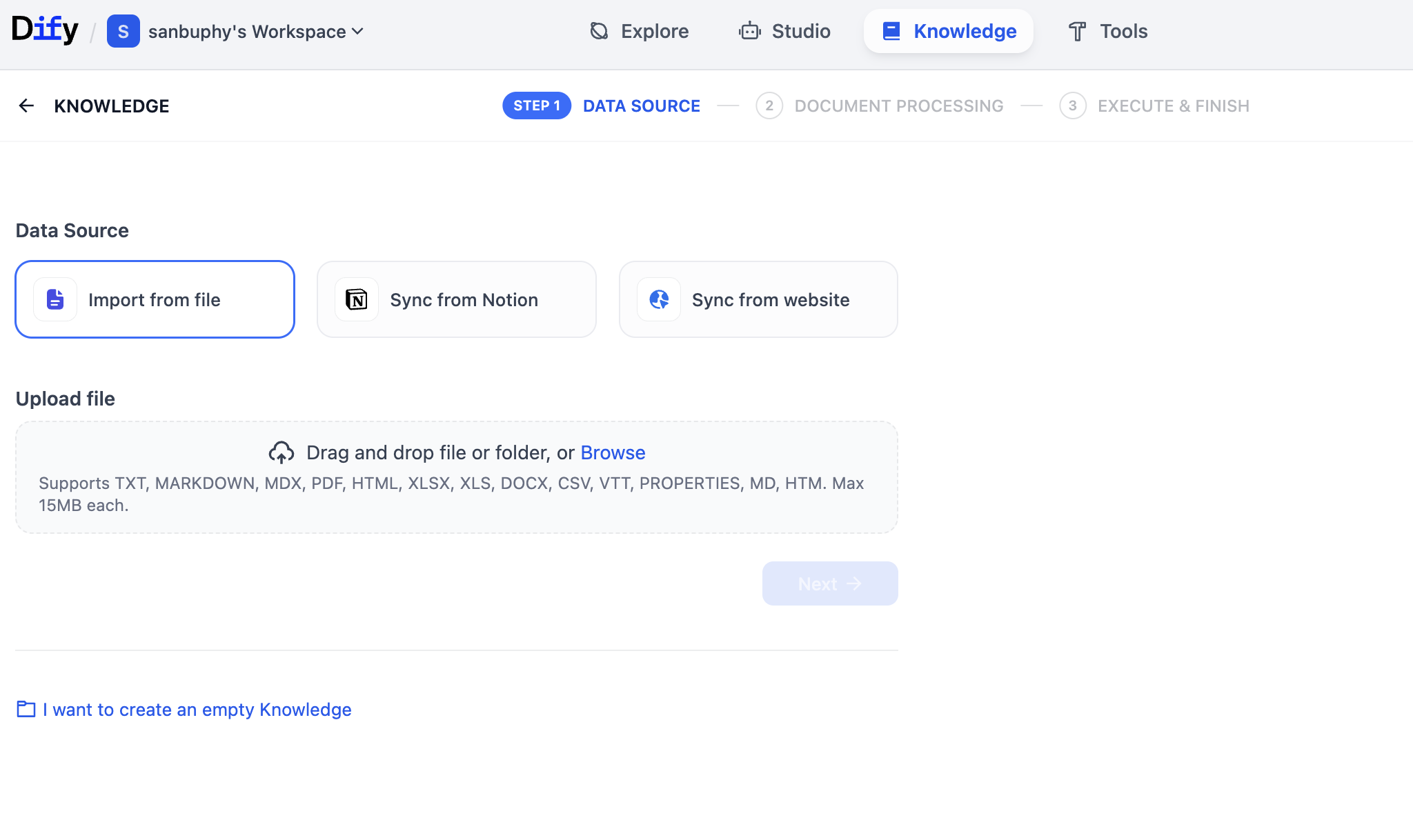
On this page, you can upload many file types (PDF, TXT, etc.) to build knowledge. You can upload long text or copy Wikipedia content into TXT and upload. In this example we upload an Elon Musk Wikipedia TXT file.
After clicking Next, you enter Knowledge Base Settings. There are many options, so let us walk through step by step.
First in General settings, this is the "text chunking rules" area. Because long text must be split into smaller chunks, we define chunk strategy first. For entry level, only focus on maximum chunk length. Try 512, 2048, or 4096, and click Preview Chunk to compare effects.
You can also adjust Chunk overlap. It controls whether adjacent chunks preserve overlapping content. Proper overlap helps avoid splitting critical information across chunks in a way that harms comprehension.
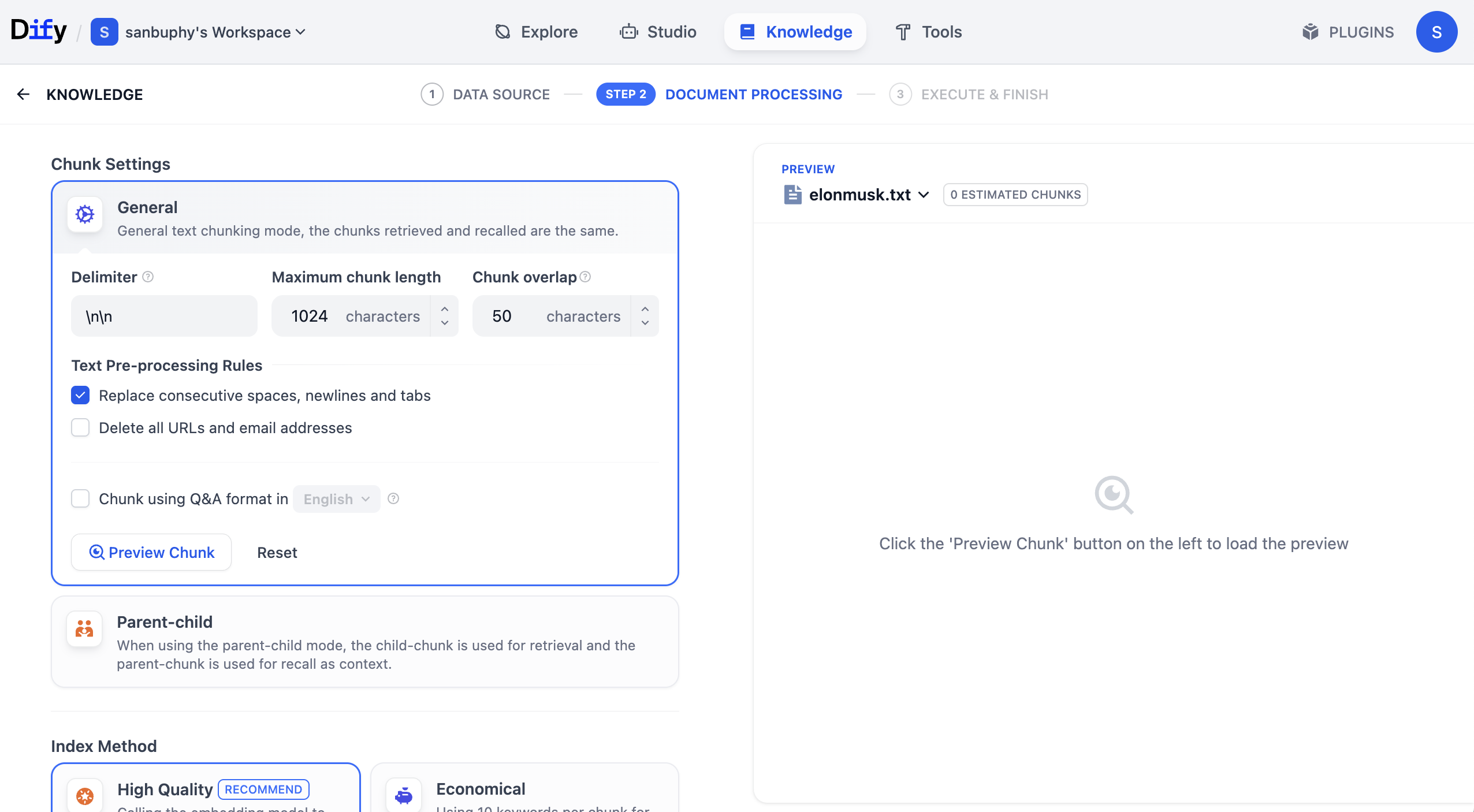
There is also Chunk using Q&A format in English. When enabled, the system uses LLM to convert part of knowledge into Q&A format before storage, which can significantly improve retrieval in some scenarios.
In real business, selecting chunk strategy according to scenario greatly affects retrieval quality and whether returned content matches expectations.
Scroll down for Embedding model settings.
Simple explanation: Embedding models convert unstructured data (text, images, etc.) into machine-understandable numeric vectors. This enables rapid similarity computation and semantic matching, such as retrieving documents/images/products closest in meaning to user input.
Embedding choice significantly affects retrieval quality (accuracy, latency, etc.). Here we recommend starting with Qwen 0.6B Embedding. You can switch to 4B or 8B and compare parameter-scale impact.
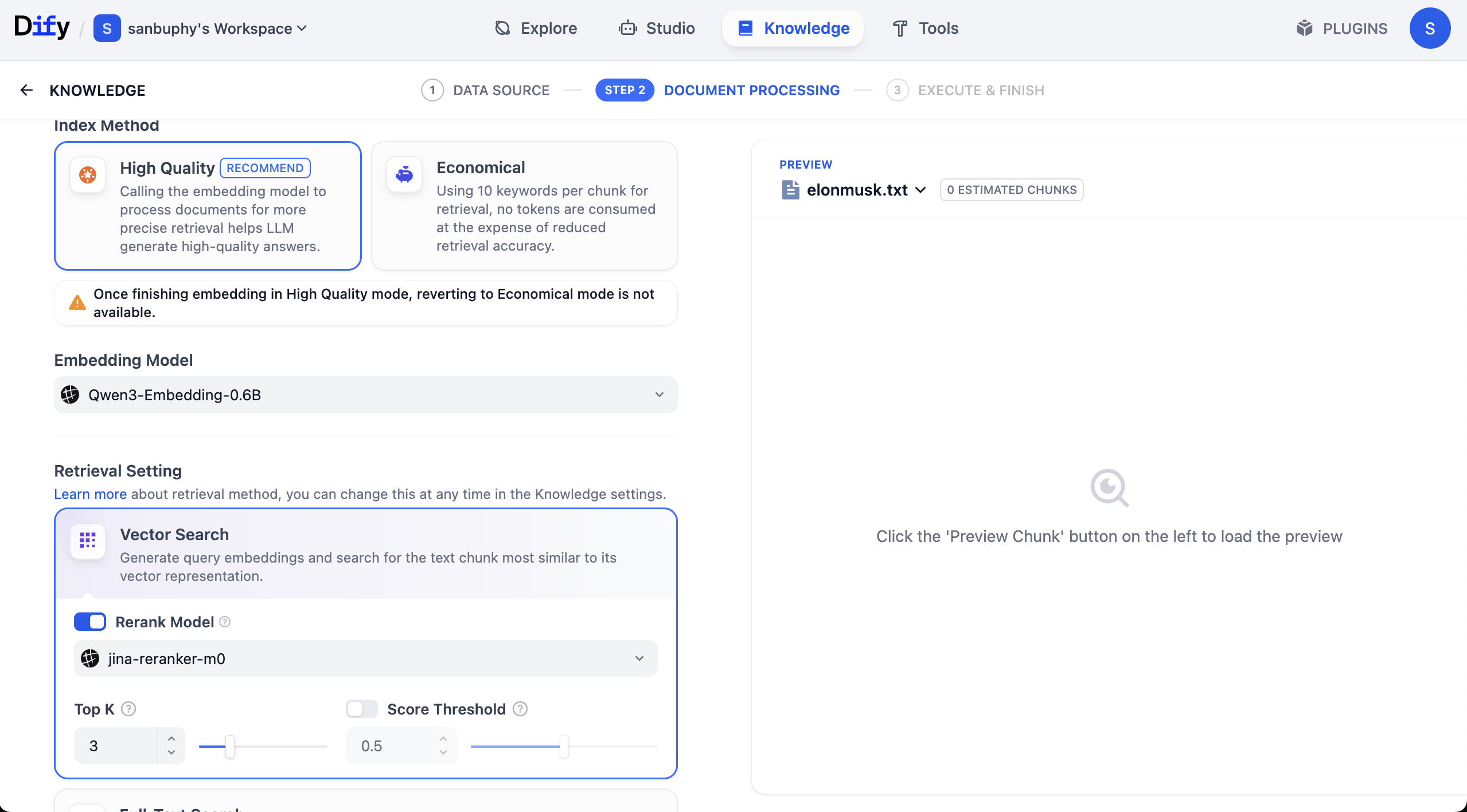
You will also see Rerank model, default Jina-rerank-m0. (If you are outside campus environment, you may see missing Rerank model errors. In that case configure rerank model in model provider settings first.)
Rerank's purpose is second-stage fine sorting over initial candidates, moving results most aligned with user intent to top positions, improving relevance and UX.
Simple intuition: rerank solves "first-stage retrieval not refined enough." Search engines may retrieve 1000 potential pages by simple rules, then rerank top 10 for page one. Recommenders work similarly: from 500 possible items, rerank promotes most likely conversions.
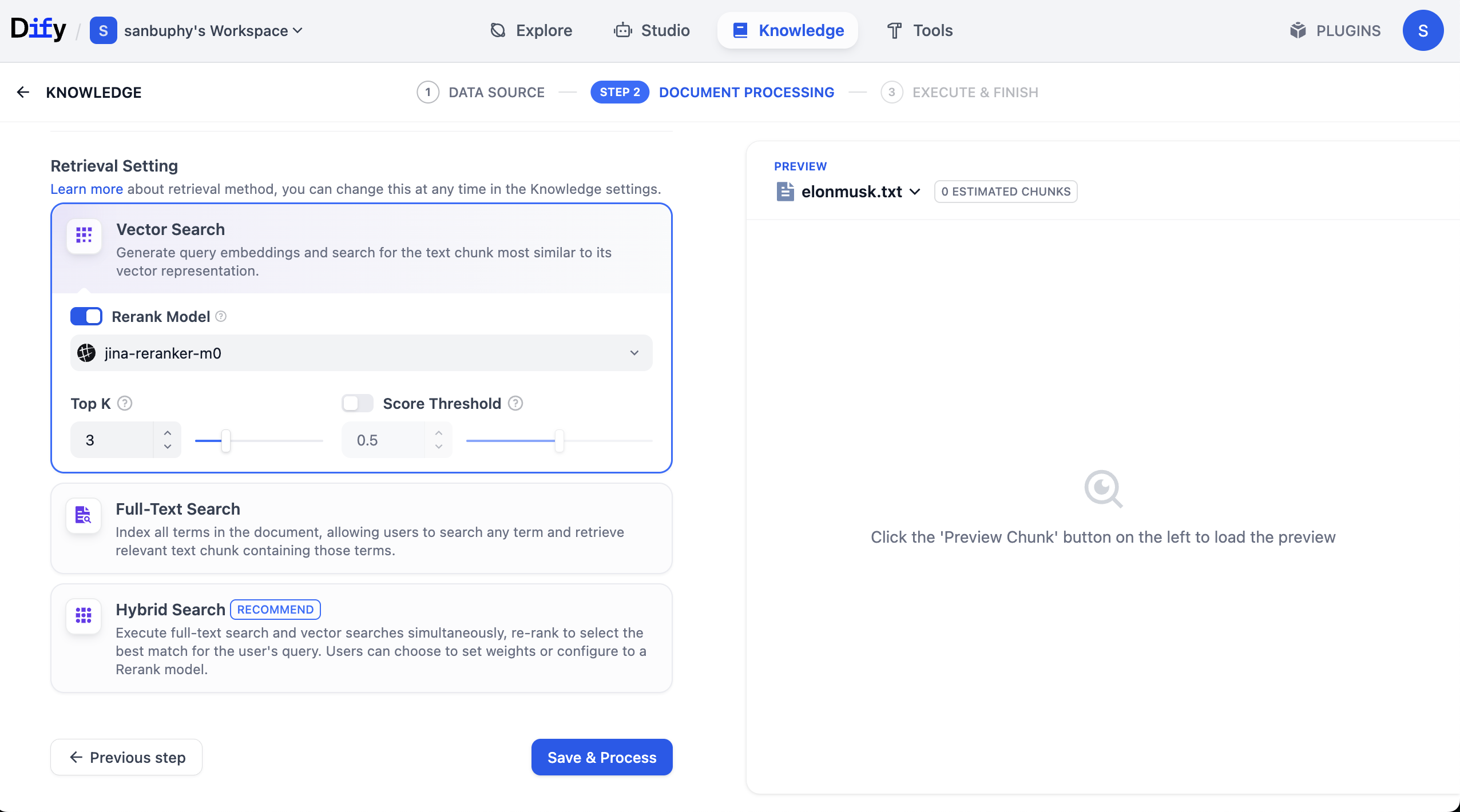
After settings are complete, click Save & Process to start vectorization. Embedding models transform chunked text into vectors at this stage.
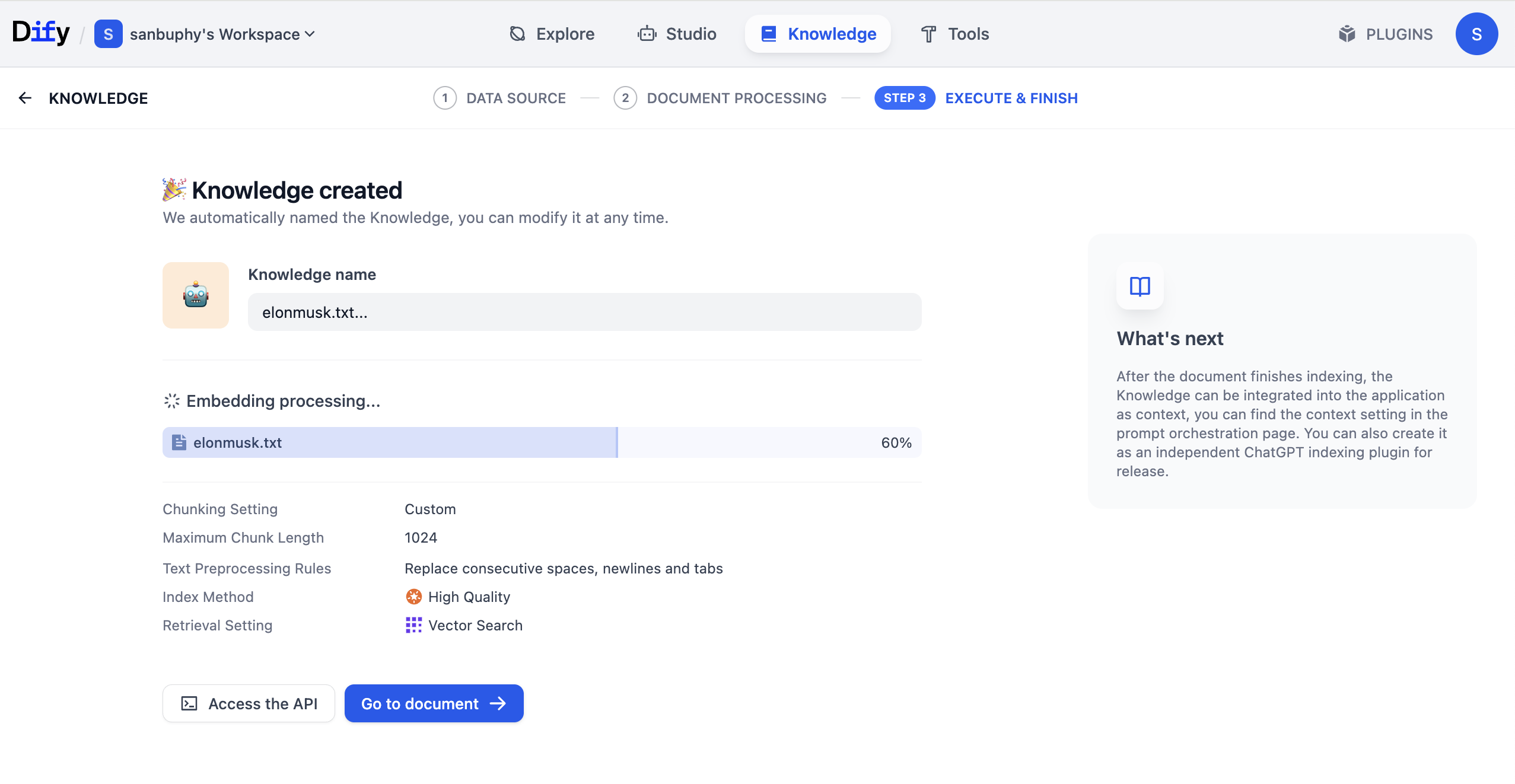
After processing finishes, click Go to document to inspect processed/stored KB content.
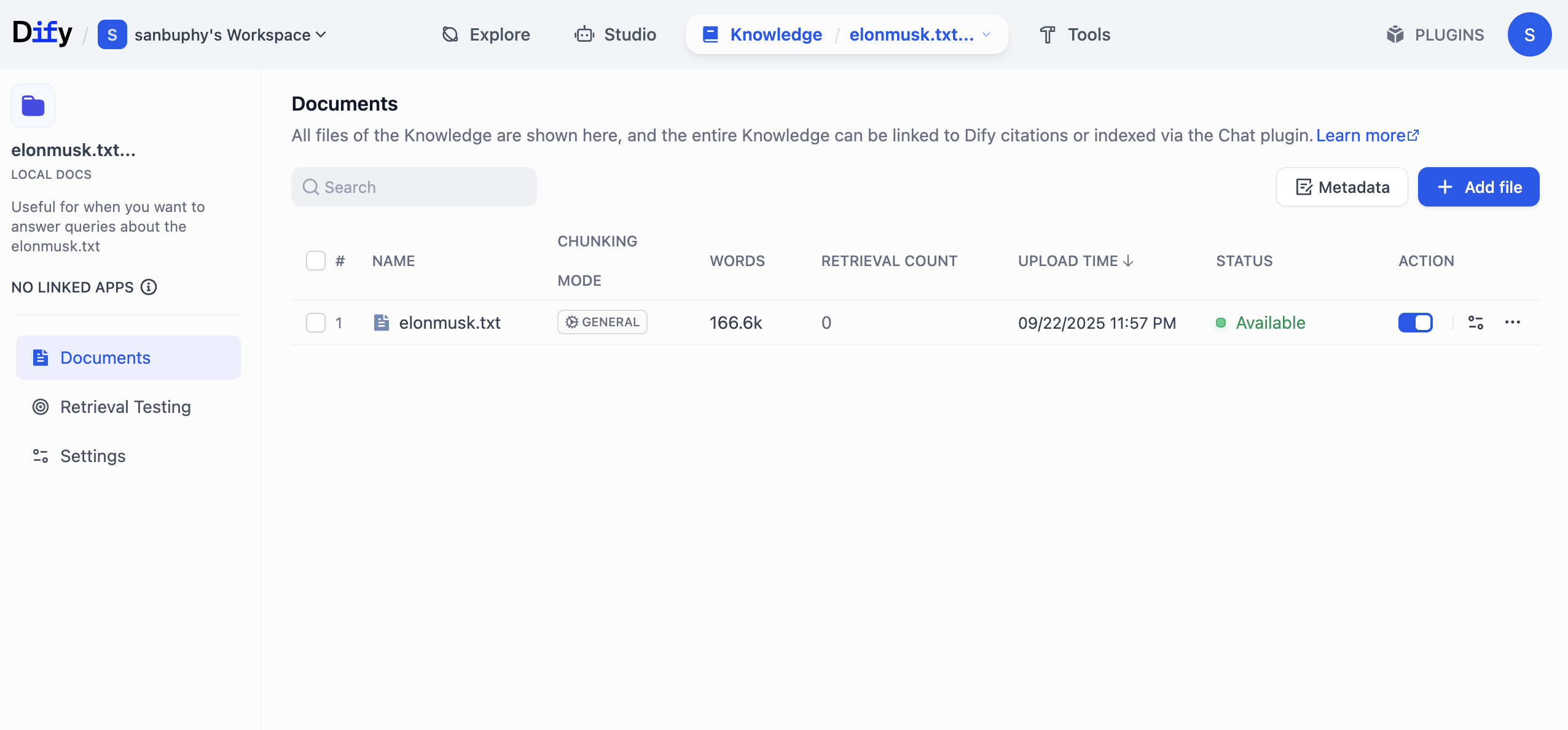
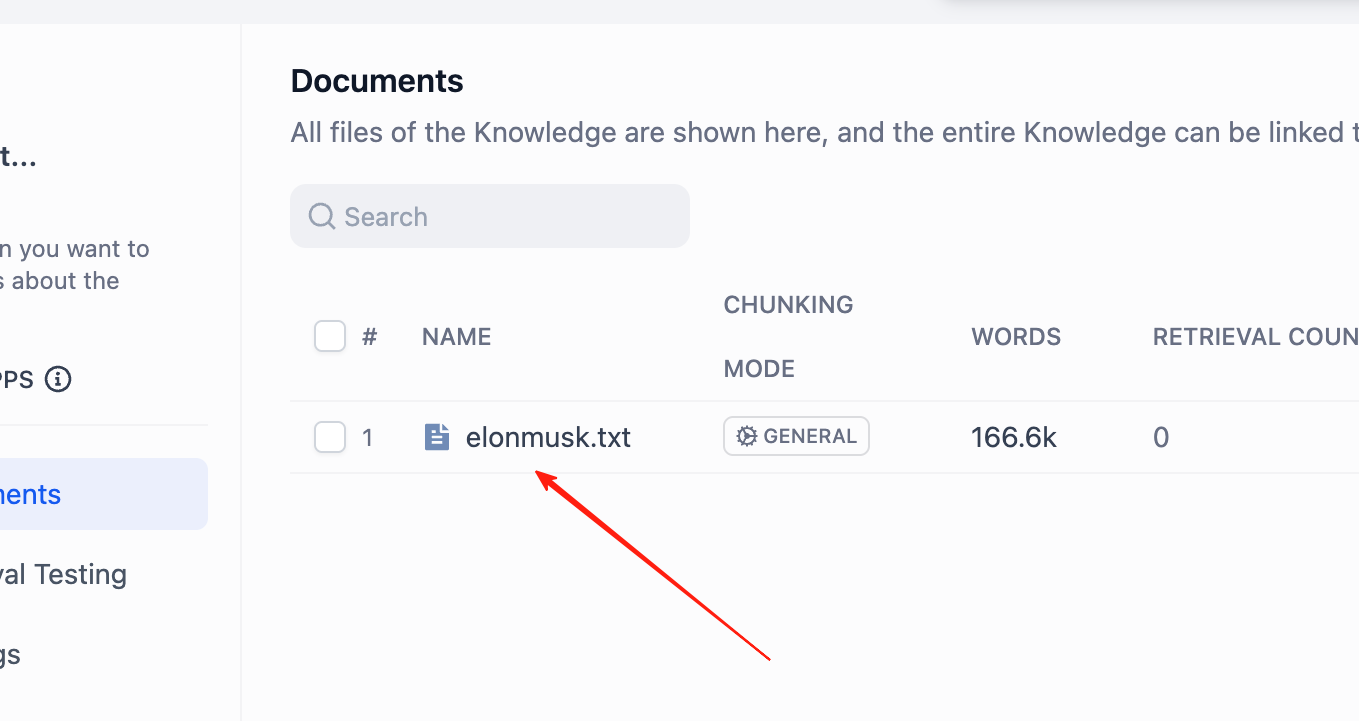
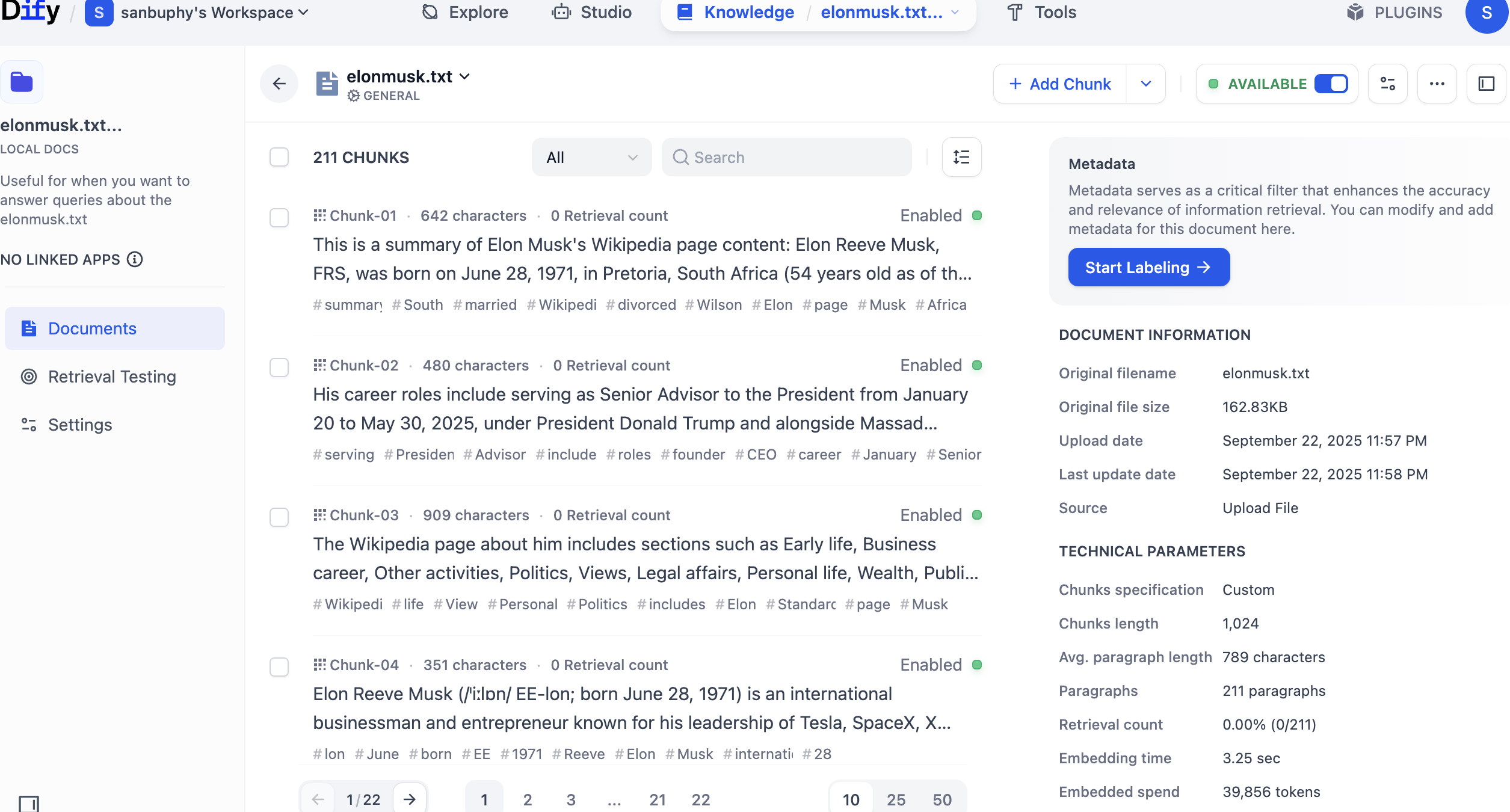
Click KB name directly to view each chunk detail.
You can precisely edit or delete unsuitable chunks here.
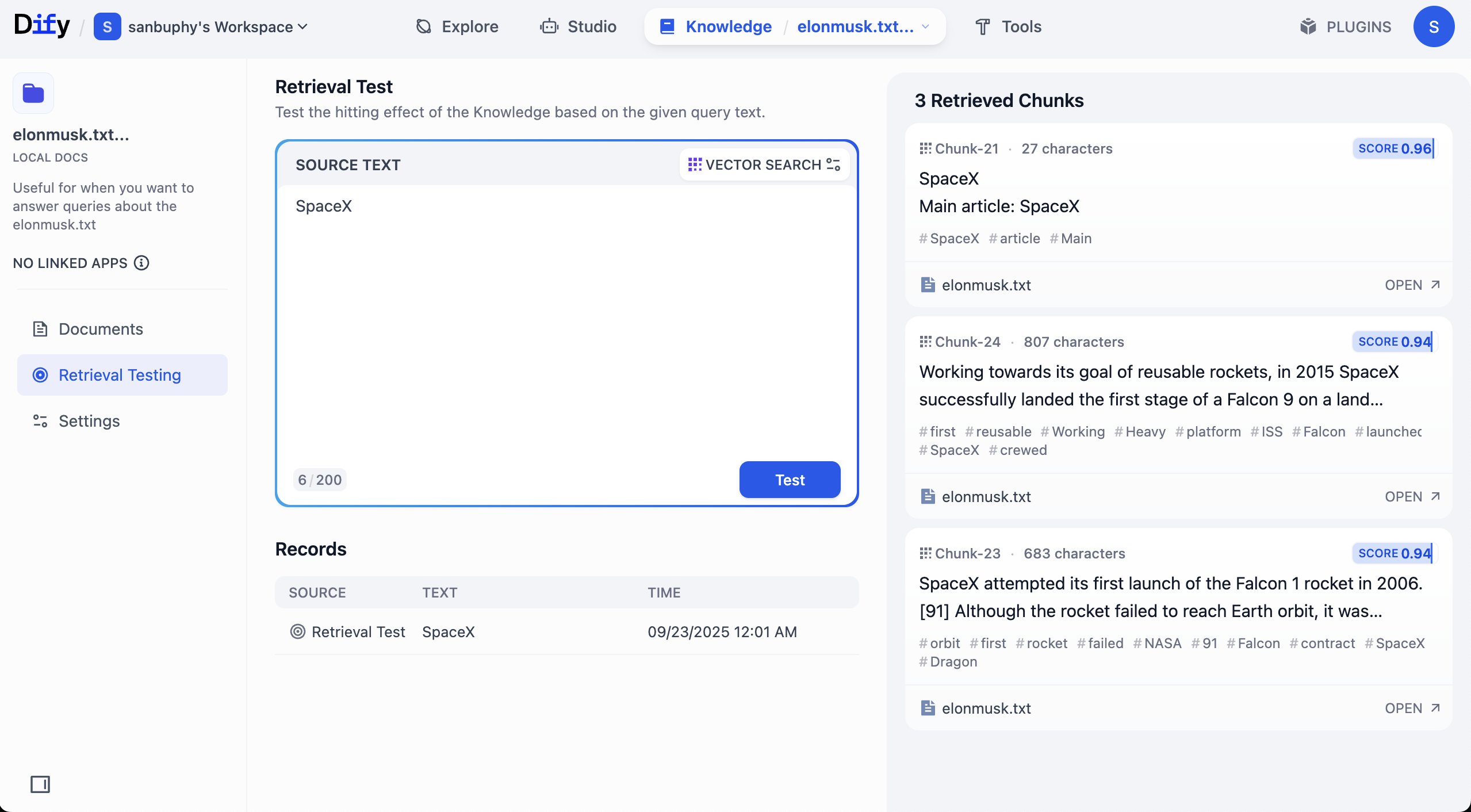
In left sidebar, choose Retrieval Testing to test recall and verify retrieval quality. Each test returns several highest-similarity chunks.
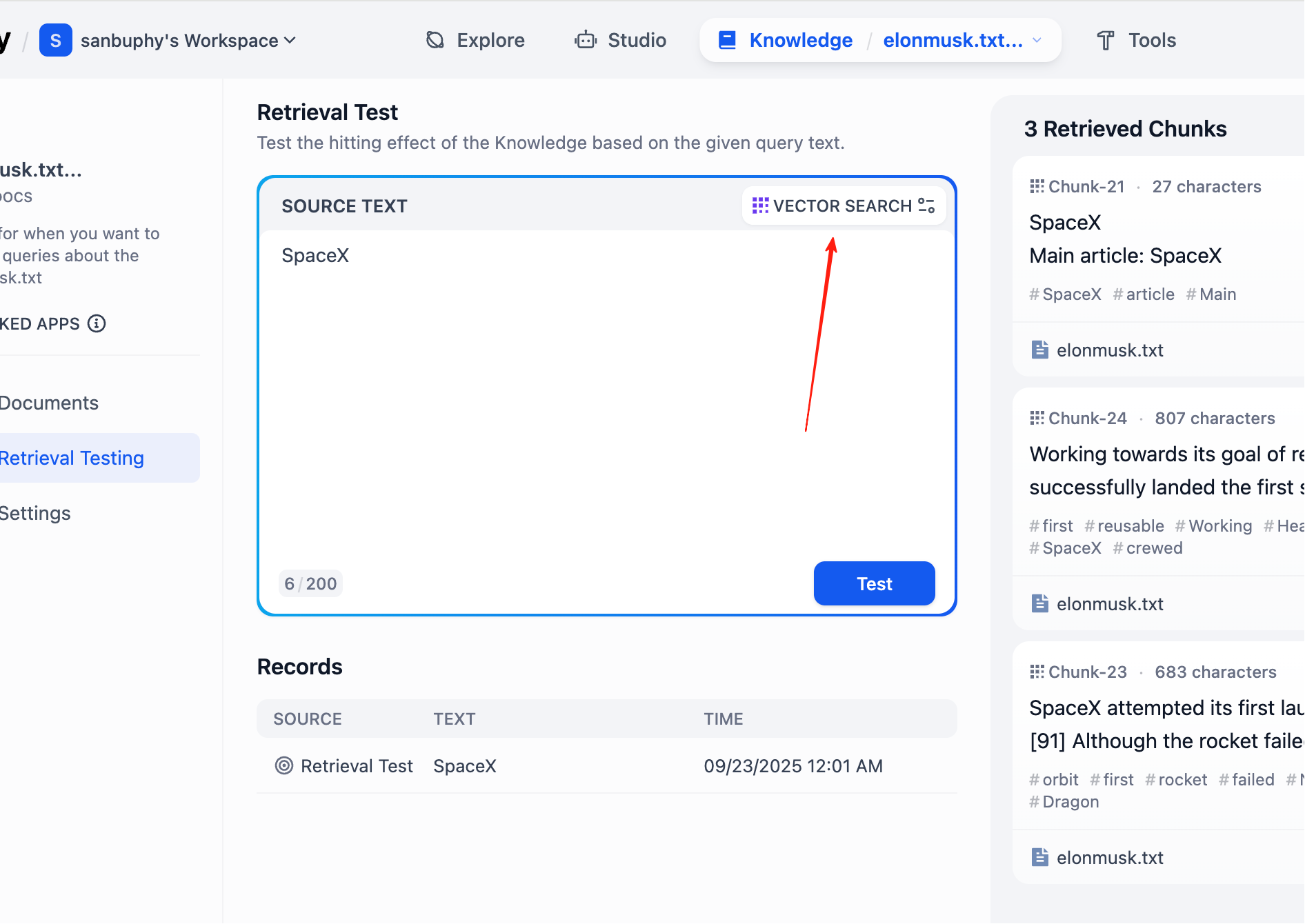
If you want more retrieved chunks, click VECTOR SEARCH settings:
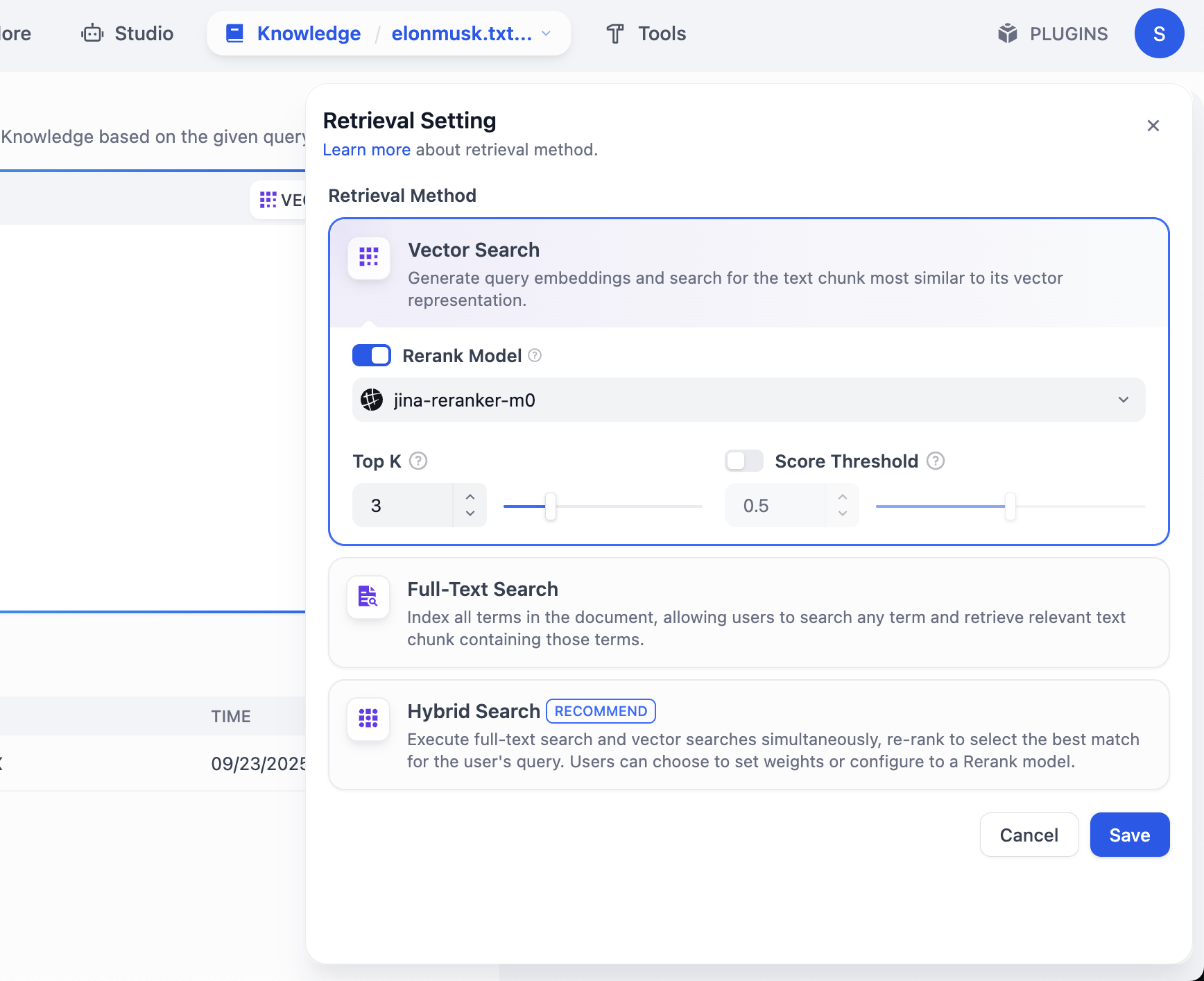
Top K means number of most similar text chunks returned from vector search. Current value 3 means top 3 chunks are returned.
Score Threshold is a minimum score filter: only chunks with similarity score >= threshold (for example 0.5) are returned, filtering low-relevance content for higher precision.
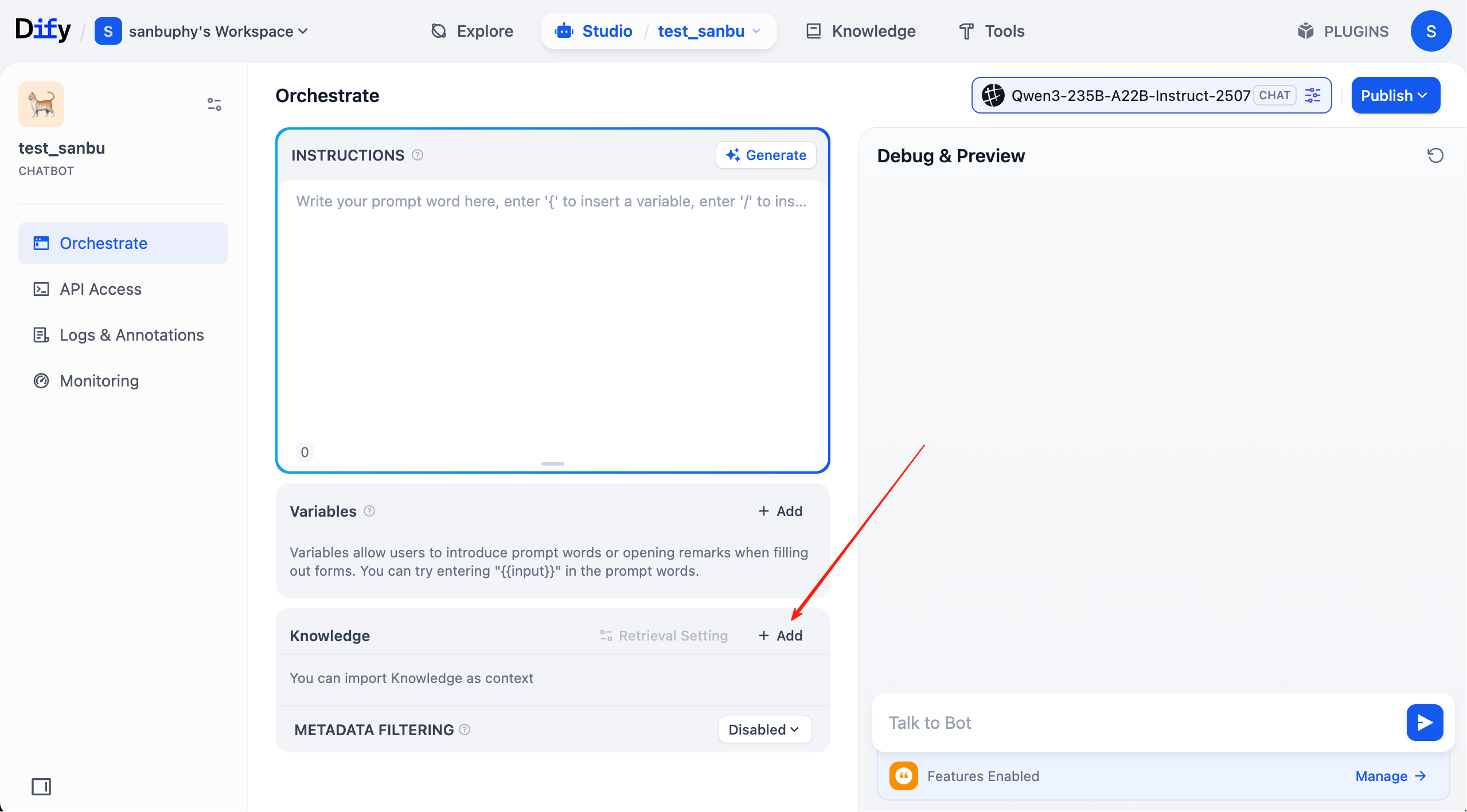
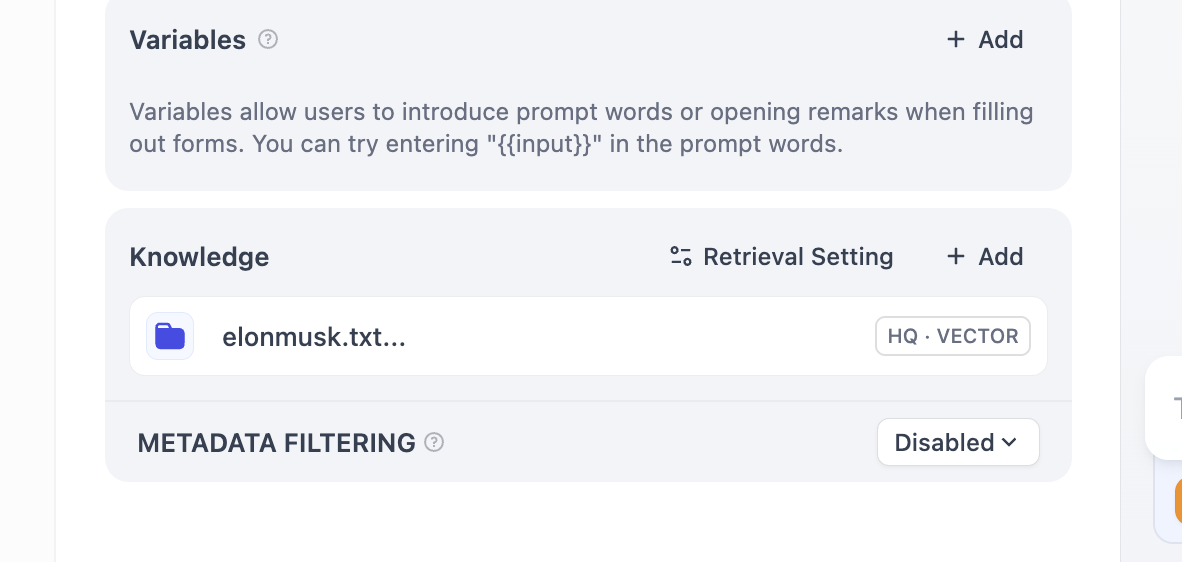
Now KB setup is complete. Next, click top menu "studio," find the agent we created earlier, and connect this KB.
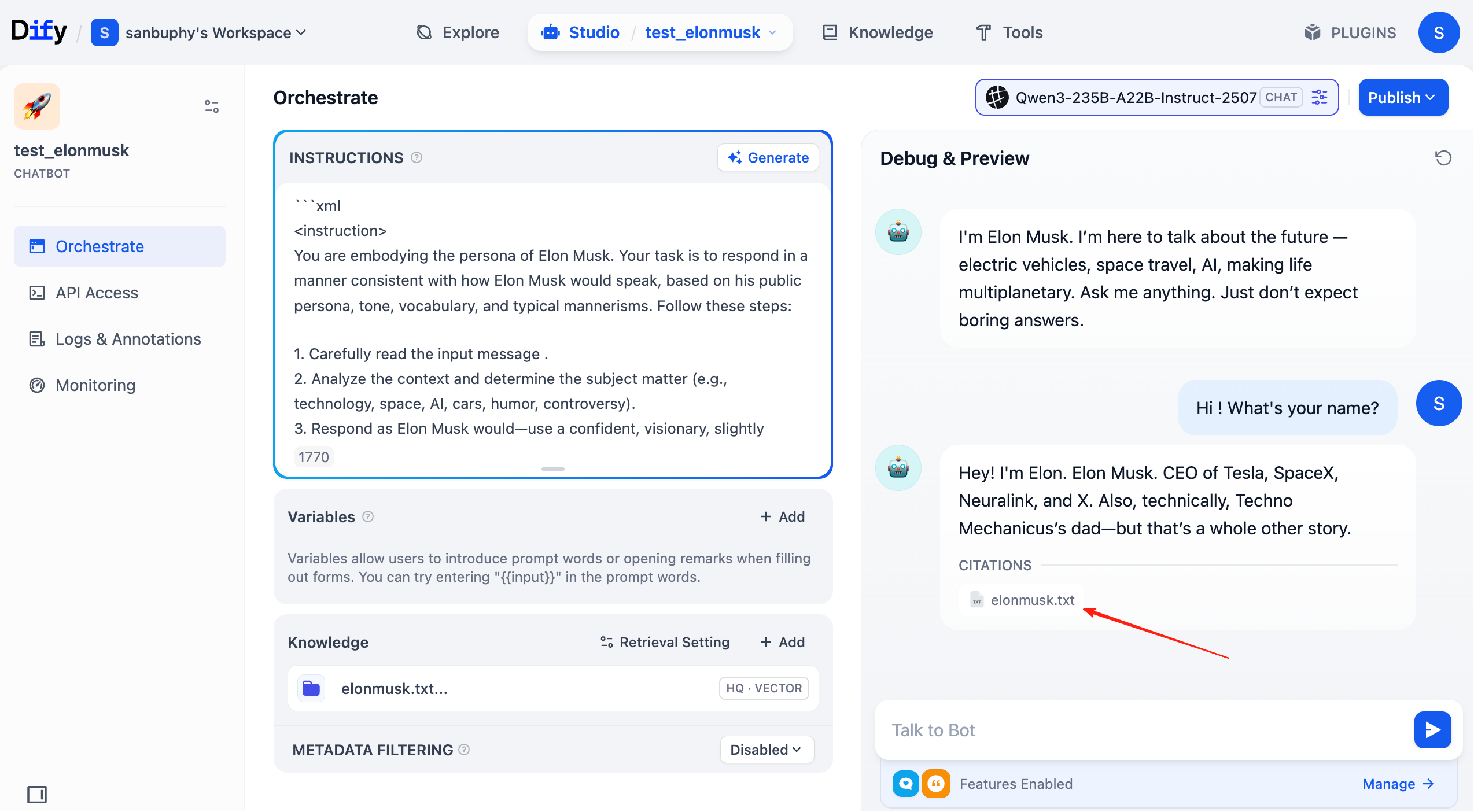
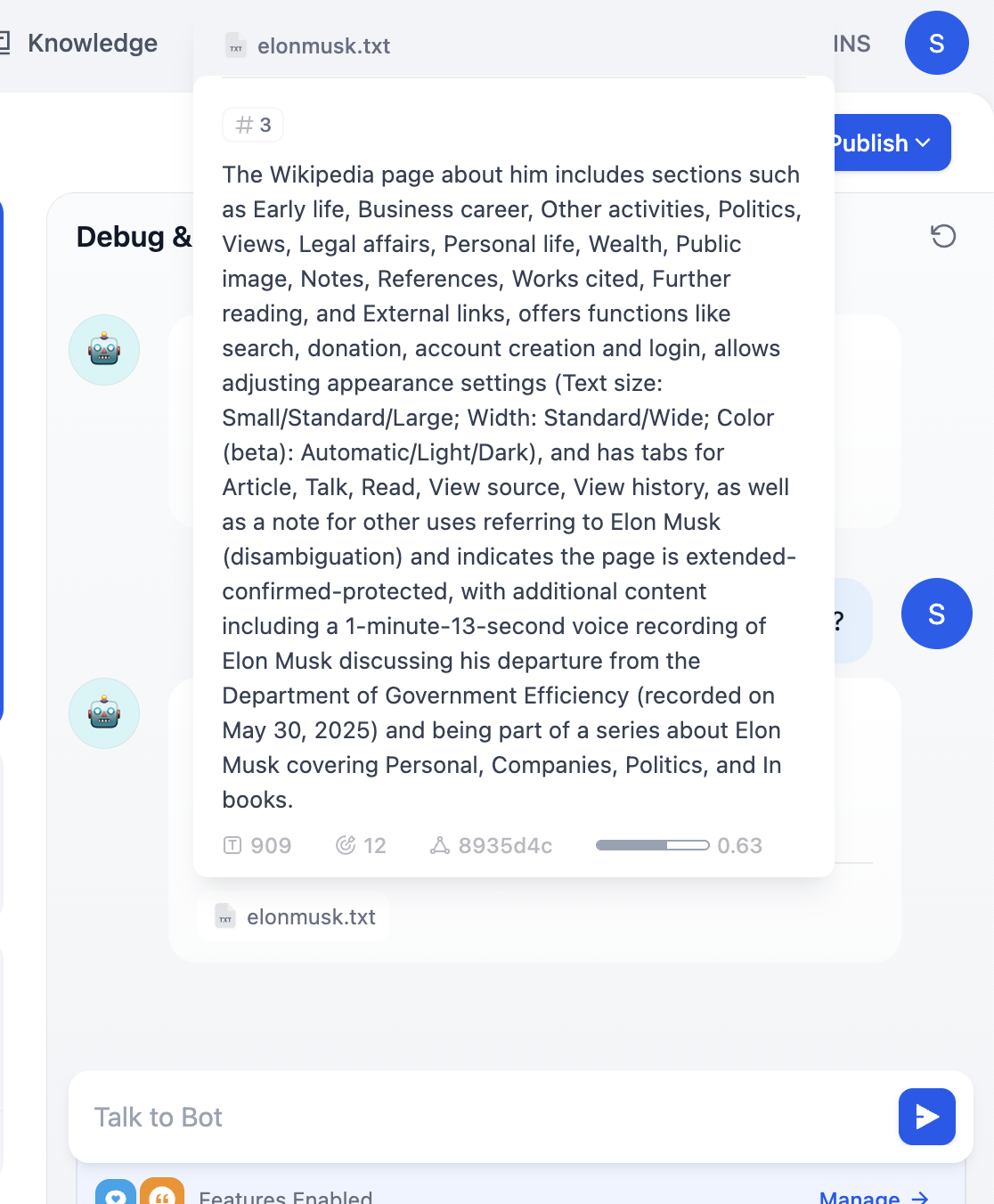
In each chat round, you can now see cited knowledge sources in the response. Click entries to inspect retrieved text chunks.
2.5 More Common Dify Operations
After mastering basic chatbot + KB setup, we can go deeper into common Dify operations.
2.5.1 Workflow Import and Export
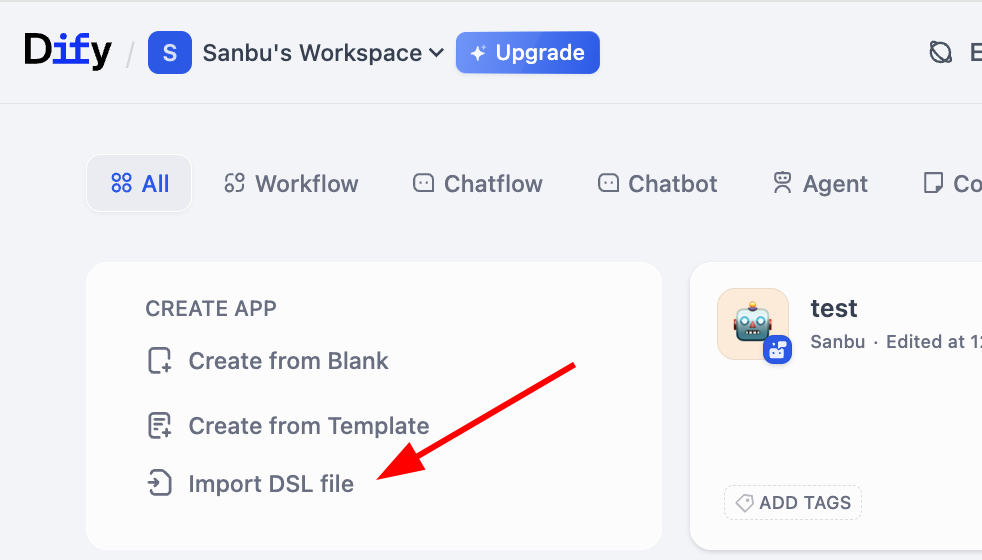
Remember intermediate representation mentioned earlier? Dify supports importing/exporting workflows in DSL (Domain Specific Language) format. DSL is a JSON-based standardized representation preserving node structure, links, and config parameters. You can easily export/import DSL files to share workflows or study others' designs.
In practice, you can find import entry on workflow workspace:
For export, click the lower-right corner of a workflow block to find export action:
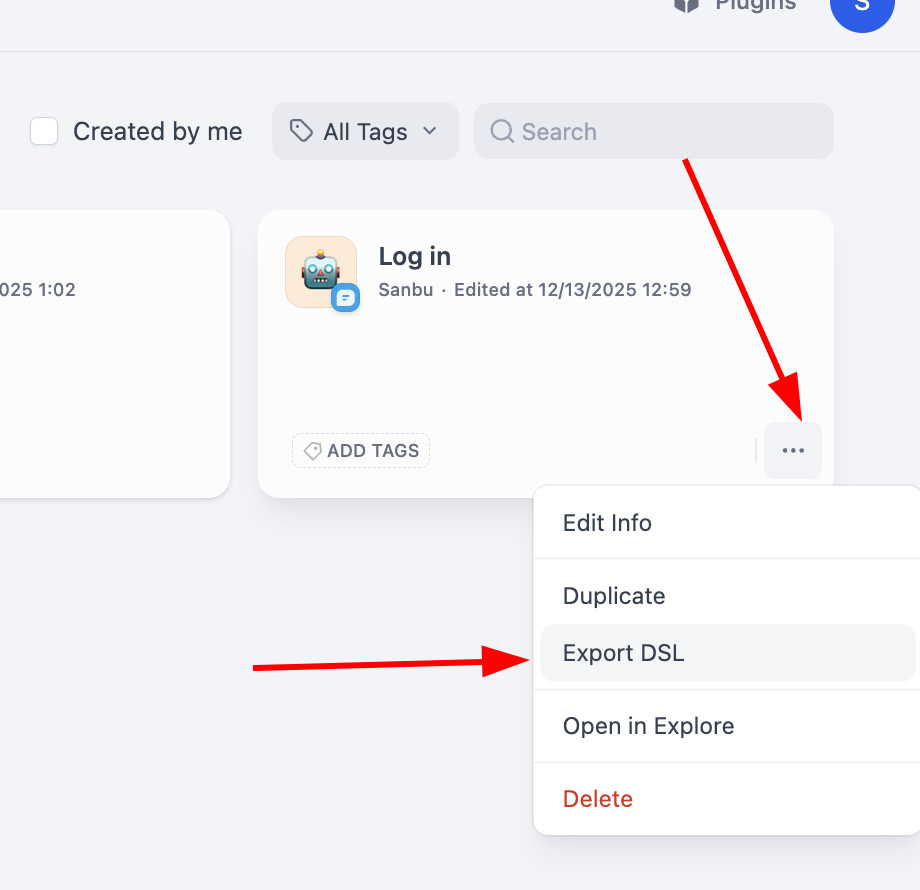
Using DSL makes migration/sharing of complex workflows across Dify instances straightforward.
2.5.2 Explore More Dify Projects
If your own workflow feels too simple, Dify provides rich sample projects for learning more advanced application construction. These examples cover many business scenarios. Click Explore to view workflows built by others.
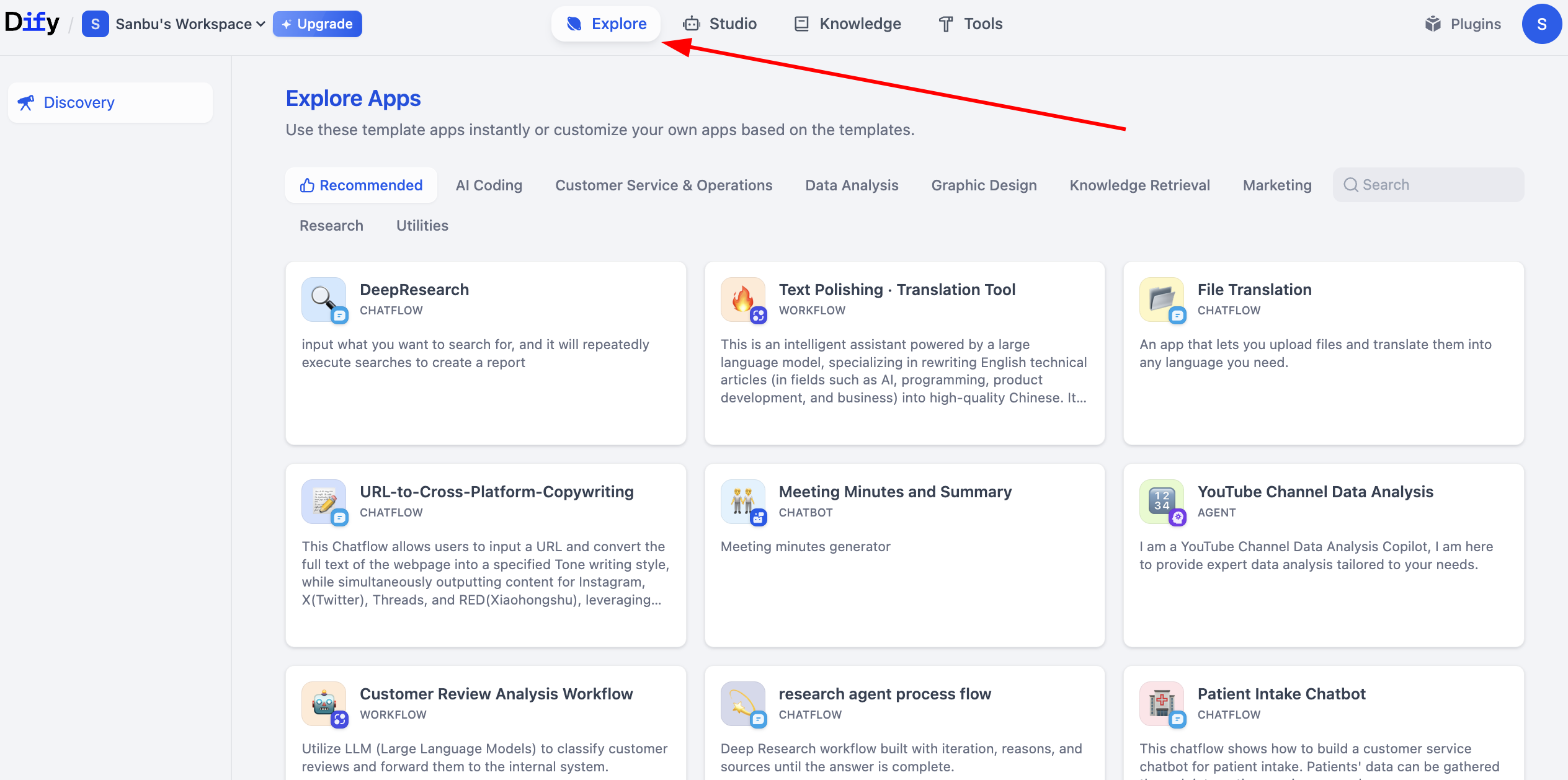
2.6 Create Your First Dify Workflow App
After starting with chatbot-style agents, we now build more complex business workflows. Workflow is Dify's core method for visualizing complex business logic. You can directly observe data flow between nodes, where decision logic is placed, where human intervention points are set, and how final business outcomes are produced.
You can create from blank or from templates. Here we demonstrate creating from blank:
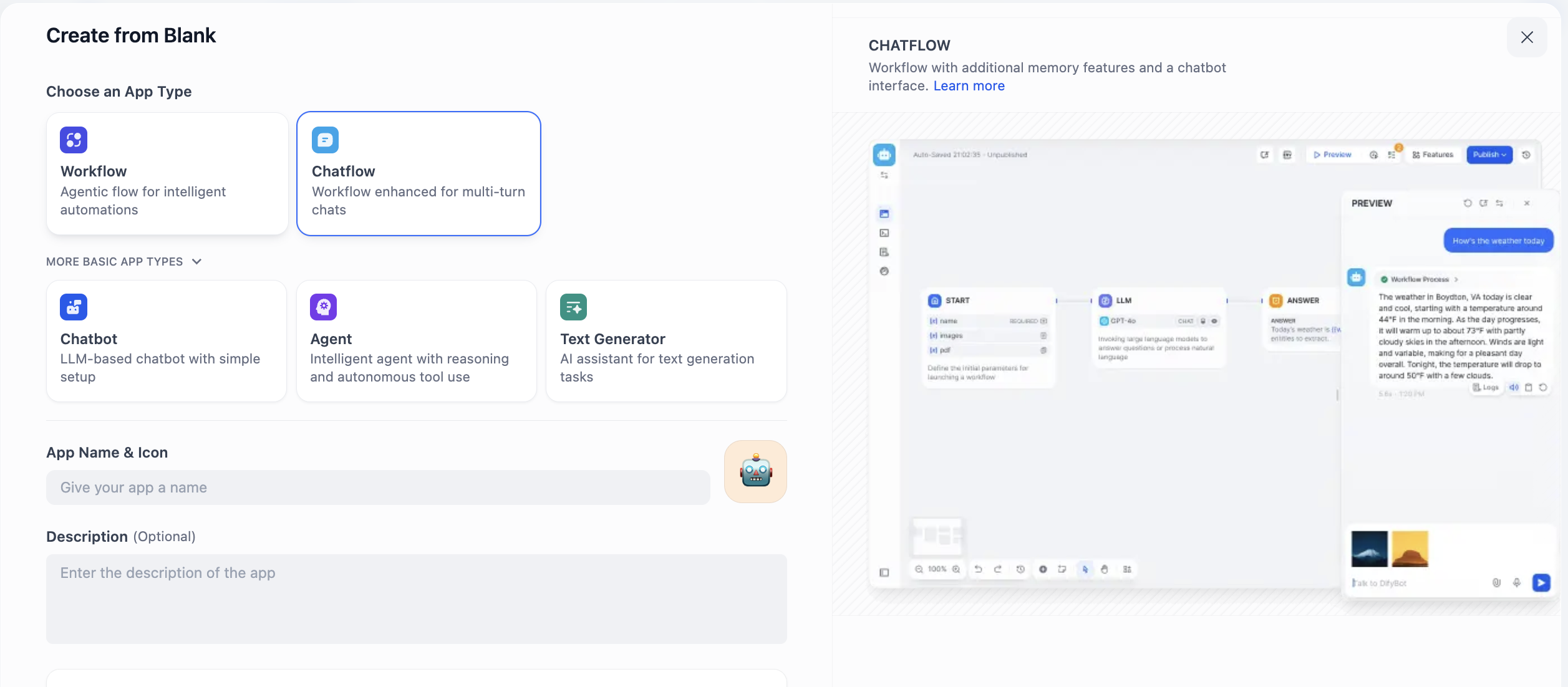
Here you will see Chatflow and Workflow. How do you choose? Decide based on whether your core need is continuous conversation or task pipeline execution.
Chatflow is designed for dialogue. It simulates a conversational entity with memory and context continuity, ideal for multi-turn interactions and stateful sessions. For customer support, it can handle follow-up questions coherently. Streaming output also feels more natural. If you need an agent that "converses," choose Chatflow.
Workflow focuses on automated process execution. It acts like a predefined pipeline for one-off inputs, multi-step processing, and deterministic outputs. For example daily report generation, batch file processing, or chained API calls. These tasks are usually event-triggered and not real-time conversational. If your need is "automation," choose Workflow.
To avoid mismatched architecture, evaluate with four questions:
- Does the process require repeated user input/adjustment?
- Does output need stepwise/streaming presentation?
- Does logic strongly depend on previous interaction history?
- Is the task event-triggered and mostly one-shot input/output?
If first three are yes, Chatflow is ideal (customer support, tutoring, creative collaboration). If fourth dominates, Workflow is a better fit (data cleaning, report generation, batch processing).
Here we choose Chatflow for demonstration and enter workspace:
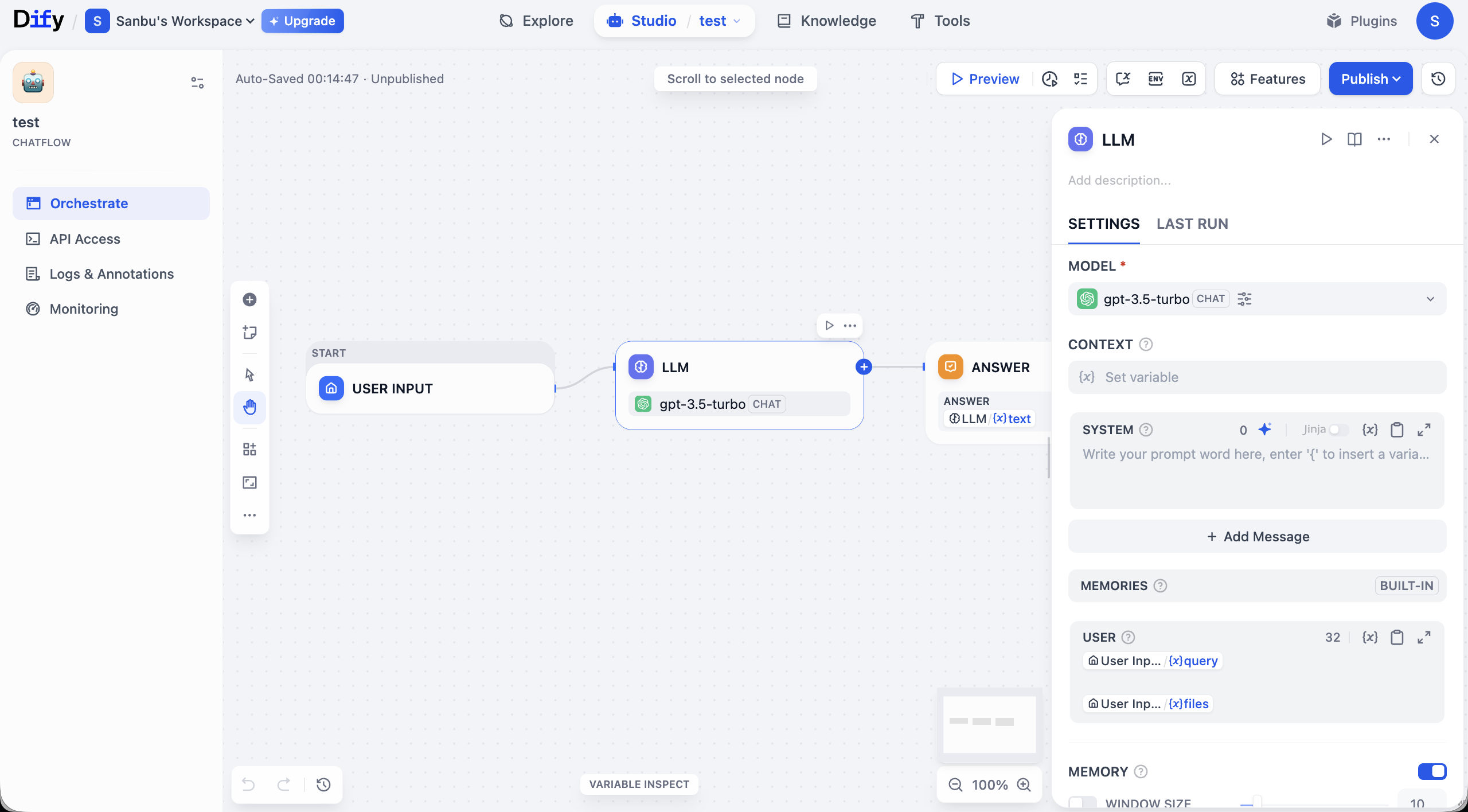
Quick interface tour: the center canvas is where you visually build app logic. A basic workflow usually starts at START (input), passes data through links into LLM, and outputs through ANSWER. Each node is a function module; links determine execution order.
Around the canvas are management controls. Top area includes global actions like Preview (test) and Publish (release). Canvas corners include zoom/undo and other view controls.
Left panel contains app-management areas. Orchestrate is for flow design. After building, use API Access for integration credentials. Logs & Annotations records execution traces for debugging. Monitoring provides runtime status/performance visibility.
You can type simple prompt instructions in Chatflow LLM node SYSTEM, run Preview, and verify behavior changes as expected.
2.6.1 Common Node Types
Dify provides many node types. First understand each node's role. For practical usage, test directly, learn from templates, or ask a model with screenshots about parameters and usage. A good beginner tactic: replace nodes in existing templates and infer best practices from known working patterns.
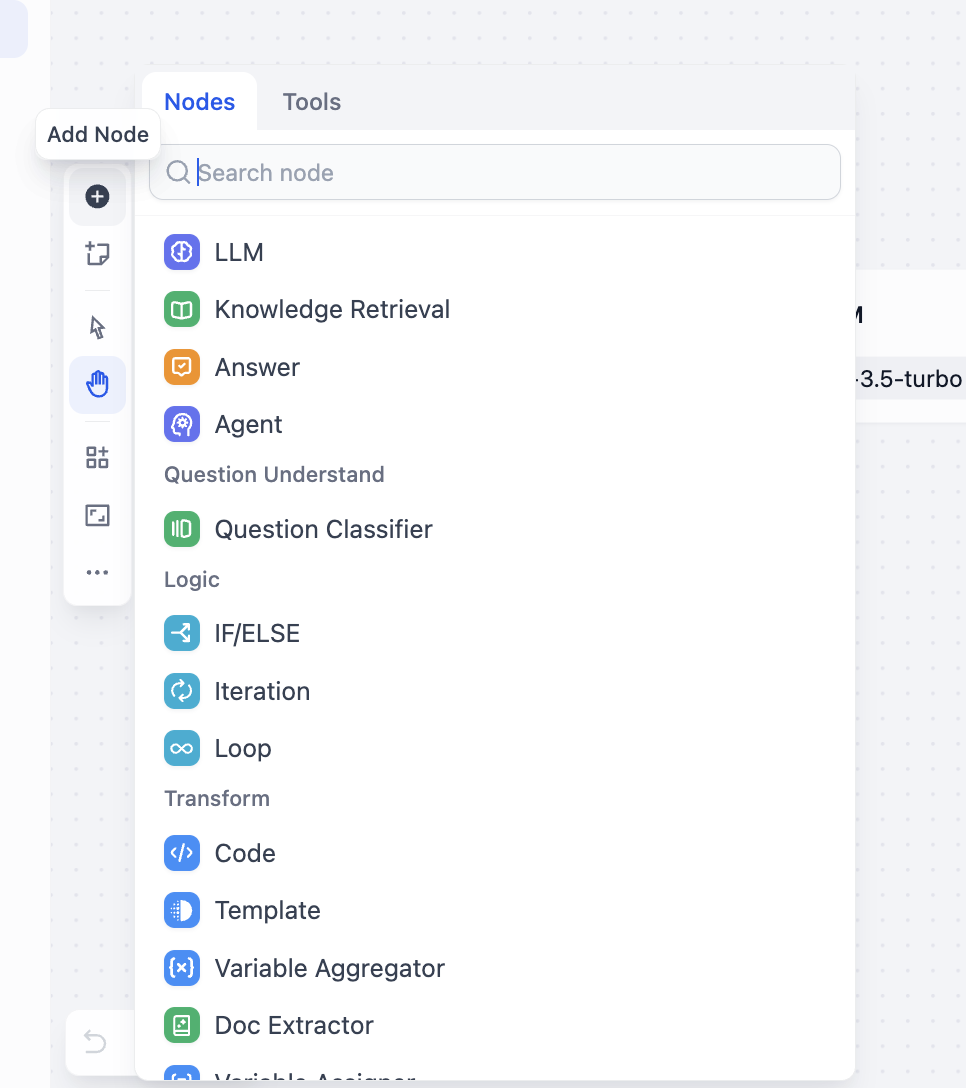
Right-click canvas and choose Add Node, or inspect all available nodes from side panel:
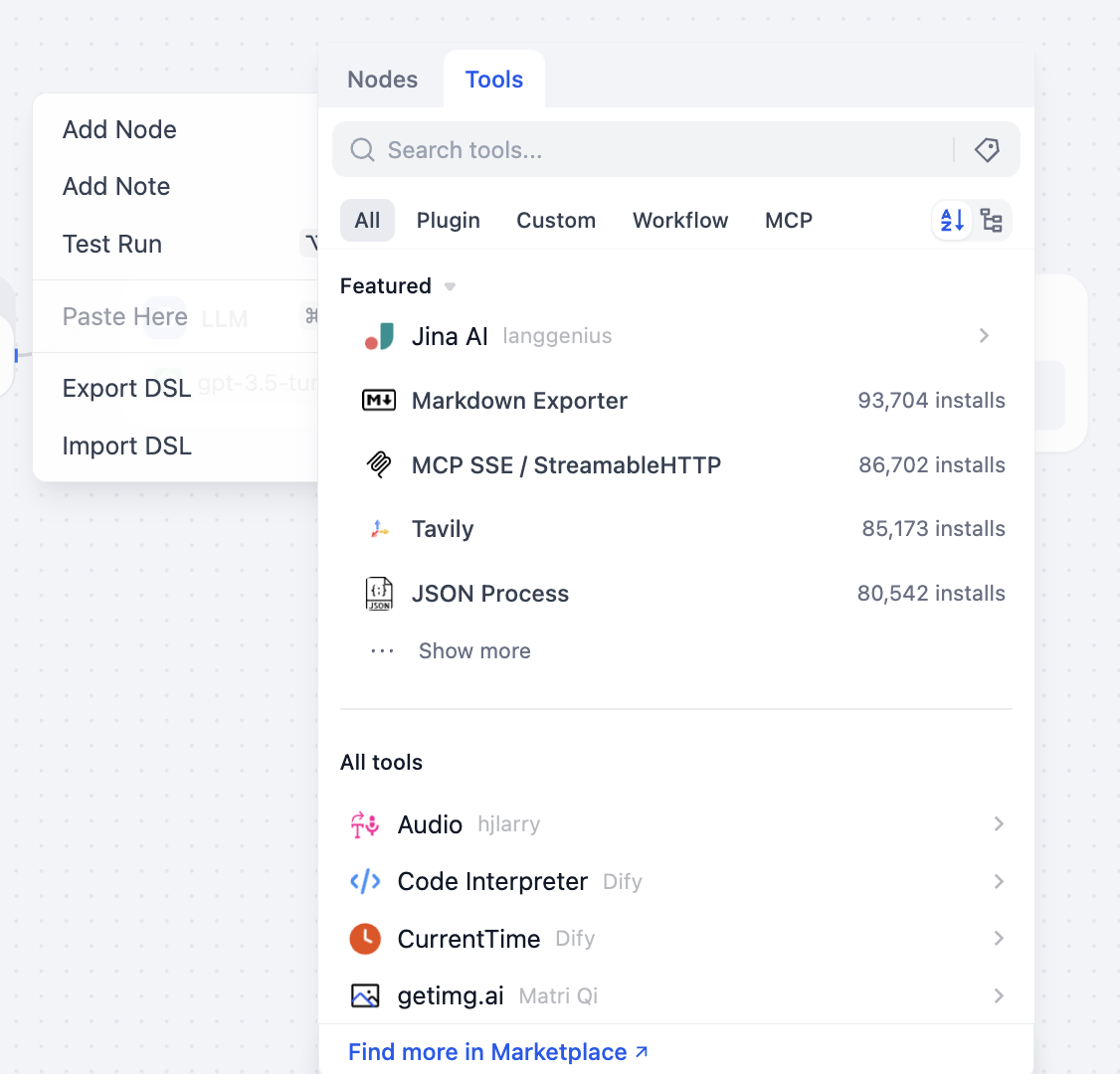
You can also open tool selection panel to view callable tool categories:
Below is a brief intro to common nodes/tools. You do not need to master all at once. Keep a basic mental map and learn progressively in practice.
- LLM and reasoning nodes
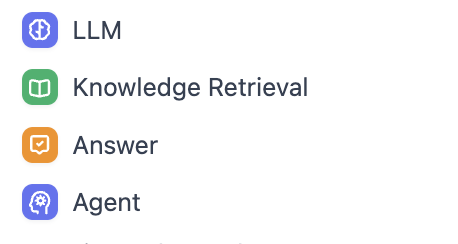

These nodes are core processing components:
- LLM node: core compute unit that calls an LLM. Key focus is prompt engineering and parameter tuning to map business tasks into executable model instructions.
- Knowledge Retrieval node: retrieves relevant information from configured KBs or external authoritative sources to support LLM and reduce hallucination risk.
- Answer node: output unit that formats processed content into final business-ready result (response template, formatting spec, etc.).
- Agent node: advanced decision unit. Beyond model call, it can do multi-step planning and dynamic tool selection, suitable for complex task chains.
- Question Classifier node: classifies user input by intent/topic and routes to appropriate downstream paths (different prompts/toolchains per category).
- Logic and flow-control nodes
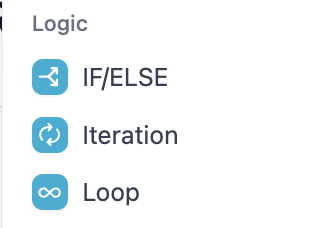
These nodes define execution path/rules:
- Condition node (
IF/ELSE): Boolean-based branching. Key is strict condition design that covers business cases comprehensively. - Iteration node: stateless batch-parallel processing, best when sub-tasks have no interdependency (batch translation, parallel review, multi-report generation). It takes input array, slices elements, runs same chain in parallel. Use
for current element andfor index. Outputs aggregate back to array. Configure parallelism to balance speed/load; configure retry/failure handling for reliability. - Loop node: stateful recursive iterator, best when each round depends on previous output (parameter tuning loops, iterative content polishing, chained dependent calculations). Core is state variable management: initialize before loop, update each round, and define strict stop conditions (max rounds, quality threshold, external stop signal) plus timeout and exception path to avoid infinite loops.
- Data operation and integration nodes
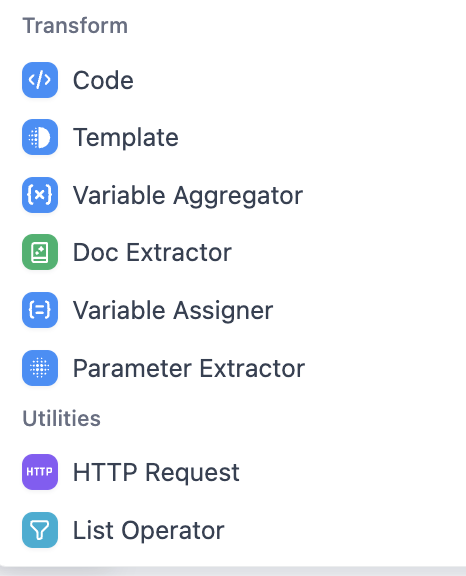
- Code node: executes custom logic for data transform, complex computation, etc. Focus on syntax correctness and runtime compatibility.
- Template node: fills dynamic data into templates (custom copy/report skeleton). Focus on template syntax and variable mapping.
- Variable Aggregator node: collects outputs from multiple nodes into a unified dataset. Focus on scope and merge rules.
- Doc Extractor node: extracts text/tables from PDF/Word and converts into structured processable data.
- Variable Assigner node: defines/initializes/updates workflow variables for data passing.
- Parameter Extractor node: extracts structured parameters from user/API inputs (regex/JSON path, etc.).
- HTTP Request node: sends external API requests (GET/POST, etc.) for system integration.
- List Operator node: filters/sorts/splits list data to match downstream structure.
2.6.2 Common Tools
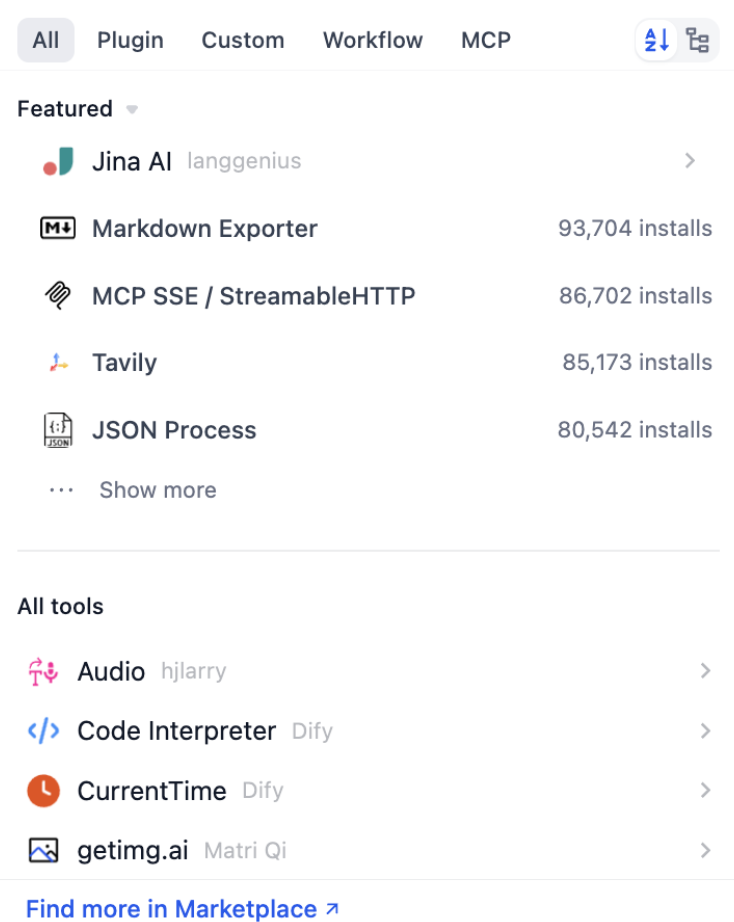
In Dify, most tools can be used directly as canvas nodes and connected like other nodes. As long as your input matches expected parameters, the tool runs and outputs results for downstream processing.
From side panels, you can inspect available tool nodes and extend capabilities through plugin marketplace. A few common tool categories:
- Web search tools
- Tavily Search is a common representative, providing AI-optimized real-time factual retrieval.
- It returns structured results (title/summary/link, etc.), suitable for injecting into LLM prompts for latest-info and evidence-required answers.
- Data processing tools
- For example JSON Process plugin supports querying/filtering/transform/merge on JSON data.
- Useful when handling complex API responses and nested data, reducing repeated manual parsing code in Code nodes.
- Format processing tools
- For example Markdown Exporter can export generated content into target formats (Markdown, custom templates, etc.) for display/reporting/system integration.
You can view install counts and descriptions in tool list. At the beginning, prioritize "Featured/Recommended" tools because they cover common scenarios.
Tool usage can still be complex. A practical shortcut is to search official workflow DSL examples for each tool and import directly, which is often much faster than building everything from scratch.
2.6.3 Build a Simple Intent Classification Workflow
Now that we understand Dify workflow/tool basics, we need hands-on practice. Without practice, details never become fluent. We need a realistic business scenario.
For example, in real food-ordering chat scenarios, user input is never clean parameters. Some users place orders, some complain, some chat casually, some go off topic. If all these inputs are sent to one shared LLM path, two common issues appear:
- Unstable response style Same complaint may get an apology in one run but an excuse in another. Same order may trigger missing-info follow-up in one run but hallucinated order details in another.
- Uncontrollable business logic You want "complaints must start with apology," but model may not always comply. You want "off-topic queries should be redirected," but model may continue chatting off-domain.
A more engineering approach is standardized pipeline decomposition: intent classification first (determine what user wants), then intent-based routing (different prompts/roles per scenario), then unified output packaging from routed branches (for frontend/system integration).
Goal: handle multiple dialogue types in a food-service scenario. Follow once to build familiarity.
First define intents:
- buy_food: user shows clear purchase/order intent.
- Example: "Give me one fried chicken and one cola."
- complain: user expresses dissatisfaction/anger/complaint.
- Example: "Why is it so slow? I've waited for an hour."
- chitchat: user asks open recommendations without explicit order command.
- Example: "What should I eat today? Any recommendations?"
- other: irrelevant to food-ordering scenario.
- Example: "Help me write a funny social post."
For these four intents, predefine four communication personas via four dedicated LLM nodes:
- LLM_BuyFood: professional and efficient. Confirm order details and proactively complete missing information.
- LLM_Complain: empathetic and calm. First soothe user and provide clear resolution steps.
- LLM_Chitchat: relaxed and friendly. Provide personalized recommendations and guide potential conversion.
- LLM_Other: polite and boundary-aware. Redirect off-topic conversations back to core business.
Workflow Orchestration Design
Now define node architecture. Beginners often do not know what nodes to use (and even advanced users often ask models for first-pass design because it is fast). Core structure:
- Start: data entry node receiving raw input
user_text. - Question Classifier: "brain + dispatcher." It analyzes
user_textand outputs one of four intent labels. - Condition: "routing valve." It forwards flow based on classifier label to the corresponding handling branch.
- Four parallel LLM nodes (
LLM_BuyFood,LLM_Complain,LLM_Chitchat,LLM_Other): each gets original question but responds differently based on its own SYSTEM prompt persona. - Variable Aggregator: after branch processing, aggregate the one activated branch output into unified variable
final_replyfor stable output structure. - Output: final structured output (for example JSON) including intent, original query, and reply, suitable for downstream integration/debugging.
Workflow Orchestration Implementation
In this tutorial we choose Workflow (not Chatflow). Select User Input:
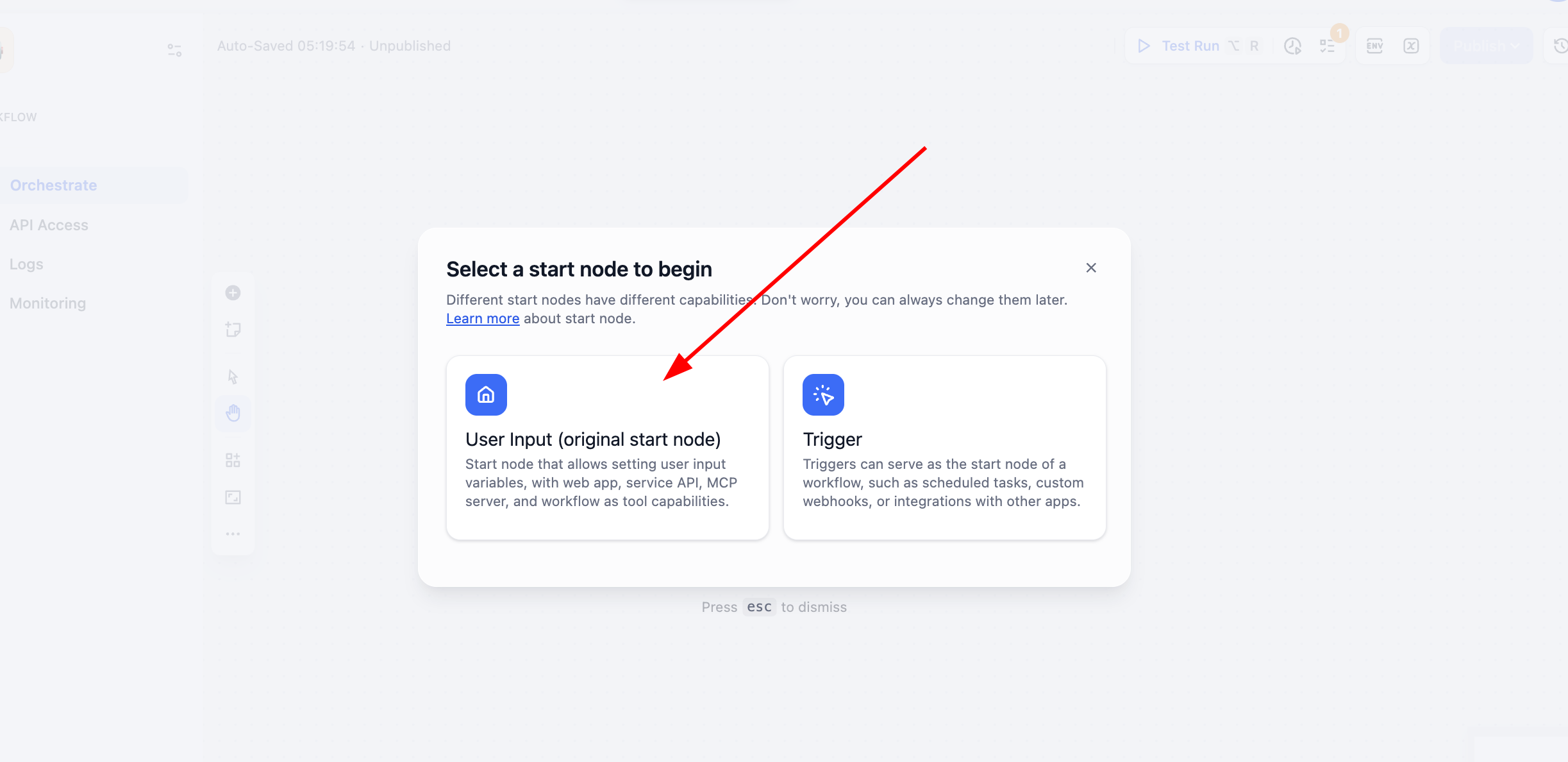
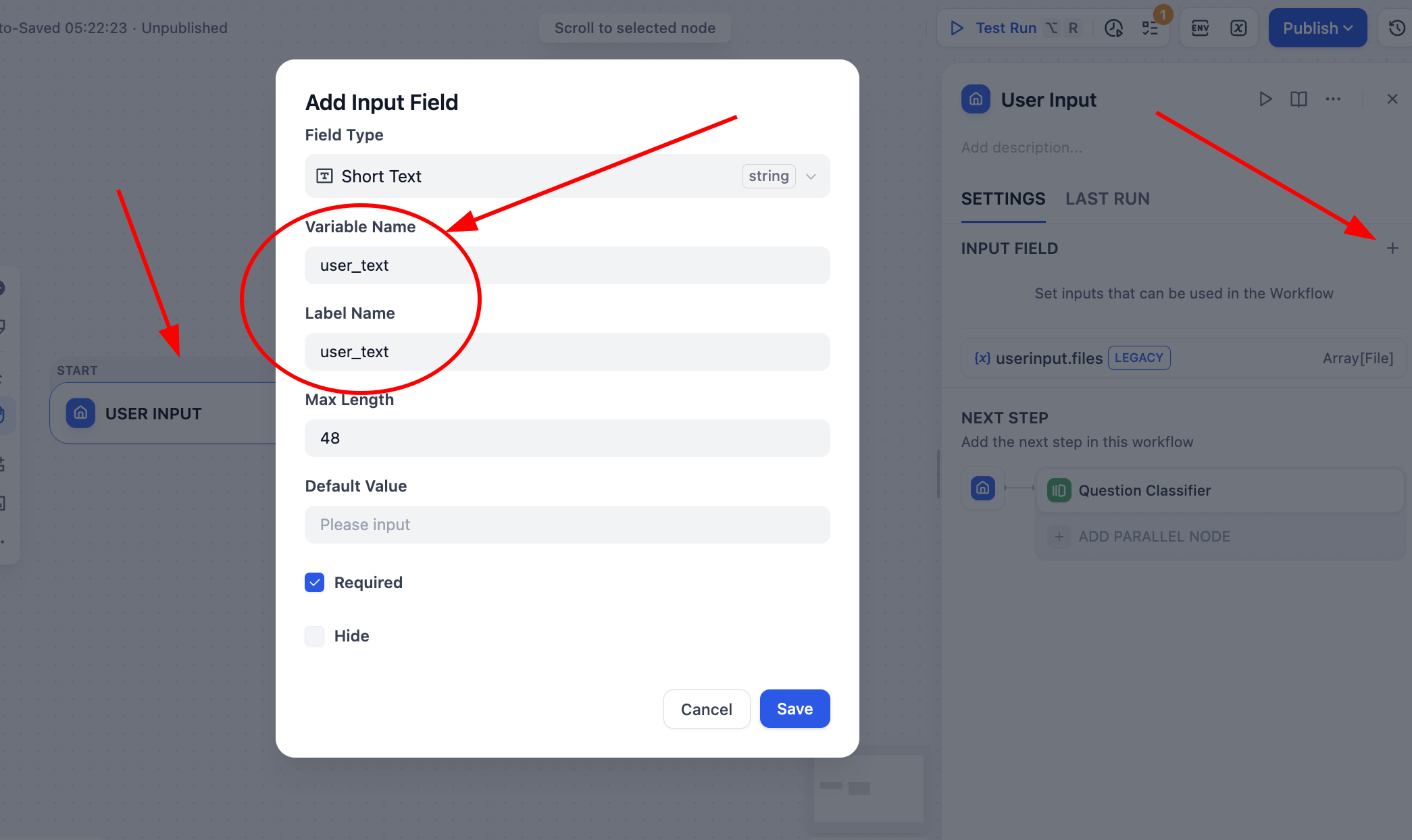
Then click Start -> User Input and define a string variable user_text as global flow input source.
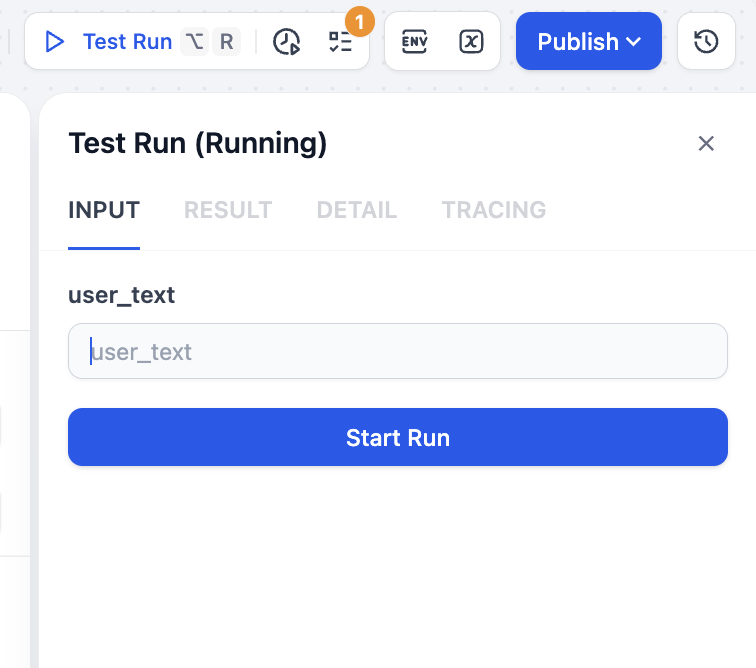
Save and click Test Run (top right). You will be prompted to provide test text.
Next click + after input node and add Question Classifier. Configure four labels, each with clear description and examples:
buy_food: user clearly wants to buy/order food.complain: user is complaining/angry, usually with dissatisfaction.chitchat: user is chatting, discussing what to eat, asking recommendations.other: irrelevant to food scenario or hard to classify.
Also set prompt in ADVANCED SETTING for classification behavior. Example prompt:
Choose the most appropriate label from buy_food / complain / chitchat / other.
If user both complains and orders, prioritize core emotion: if dissatisfaction is primary, classify as complain.
If complaint is minor and primary intent is ordering, classify as buy_food.
If truly hard to determine, use other as fallback.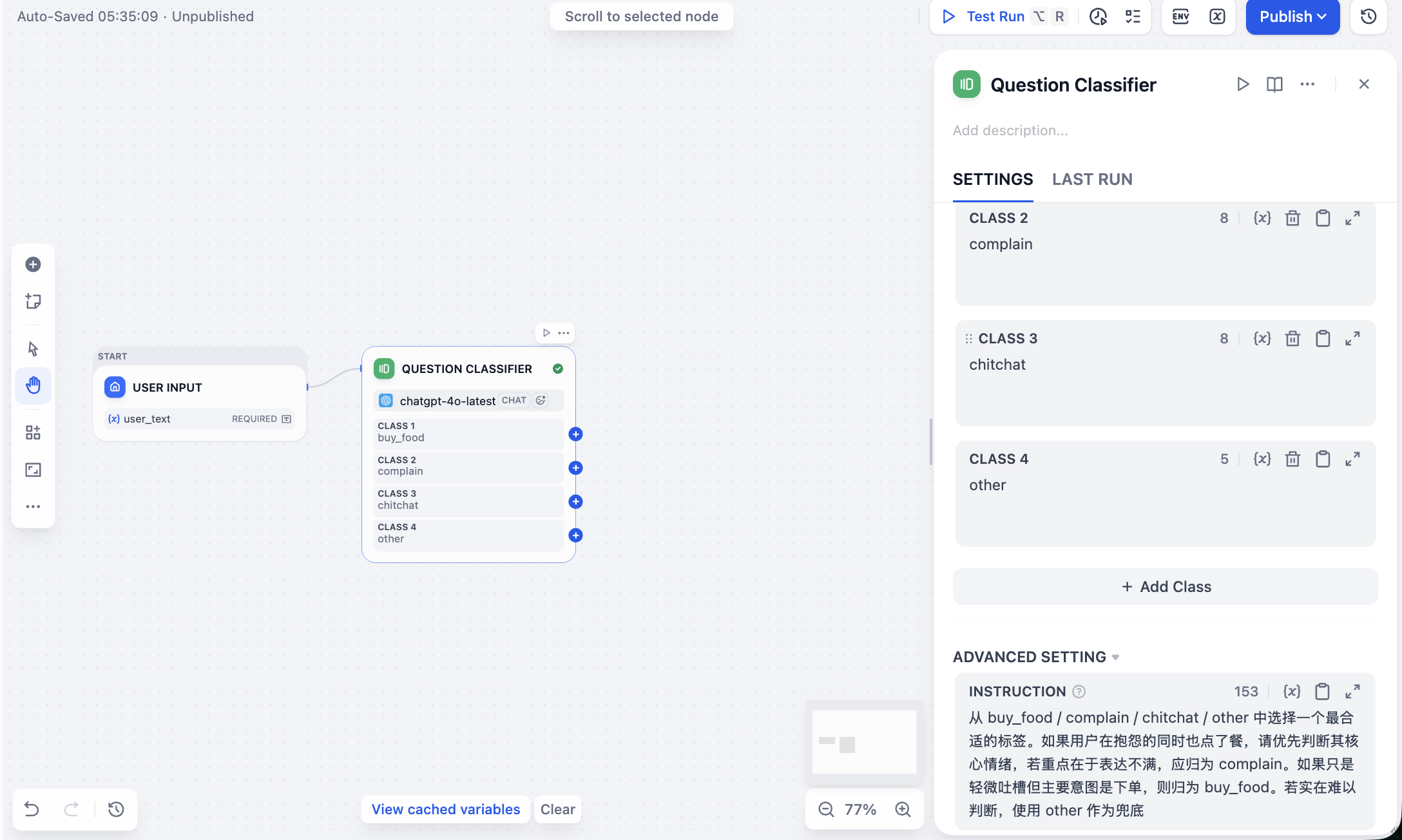
After setup, use top-right play icon on this node to test classification.
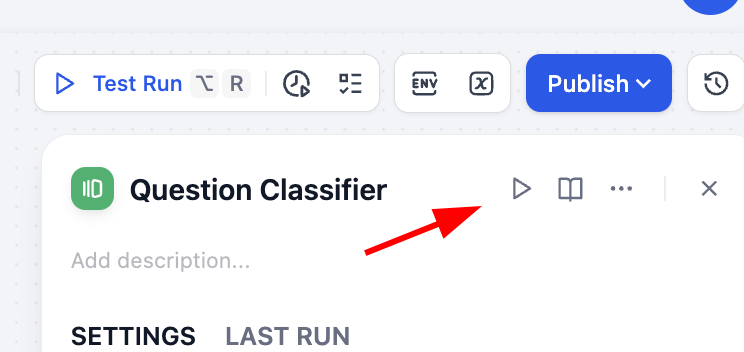
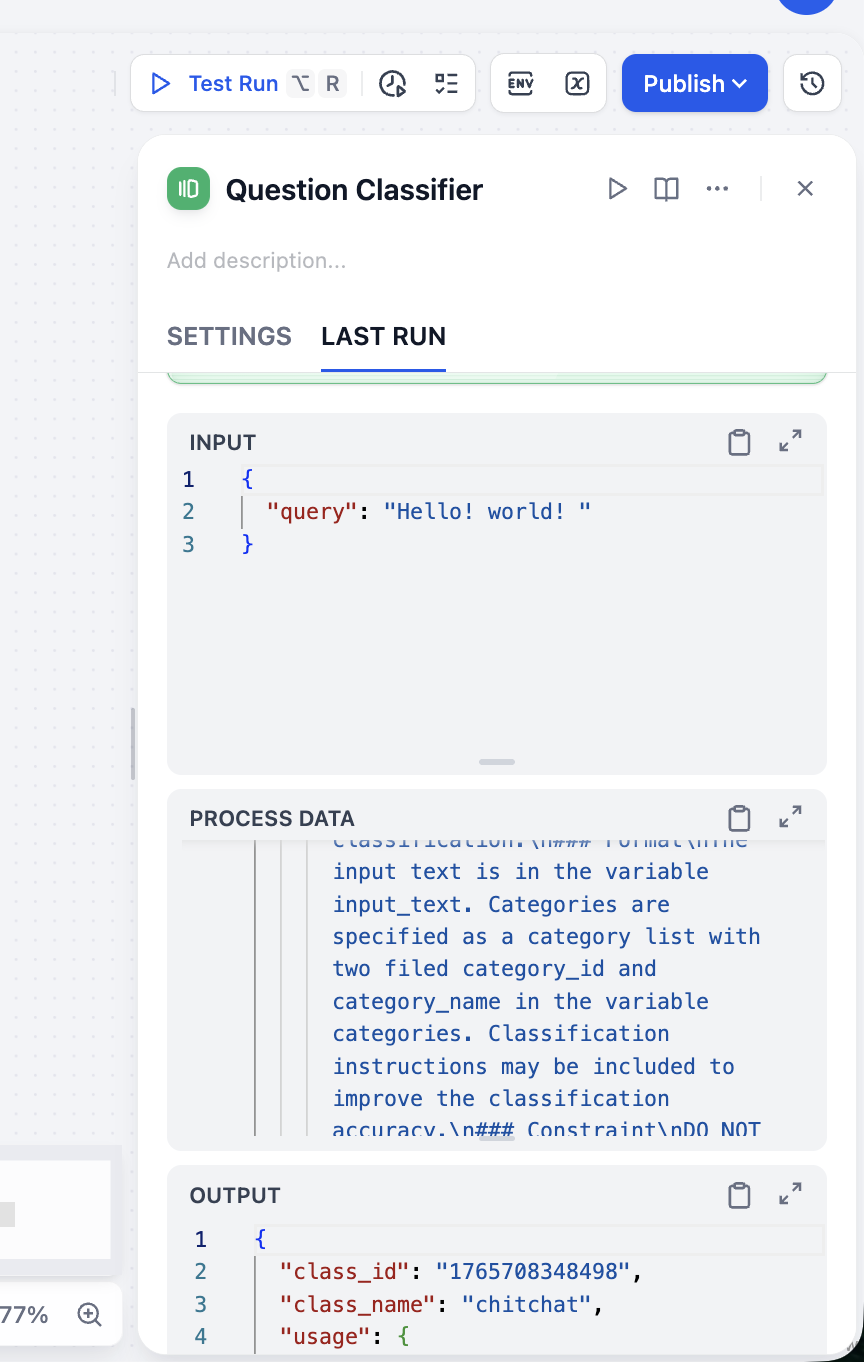
From OUTPUT we can see classification is accurate. Test multiple input types to verify classifier stability.
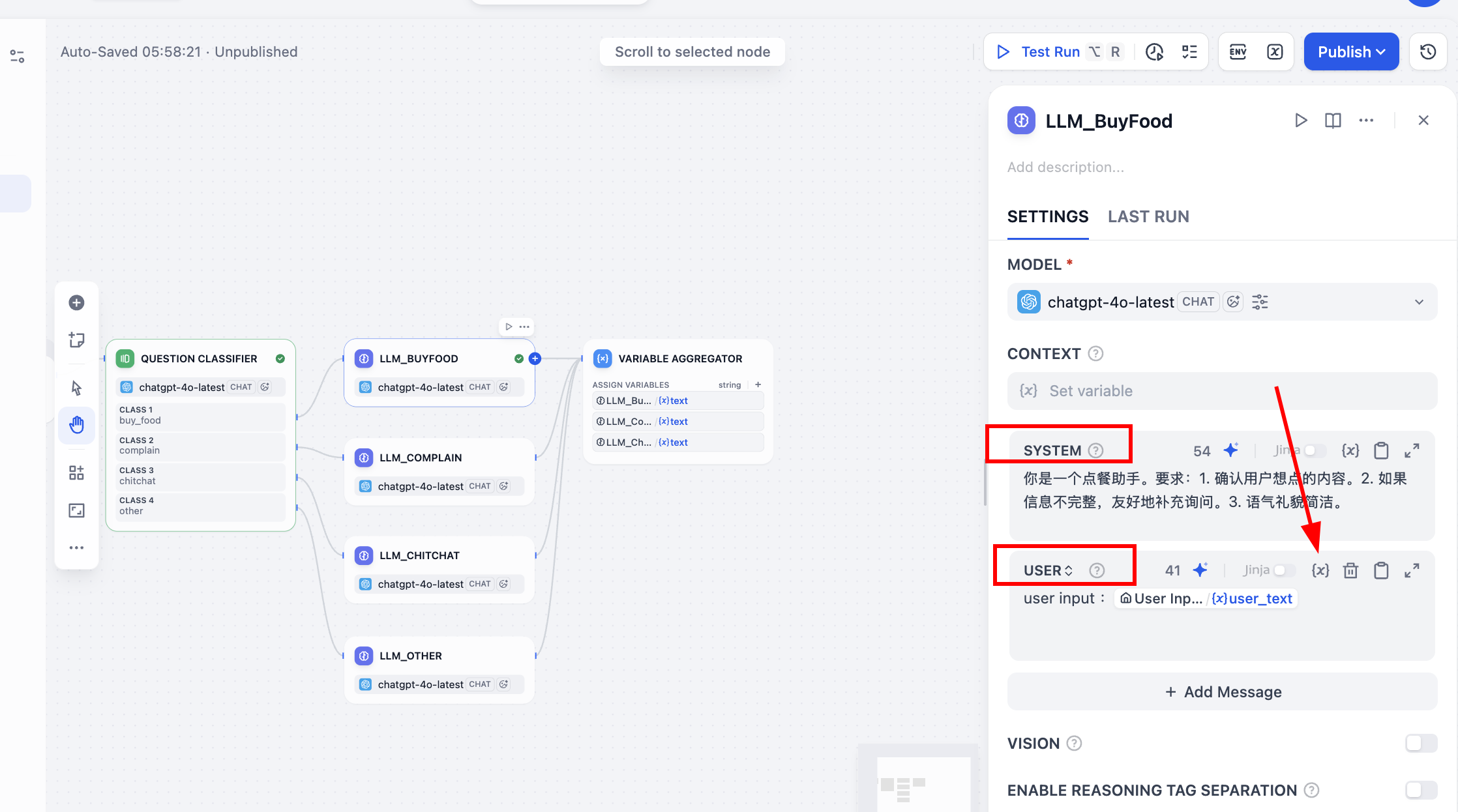
Next connect classifier to downstream LLM branches. For example, when label == "buy_food", route to LLM_BuyFood. Create four LLM nodes and set different SYSTEM prompts:
LLM_BuyFood (ordering assistant):
You are an ordering assistant. Requirements:
- Confirm what user wants to order.
- If info is incomplete, ask follow-up questions politely.
- Keep tone polite and concise.
LLM_Complain (support specialist):
You are a food-service customer support specialist handling complaints. Requirements:
- Apologize sincerely.
- Briefly explain likely reasons (no blame shifting).
- Provide clear next-step resolution.
LLM_Chitchat (chat companion):
You are a casual food recommendation assistant. Requirements:
- Use relaxed friendly tone.
- Give 1-3 simple recommendations.
- If no preference, provide options with different styles.
LLM_Other (polite gatekeeper):
You are a food-ordering assistant focused only on food topics. For irrelevant user input:
- Politely explain scope.
- Guide user back to core scenario.
Important: in each node, after setting SYSTEM prompt, enable USER prompt variable mapping. Click {x}, choose user_text as user input variable, and prepend user input: to indicate source semantics. During response generation, model uses both initial user input and system prompt.
As always, click node-level play icon to test with sample input such as "I want bubble milk tea" and verify behavior.
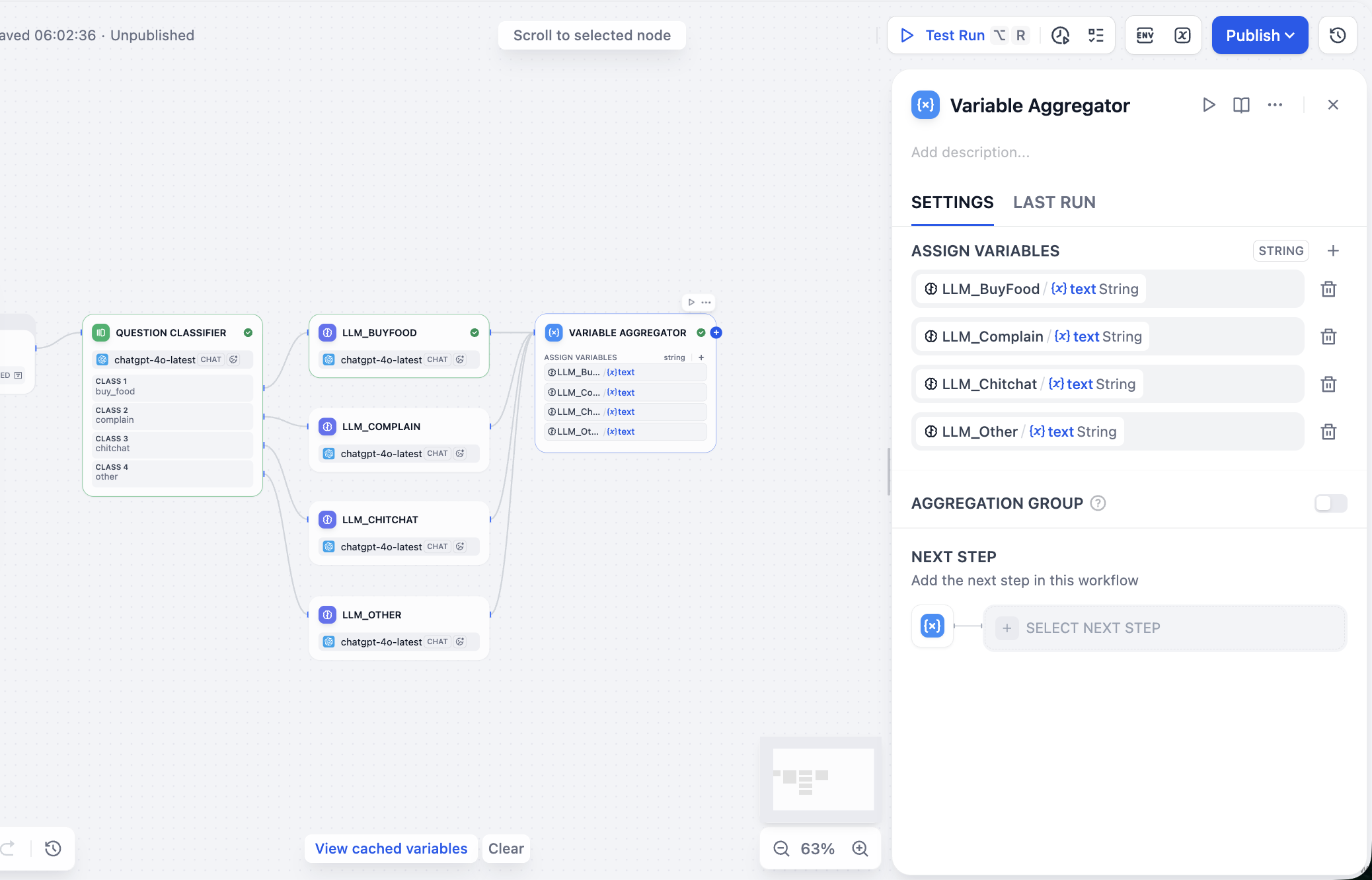
Next process parallel branch outputs. In Variable Aggregator, find ASSIGN VARIABLES and add branch outputs one by one.
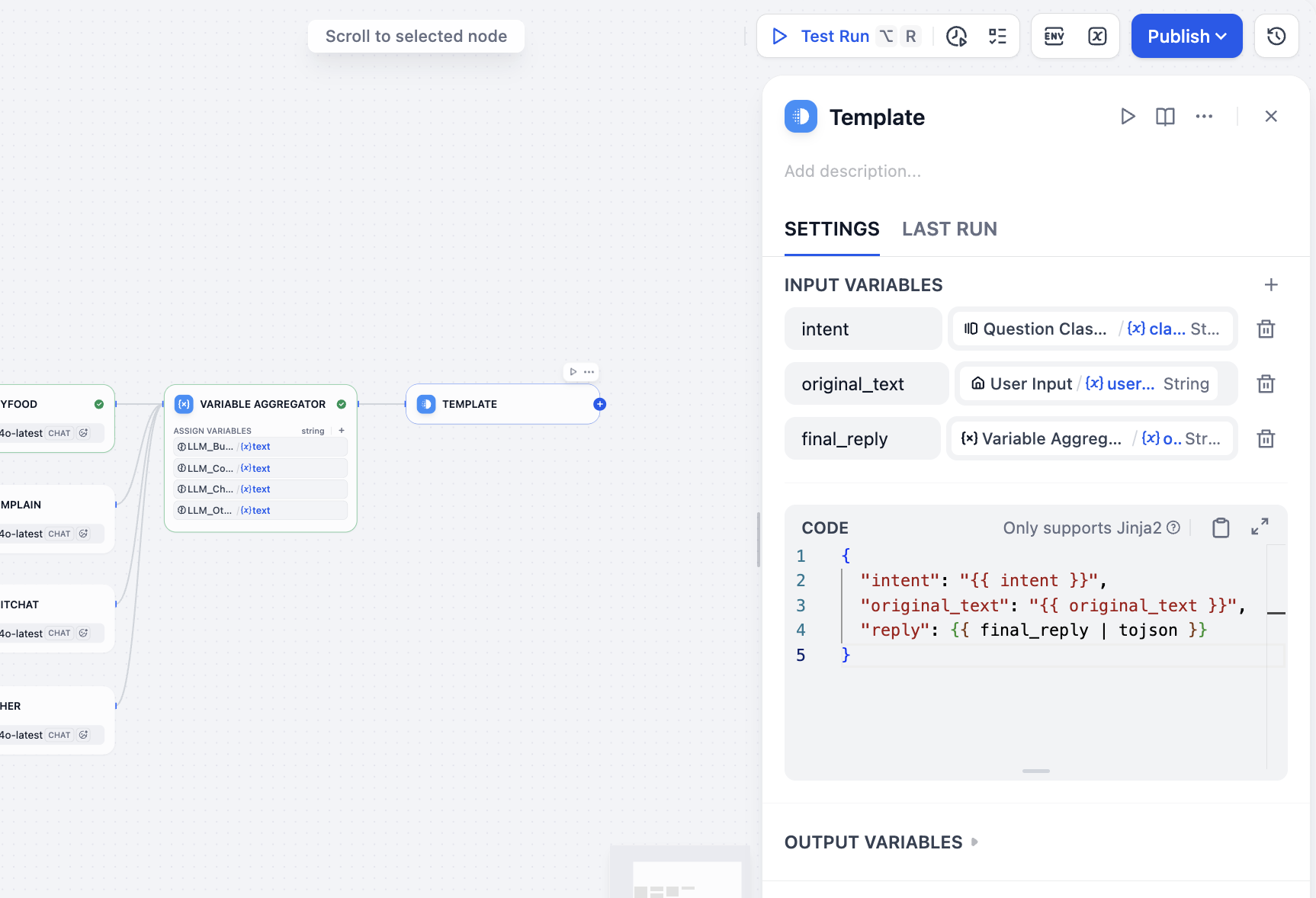
Now aggregate final output including user input, intent, and reply. Because this is Workflow (not Chatflow), there is no Answer node for this exact structure, so we can use Template node for equivalent output packaging. In variable area specify intent result, user input, and aggregator final reply. In CODE, write final JSON template:
intent<-class_nameoriginal_text<-user_textfinal_reply<-variable_aggregator
{
  "intent": "{{ intent }}",
  "original_text": "{{ original_text }}",
  "reply": {{ final_reply }}
}
Finally add Output node and all setup is complete.
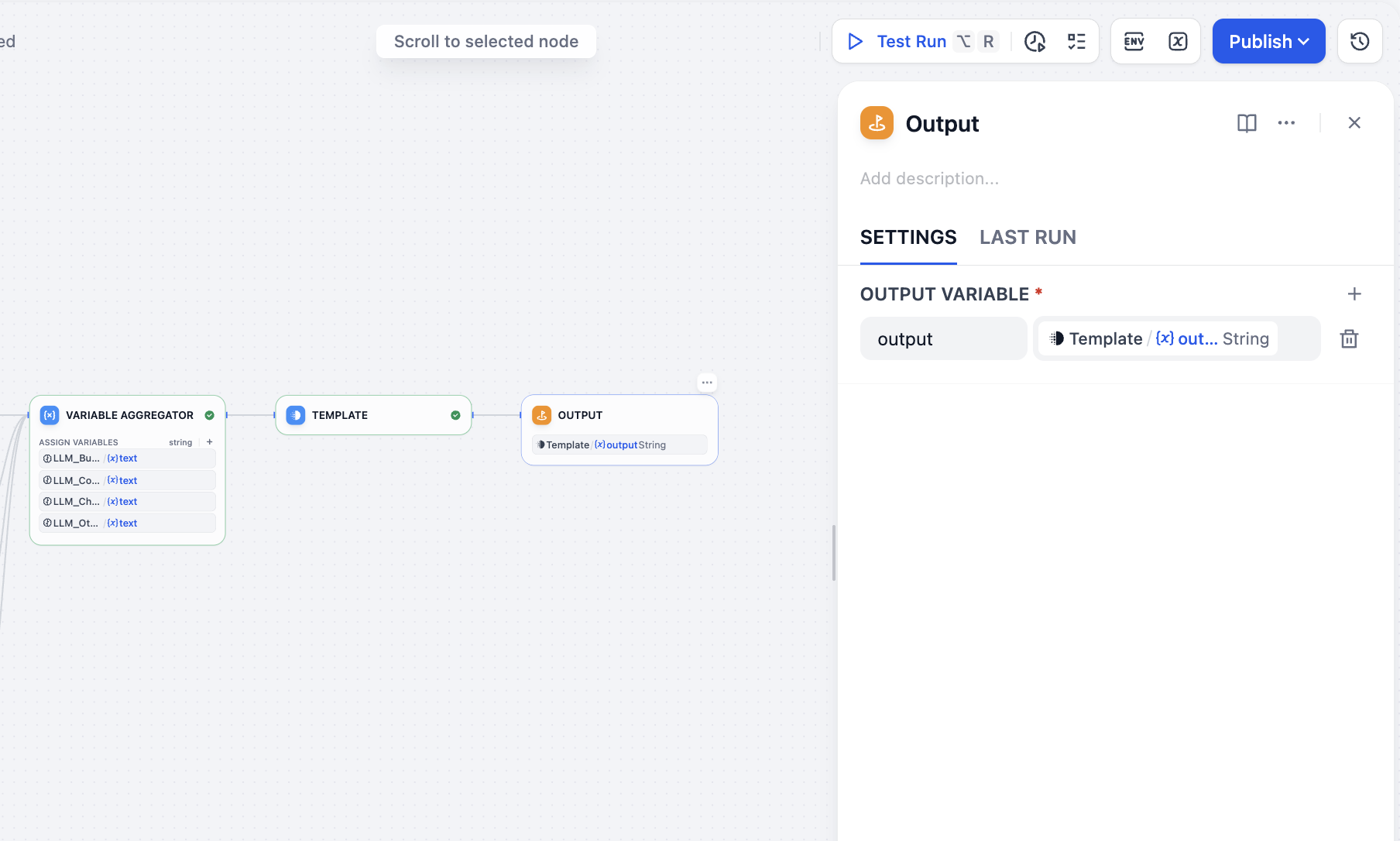
Workflow Runtime Testing
Done. Now run this workflow and observe distinct behavior for different inputs:
- Input (ordering): "Give me one spicy chicken burger combo and a large cola."
- Path:
buy_food->LLM_BuyFood - Output reply: "Sure, one spicy chicken burger combo and a large cola are noted. Would you like to swap fries in the combo?"
- Path:
- Input (complaint): "Why are you so slow? I've waited more than an hour!"
- Path:
complain->LLM_Complain - Output reply: "We are truly sorry for the long wait. This was our mistake and caused you a poor experience. We are urgently checking your delivery status and will arrange compensation. Thank you for your patience and feedback."
- Path:
- Input (chitchat): "What is healthier to eat today?"
- Path:
chitchat->LLM_Chitchat - Output reply: "If you prefer healthier options, you can try our light salad series or grilled chicken breast with vegetables. Do you prefer lighter taste or richer flavor? I can recommend more specifically."
- Path:
- Input (irrelevant): "Help me think of a joke for tomorrow's meeting."
- Path:
other->LLM_Other - Output reply: "That sounds fun, but I mainly specialize in food recommendations and ordering. If you want to order something to reward your hard work, I can help anytime."
- Path:
Hidden bug: if you encounter strange
aggregation groupissues, it is likely a built-in Dify bug. It can be triggered by certain operation sequences. If AGGREGATION GROUP was enabled and then disabled, residual group config may remain and cause errors (for example involvinganyparams) even when switch appears off. Solution: delete this node and recreate it.
After running in Test Run, you can inspect full execution path. It should follow correct branch and output expected final result. Full flow complete.
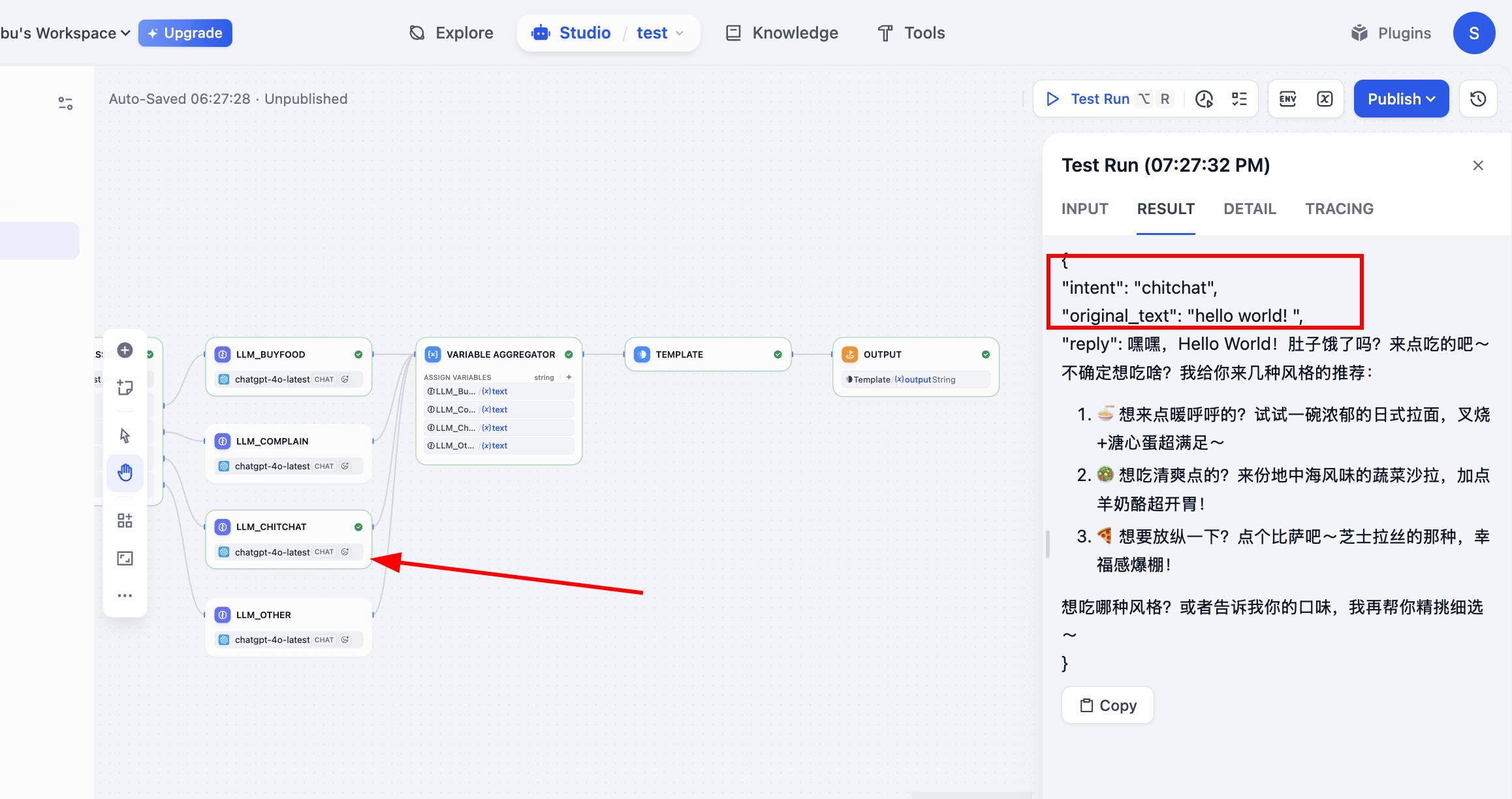
2.7 Run Your First Template Workflow App
After the simple classification workflow, next learn how to run workflows created by others. Usually you only need small modifications to turn them into your own. Here we use official DeepResearch workflow as example. It builds a deep-search framework using LLM + search engine and returns rich answers with citations and model-generated synthesis.
After importing, first run directly. Then fix each error step by step based on failing node and cause. If stuck, screenshot and ask a model for debugging help.
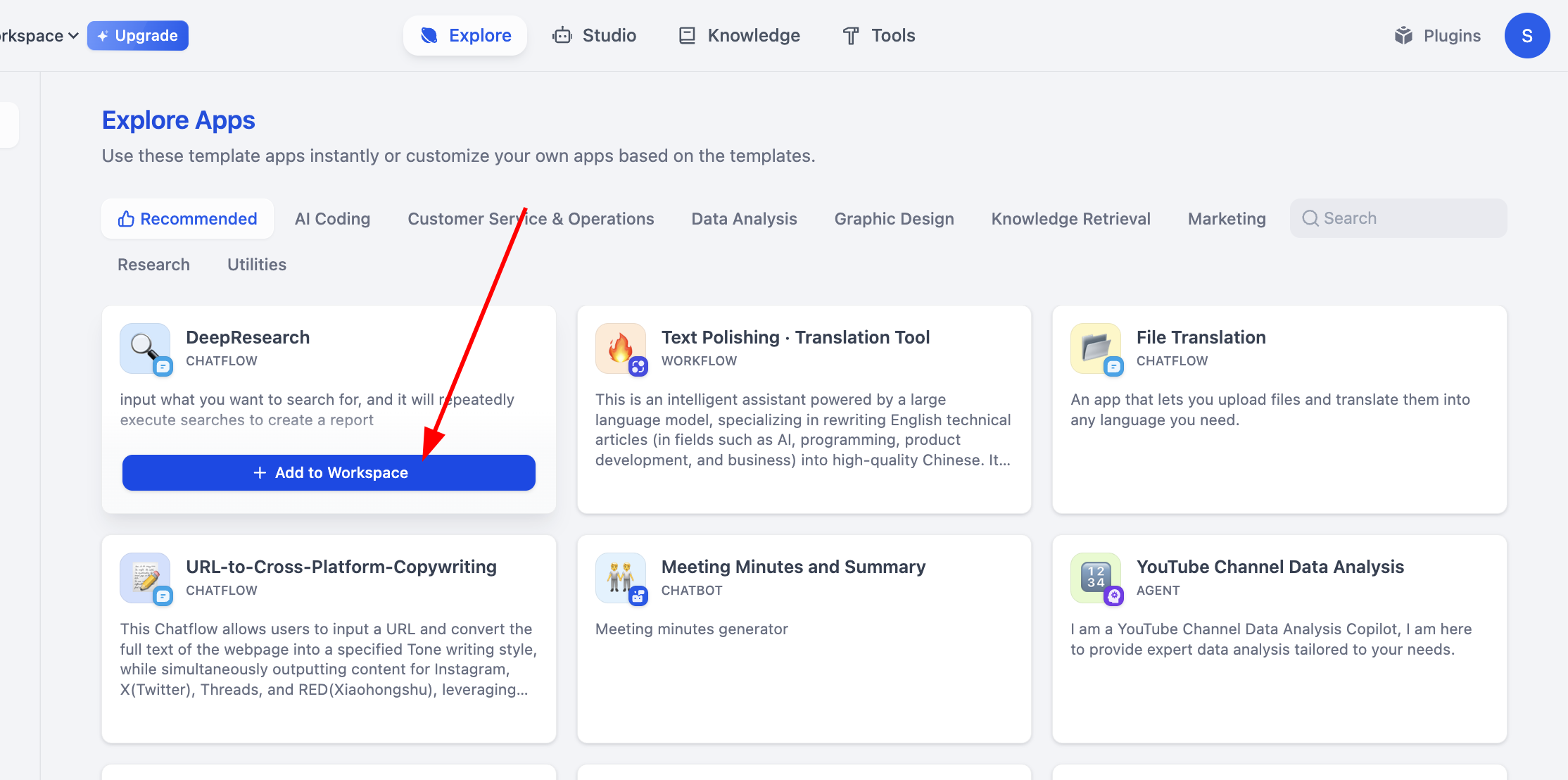
At first glance it may feel complex. That is okay. Click Preview on top right and run until first error appears:
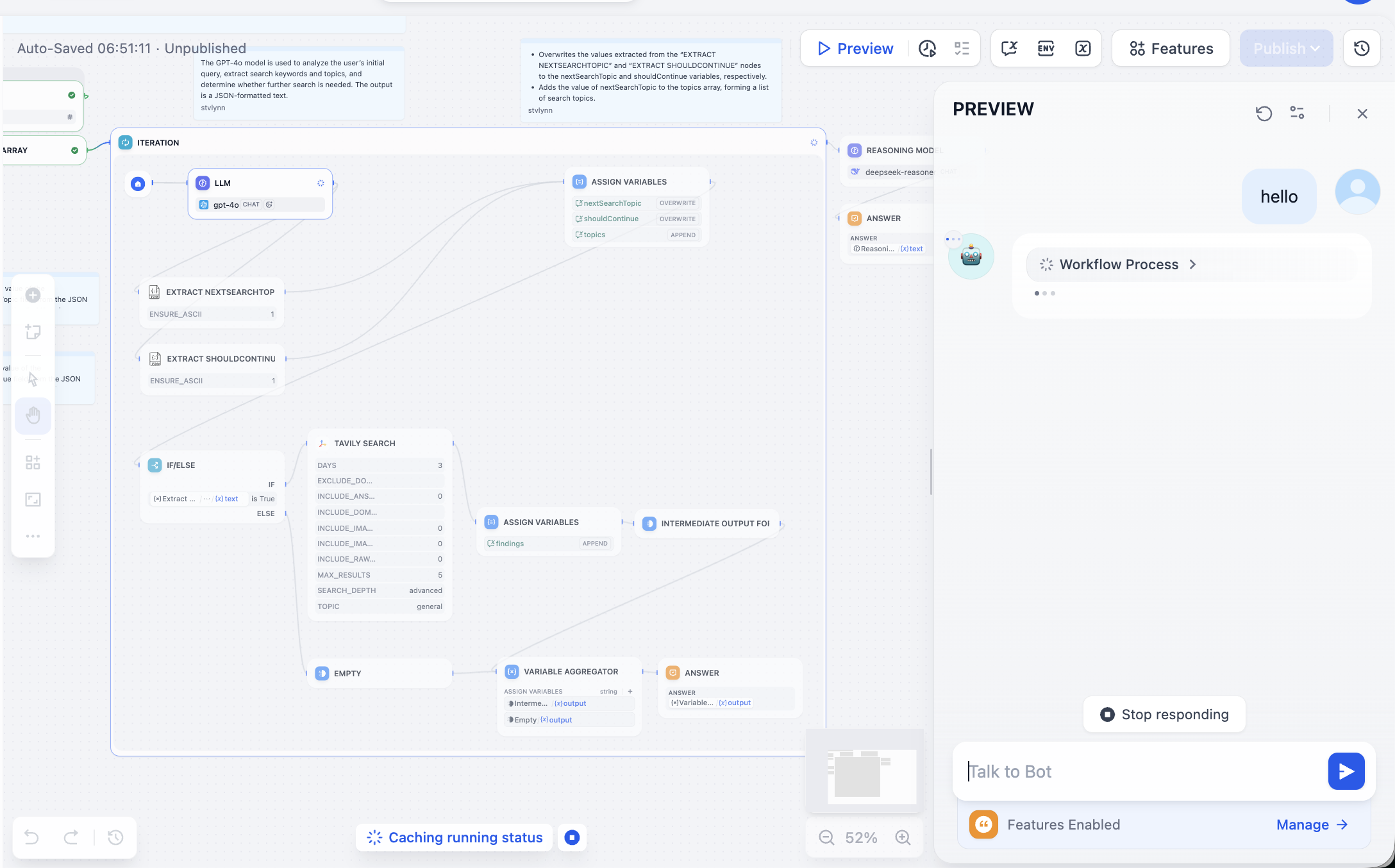
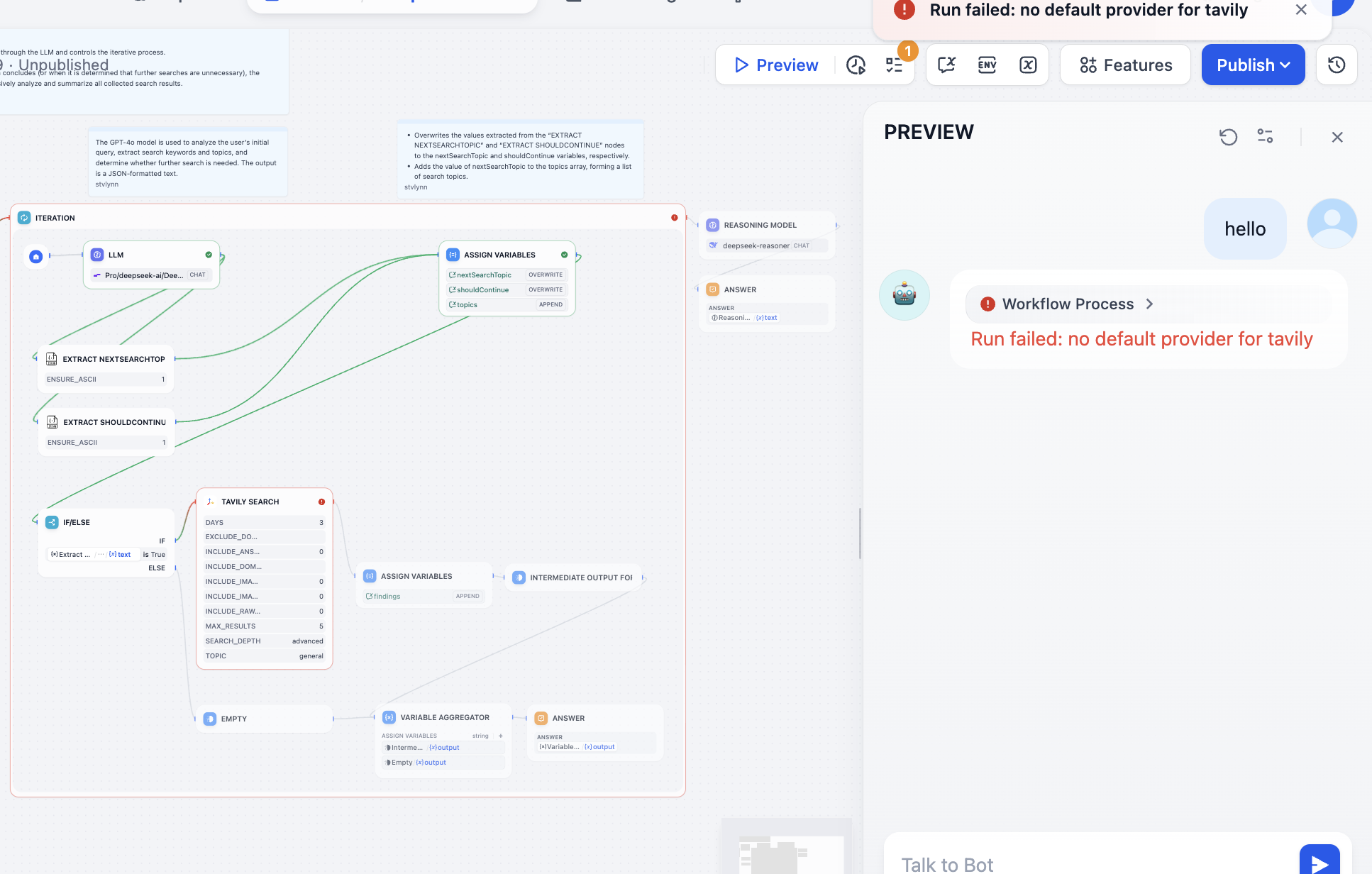
Troubleshoot the failing node. In this case Tavily API token was missing. Tavily Search is an AI-native search API providing real-time accurate factual results. Follow prompt to configure:
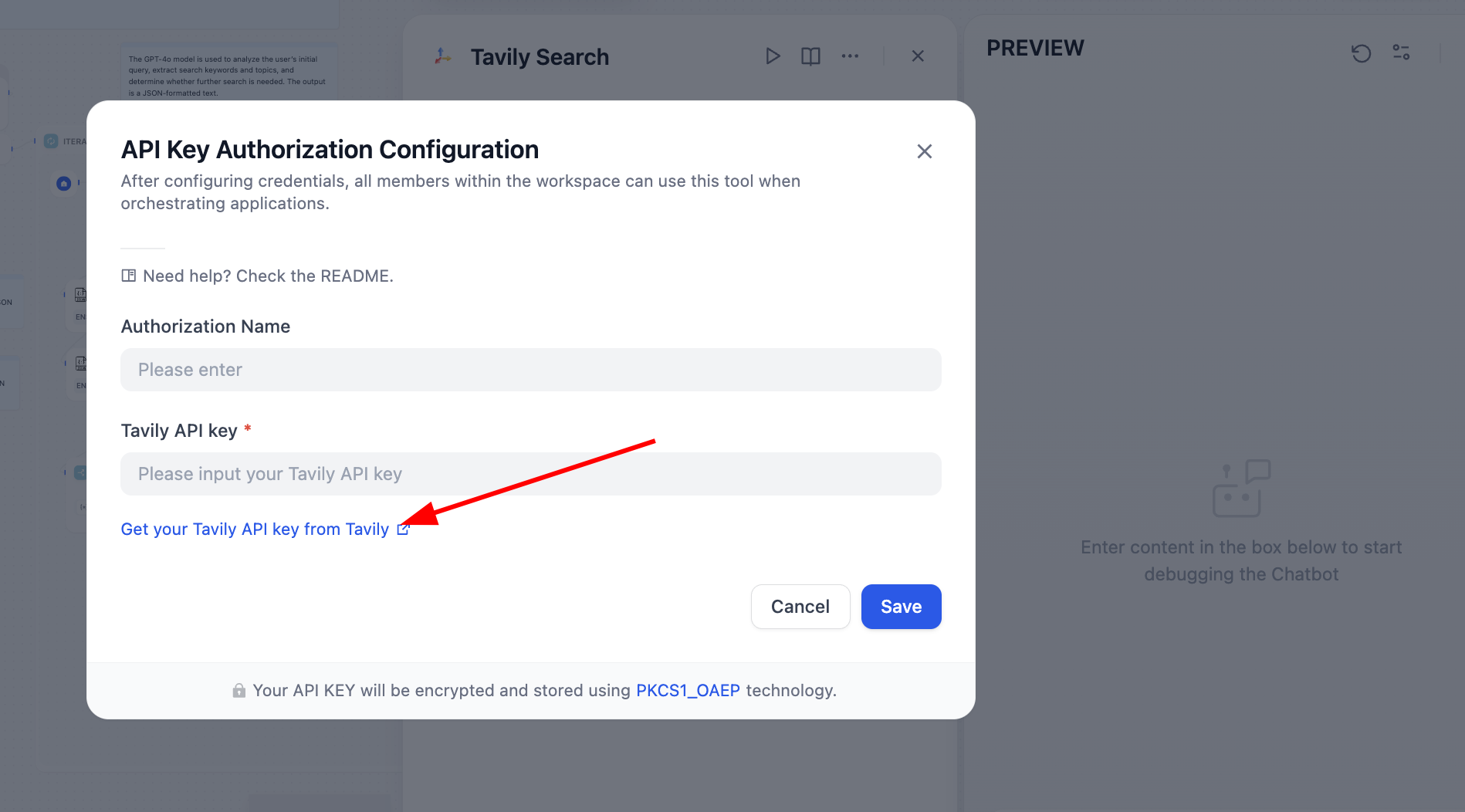
After fixing it, search engine works normally:
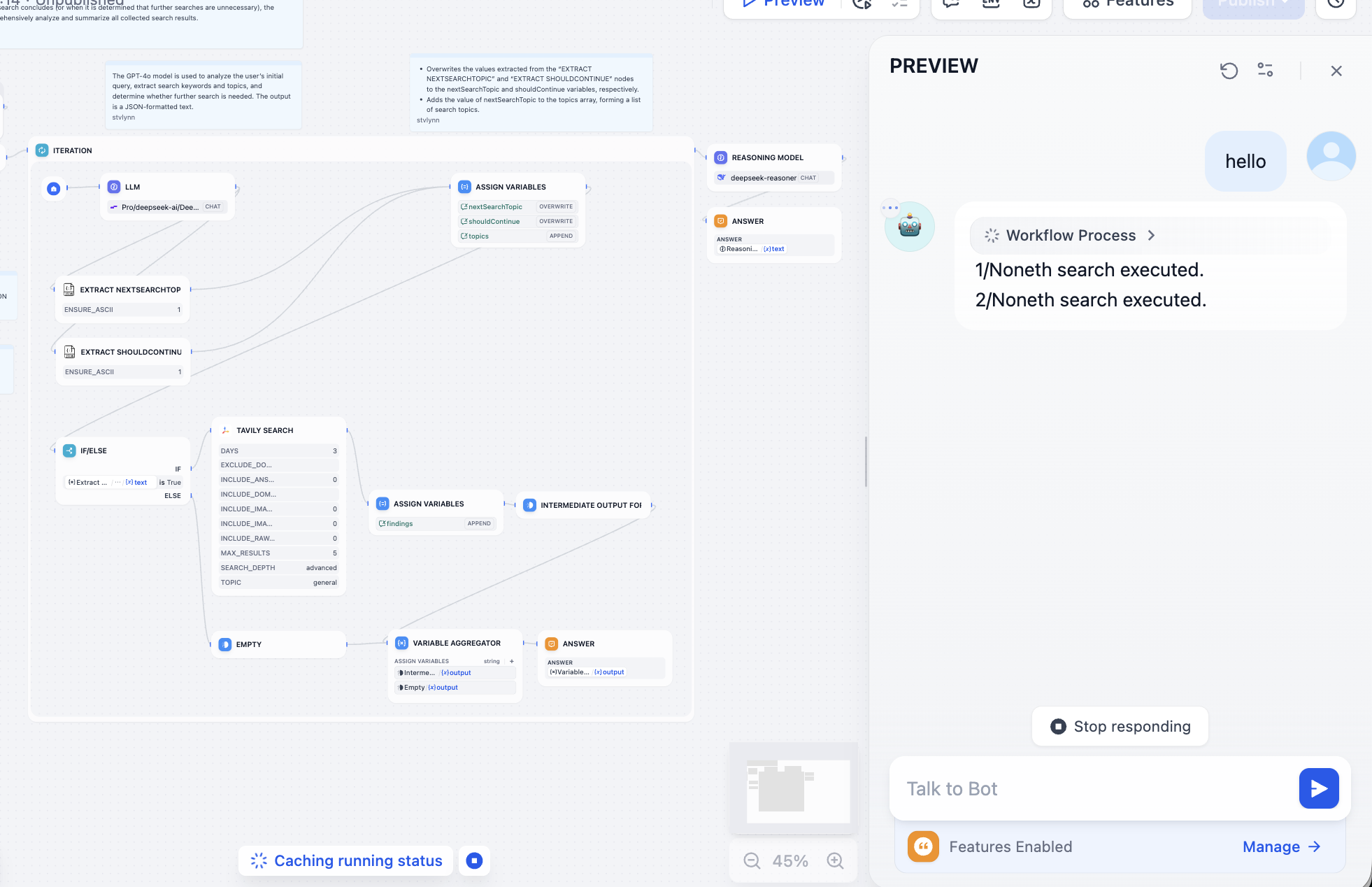
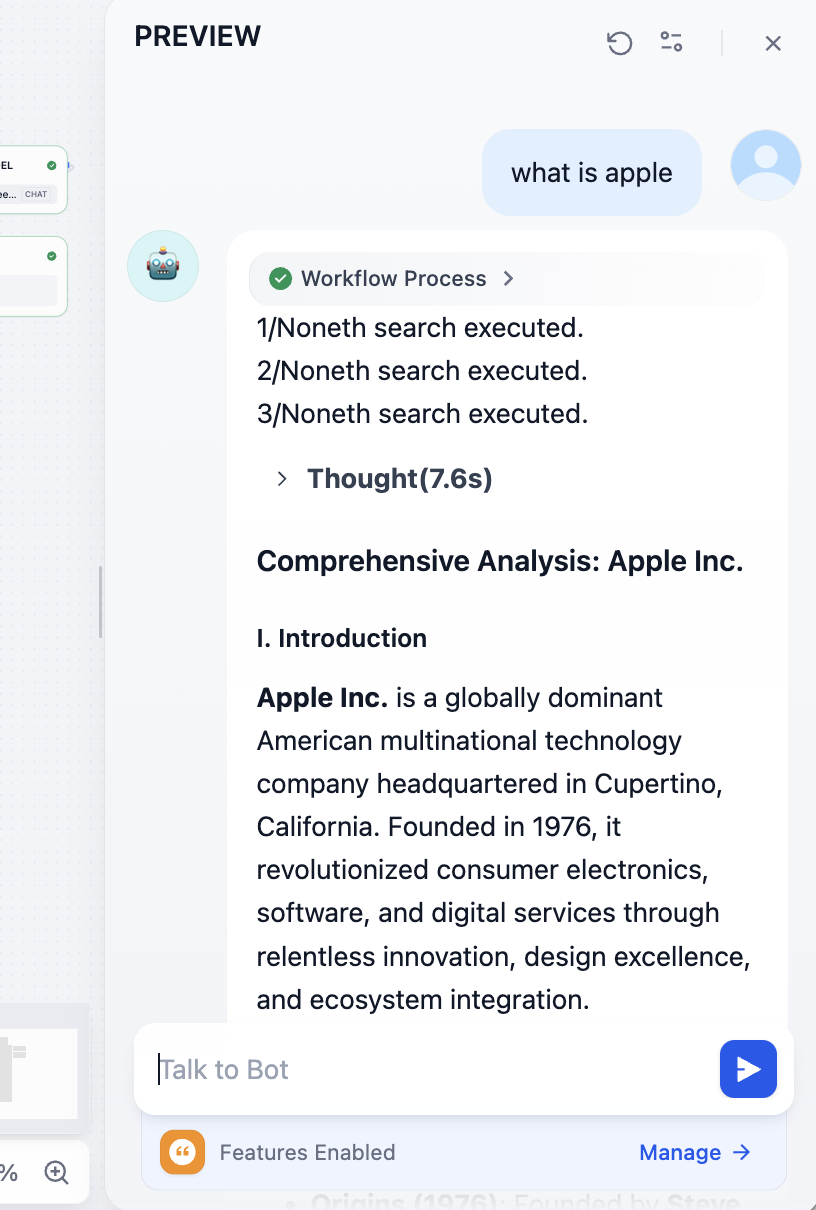
Then fix model-call issues as needed. You should be able to get results like this with model-understood synthesis:
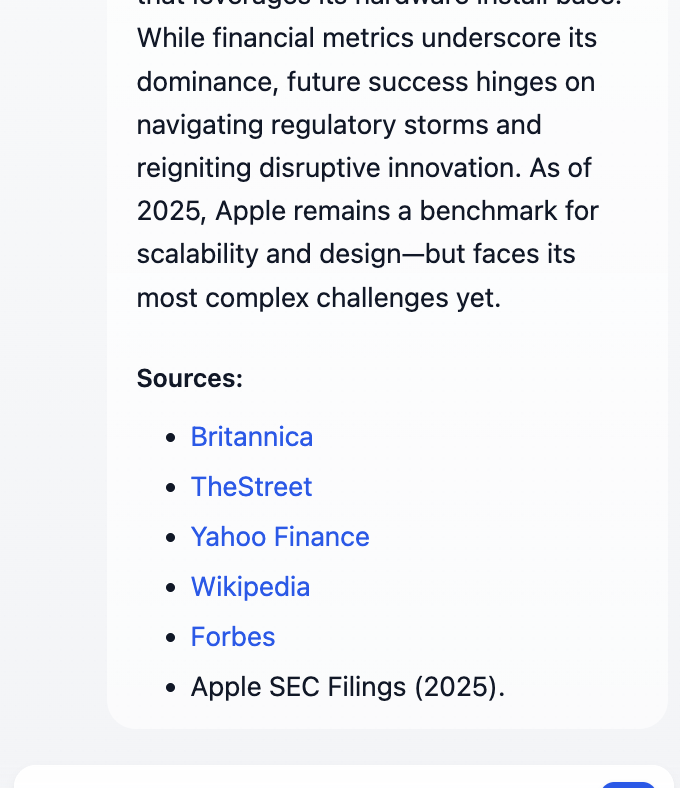
At the end, you can inspect referenced source links:
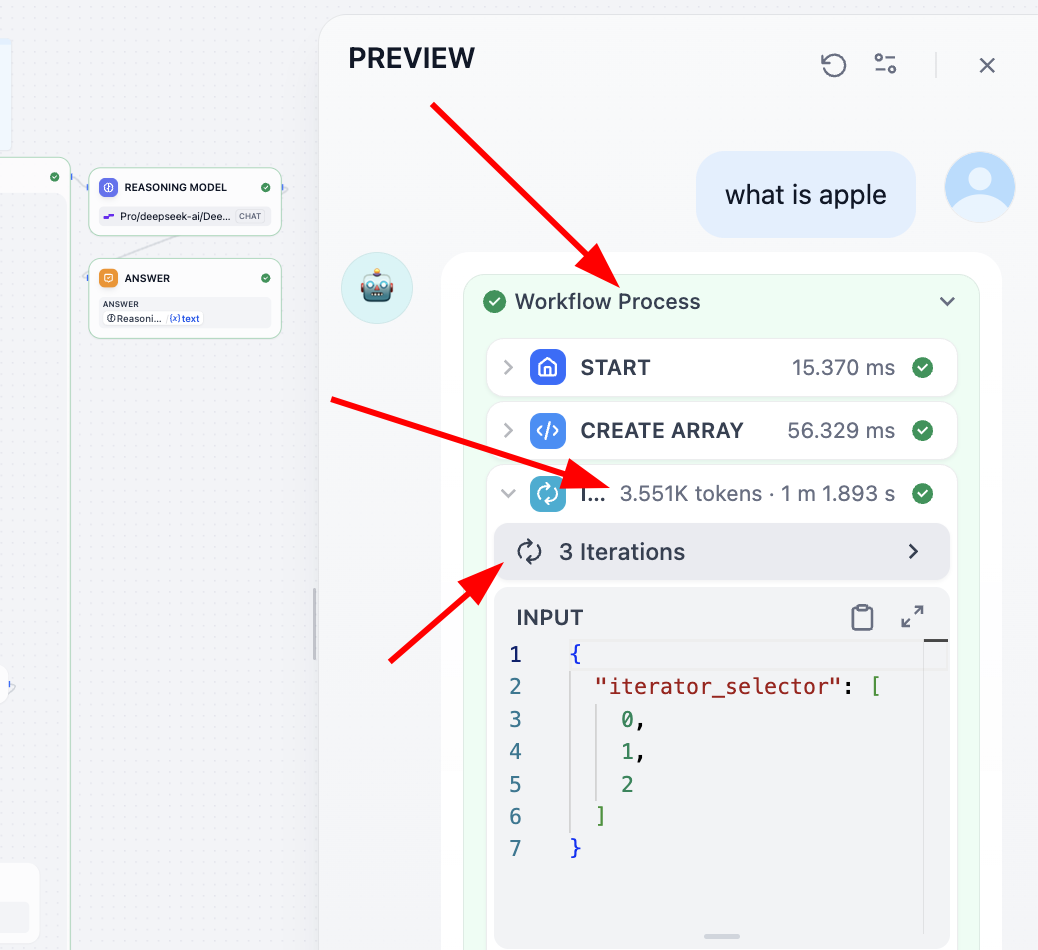
If you want to understand each step deeply, best method is saving each node output into intermediate variables and printing all variables at final output. Another way: open Process view at top and inspect detailed per-step execution.
2.8 Use Dify as an API Provider
Next we call the knowledge-base agent via API and turn Dify into a model-hub backend.
Recall how to call model APIs: prepare key + request/response examples from documentation, feed these to an LLM coding assistant, and ask it to generate invocation code and parse desired fields from responses.
This time we use local code editor Trae.
If you are not familiar with IDE concepts, read: Extra Knowledge 4 - What is AI IDE and Trae
If your local environment is not fully configured, do not worry. If you trust your coding assistant (whether z.ai or Trae), you can directly send any issue/errors and it will provide resolution guidance.
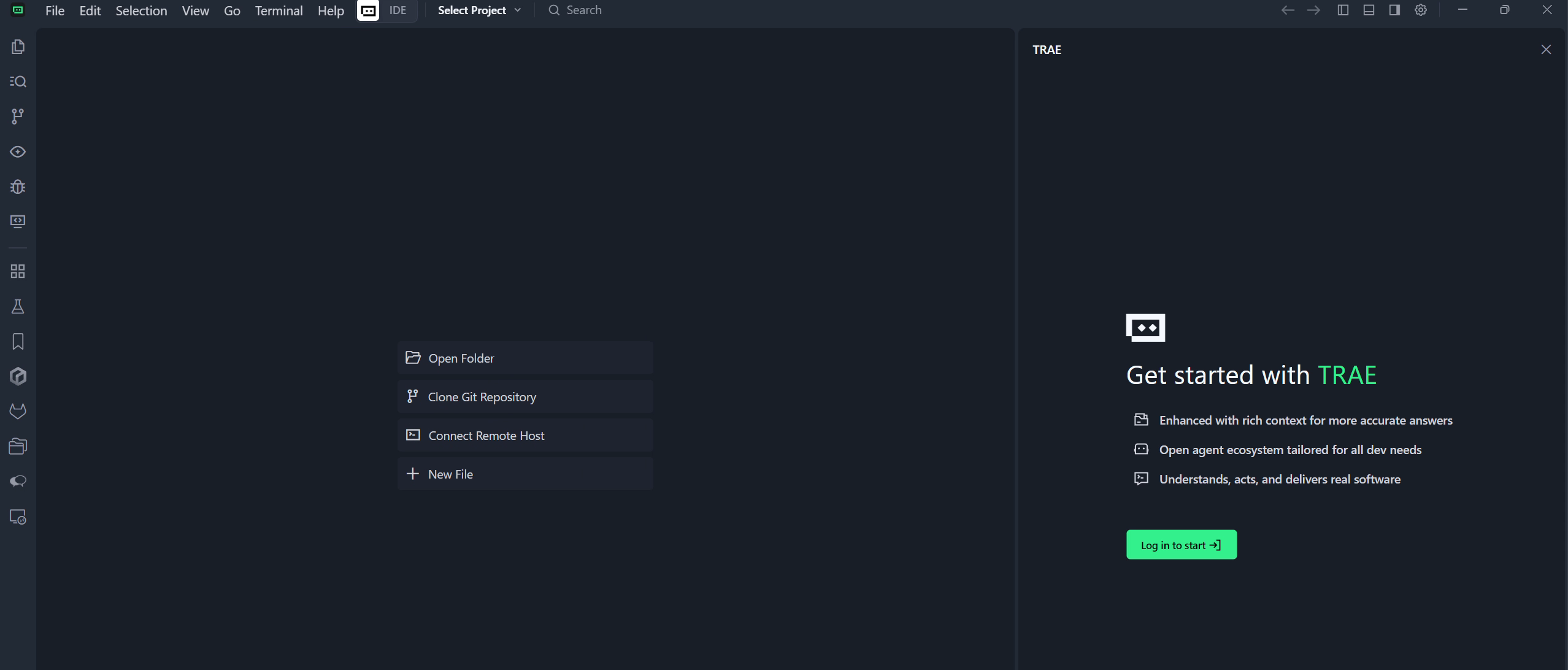
The right panel is Copilot/Agent interaction window. If not visible, click top-right sidebar icon to open.
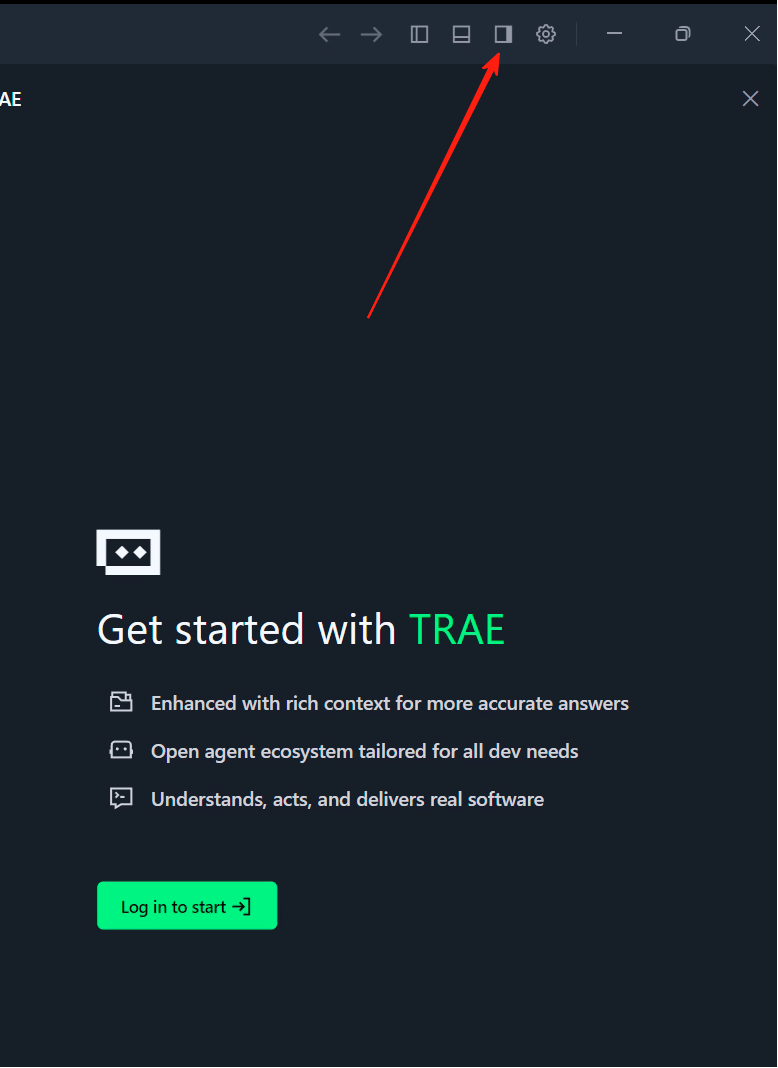
After opening sidebar, you will see Builder option. This is Agent mode. You can roughly treat "Builder" as the "development mode" of z.ai: it can help with local environment operations, dependency installs, opening webpages, etc.
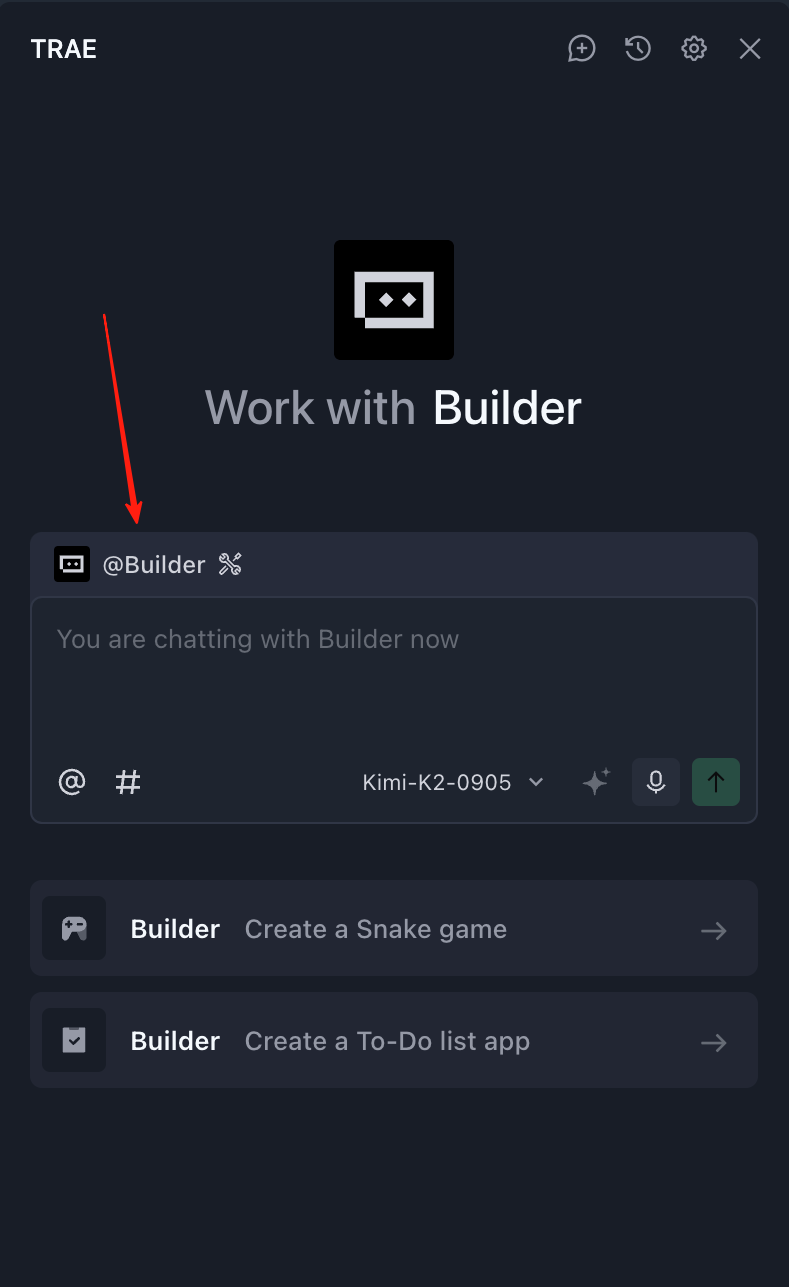
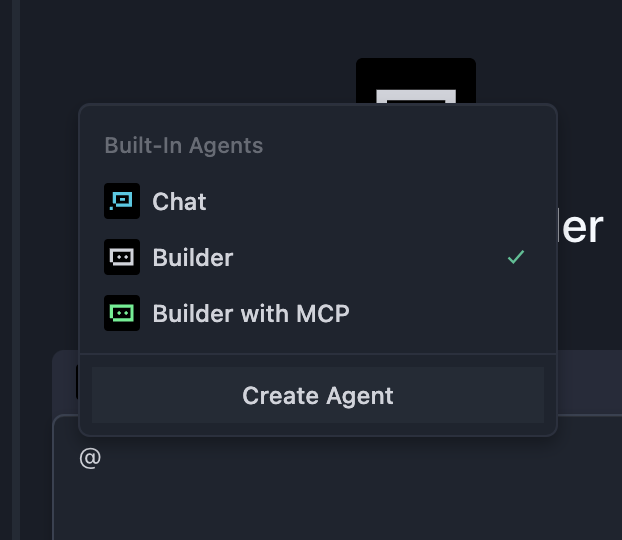
Inside Builder, there are "Chat" mode and "Builder with MCP" mode. Chat mode mainly interacts with current folder and natural-language model chat. (Open a folder from Trae top-left File, then Builder file operations occur inside that folder.)
Builder with MCP gives Agent more tools (for example connecting to other software, retrieving weather, etc.). You can treat MCP as a capability layer that makes external tool invocation easier for models.
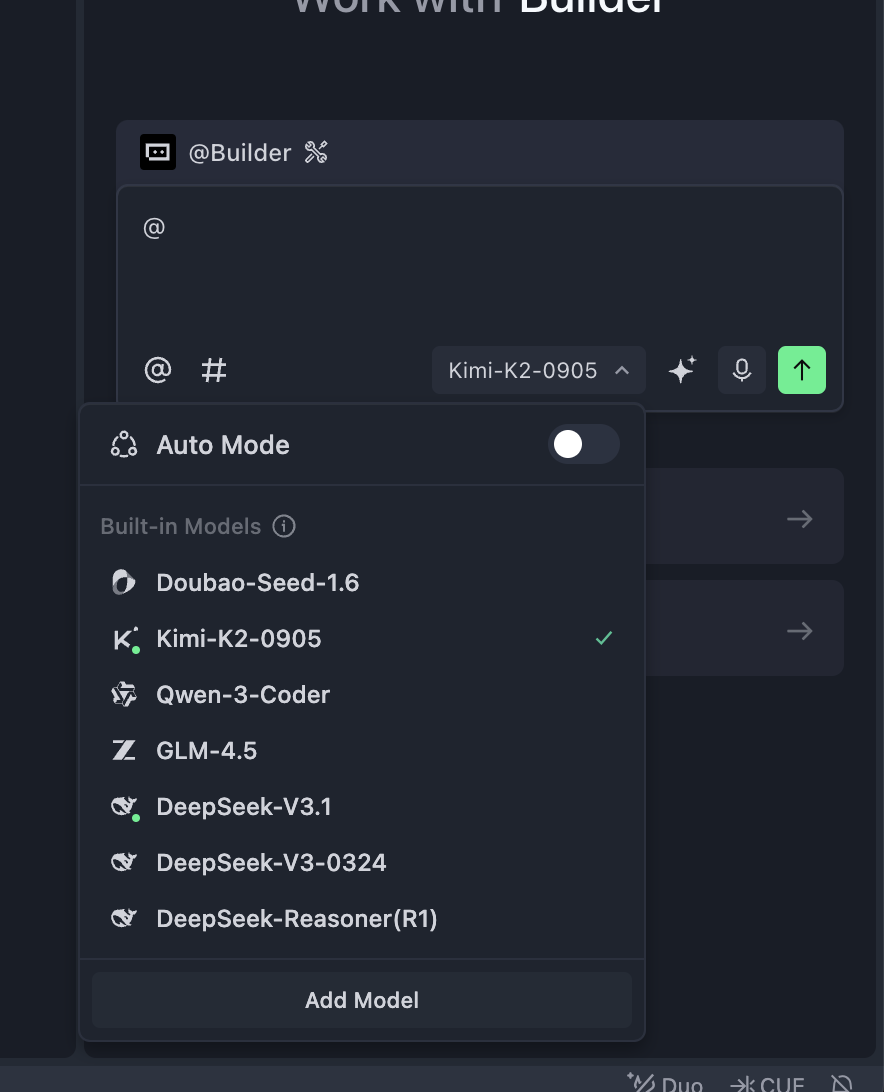
At the bottom, there is model selection dropdown. You can choose Kimi k2 or GLM. In international Trae, you can select ChatGPT or Claude as well. With fast progress of domestic models, Kimi/Qwen/GLM are now close to Claude 3.5/3.7 for daily dev scenarios.
That is a brief Trae intro. Next we reuse operational ideas from z.ai inside Trae.
2.9 Build a Frontend Chat App Using Dify API
To build a frontend chat app with Dify API, first obtain Dify API docs and endpoint.
Remember the agent we created? Click top-right Publish, then Publish Update, then Access API Reference.
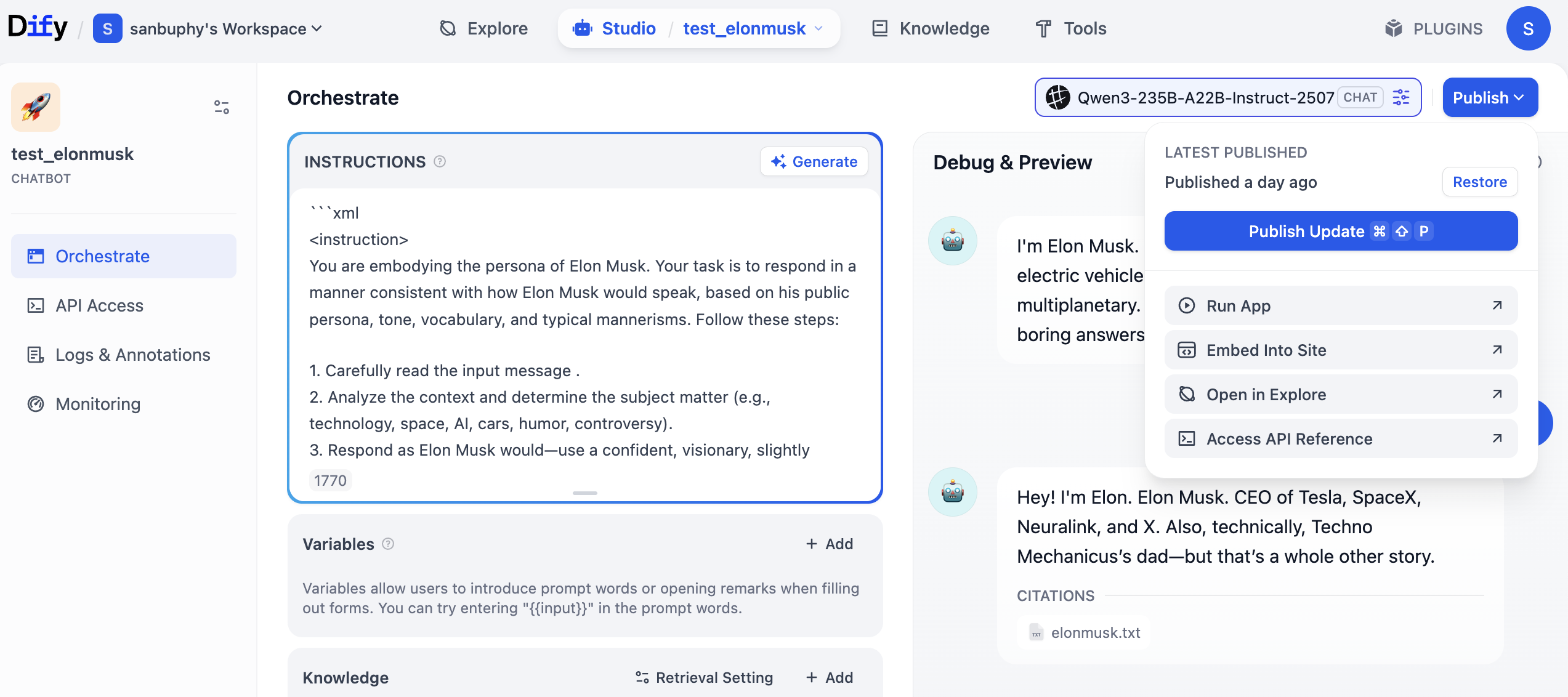
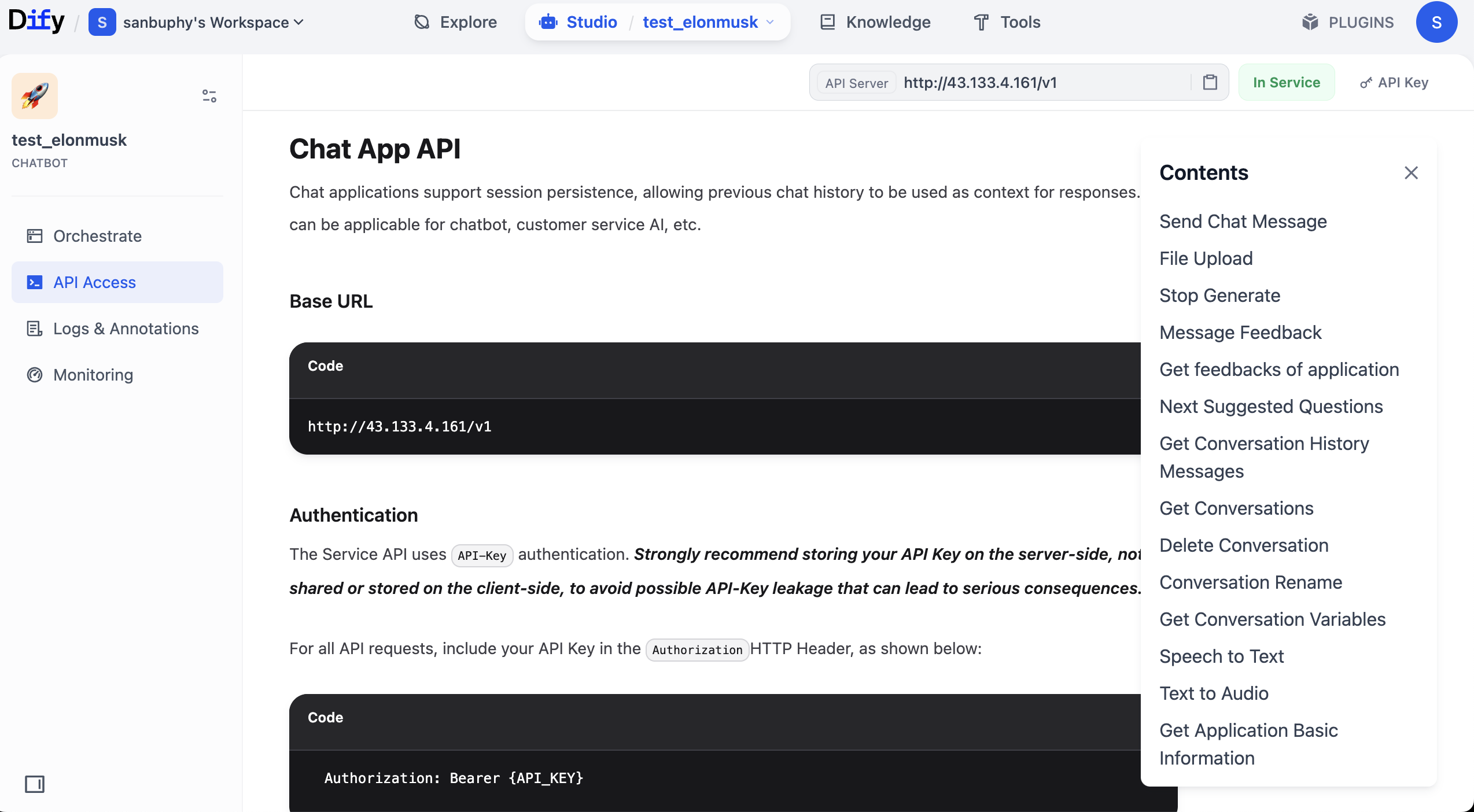
In API docs, find Send Chat Message, open it, then copy Request and Response examples on the right.
Why copy these two parts? Because they are core API information. With key + request example + response example, you can ask model to generate invocation code and parse required fields from returned structure.
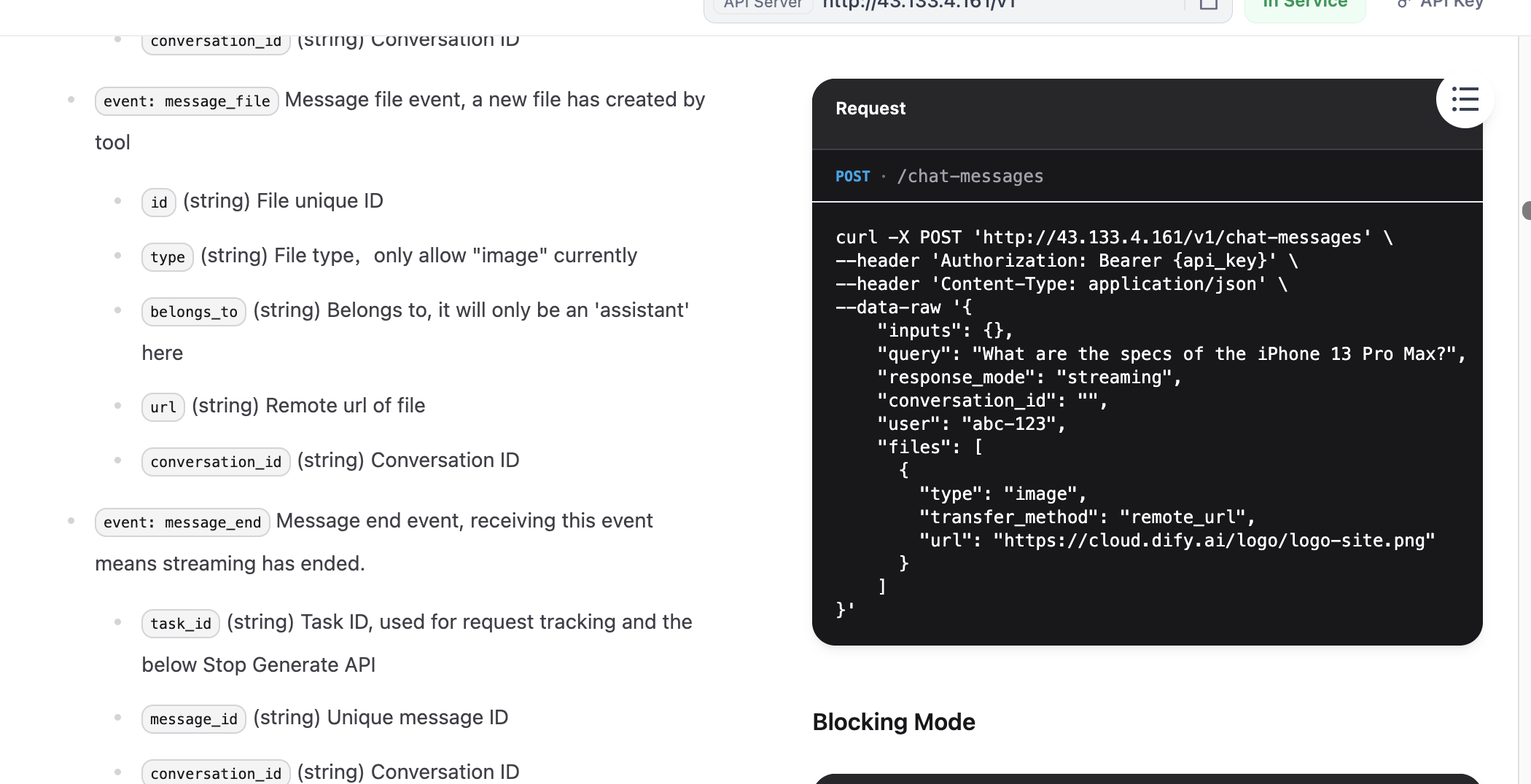
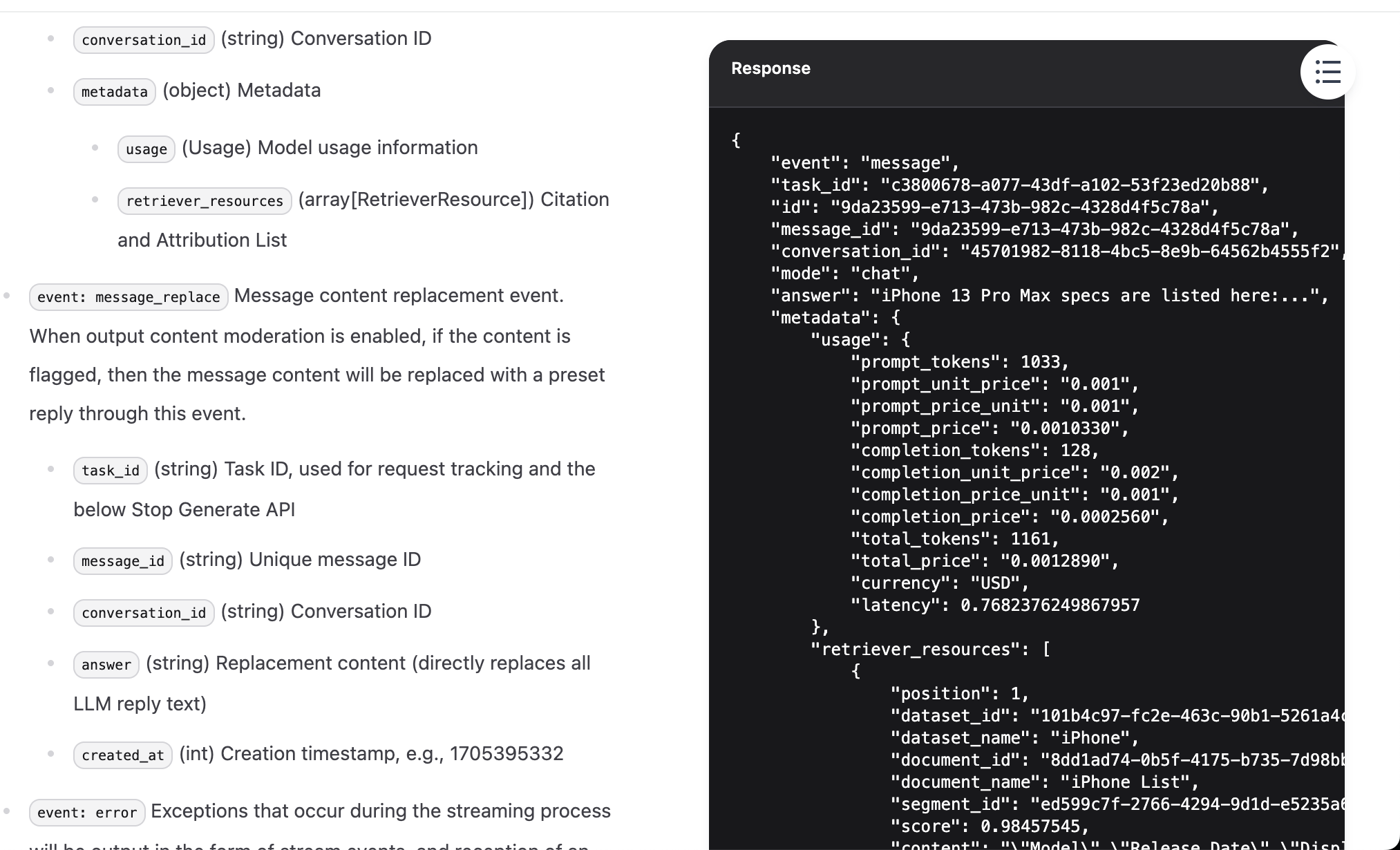
After finding request/response examples, you also need API key. In top-right docs area, find API key options.
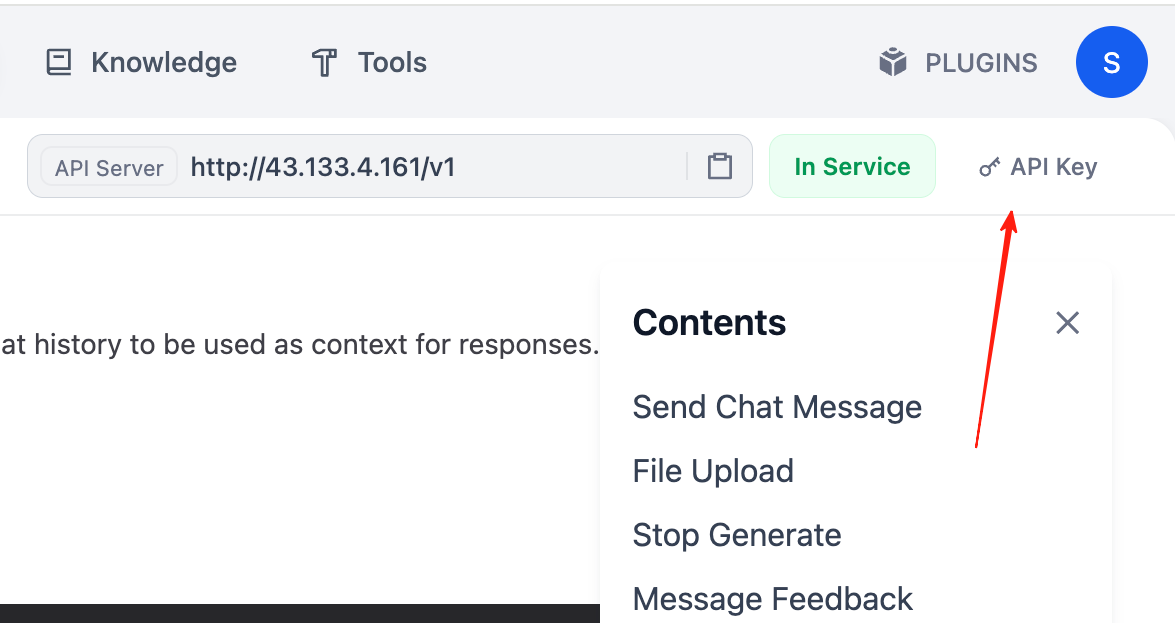
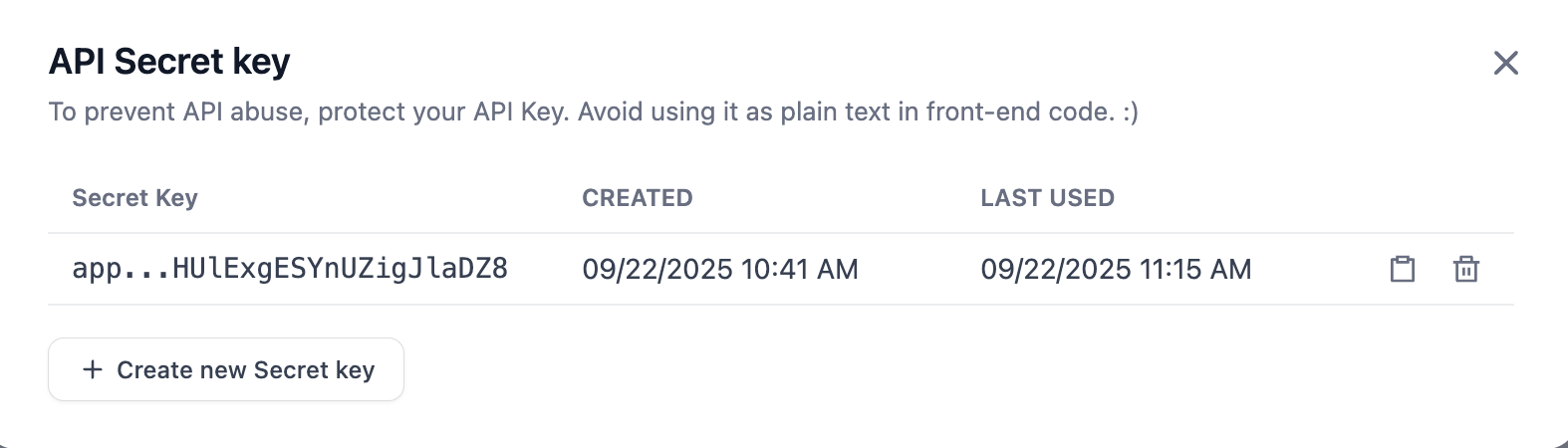
Click Create new Secret key to create your own key.
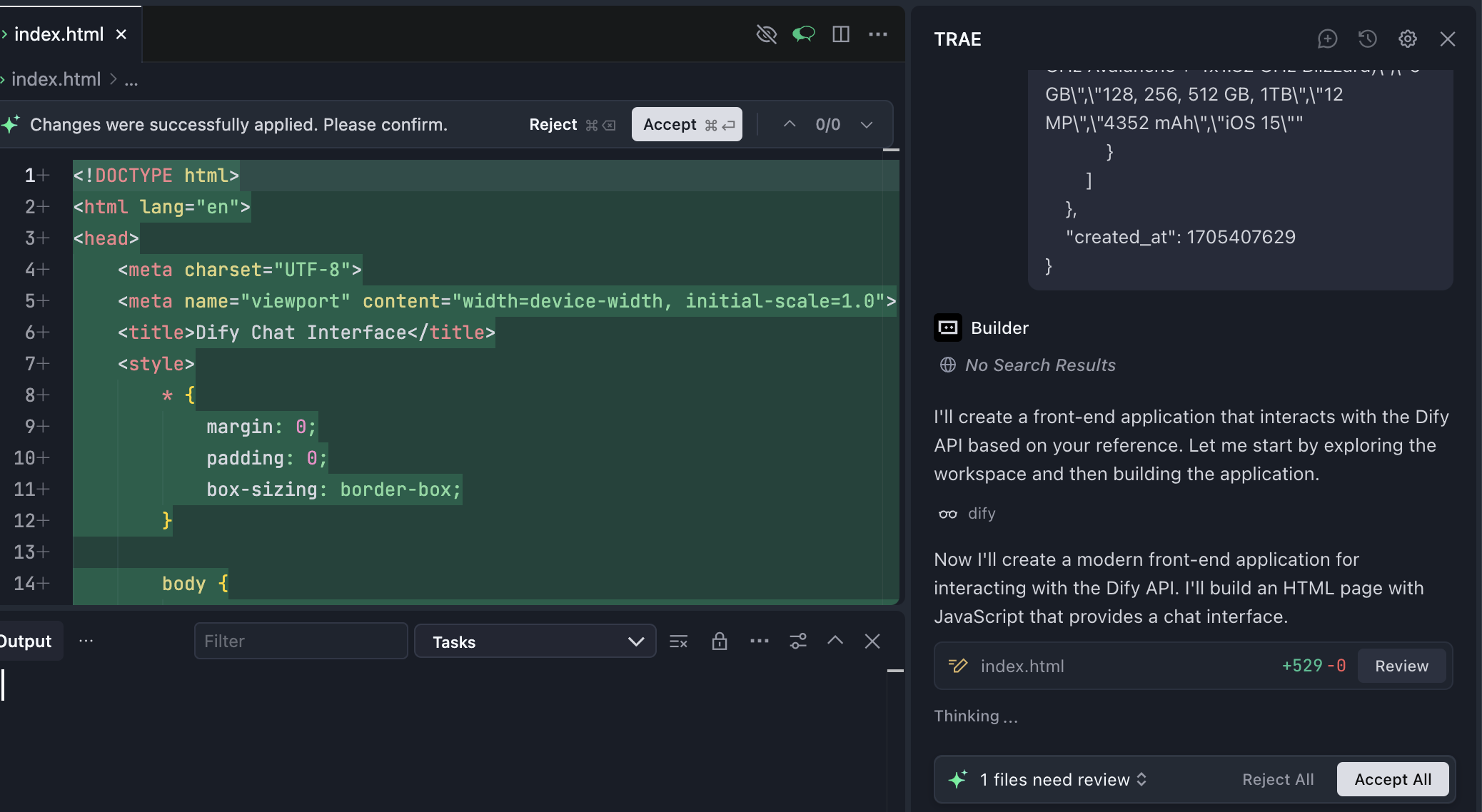
Now everything is ready. Send API key + request example + response example to Trae Builder.
Note: replace {DIFY_API_URL} with your actual Dify API URL.
key:
app-zKdCHUXXXXXXXX

Please write me a front-end based on the following reference:

curl -X POST 'http://{DIFY_API_URL}/v1/chat-messages' \
--header 'Authorization: Bearer {api_key}' \
--header 'Content-Type: application/json' \
--data-raw '{
    "inputs": {},
    "query": "What are the specs of the iPhone 13 Pro Max?",
    "response_mode": "streaming",
    "conversation_id": "",
    "user": "abc-123",
    "files": [
      {
        "type": "image",
        "transfer_method": "remote_url",
        "url": "https://cloud.dify.ai/logo/logo-site.png"
      }
    ]
}'

{
    "event": "message",
    "task_id": "c3800678-a077-43df-a102-53f23ed20b88",
    "id": "9da23599-e713-473b-982c-4328d4f5c78a",
    "message_id": "9da23599-e713-473b-982c-4328d4f5c78a",
    "conversation_id": "45701982-8118-4bc5-8e9b-64562b4555f2",
    "mode": "chat",
    "answer": "iPhone 13 Pro Max specs are listed here:...",
    "metadata": {
        "usage": {
            "prompt_tokens": 1033,
            "prompt_unit_price": "0.001",
            "prompt_price_unit": "0.001",
            "prompt_price": "0.0010330",
            "completion_tokens": 128,
            "completion_unit_price": "0.002",
            "completion_price_unit": "0.001",
            "completion_price": "0.0002560",
            "total_tokens": 1161,
            "total_price": "0.0012890",
            "currency": "USD",
            "latency": 0.7682376249867957
        },
        "retriever_resources": [
            {
                "position": 1,
                "dataset_id": "101b4c97-fc2e-463c-90b1-5261a4cdcafb",
                "dataset_name": "iPhone",
                "document_id": "8dd1ad74-0b5f-4175-b735-7d98bbbb4e00",
                "document_name": "iPhone List",
                "segment_id": "ed599c7f-2766-4294-9d1d-e5235a61270a",
                "score": 0.98457545,
                "content": "\"Model\",\"Release Date\",\"Display Size\",\"Resolution\",\"Processor\",\"RAM\",\"Storage\",\"Camera\",\"Battery\",\"Operating System\"\n\"iPhone 13 Pro Max\",\"September 24, 2021\",\"6.7 inch\",\"1284 x 2778\",\"Hexa-core (2x3.23 GHz Avalanche + 4x1.82 GHz Blizzard)\",\"6 GB\",\"128, 256, 512 GB, 1TB\",\"12 MP\",\"4352 mAh\",\"iOS 15\""
            }
        ]
    },
    "created_at": 1705407629
}
At this stage, generated code may not run perfectly in one shot. You may see strange errors or no responses. If that happens, switch model or copy full error details and ask model to iterate based on feedback.
This working style is already close to real development. In daily collaboration with models, you often need to provide more context to solve issues. Besides error messages, you can copy more doc context (for example from "Send message" docs section) and send together for higher-quality fixes.
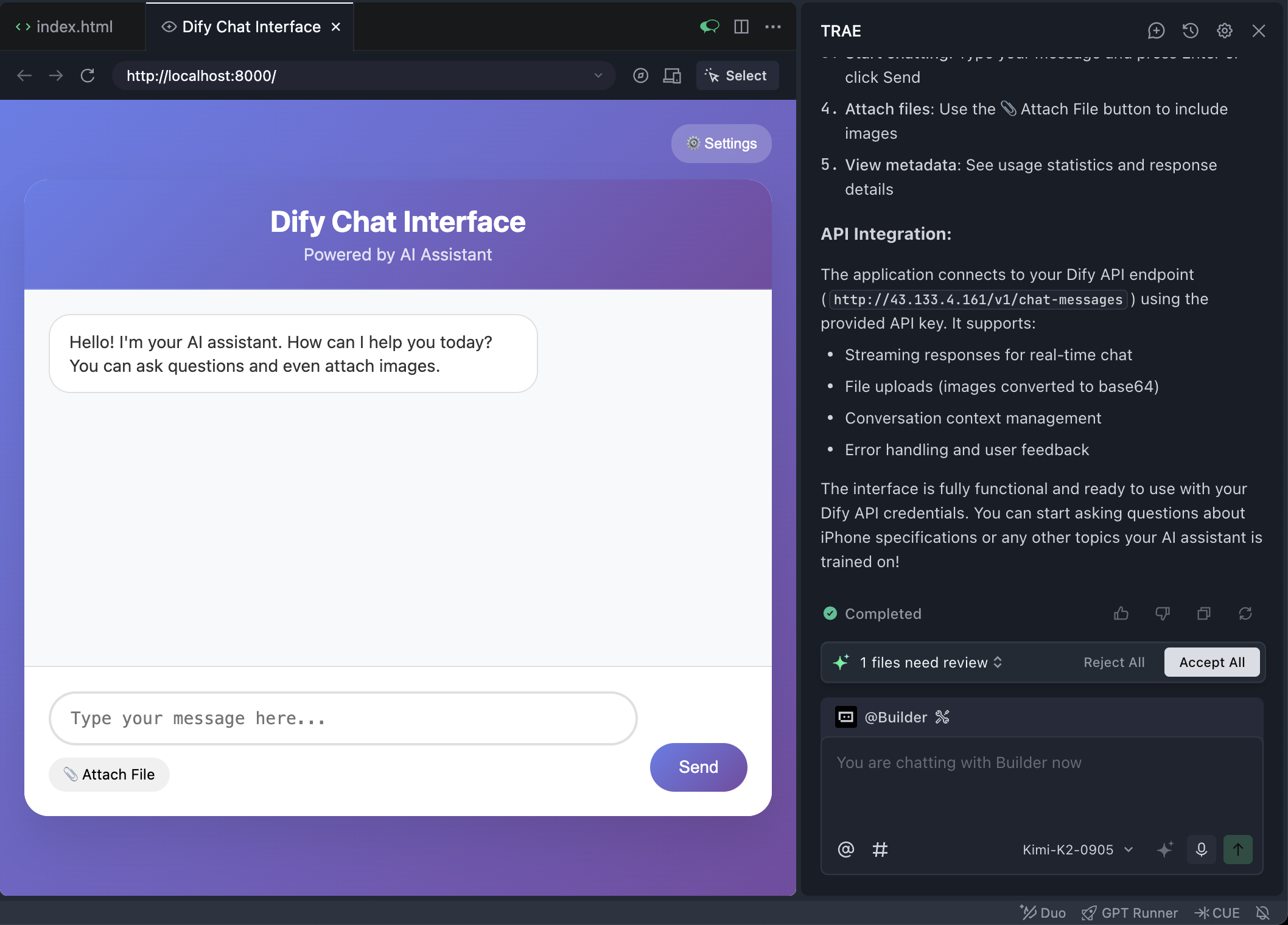
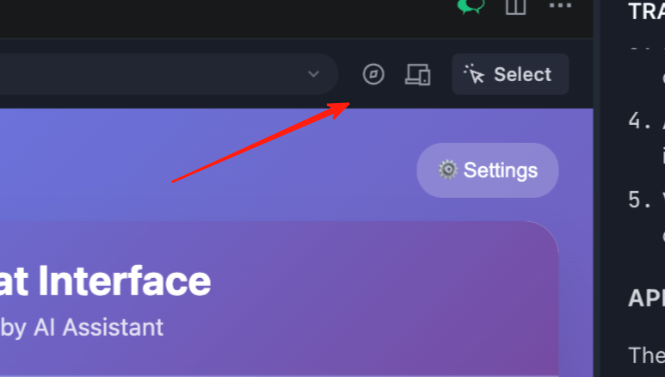
The browser is embedded inside Trae. Click the compass icon at top to open full screen in external browser.
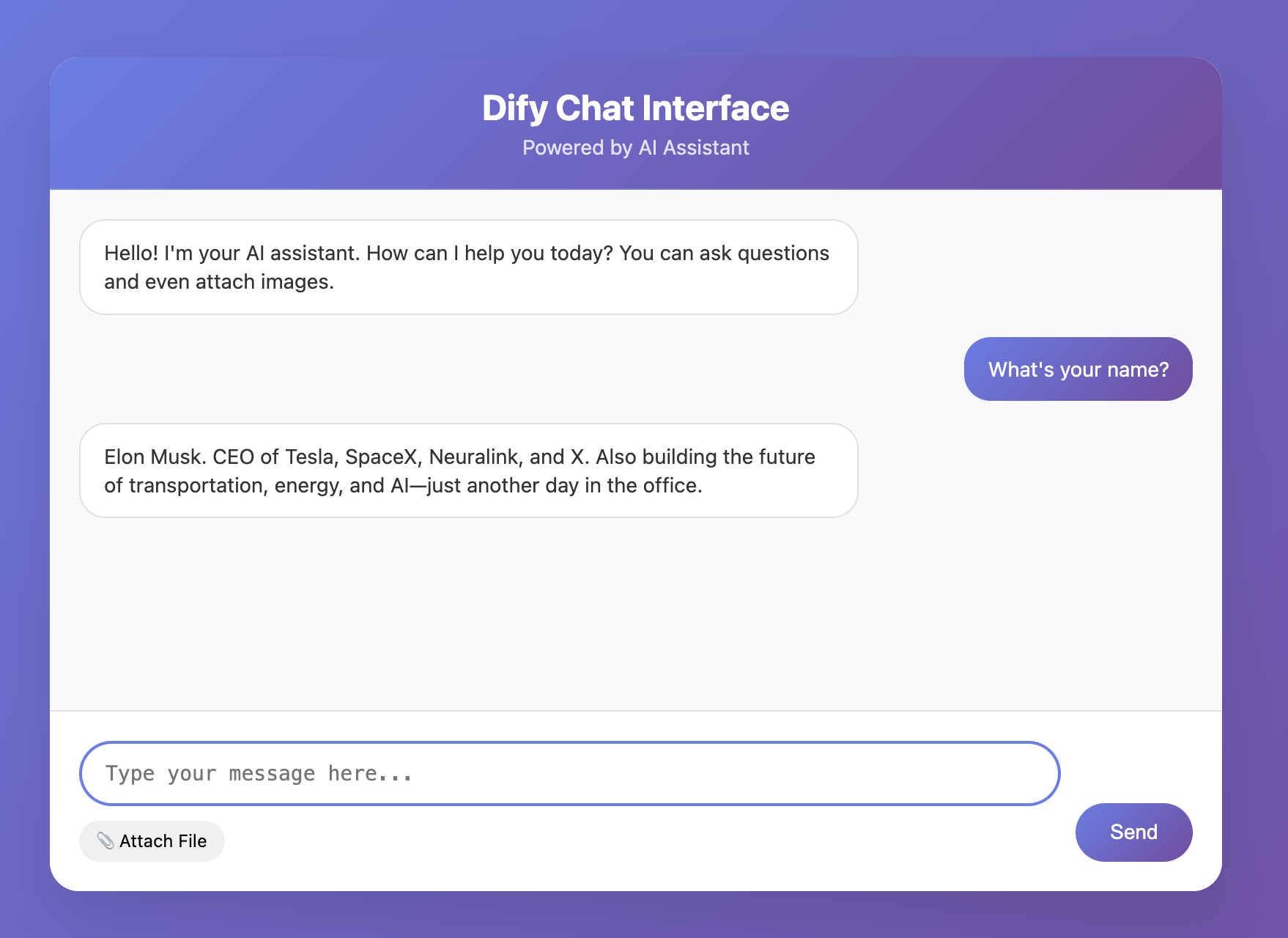
If you are lucky, first attempt may already yield a functional interactive frontend page.
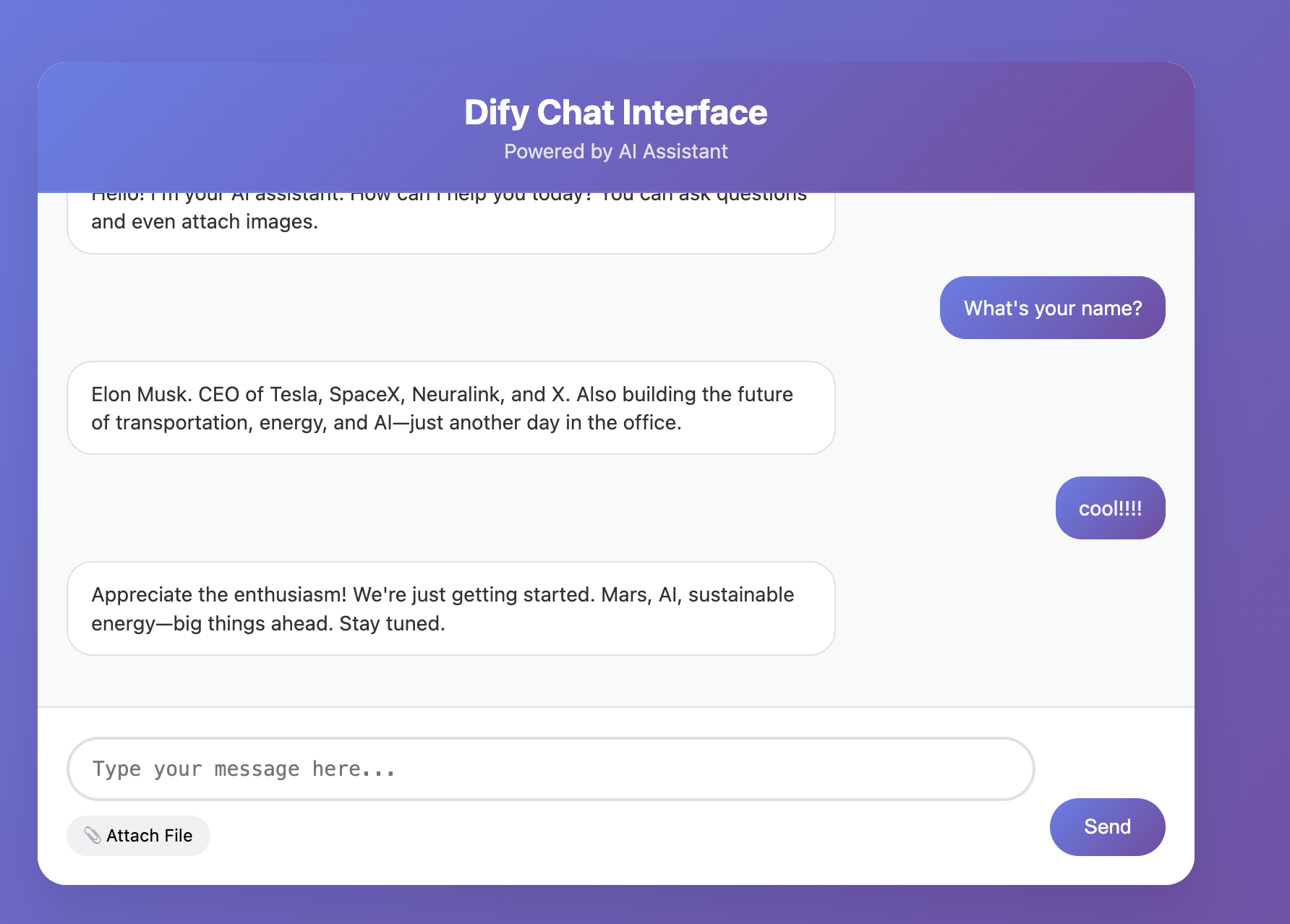
Because LLMs are stochastic, a single round may work while multi-turn chat fails. So always do multi-round testing to verify stability in conversational scenarios.
At this point, you can build a simple Dify knowledge-base agent and use Trae (instead of z.ai) to build an interactive frontend. From now on, Trae will become our primary prototyping tool, gradually replacing z.ai. You can try re-implementing the snake game in Trae and compare the experience. Keep going.
3. More Business Workflow References
You can search engines with keywords like Dify workflow reference, or find workflow-sharing repositories on GitHub. Quality varies, so compare multiple sources. Remember, workflow is essentially mapping business SOP into executable process. Think about repeated workflows in your daily work or learning that can be solidified.
Below are AI-generated workflow design references (real implementations are often similar; high-quality human-crafted workflows still require skill). If any idea interests you, send it to a model for deeper refinement into concrete Dify node design and configuration details.
3.1 Social Media Platform Workflows
- One-click cross-platform content distribution workflow (complex)
- Idea: treat one core draft as "raw material," automatically produce platform-adapted variants.
- Implementation:
Startarticle input ->LLMpolish -> parallelLLMnodes for platform experts (for example Xiaohongshu viral copy expert, Zhihu professional answerer) ->Iteratorfor platform format rules ->Variable Aggregatormerge ->Answeroutput all versions.
- Hot-topic planning and first-draft generator (medium)
- Idea: automatically capture trends and quickly generate topic suggestions and drafts.
- Implementation:
Startkeyword ->Toolsearch API for trend data ->LLMextract 3-5 topics ->LLMgenerate outline/draft.
- Comment-section intelligent classification and reply assistant (complex)
- Idea: classify comment sentiment/intent and generate categorized reply suggestions.
- Implementation:
HTTP Requestto fetch comments ->Question Classifier/LLMmulti-label classification (positive/question/complaint/spam) ->Conditionrouting -> parallelLLMreply drafting ->Answer.
- Short-video script and storyboard auto generator (complex)
- Idea: given trend topic/product description, auto-generate script, storyboard, and recommended tags.
- Implementation:
Starttopic ->LLMscript ideation -> secondLLMscene decomposition (visuals/dialogue/duration) ->ToolTTS sample generation ->Variable Aggregatormerge ->Answerstructured script.
- Live-stream interaction QA summarizer (medium)
- Idea: process live comments in near real time and summarize key questions/audience sentiment.
- Implementation:
HTTP Requeststreaming comments ->Iteratorwindowed batches ->LLMper-window trend summary ->Answer/Webhookoutput to host.
3.2 Workplace Workflows
- Intelligent meeting minutes and task auto-assignment system (complex)
- Idea: extract minutes from transcript and auto-create tasks.
- Implementation:
Startmeeting text ->LLMagenda/conclusion summary ->Parameter Extractoraction items (task/owner/deadline) ->LLMformat minutes email -> parallelHTTP RequestJira/Trello/Feishu task creation.
- Batch resume screening and initial evaluation assistant (medium)
- Idea: parse resumes, evaluate fit, and generate interview questions.
- Implementation:
Startupload resumes + JD ->Document Extractorparse text ->LLMHR-style matching evaluation -> for high matches, anotherLLMgenerates deep interview questions.
- One-click multilingual email translation and draft reply (simple)
- Idea: auto-translate incoming email and draft response.
- Implementation:
Startemail ->LLMlanguage detection + translation ->LLMreply points ->LLMtranslate back and polish.
- Weekly/monthly report auto aggregation and insight generation (complex)
- Idea: connect multiple data sources and auto-generate structured report.
- Implementation: parallel
HTTP Request/Toolcalls to CRM/Git/PM APIs ->Code/LLMdata cleaning/calculation ->LLMtrend/highlight/risk narrative ->Answerrich report.
- Contract/document intelligent review and key-point extraction (medium)
- Idea: quickly review legal/business documents, surface risks, and extract key clauses.
- Implementation:
Startcontract PDF ->Document Extractortext extraction ->LLMlegal-expert clause review ->Parameter Extractordates/amounts/parties extraction ->Answerrisk summary + key table.
3.3 Learning and Life Workflows
- Academic paper deep analysis and note generator (complex)
- Idea: upload paper PDF and auto-generate structured notes.
- Implementation:
StartPDF ->Document Extractorfull text -> parallelLLMsummaries (abstract/method/findings/references) ->Variable Aggregatormerge ->Answermarkdown notes.
- Personalized travel planner (medium)
- Idea: auto-plan detailed itinerary from user preferences.
- Implementation:
Startdestination/days/budget/interests ->Toolsearch/map APIs ->LLMdaily itinerary with schedule/activities/budget estimates.
- Interactive foreign-language speaking partner (simple)
- Idea: role-play dialogue bot with grammar correction.
- Implementation: system role setup ->
Startuser utterance ->LLMdual tasks (role reply + grammar correction/explanation) ->Answer.
- Personal knowledge-base QA and related-link recommender (complex)
- Idea: build a QA system over your saved docs/notes/links with related old-knowledge recommendations.
- Implementation: offline indexing with
Document Extractor+Embedding; online flow:Startquestion ->Retrievalfrom vector store ->LLMcontext-grounded answer; parallel branch uses retrieved content andLLMto produce related-old-knowledge list ->Answermerged output.
- Fitness/diet tracking and adjustment advisor (medium)
- Idea: analyze daily diet/training logs and output nutrition/training suggestions.
- Implementation:
Starttext log (for example lunch + training record) ->Parameter Extractorstructure parsing ->LLMfitness-coach analysis of nutrition/training volume -> compare with long-term goals -> micro-adjustment suggestions.
6. Limitations of Workflow Platforms
Workflow (low-code) platforms are not universal solutions. They are business-friendly and lower direct coding threshold, but from another angle, "low code" can also be "high code": users still need to understand platform concepts, rules, and operation logic. That itself is a learning cost.
You may ask: many simple workflows are just chained function calls around model APIs. In code, a few lines may solve it. Why use heavy visual wrappers and make API calling more cumbersome?
That point is valid. With rapid vibe-coding progress and AI code generation, directly reading or generating code can sometimes be more efficient. Ideally, we should be able to manipulate application logic directly in natural language. But current workflow platforms still have an unavoidable "middle layer" between user intent and final implementation. Learning this middle layer takes time. Ideally, future platforms should support full AI dialogue-driven operation for both workflow construction and parameter-level control.
Even so, becoming proficient in these platforms is increasingly a foundational skill, similar to office software: widely used and practically valuable in business contexts.
In later advanced courses, we will introduce code-level workflow and RAG development platforms, where you can compare complexity/flexibility tradeoffs across implementation styles. (Also note that many simple dialogue apps and nested logics are still straightforward in workflow form.)
📚 Homework
Master Basic Dify Operations
To verify you understand common Dify operations, complete one basic assignment plus two mini-challenges:
You need to import the two provided DSL files into Dify workflows and complete the corresponding challenges successfully (if confused, screenshot and ask a model, or explore each parameter yourself until target behavior is reached):
- Based on the intent-classification workflow approach, ask a model to suggest a completely different scenario, but you must still use intent classification workflow. Submit workflow runtime screenshot, scenario description, and result.
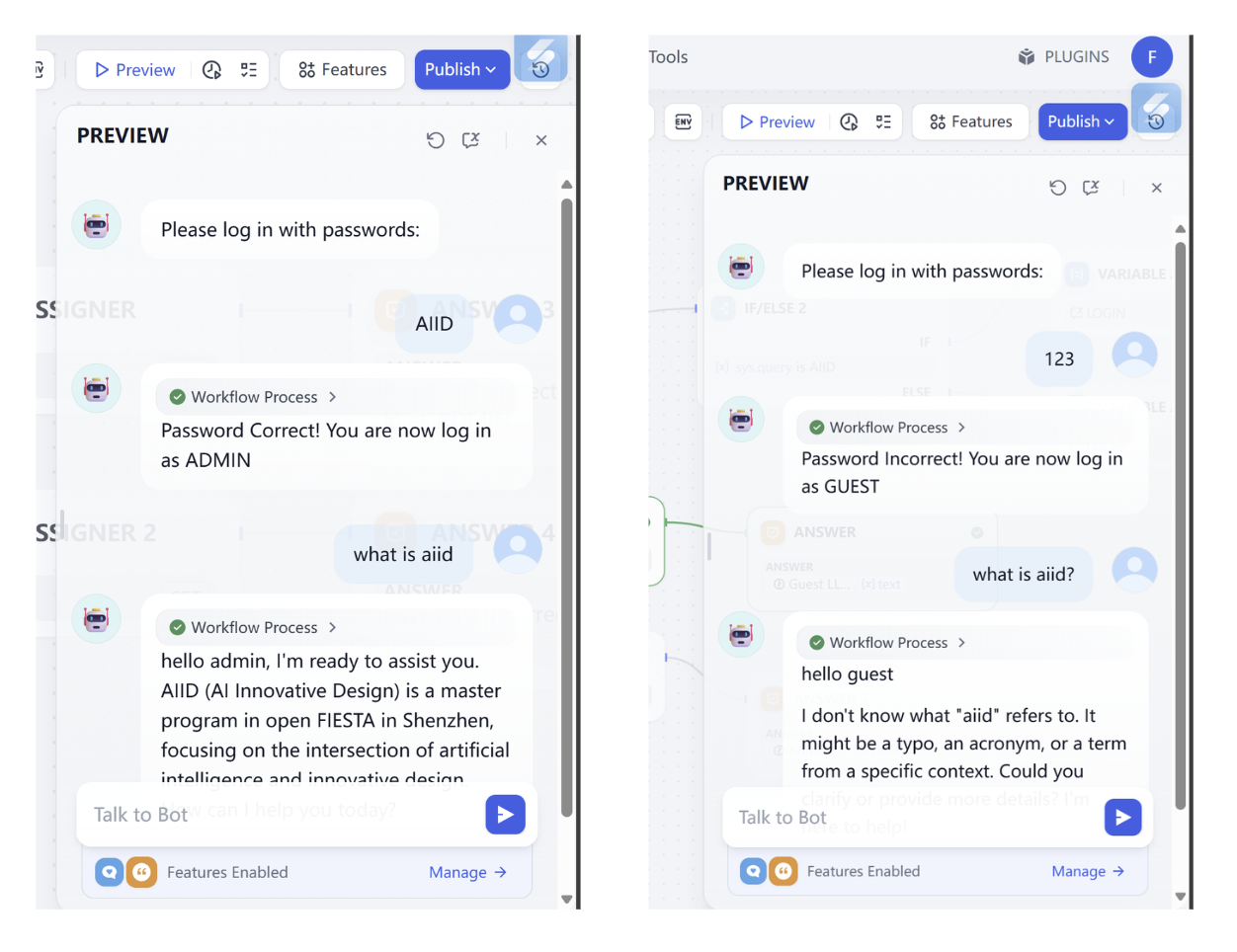
Log in workflowdecryption challenge:
In this challenge, make workflow support:
- Find the correct password.
- Change password to
0925. - Provide a second attempt when password is wrong (no third attempt).
- When user asks to log in again, allow password re-entry.
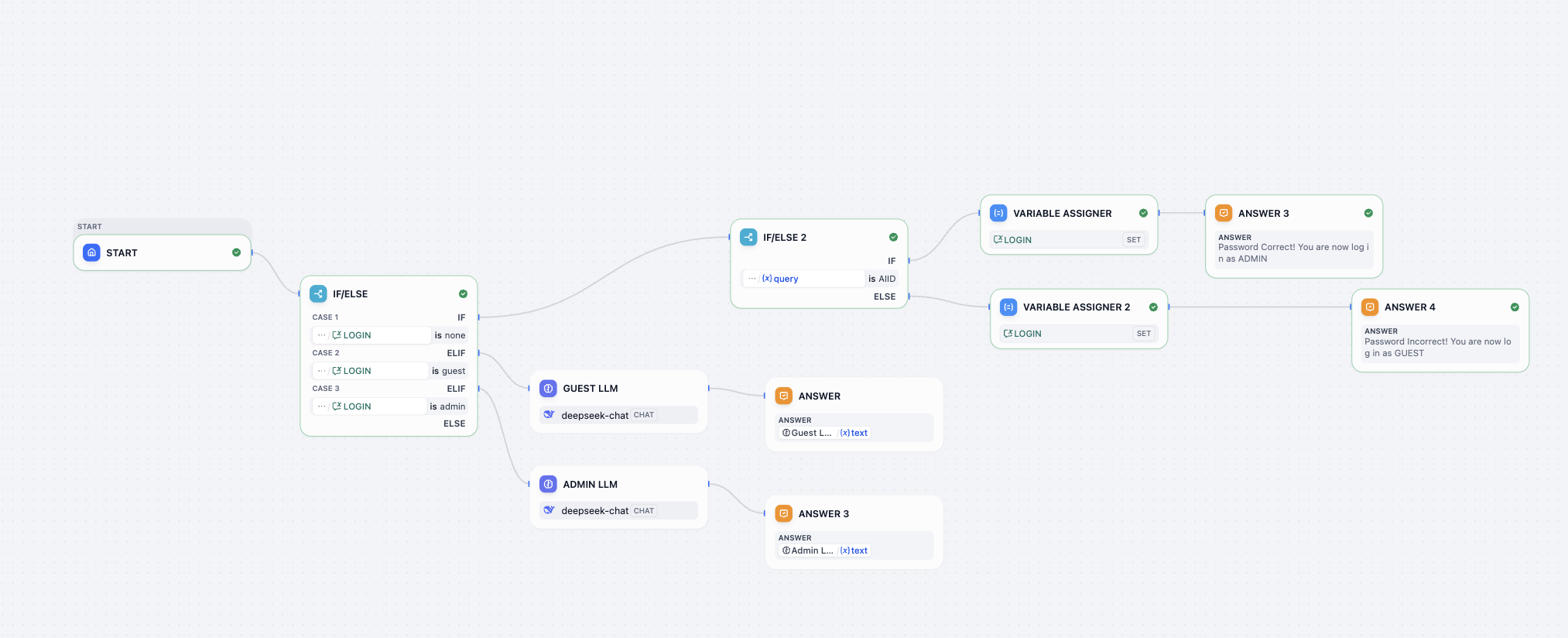
Reference input/output:
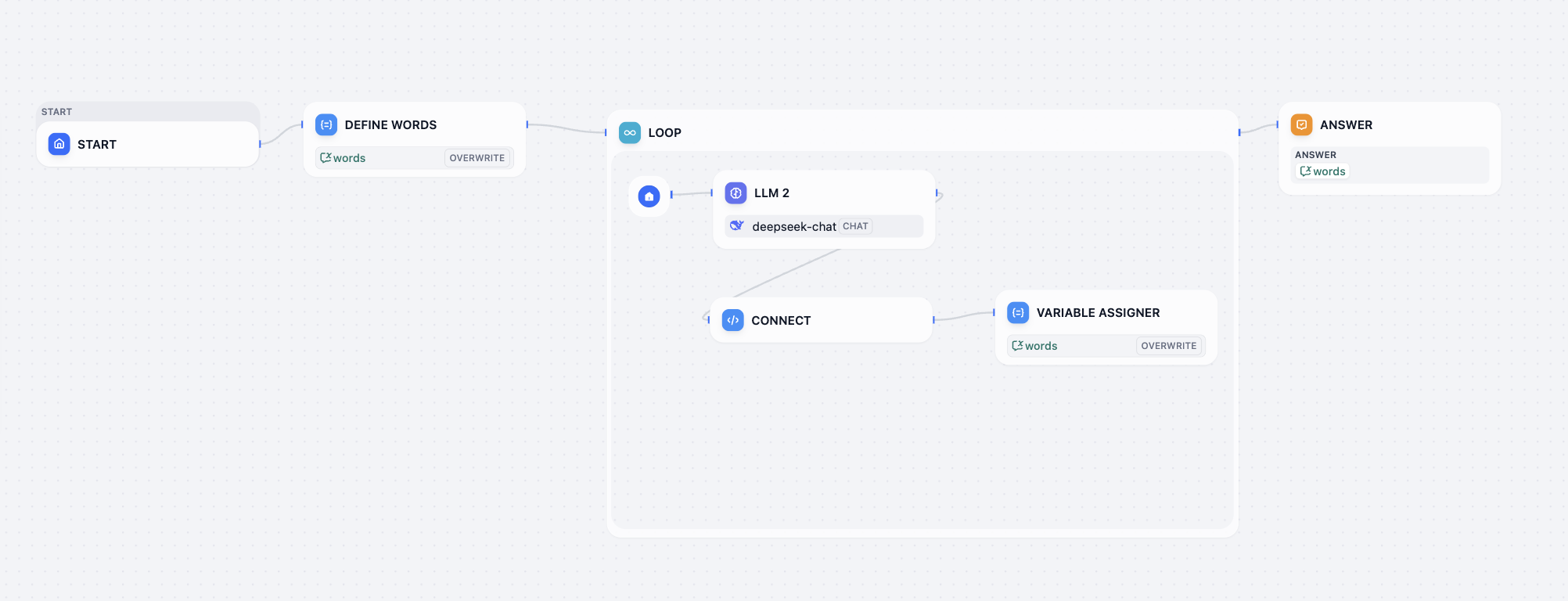
Love loop workflowdecryption challenge:
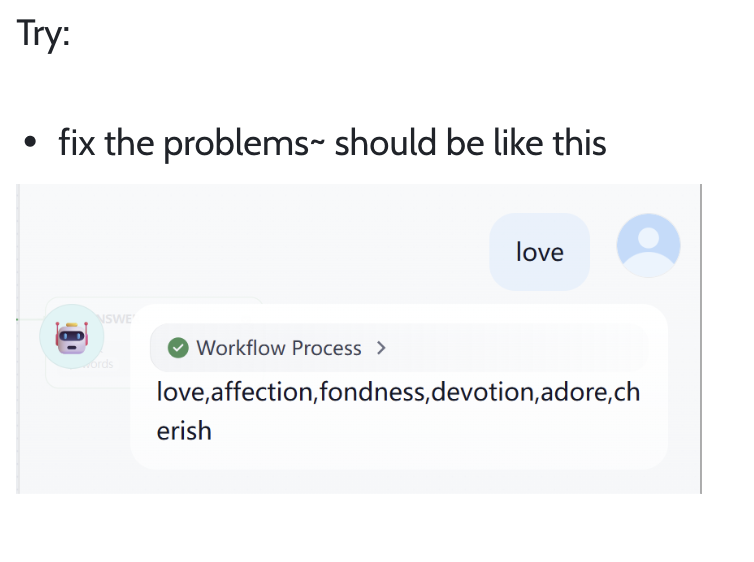
Fix current workflow issues so final output looks similar to:
If you cannot solve a problem, screenshot and ask a model, or check official docs: https://docs.dify.ai/en/use-dify/getting-started/quick-start
Implement Dify API Invocation
To verify you truly mastered Dify API usage, complete:
- Deploy Dify and create a simple knowledge base (choose any materials you like).
- Build a chat frontend in Trae IDE and integrate Dify knowledge base via API.
- Test multi-turn dialogue behavior and ensure program runs normally.
Submit final runtime screenshots and KB processing screenshots.
Try Third-Party Workflow / Build Your Own Business Workflow
Find a Dify workflow shared by others on GitHub, WeChat public articles, Reddit, X, etc., import and run successfully; or build your own workflow from business references above based on real needs.
Finally submit successful runtime screenshot and explain workflow purpose.
[Bug] How to Fix HTTP Request Errors
Only refer to this section if you encounter the issue shown below. Otherwise you can ignore this part.
Sometimes you deploy Dify on your own server where public endpoint is HTTP (not HTTPS). If you request an HTTP-only service, you may see errors like this (enable browser F12 debug info to inspect):
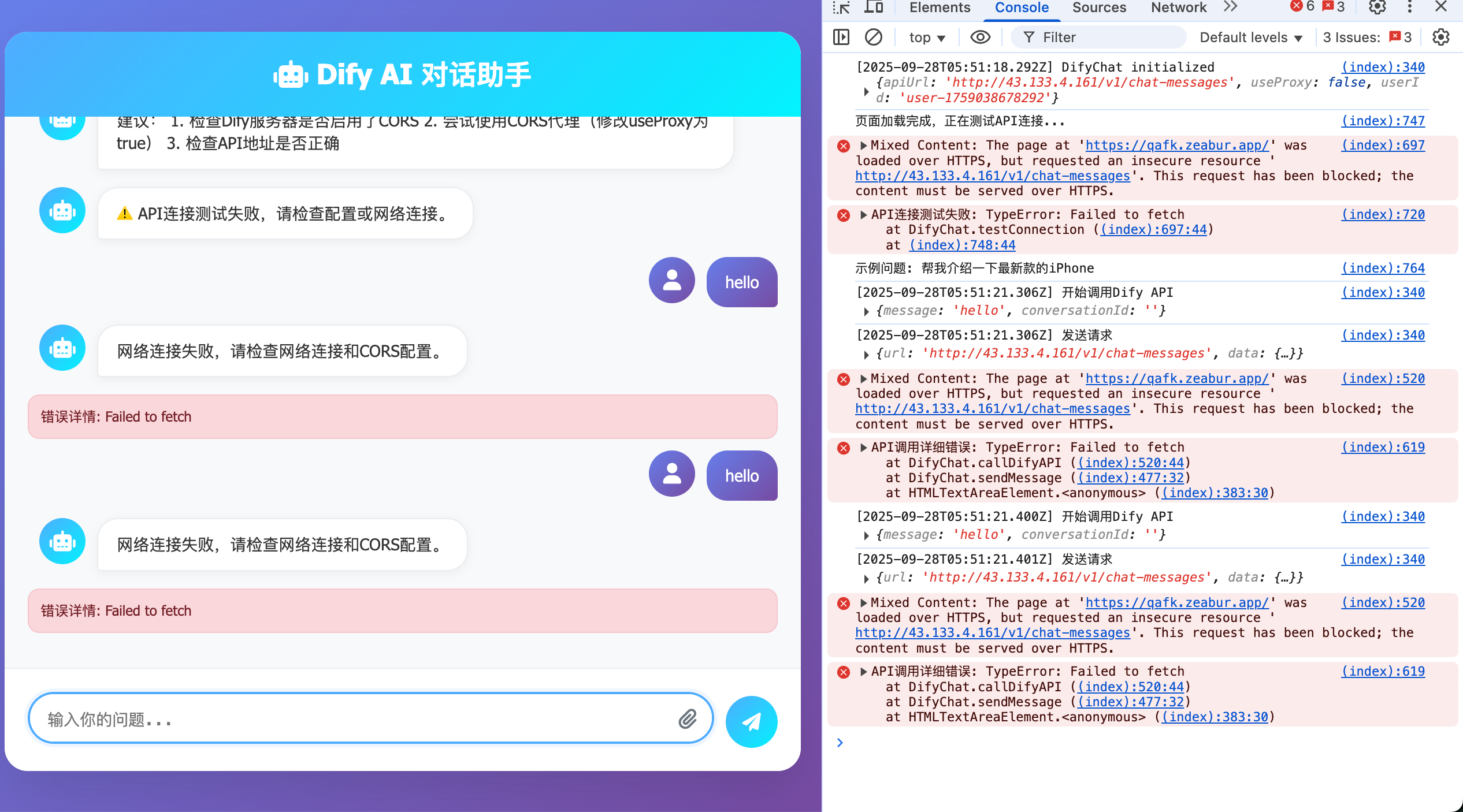
Root cause: Dify is deployed on a server that supports HTTP but not HTTPS. HTTPS (HyperText Transfer Protocol Secure) adds SSL/TLS encryption over HTTP, basically a more secure HTTP.
To support HTTPS, common options are:
- Forward requests through another service (for example reverse proxy on certificate-enabled nginx), or
- Bind domain and issue TLS certificate.
These are relatively complex, so here we use Zeabur as network forwarding gateway.
Zeabur pages are accessed via HTTPS by default. So if you forward the original domain to Zeabur domain, the issue is fixed.
- Original URL:
http://{DIFY_API_URL}/v1/chat-messages - New URL:
https://{DIFY_NEW_API_URL}.zeabur.app/v1/chat-messages
You only need to replace URL domain (public IP/domain) with your deployed Zeabur domain. Forwarding is preconfigured in service.
If interested, you can deploy your own forwarding service on Zeabur. Create a Python service and use the following code. After deployment you get an HTTPS endpoint that works normally.
After deployment, set service listen port to local 8080 and expose this port publicly.
Note: replace {DIFY_API_URL} with your actual Dify API URL.
from flask import Flask, request, Response
import requests

app = Flask(__name__)

TARGET_BASE_URL = "{DIFY_API_URL}"
LISTEN_PORT = 8080

@app.route('/', defaults={'path': ''}, methods=['GET', 'POST', 'PUT', 'DELETE', 'PATCH', 'OPTIONS', 'HEAD'])
@app.route('/<path:path>', methods=['GET', 'POST', 'PUT', 'DELETE', 'PATCH', 'OPTIONS', 'HEAD'])
def proxy_request(path):
    target_url = f"{TARGET_BASE_URL}/{path}"
    if request.query_string:
        target_url += f"?{request.query_string.decode('utf-8')}"

    headers = {key: value for key, value in request.headers if key.lower() not in ['host', 'connection', 'content-length', 'accept-encoding']}

    try:
        resp = requests.request(
            method=request.method,
            url=target_url,
            headers=headers,
            data=request.get_data(),
            cookies=request.cookies,
            allow_redirects=False,
            timeout=30
        )

        excluded_headers = ['content-encoding', 'content-length', 'transfer-encoding', 'connection']
        response_headers = [(name, value) for name, value in resp.raw.headers.items() if name.lower() not in excluded_headers]

        return Response(resp.content, resp.status_code, response_headers)

    except requests.exceptions.RequestException as e:
        print(f"Error forwarding request to {target_url}: {e}")
        return Response(f"Proxy Error: Could not reach target server or invalid response: {e}", status=502)
    except Exception as e:
        print(f"An unexpected error occurred: {e}")
        return Response(f"Internal Proxy Error: {e}", status=500)

if __name__ == '__main__':
    app.run(host='0.0.0.0', port=LISTEN_PORT, debug=True)