
FAQ
Frequently asked questions and troubleshooting guidance for Torch-RecHub.
Will there be a TensorFlow version?
There are no current plans for one. PyTorch is the project's only runtime, and the focus is on recommendation-model implementations that are easy to learn and extend.
Why is the example AUC low or unstable?
The sample datasets under examples/ are intentionally small and only validate data formats, feature definitions, and the training path. They are not intended for model-quality comparisons. Download the complete datasets linked from the README and create proper train, validation, and test splits before comparing models.
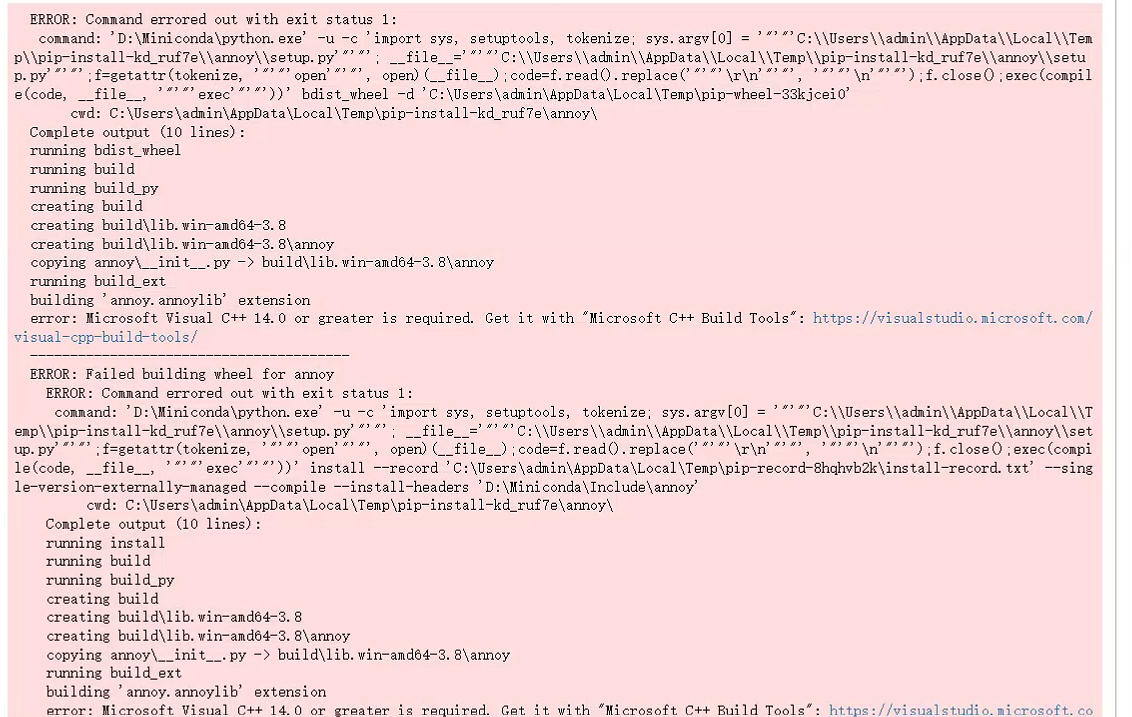
What should I do if Annoy fails to install on Windows?
Install the Annoy extra declared by the project:
python -m pip install "torch-rechub[annoy]"If pip cannot find a wheel for the current Python version and platform, it builds Annoy from source. When Windows reports Microsoft Visual C++ 14.0 or greater is required, install Microsoft C++ Build Tools, reopen the terminal, and rerun the command. Do not install an old wheel built for a different Python version.
Why does torch_rechub.serving still fail to import after installing one vector backend?
The current torch_rechub.serving package imports the Annoy, Faiss, and Milvus implementations together. Install all three extras when using the unified builder_factory entry point:
python -m pip install "torch-rechub[annoy,faiss,milvus]"Why does fit() report that the model save path does not exist?
Trainers do not create model_path automatically. Create it before training:
import os
from torch_rechub.trainers import CTRTrainer

os.makedirs("saved/deepfm", exist_ok=True)
trainer = CTRTrainer(model, model_path="saved/deepfm")
trainer.fit(train_dataloader, val_dataloader)
Why does an example fail to find its data when run from another directory?
Some historical examples use data paths relative to the script directory. Change into the relevant examples/ranking, examples/matching, or other example directory first. When a script exposes the option, you can instead pass an explicit path with --dataset_path.
Can the same Feature objects be passed to multiple models?
This is not recommended. SparseFeature and SequenceFeature cache their created embeddings, so reusing the same Feature instance makes multiple models share parameters. See Feature Instances and Embedding Ownership.