
Production Deployment Overview
Torch-RecHub provides deployment components such as ONNX export, quantization, and vector indexing. Production environments still require you to supply engineering capabilities such as feature services, API services, monitoring, canary releases, and disaster recovery.
Deployment Process Overview
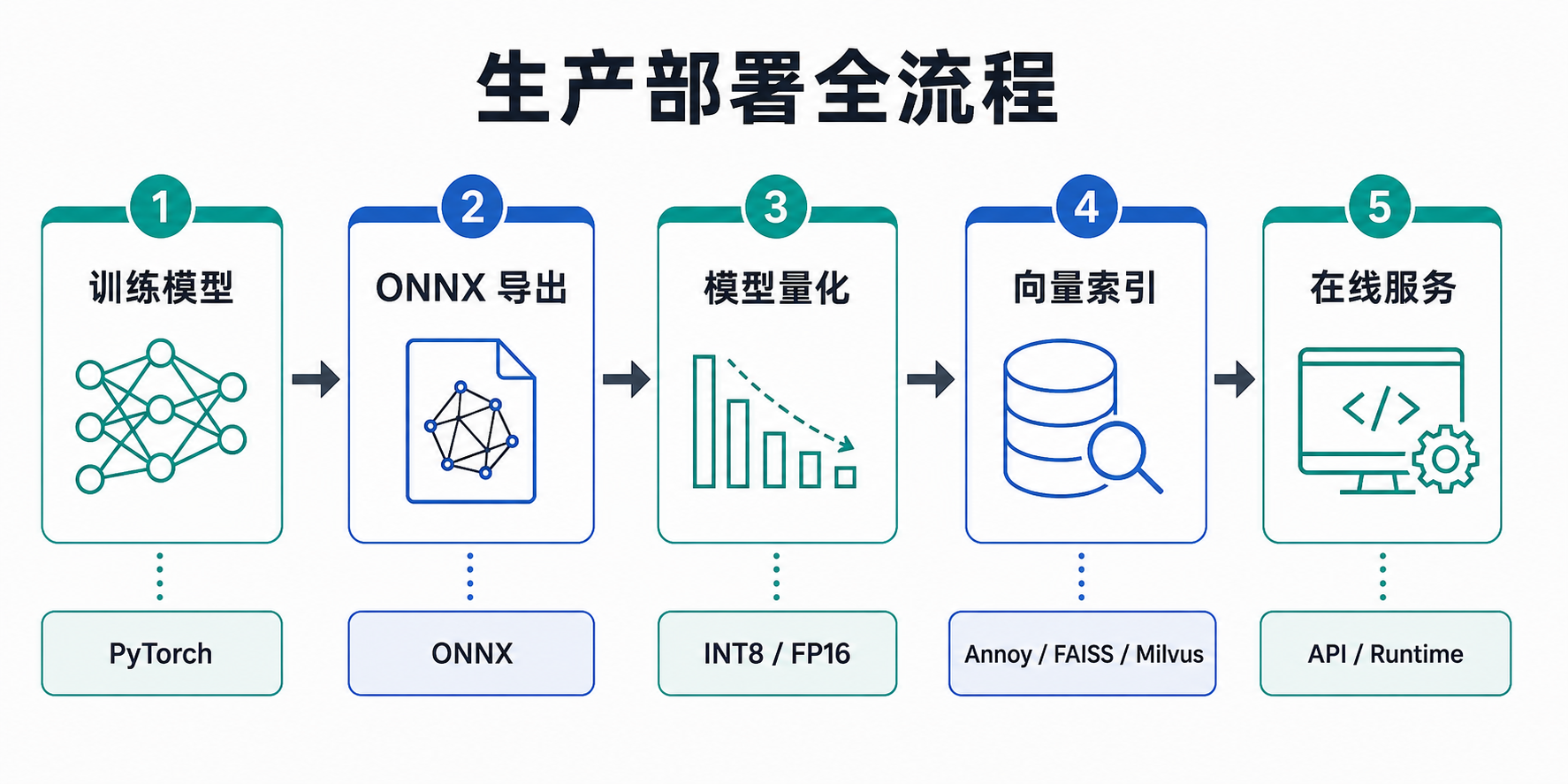
Core Features
| Feature | Description | Documentation |
|---|---|---|
| ONNX Export | Export PyTorch models to ONNX format | ONNX Export & Quantization |
| Model Quantization | INT8/FP16 quantization to reduce inference latency | ONNX Export & Quantization |
| Vector Retrieval | Annoy/FAISS/Milvus vector indexes | Vector Retrieval Wrapper |
| Online Serving | Deployment examples and best practices | Online Serving Example |
Quick Start
1. ONNX Export
python
from torch_rechub.trainers import CTRTrainer, MatchTrainer

# Export the ranking model after training
ctr_trainer = CTRTrainer(ctr_model)
ctr_trainer.export_onnx("model.onnx")

# Export the two towers separately
match_trainer = MatchTrainer(match_model)
match_trainer.export_onnx("user_tower.onnx", mode="user")
match_trainer.export_onnx("item_tower.onnx", mode="item")
2. Model Quantization
python
from torch_rechub.utils.quantization import quantize_model

# INT8 quantization (recommended for CPU)
quantize_model("model_fp32.onnx", "model_int8.onnx", mode="int8")

# FP16 quantization (recommended for GPU)
quantize_model("model_fp32.onnx", "model_fp16.onnx", mode="fp16")
3. Vector Retrieval
The current torch_rechub.serving package loads the Annoy, FAISS, and Milvus backends when imported. Install all retrieval extras before using the unified factory:
bash
pip install "torch-rechub[annoy,faiss,milvus]"python
from torch_rechub.serving import builder_factory

# Create a FAISS index
builder = builder_factory("faiss", index_type="HNSW", metric="IP")

with builder.from_embeddings(item_embeddings) as indexer:
    ids, scores = indexer.query(user_embeddings, top_k=10)
    indexer.save("item.index")
Deployment Architecture Recommendations
Ranking Model Deployment
User request → Feature service → ONNX Runtime → Ranking resultsRetrieval Model Deployment
User request → User tower inference → Vector retrieval → Retrieved results
                ↓
        Offline item tower computation → Vector index
Next Steps
- Learn how to use ONNX Export & Quantization in detail
- Learn how to configure the Vector Retrieval Wrapper
- See the Online Serving Example for the complete deployment workflow