
Comparing Seven AI Coding Tools
Narrator: Yerim
Chapter Introduction
Which AI coding tool is the best fit among so many choices? This chapter gives seven popular Web Vibe Coding platforms—including Lovable, Replit, and Z.ai—the same practical task: build a “Snake + AI poetry” game. We compare beginner friendliness, code control, deployment convenience, and other dimensions so that you can choose a suitable development assistant quickly.
1. Build a Snake Game with Vibe Coding: A Complete Tutorial
This chapter introduces an emerging software-development practice called Vibe Coding, which uses AI to accelerate application development.
We will explain the core idea of Vibe Coding, introduce AI Agents, and discuss practical prompt-writing methods. We will then build a Snake game from scratch and compare several mainstream Vibe Coding platforms to help you select the right tool combination.
What You Will Learn
- What Vibe Coding is: its definition, workflow, and main advantages.
- The role of an AI Agent: how an Agent works and how it differs from a traditional program.
- How to write good prompts: clear, specific prompts that produce better results.
- Vibe Coding tools: mainstream AI coding and design platforms.
- Platform comparison: the strengths and weaknesses of seven AI Agent platforms from a beginner’s perspective.
- UI/UX tools: how Figma, MasterGo, and similar tools fit into the workflow.
1. Introduction
Earlier lessons used Z.ai’s full-stack development model for programming tasks.
Its core is actually an AI Agent, which differs from an ordinary chat-based AI. It does more than converse: after receiving a task, it can plan and take actions such as searching the web, running computer commands, and opening pages. We will examine this in more detail shortly.
1. What Is Vibe Coding?
Vibe Coding is a software-development approach that uses AI to accelerate application building. It does not replace traditional programming. Instead, it makes programming more conversational. AI researcher Andrej Karpathy introduced the term for a workflow in which developers guide an AI Agent to generate, improve, and debug an application instead of writing every line by hand.
The central shift is from code-first to intent-first. Rather than beginning with the first line of code, we describe the intended result in natural language.
A typical Vibe Coding workflow is an iterative loop:
- Describe the goal: explain the desired feature in a sentence or paragraph, such as “Build a simple Snake game with a Python backend that can generate poetry.”
- Let AI generate code: the AI Agent interprets the request and creates an initial structure, frontend, and backend logic.
- Run and observe: run the generated code, check whether it behaves as expected, and identify bugs or omissions.
- Give feedback and iterate: continue with instructions such as “The snake moves too slowly; make it faster,” or “The API key in
.envis not being loaded correctly; fix the backend.” - Repeat: continue the describe → generate → run → feedback loop until the application reaches the desired state.
Main Advantages of Vibe Coding
- Lower barrier: designers, founders, students, and others with little programming experience can participate through natural language.
- Rapid prototyping: the time from an idea to a minimum viable product (MVP) becomes much shorter.
- Greater efficiency: AI handles repetitive boilerplate so that developers can focus on architecture and problem abstraction.
- Easy experimentation: producing something quickly and then improving it makes new ideas and features easier to test.
2. What Is a Web-Based Vibe Coding Platform?
The tools in this comparison fall into two groups: web-based platforms and IDEs (local development environments).
Both use AI to write code, but their user experience and suitable scenarios differ substantially.
Web-Based Vibe Coding Platforms
Examples: Lovable, Replit, Z.ai, and v0
These are like furnished serviced apartments: open the door and move in.
- No environment setup: there is no need to manage Python environments, Node.js versions, or dependency installation. Open a browser and begin.
- Instant preview and deployment: platforms usually display the running result beside the generated code and can publish a shareable link with one click.
- Suitable scenarios:
- Validate an MVP quickly: test whether an idea can work in half an hour.
- Beginner learning: experience AI coding without first wrestling with environment errors.
- Lightweight applications: simple web tools, games, and portfolio pages.
AI IDEs (Local Development Environments)
Examples: Cursor, Trae, and VS Code with AI extensions
These are more like owning a fully renovated home.
- Strong local capabilities: an IDE runs on the computer, can access local files directly, and uses local resources.
- Professional workflows: it suits larger projects, supports extensions, connects to local databases, and enables complex debugging.
- Suitable scenarios:
- Professional projects: long-lived commercial projects with complex structures.
- Deep customization: detailed control over code and integration with Git, Docker, and other local workflows.
- Data privacy: code remains local, which better fits some enterprise security requirements.
In short, a web platform is an excellent starting point for beginners and small experiments. A local IDE offers a higher ceiling for experienced developers and growing projects.
3. What Is an AI Agent?
What Is an AI Agent?
An AI Agent is a software system that can perceive an environment, make decisions, and act autonomously toward a goal. Unlike traditional software that follows a fixed sequence of instructions, an Agent can adapt its behavior.
Several characteristics distinguish an AI Agent from a traditional program:
- Autonomy: a traditional program usually waits for each human trigger, while an Agent can choose its next action from the goal.
- Perception and memory: an Agent gathers information from API responses, sensors, or user input and retains context for later actions.
- Rationality and goal orientation: it analyzes and plans around a goal, selecting actions that improve the target outcome.
- Tool use: a modern Agent can browse the web, run code, query databases, send email, and invoke other tools rather than only generating text.
One analogy makes the difference clearer:
- A traditional program is like a calculator: it performs an operation only after receiving exact numbers and an operator.
- An AI assistant is like a human assistant who searches for nearby restaurants and presents options, while leaving every decision to us.
- An AI Agent is more like an automated research team. Given a high-level goal such as “plan a trip to Japan,” it can divide the work, research online, call booking APIs, and organize an itinerary with little supervision of the individual steps.
2. Writing Prompts
1. One Large Prompt or Several Smaller Steps?
It is tempting to describe an entire full-stack application in a single prompt. Current tools may produce an impressive first result, but dividing the work into smaller stages generally improves reliability and makes the project easier to change.
Tip: turn one large goal into an executable to-do list instead of expecting a perfect one-shot result. Rather than saying only “build me a Snake game,” ask for: “1. Build the Snake frontend first,” “2. Add a backend that stores scores,” and “3. Connect the frontend and backend.” Smaller steps help AI understand the requirements and produce more dependable output.
2. The Clearer, the Better
- In Vibe Coding, prompts matter as much as code. Clear and specific requests are more likely to produce the intended result.
- State goals and constraints early. This reduces repeated revisions and saves both time and usage quota.
3. Tool Overview: Vibe Coding and UI/UX Tools
1. AI Agent Platforms
| Name | Platform |
|---|---|
| Lovable | Web-based |
| Cursor | PC |
| Z.ai | Web-based |
| Replit | Web-based |
| Minimax | Web-based |
| Trae | PC |
| V0 | Web-based |
2. AI UI/UX Platforms
| Name | Platform |
|---|---|
| MasterGo | Web-based |
| Figma | Web-based, PC Plugin |
4. Hands-On Tutorial: Combining Vibe Coding and UI
Enter a description of the desired application in the Vibe Coding platform’s chat window. For example:
Build a simple Snake web application with a frontend and backend.
- Frontend
- Page 1: Game
- Use the keyboard to control the snake.
- The snake eats English words instead of food.
- Show the collected words and their counts in a sidebar.
- Keep the collected words after a game ends and carry them into the next game.
- Page 2: Make Poem
- Show the same shared word inventory as the Game page.
- Provide a button that sends selected words to the backend to generate a poem.
- Remove or decrement words used by the generated poem.
- Add simple navigation between Game and Make Poem.
- Keep collected words visible and synchronized on both pages.
- Backend
- Provide an endpoint that receives collected words and returns a poem.
- Use the DeepSeek API to generate the poem.
- Store the API key in
.envand ignore that file in.gitignore.
Enter a DeepSeek API key, available from https://platform.deepseek.com/.
- An LLM API key allows a project to call a model. It is sensitive and must be stored separately. Why use
.env, and why should it not be uploaded to GitHub?
.envstores secrets and passwords, such as the DeepSeek API key.- If it is uploaded to GitHub, other people can see and misuse the key.
- Add
.envto.gitignoreso that Git does not track it. - The project can still use the key locally without leaking it through the repository.
- An LLM API key allows a project to call a model. It is sensitive and must be stored separately. Why use
Review the generated result. If something is wrong, describe the change in the chat window.
If the page design is unsatisfactory, redesign it in Figma or MasterGo and give the Agent the revised design direction.
- Example prompt
Design a two-page web application named Word-Snake.
- Game page:
- Control the snake with the keyboard.
- The snake eats English words instead of ordinary food.
- Show the collected words and counts in a right-hand panel.
- Preserve the inventory between rounds.
- Make Poem page:
- Display the same shared inventory.
- Let the user select words and click Generate Poem.
- Send the selected words to the backend and generate a poem with the DeepSeek API.
- Remove or decrement words used in the poem.
- Navigation: use tabs or a top menu to switch pages.
- Shared state: keep the inventory synchronized and visible on both pages.
- Example result
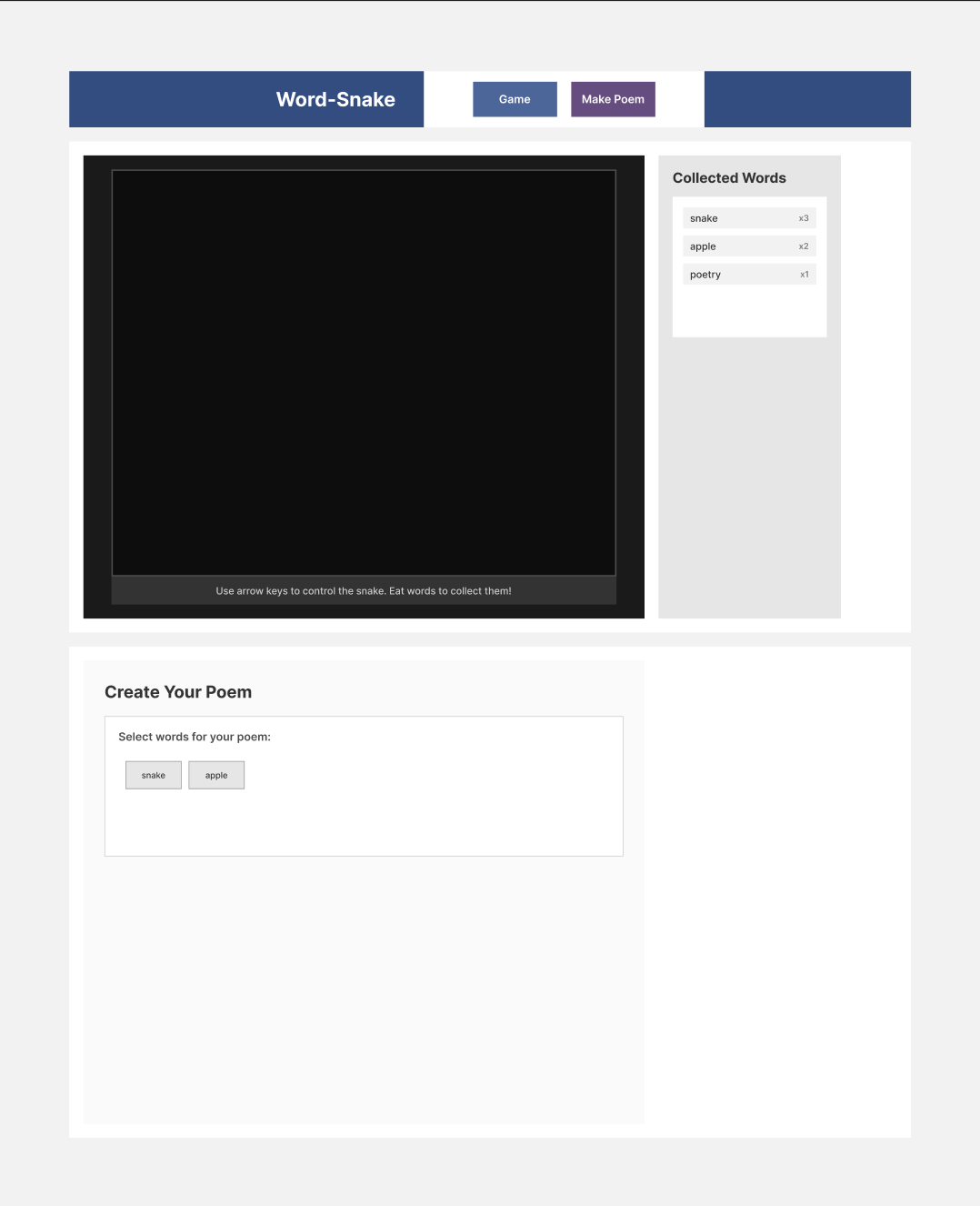
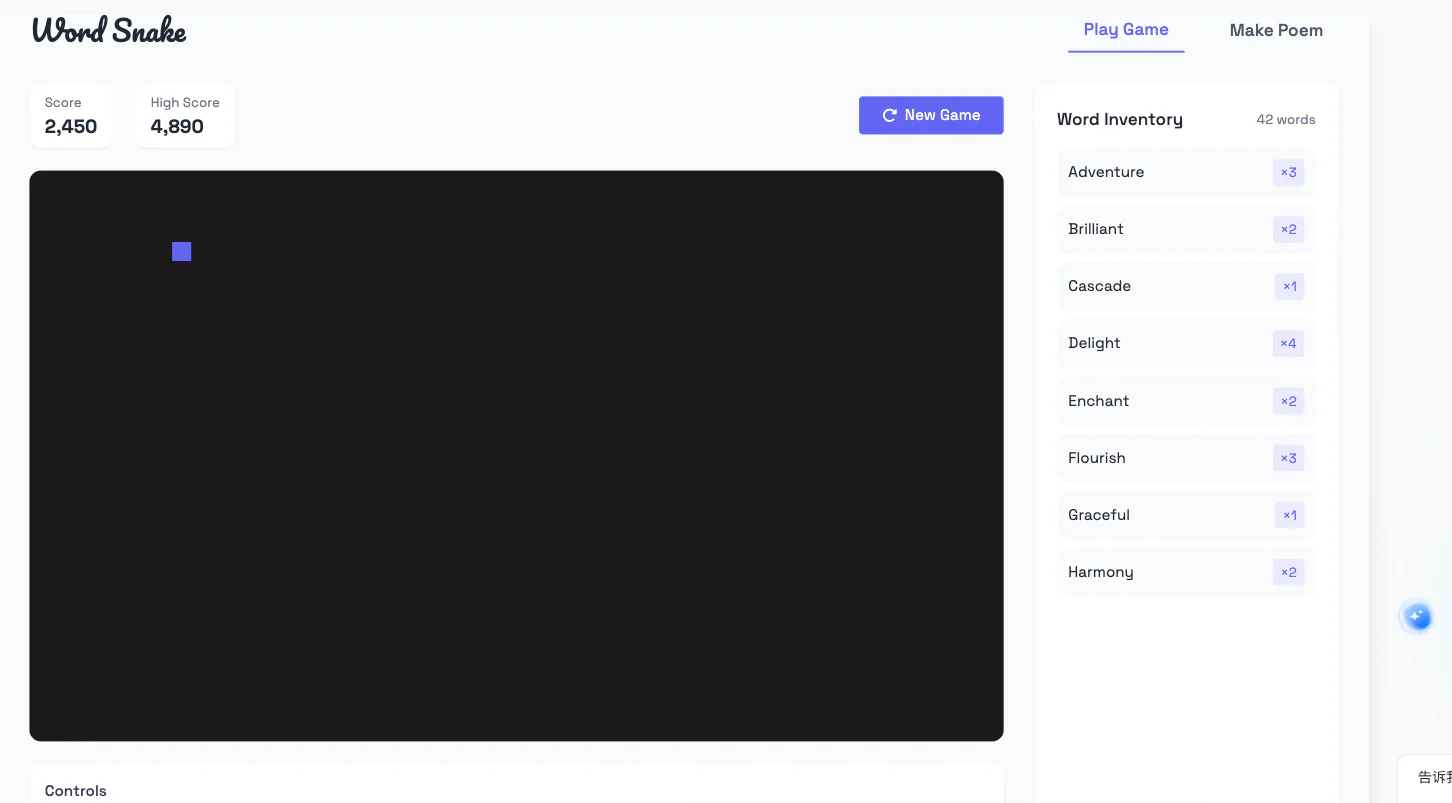
5. Comparing AI Agent Platforms
Each Vibe Coding platform has its own strengths and workflow. We tested the same “Snake game with DeepSeek API” requirement on several platforms and evaluated them from a beginner’s perspective.
1. Evaluation Criteria
Goal Build a Snake web application connected to the DeepSeek API.
Game details
- The game generates poems through the DeepSeek LLM API.
- The snake collects English words. The inventory persists between rounds, and repeated words have separate counts.
- Words used in a generated poem are removed from the inventory.
Must-haves
- A working frontend with keyboard controls and Canvas rendering.
- Words on the board and a sidebar that updates after collection.
- Persistent inventory across rounds.
- A backend that calls DeepSeek, or returns a mock poem when no key is available.
- A Generate Poem button that displays the result and updates the inventory.
.envsupport and.gitignoreprotection for the API key.
Nice-to-haves
- Let users choose which words to include.
- Provide a clear inventory and well-designed poem area.
- Add beginner-friendly comments that explain important logic.
2. Coding Output Comparison
1. Lovable (Web-Based)
- Platform type: Web
- Main features and workflow: Lovable handles integration and collaboration well. It initializes services such as Supabase automatically, making setup smooth. Describe the requirement and the Agent connects services and creates the basic project structure.
- Suitable users: Lovable is friendly to first-time Vibe Coding users. Its automation keeps attention on prompting and iteration rather than configuration and produces a working prototype quickly.
- Prompting process:

- Snake result:
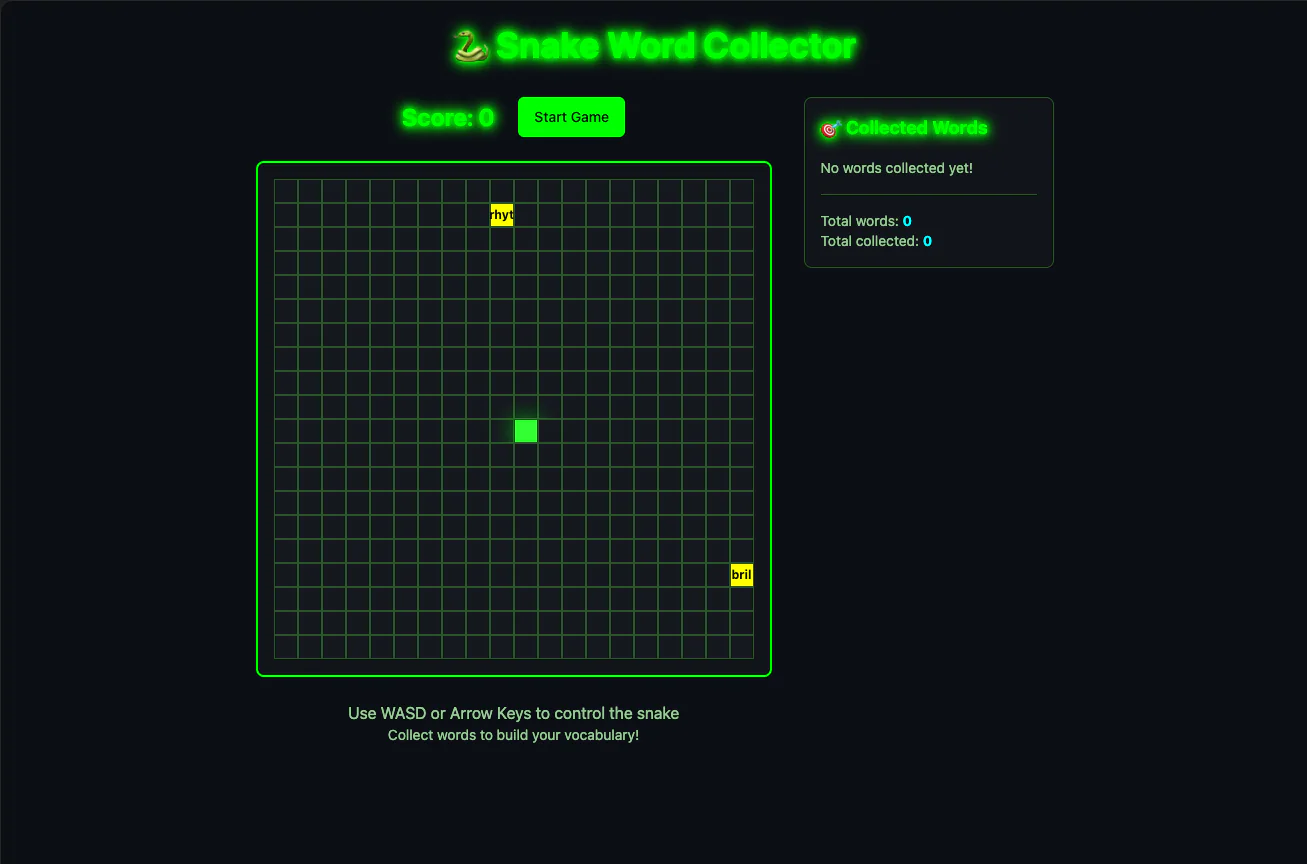
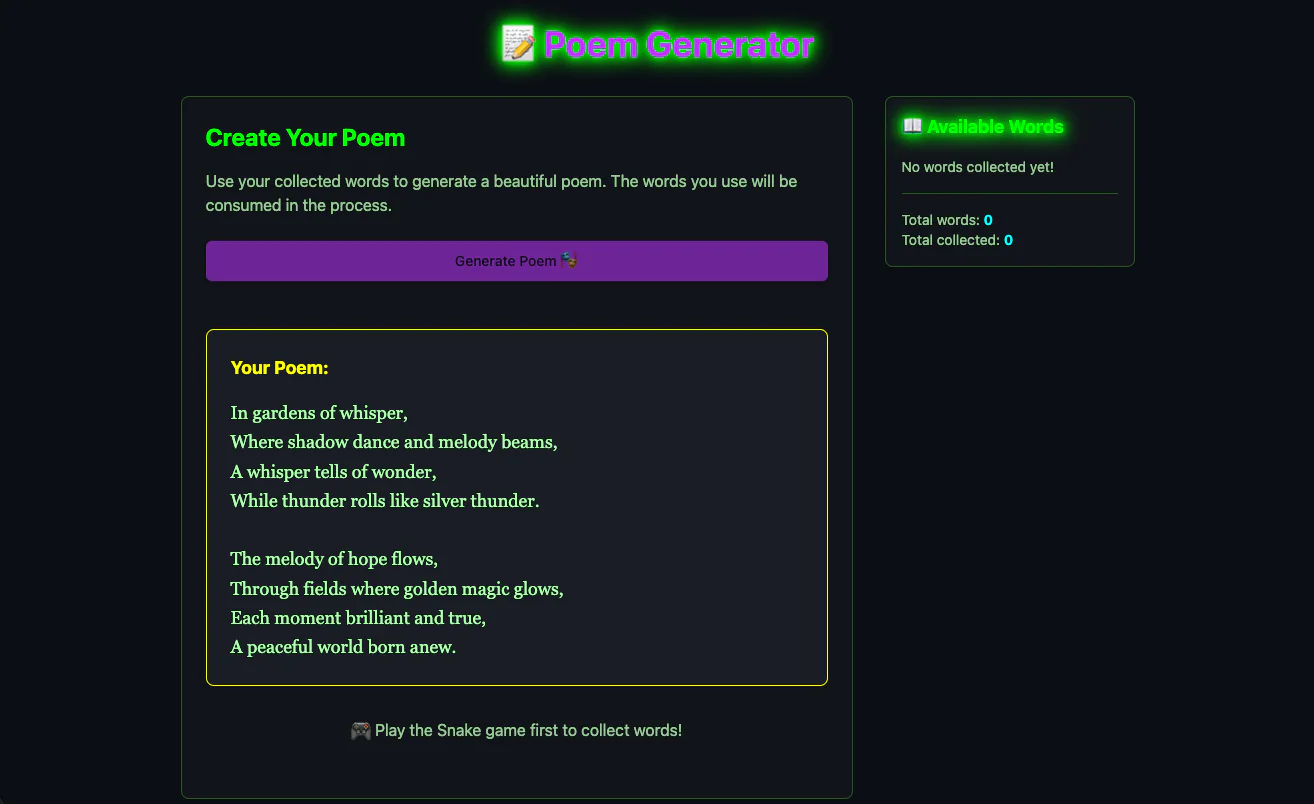
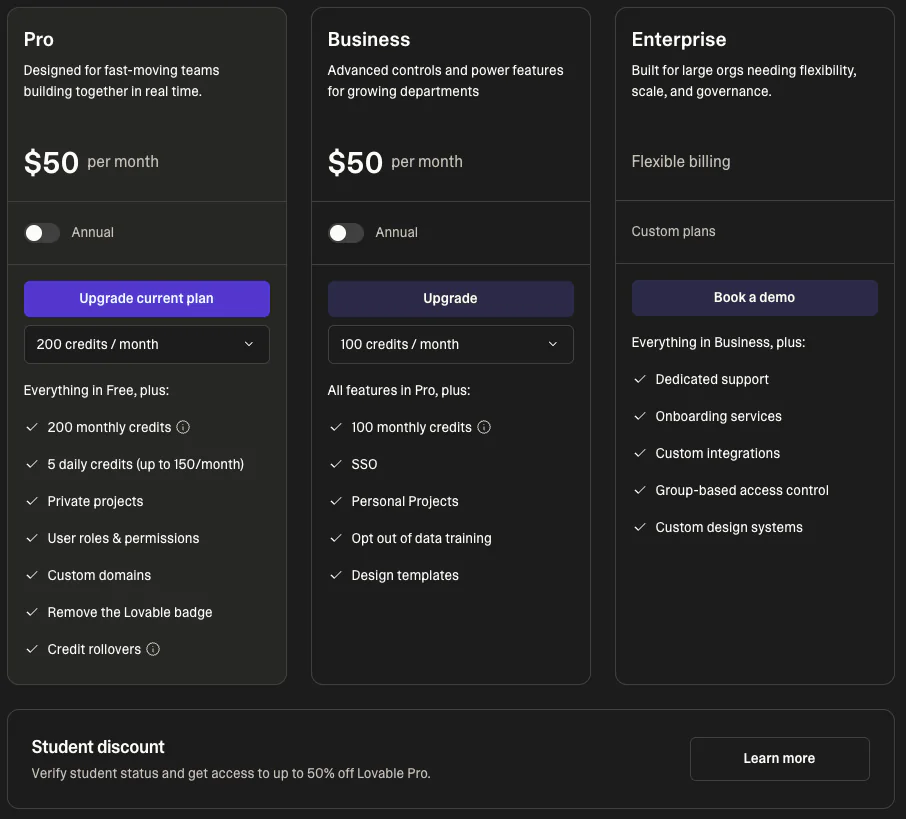
- Price: relatively expensive, but students may receive half-price access after verifying a school email.
2. Cursor (IDE)
- Platform type: Desktop application
- Main features and workflow: Cursor is a proprietary AI IDE for Windows, macOS, and Linux. It embeds code generation, rewriting, and codebase search in a traditional local environment. Local configurations can occasionally cause problems, but the project remains on the computer and Cursor handles many routine steps.
- Suitable users: Cursor is powerful and familiar for people with some programming experience. Complete beginners must still learn project structure, dependencies, and file organization, so the learning curve is steeper.
- Prompting process:

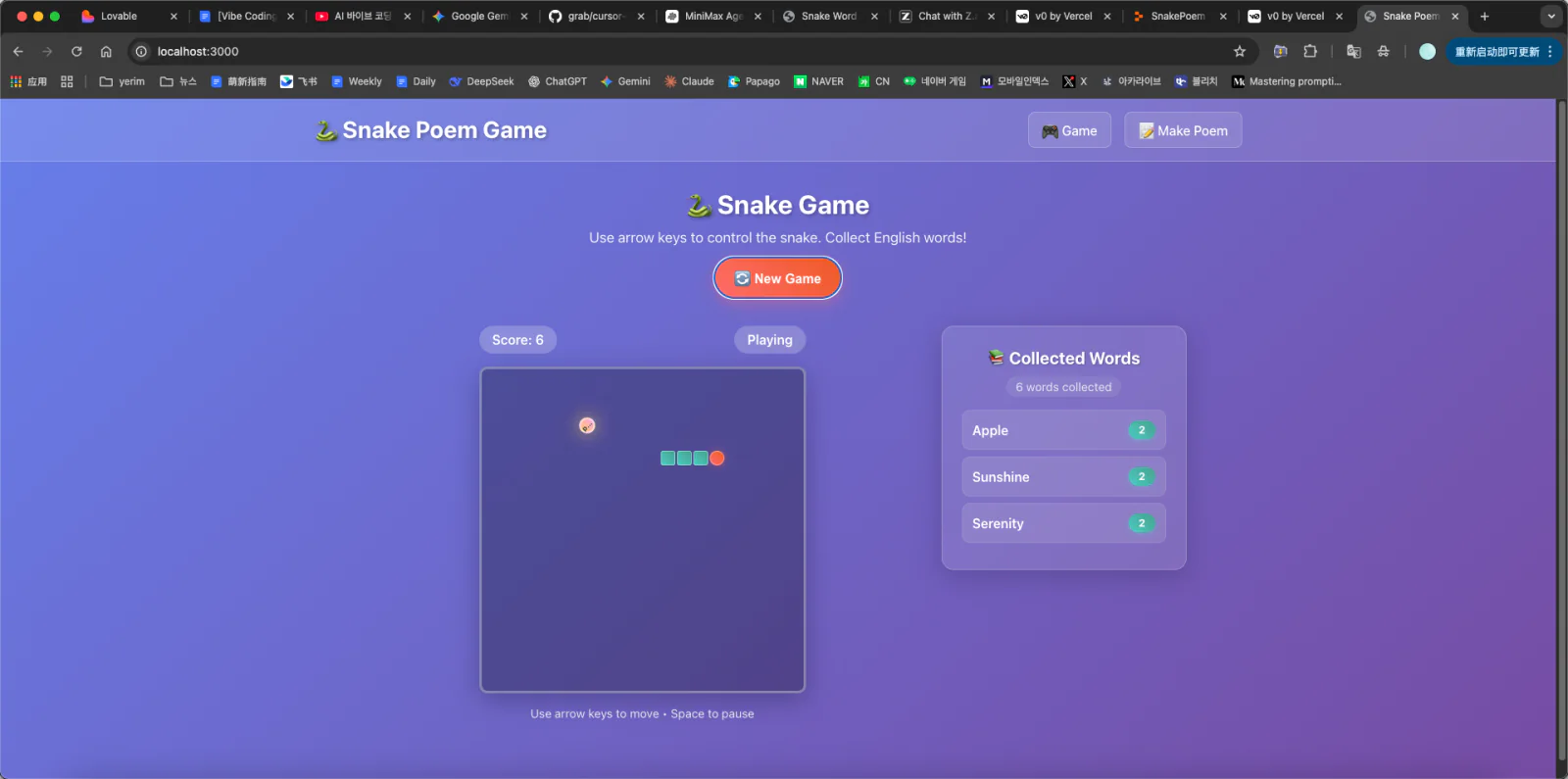
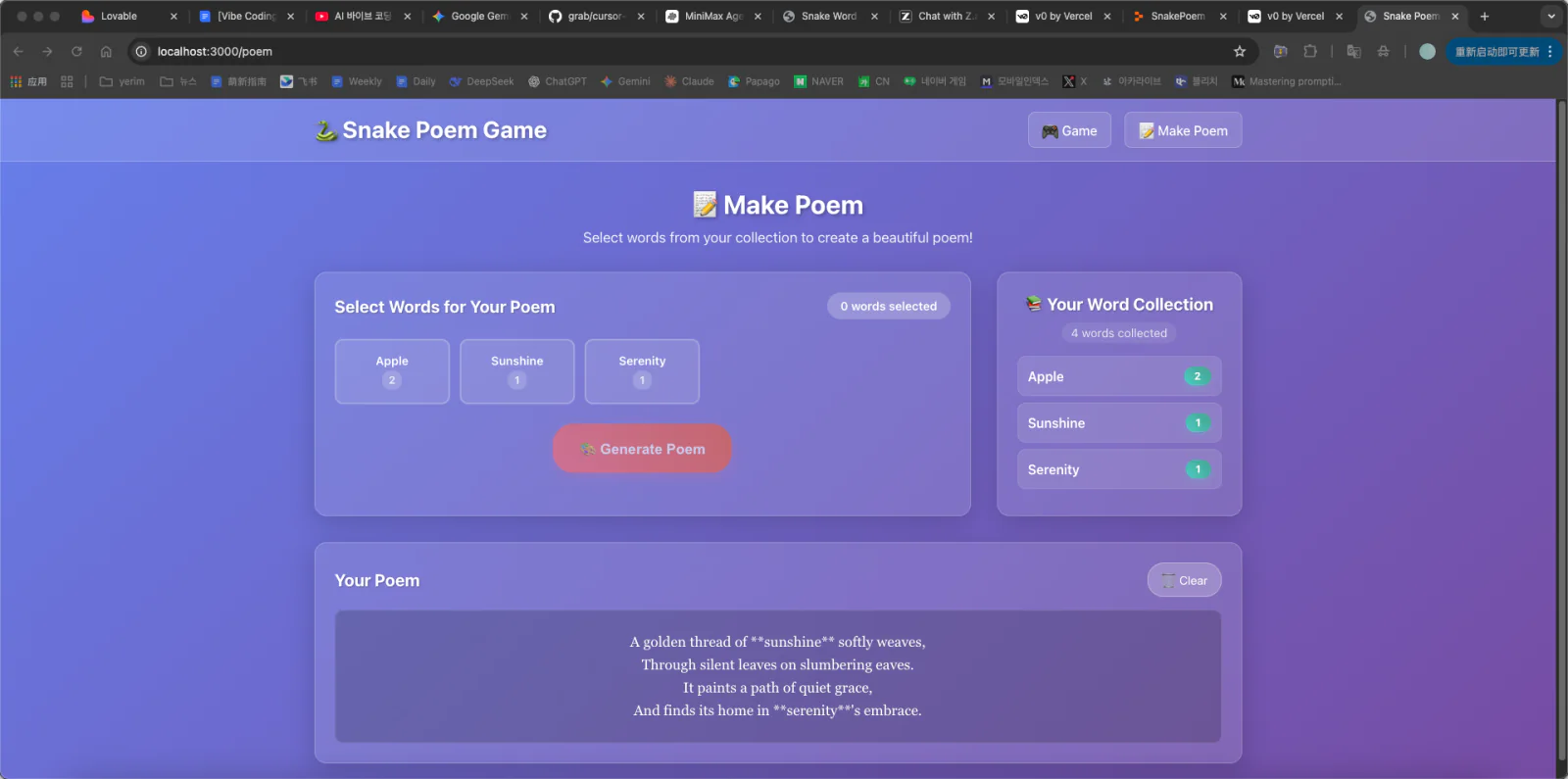
- Snake result:
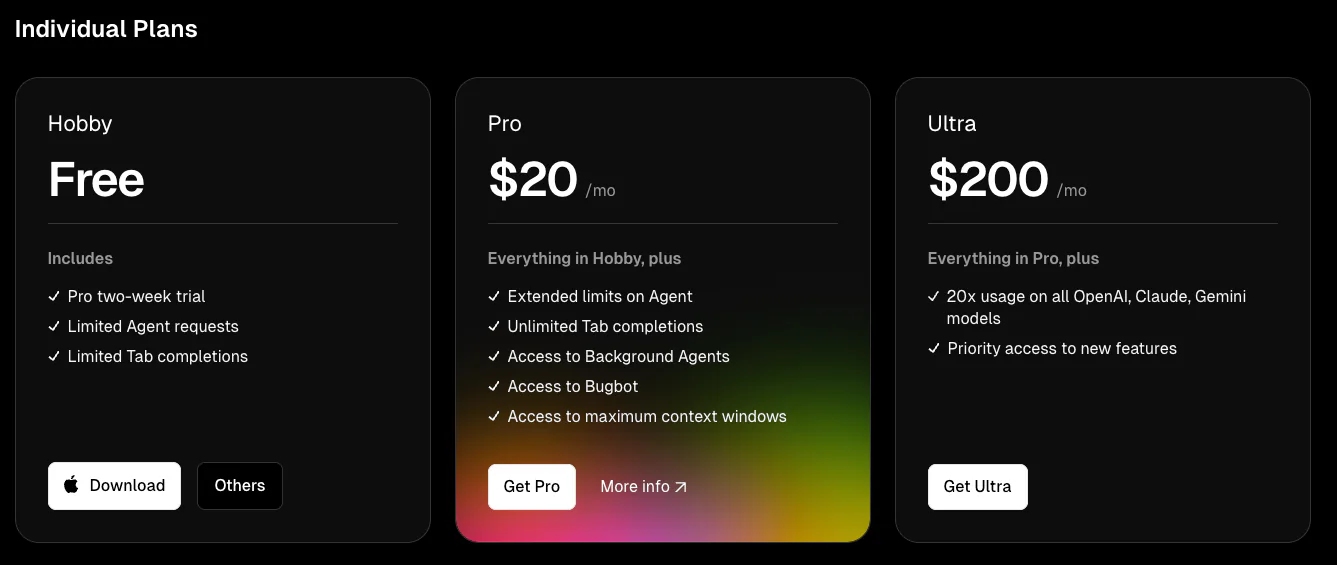
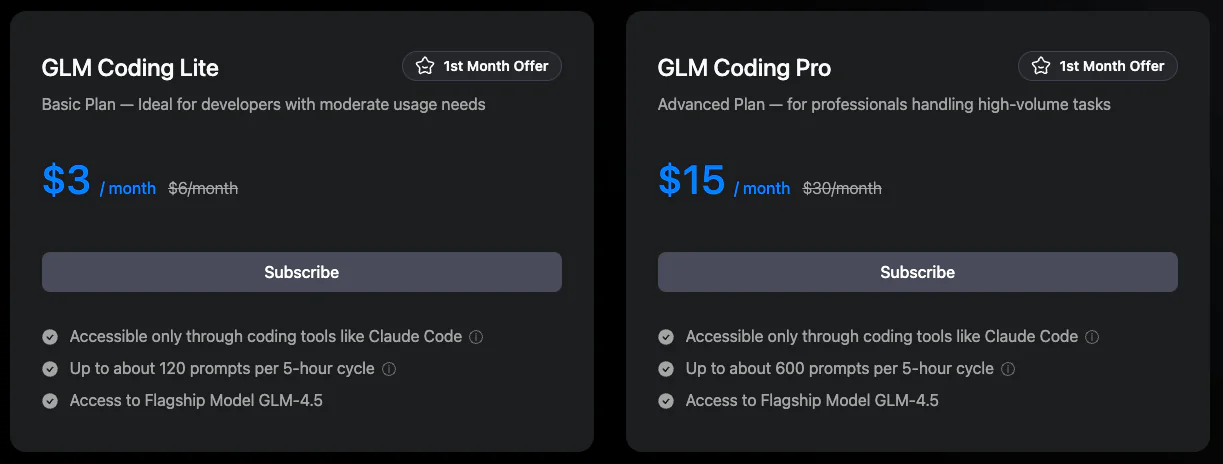
- Price:
3. Z.ai (Web-Based)
- Platform type: Web
- Main features and workflow: Z.ai is direct to use, but generated code must be copied and pasted manually. Without a live preview, it is harder to inspect the result immediately.
- Suitable users: The hands-on workflow forces us to work directly with code, which can help when studying raw AI output. Frequent copying, however, is slower and more error-prone than an integrated workflow.
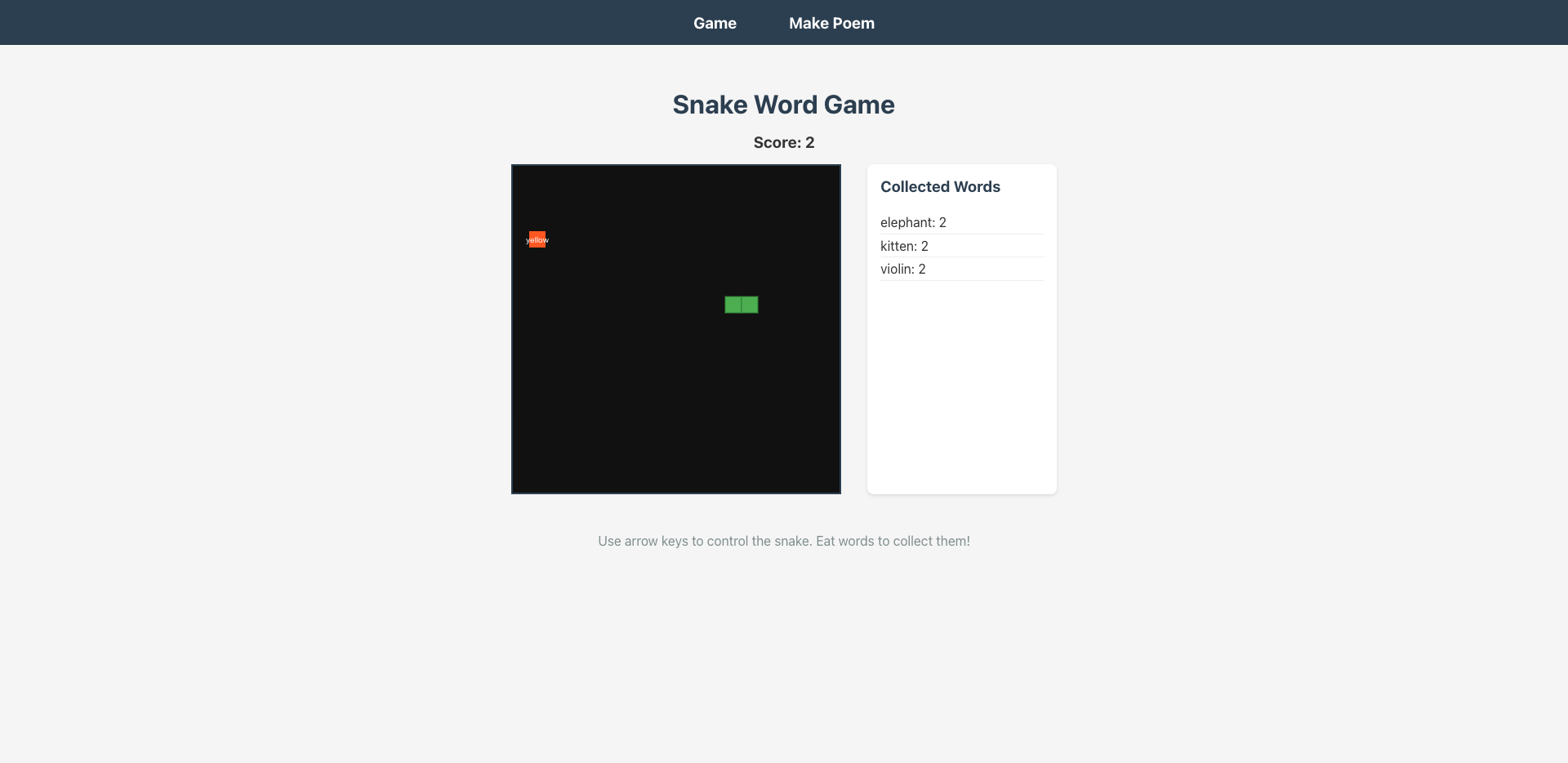
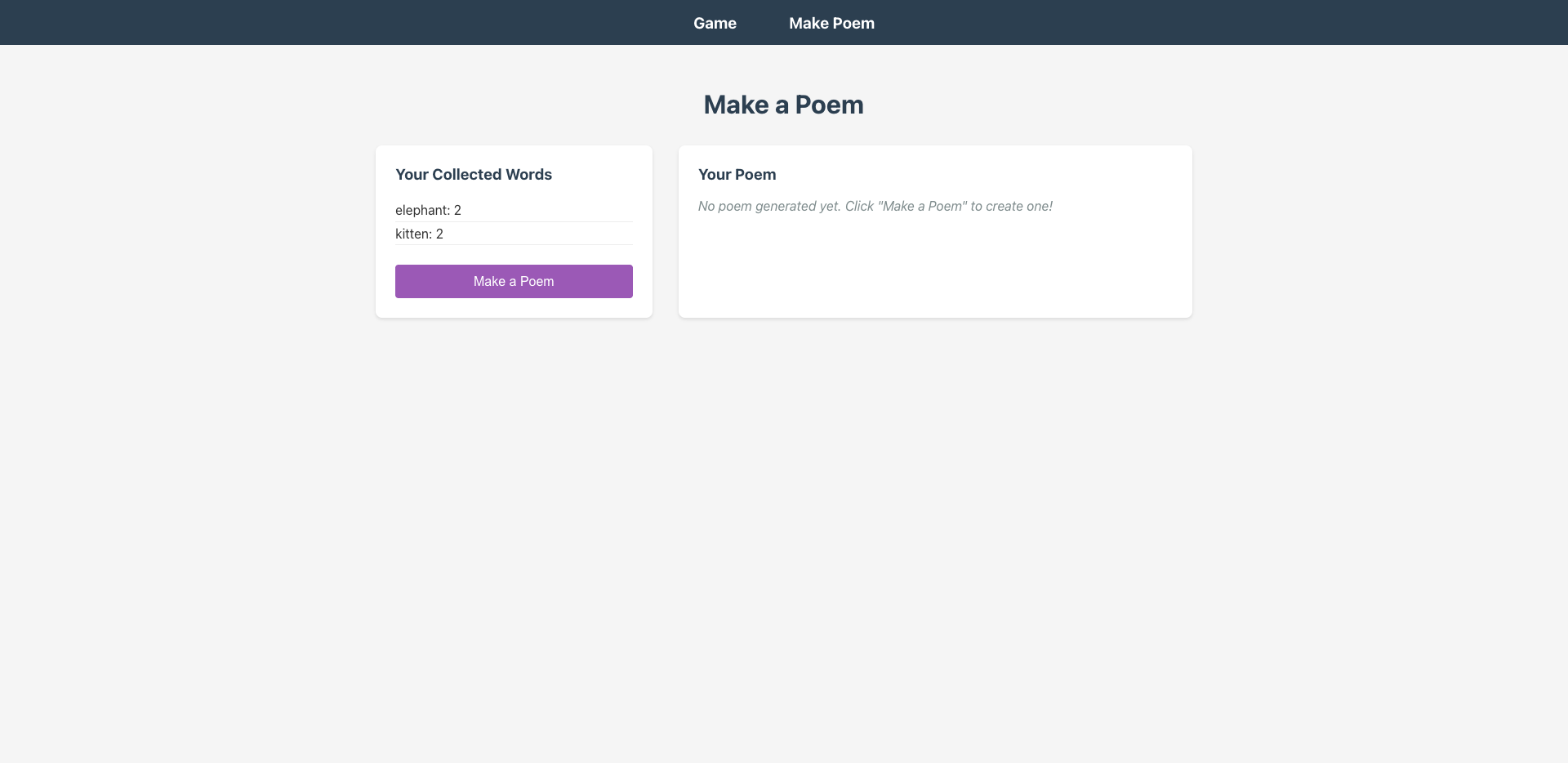
- Prompting process:

- Snake result:
- Price:
4. Replit (Web-Based)
Platform type: Web
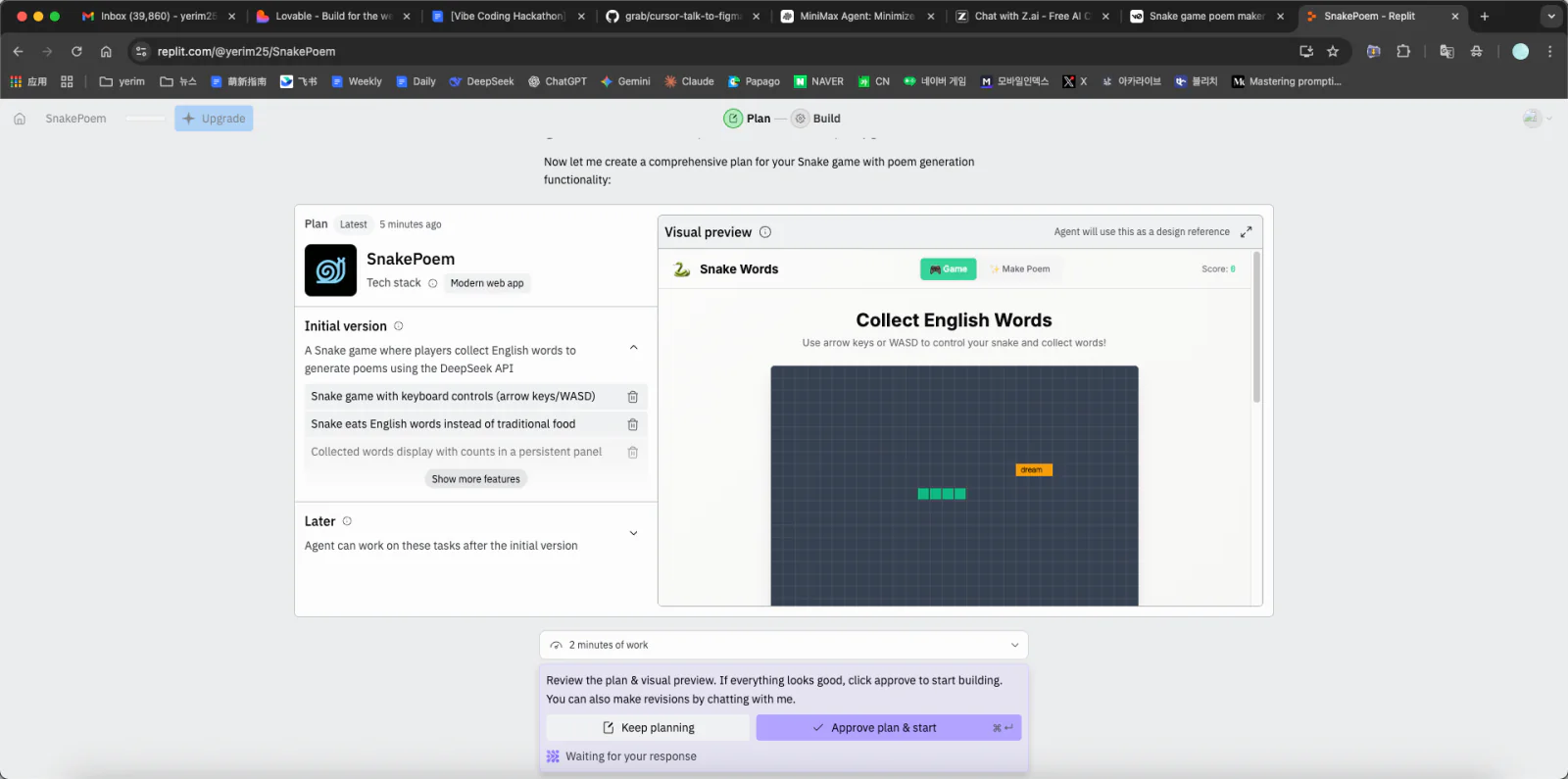
Main features and workflow: Replit combines online development and deployment. It presents a plan before coding and provides a visual editor where UI changes in the preview update the source. This makes it easier to verify AI output and reduce revision cycles.
Suitable users: Replit is beginner-friendly because it covers the path from coding to deployment without separate server setup. Its collaboration features also work well for group projects and remote help.
Prompting process: The AI needed about three rounds of iteration before the output matched the requirement.

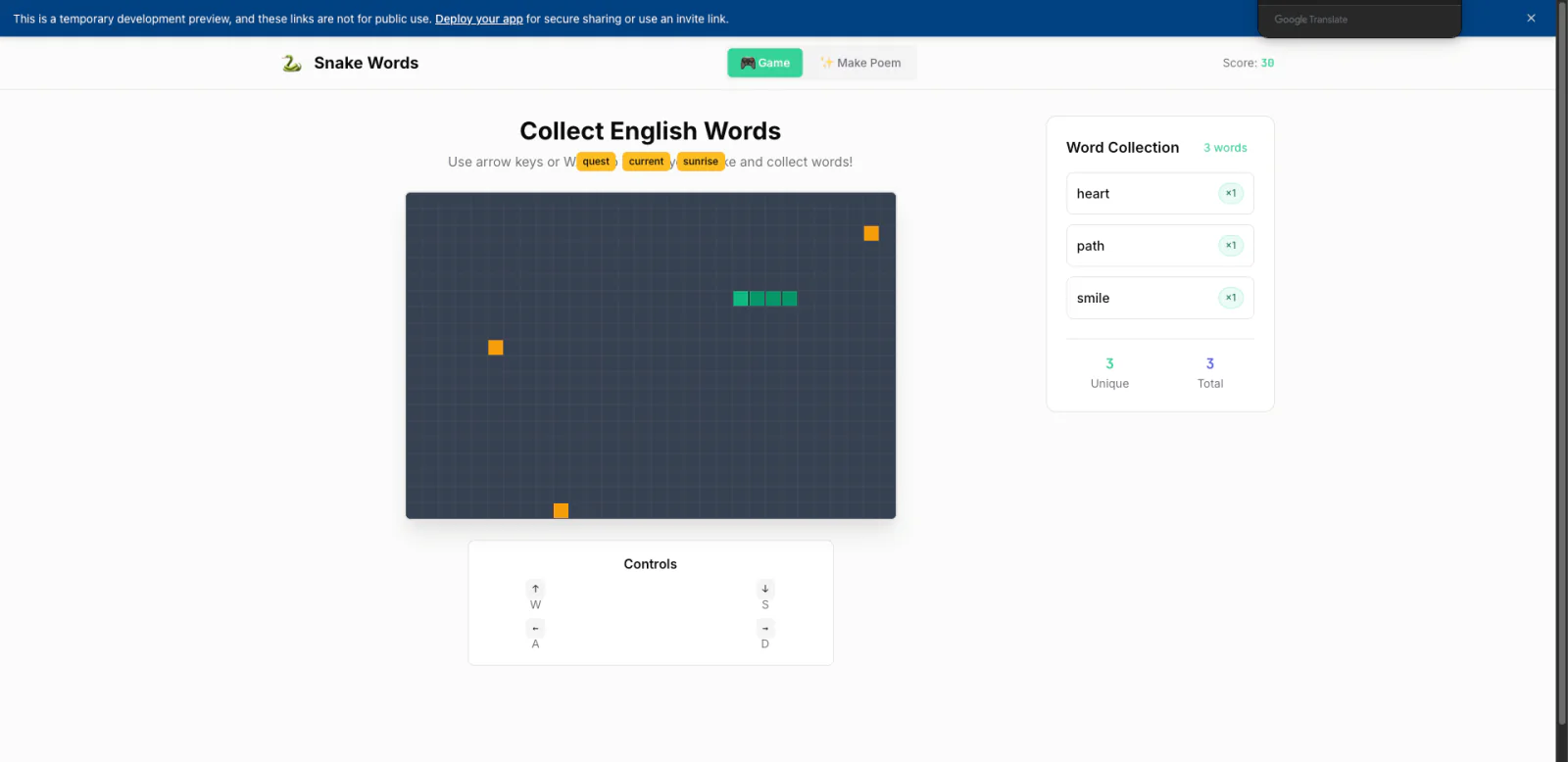
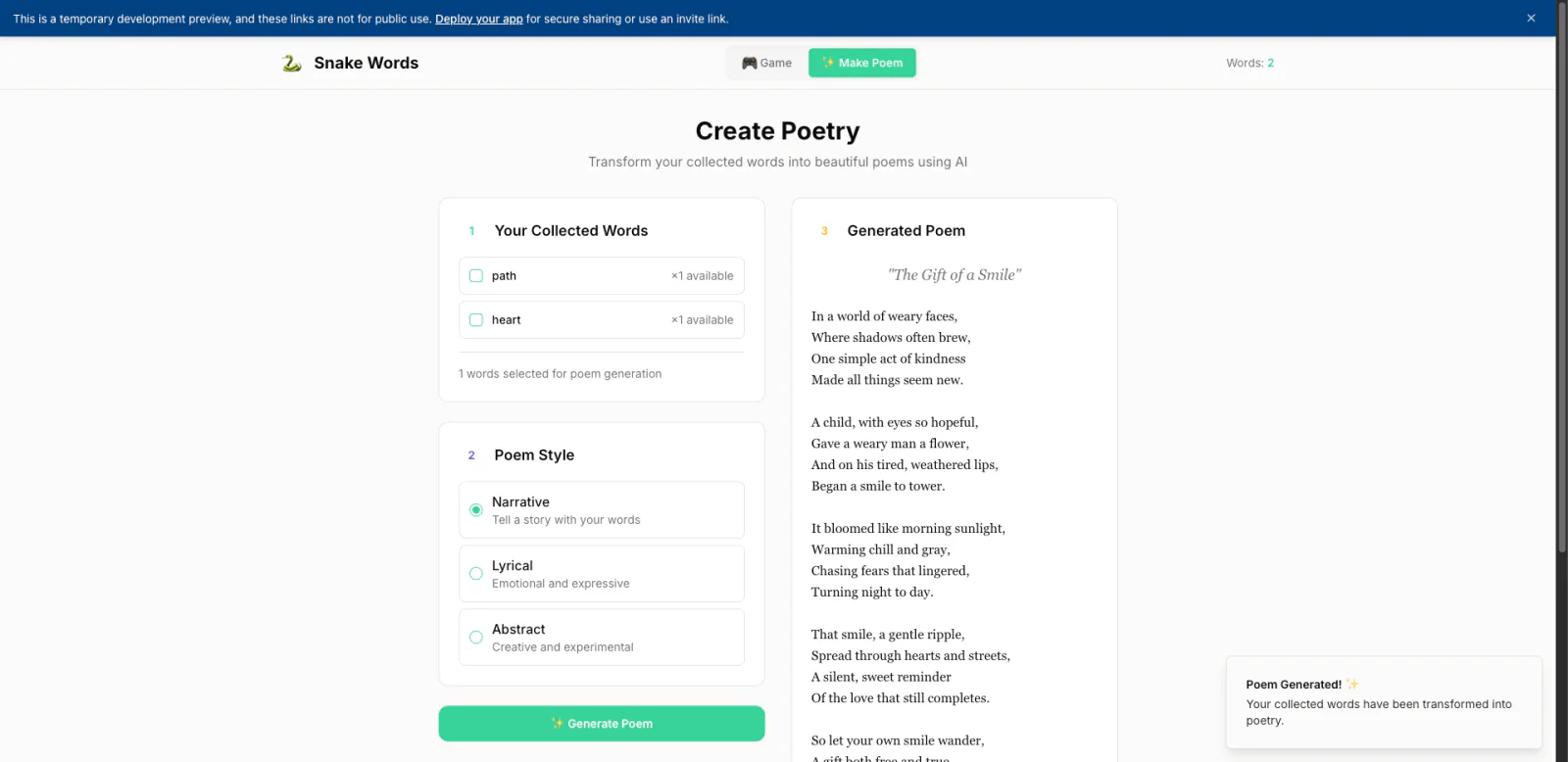
Snake result:
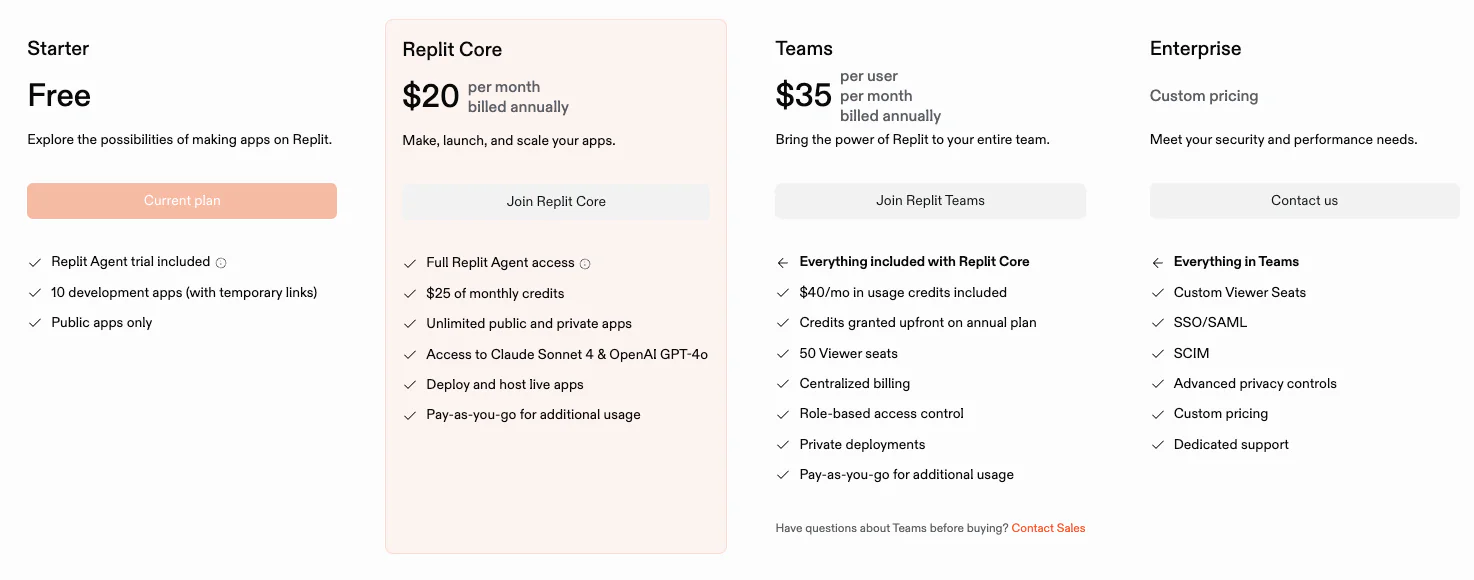
- Price:
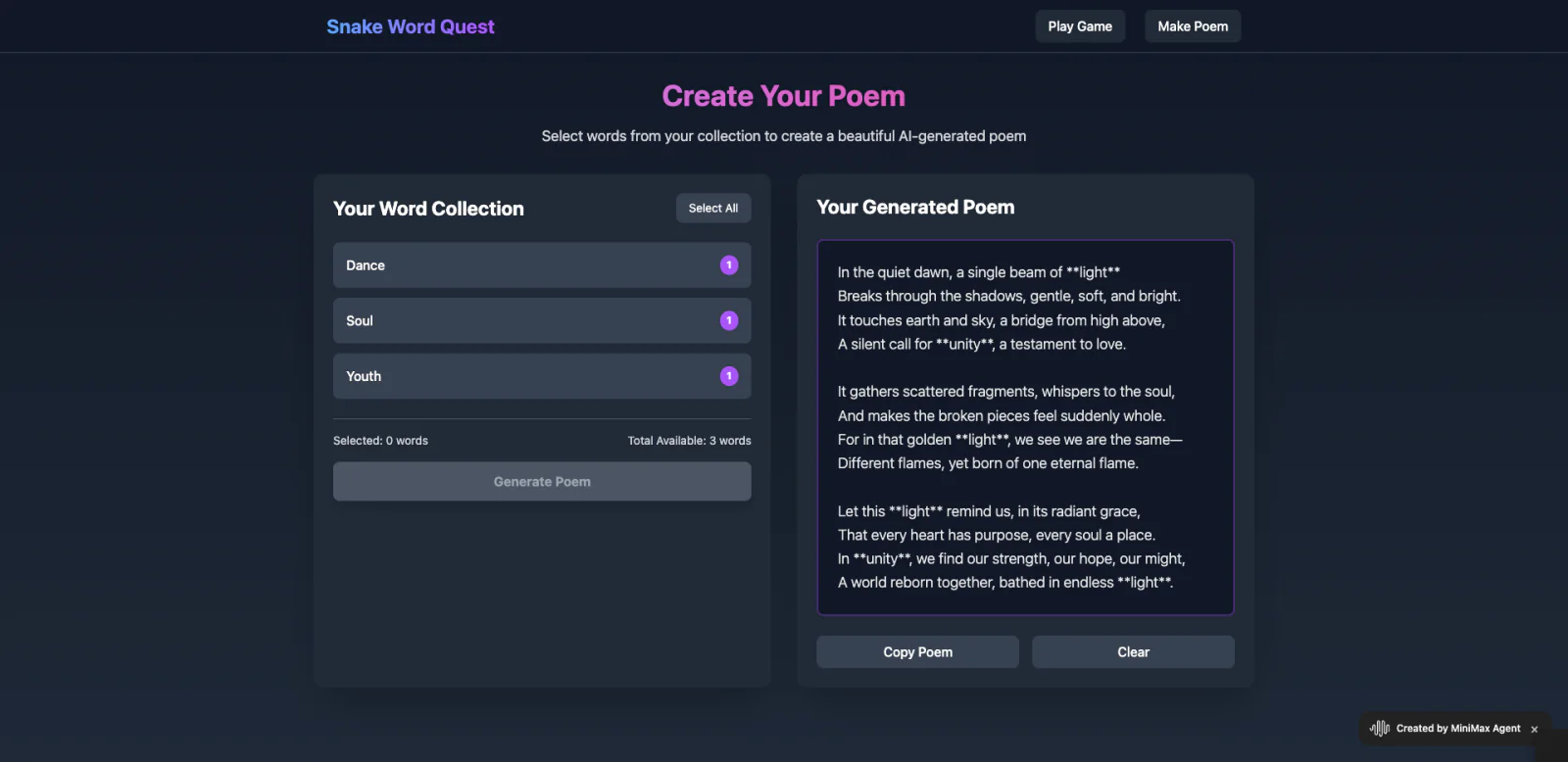
5. Minimax (Web-Based)
- Platform type: Web
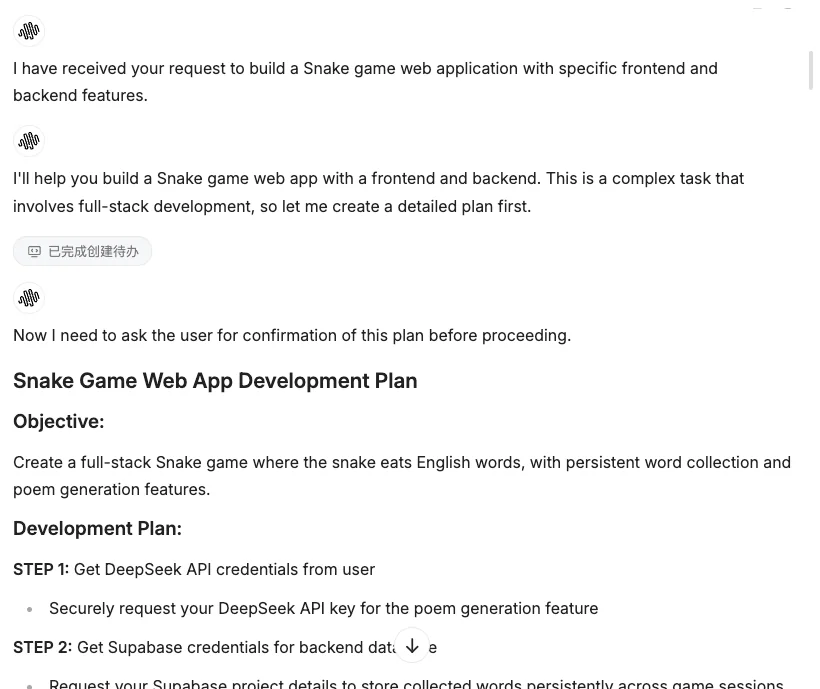
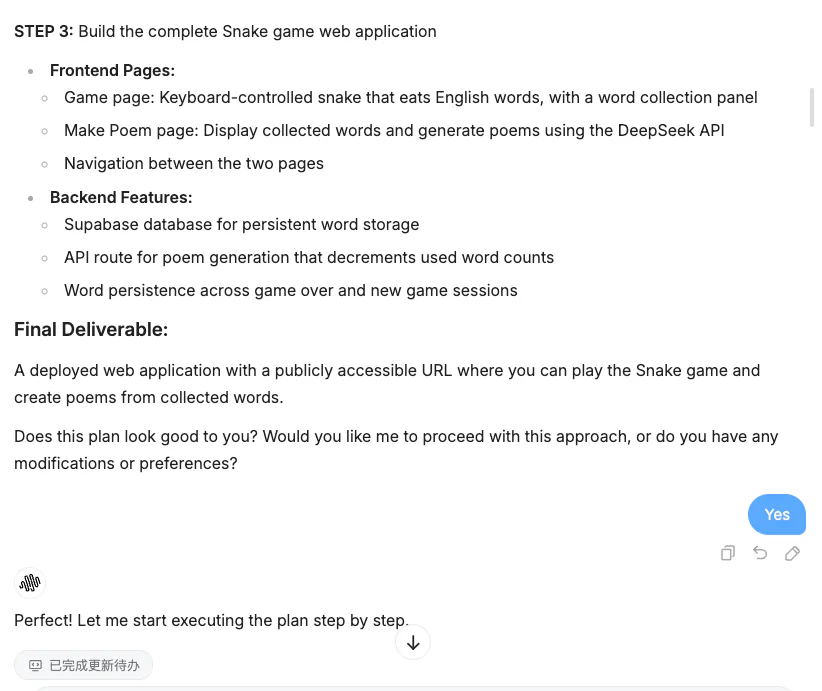
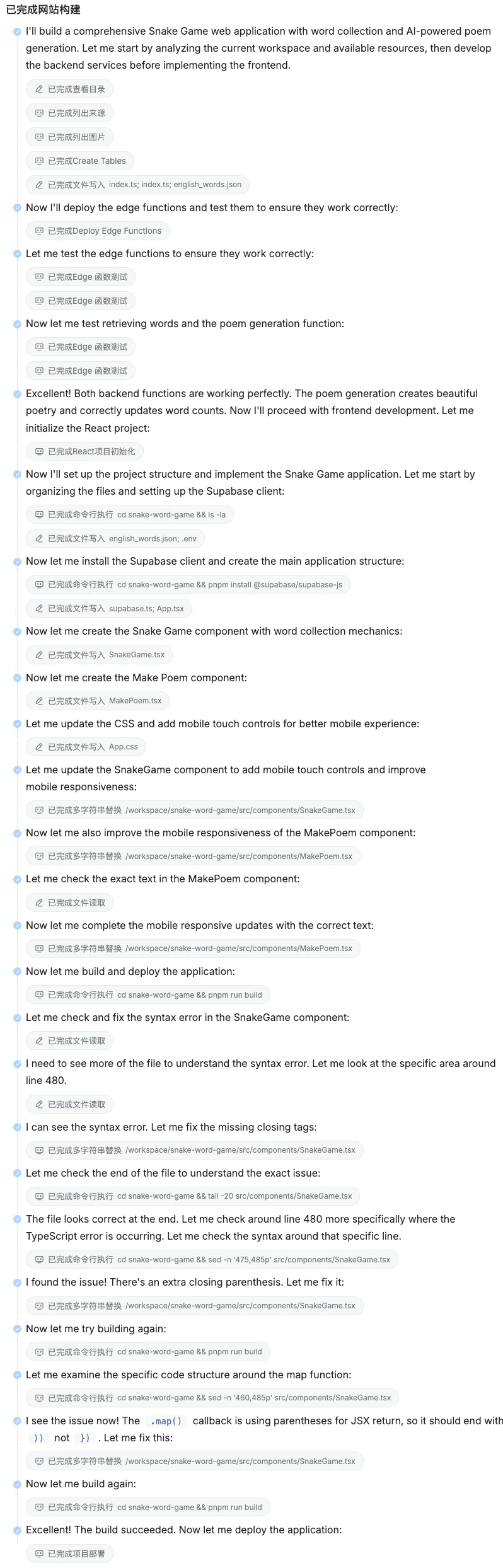
- Main features and workflow: Minimax often takes longer because it discovers and repairs errors automatically. In this project, the Agent first made a detailed plan and then built the backend, database, and frontend step by step.
- Suitable users: Automated testing and repair consume more time and tokens, but they make the debugging process visible and educational.
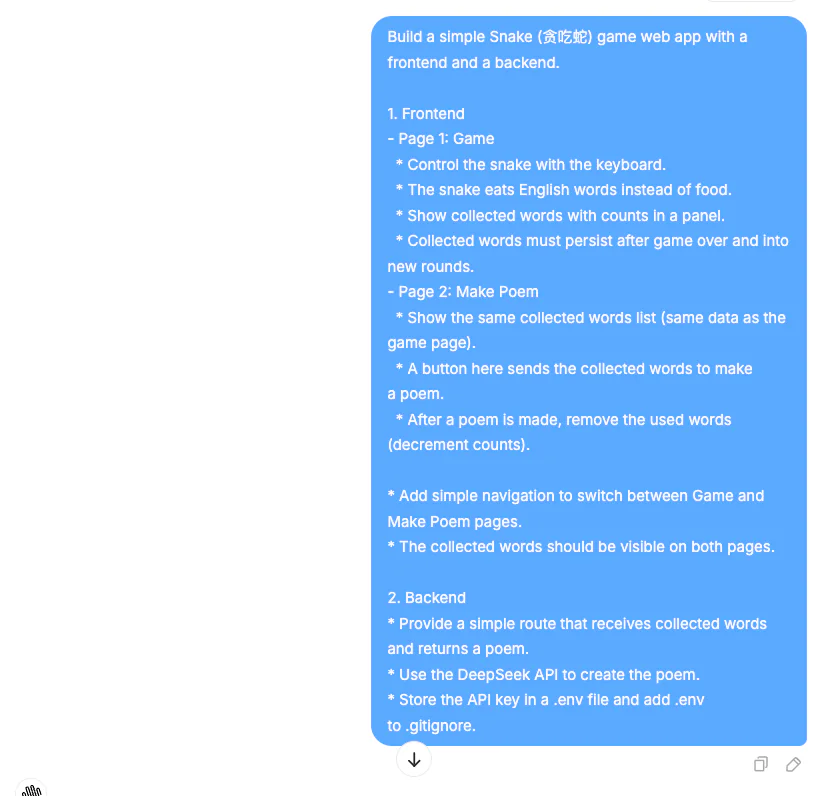
- Prompting process:
- Snake result:
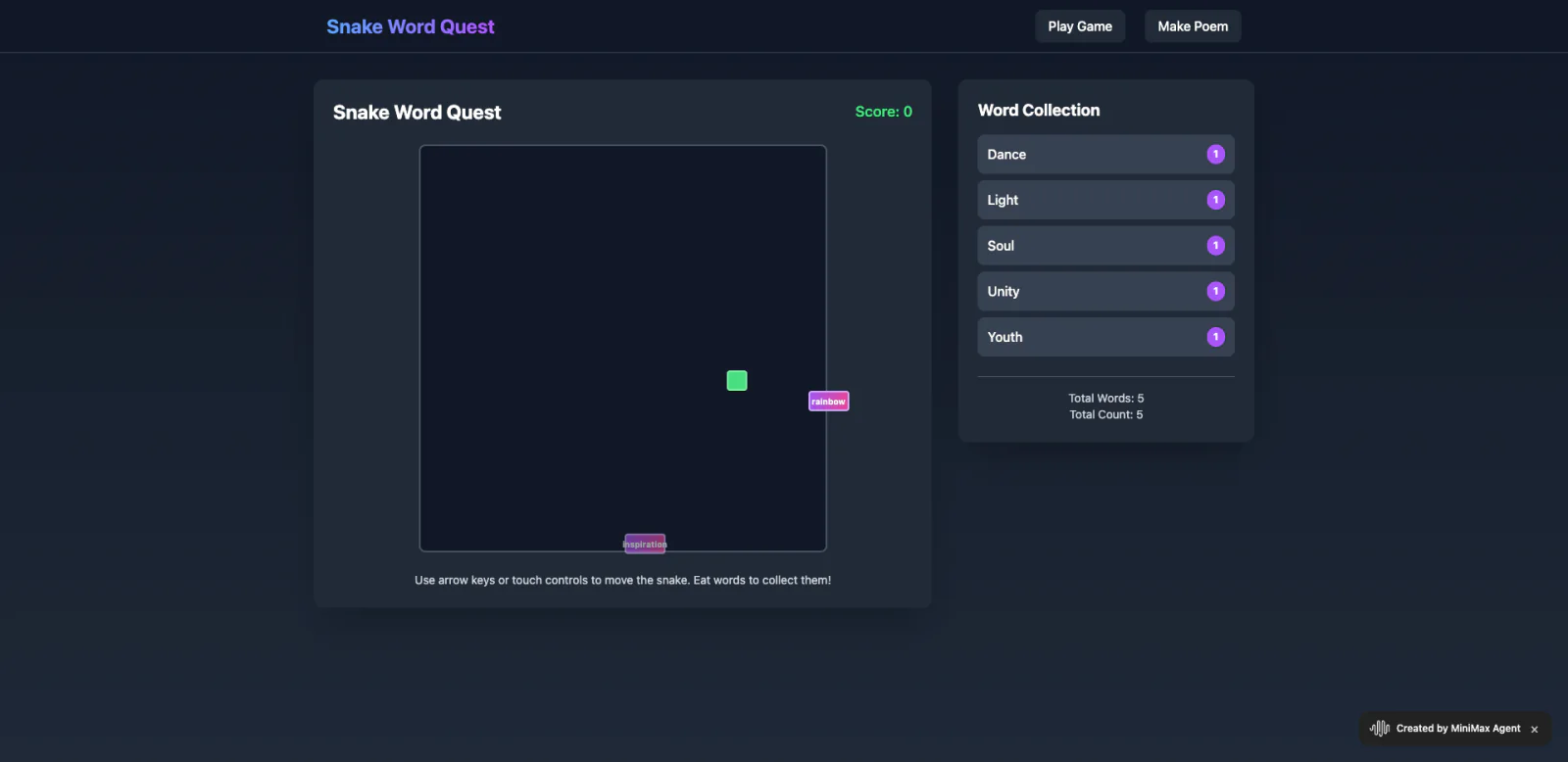
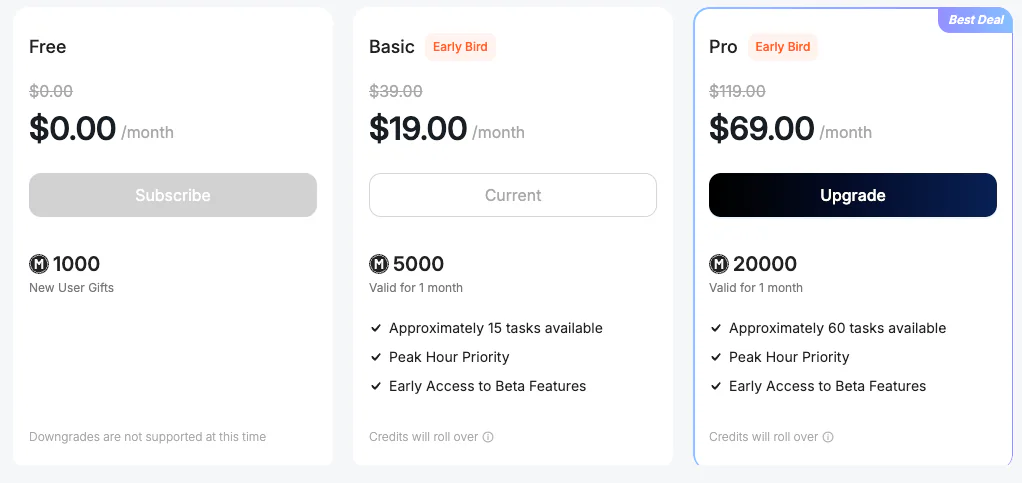
- Price: The free plan may not finish a complex project from beginning to end, so an upgrade may be necessary.
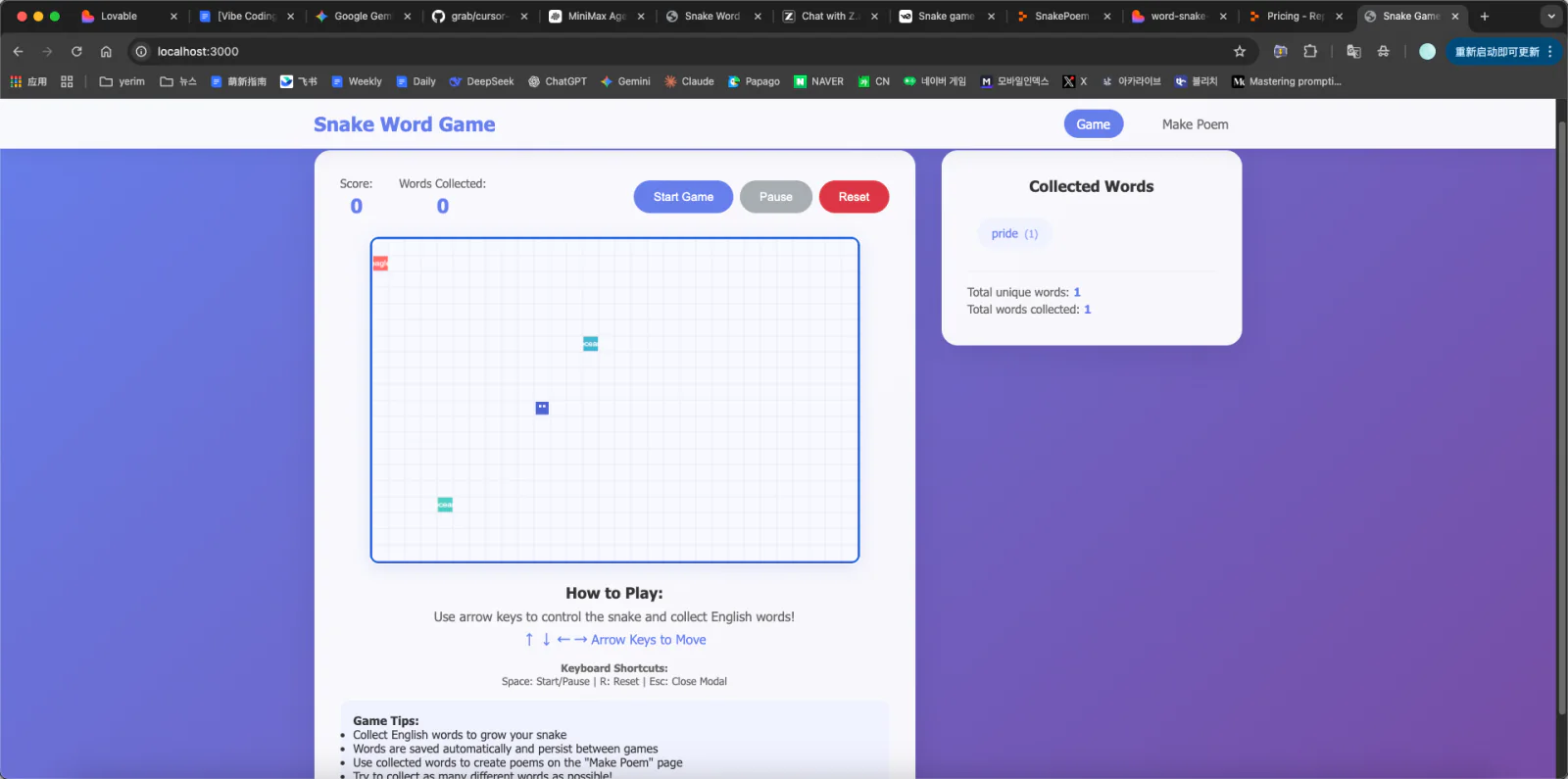
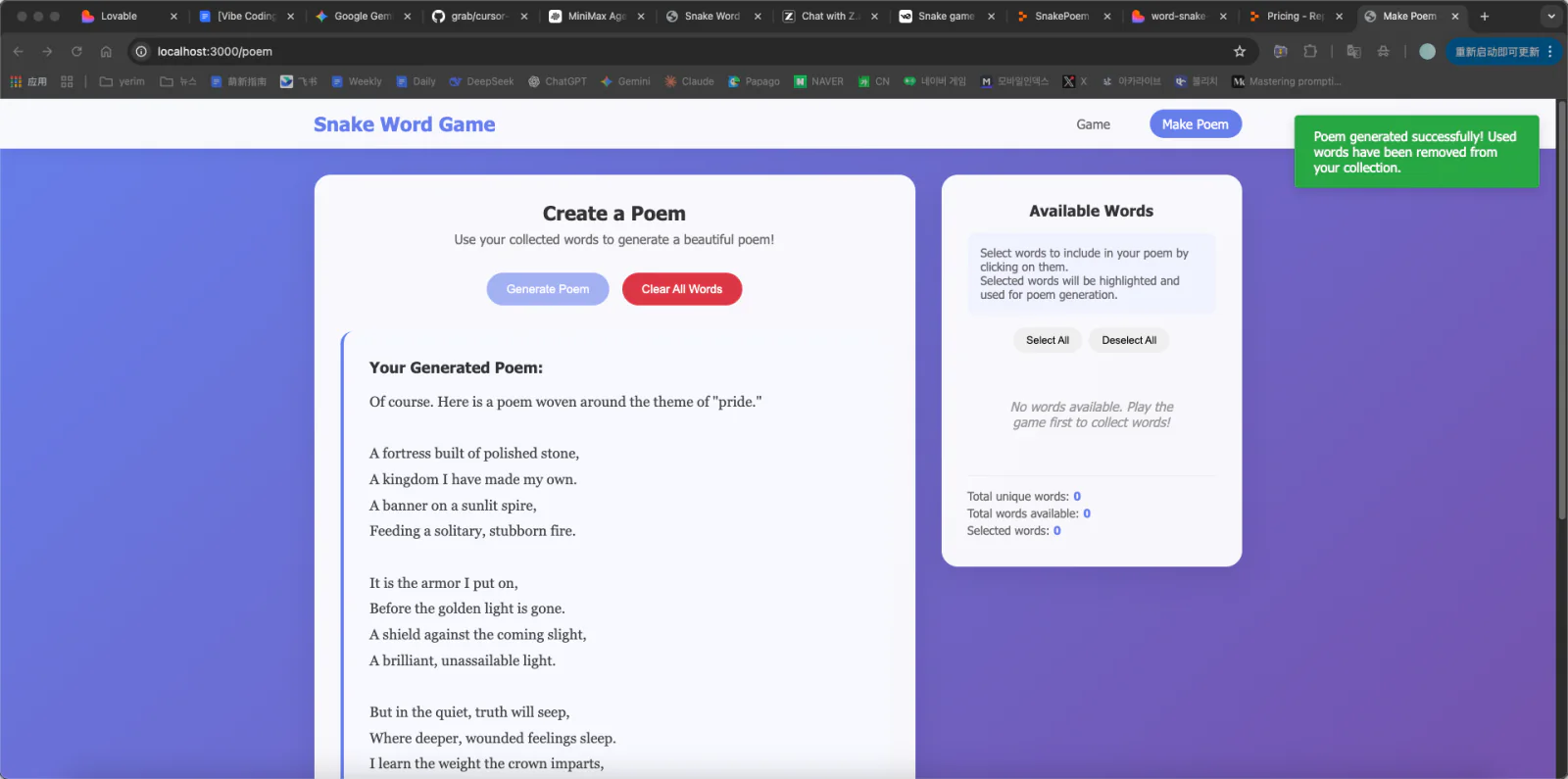
6. Trae (IDE)
- Platform type: Desktop application
- Main features and workflow: As a desktop tool, Trae is often faster and more responsive than web platforms. Installation and differences between local environments add some uncertainty, but Trae helps create and run the project locally.
- Suitable users: It fits people who plan to work on Vibe Coding projects regularly and want a dedicated desktop environment. It is less lightweight for occasional experiments.
- Prompting process:

- Snake result:
- Price: relatively affordable; the free plan can complete good small projects.

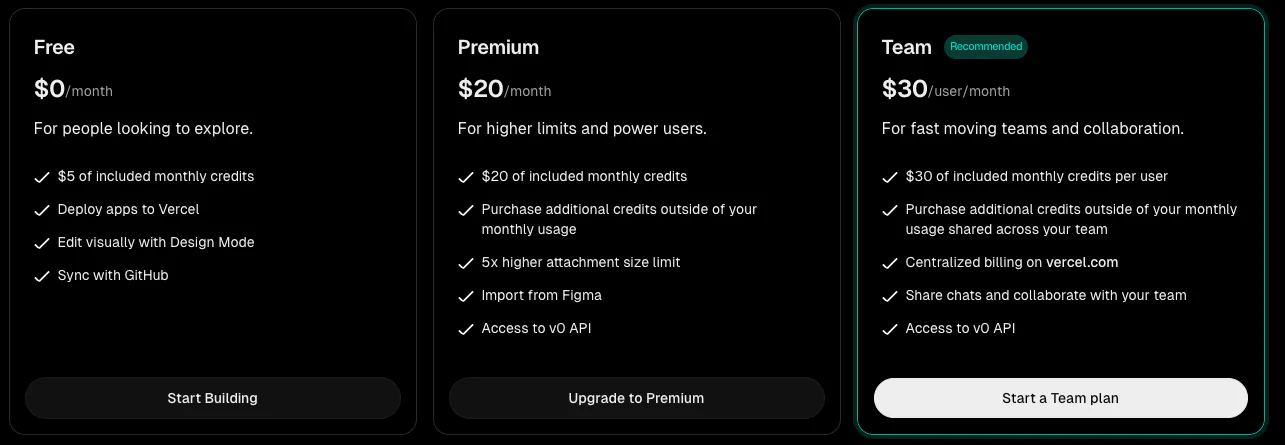
7. v0 (Web-Based)
Platform type: Web
Main features and workflow: Vercel’s v0 focuses on generating production-quality React UI. In practice, its code view can be difficult to find, and API-key configuration is not always explained clearly.
Suitable users: v0 is well suited to frontend-focused students and designers. It is not a complete full-stack solution, so backend logic and API integration still require another platform.
Prompting process:
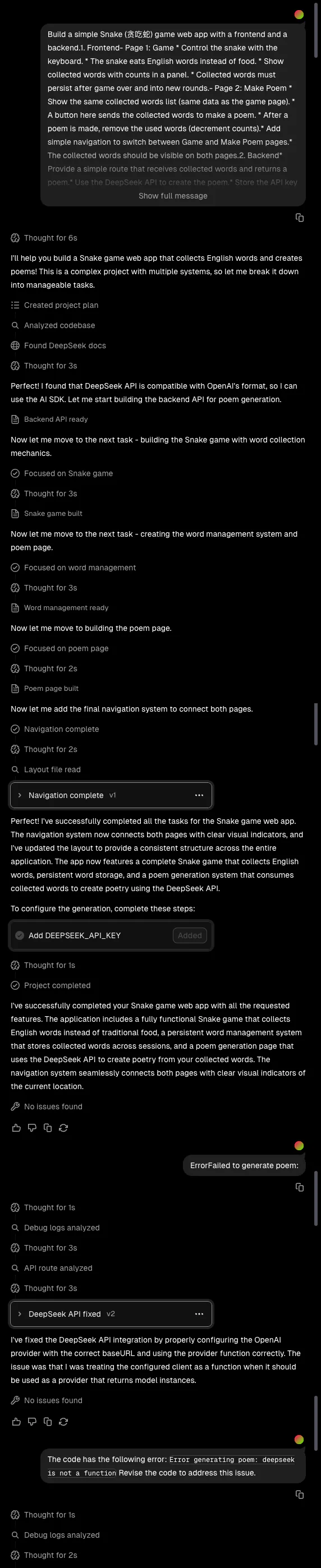
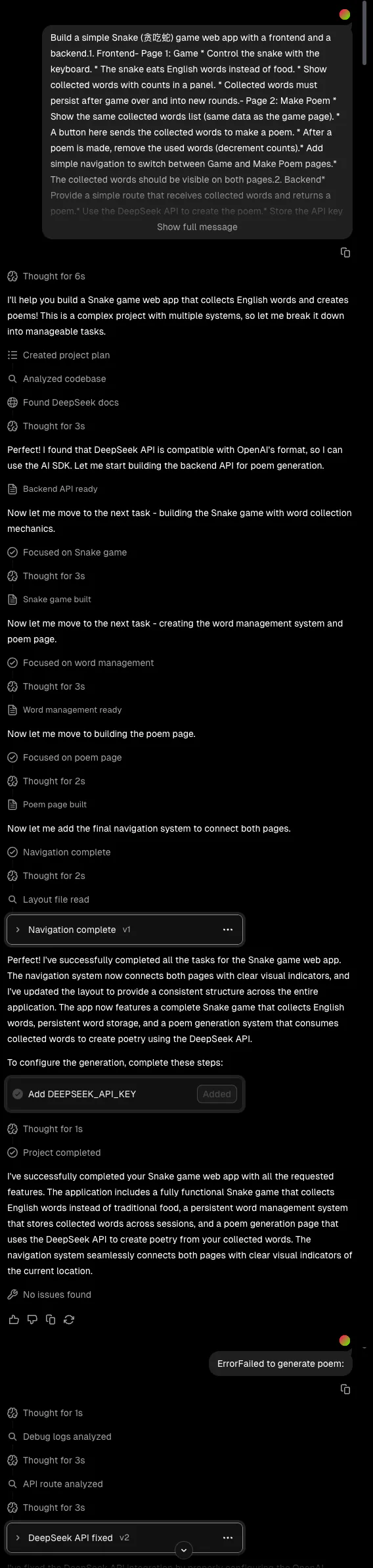
Snake result:
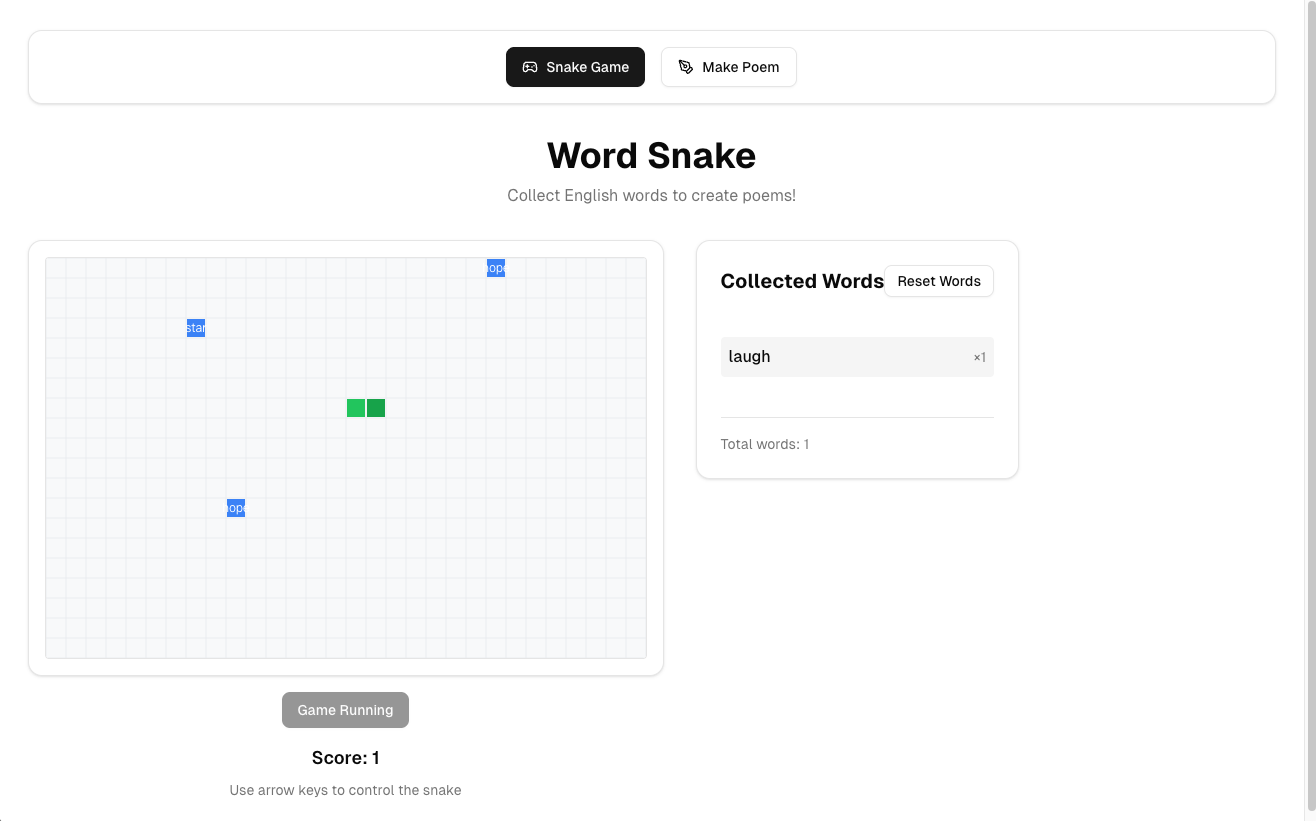
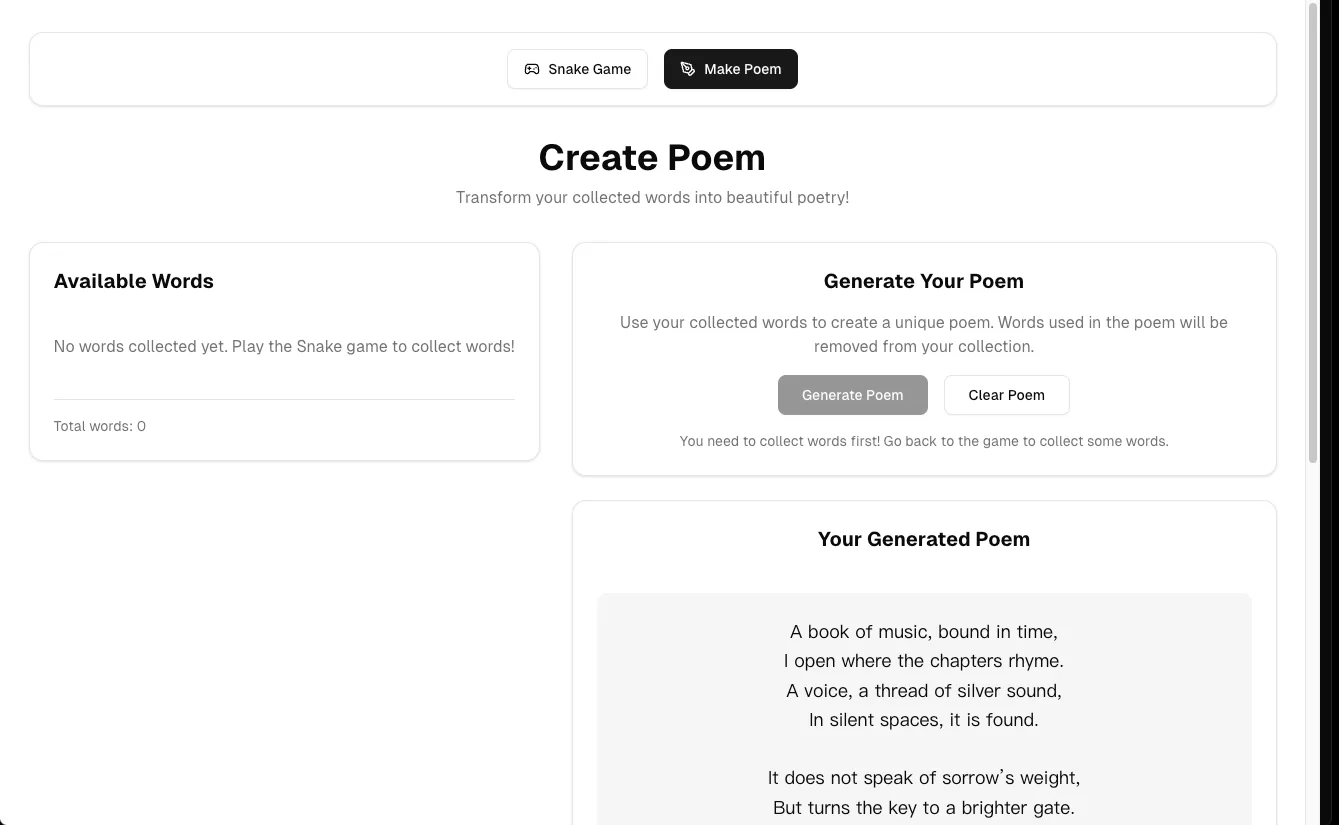
Price: free users can build roughly four or five simple projects.
3. Platform Summary
| Platform | Review | Type | Notes |
|---|---|---|---|
| Lovable | Very friendly to AI-coding beginners and an excellent starting point. | Web-based | Connects services such as Supabase automatically. |
| Cursor | Strong productivity and code-quality gains for experienced developers. | PC | Requires programming basics and an understanding of local dependencies. |
| Z.ai | Better for users who want to inspect raw AI-generated code. | Web-based | No preview; files and services must be created and run manually. |
| Replit | Recommended for turning ideas into accessible online services quickly. | Web-based | Integrated coding, deployment, collaboration, and visual editing. |
| Minimax | Useful for watching AI diagnose and repair errors, but slower and token-intensive. | Web-based | Runs tests and repairs repeatedly during a longer workflow. |
| Trae | A productive desktop IDE and AI Agent combination for experienced users. | PC | Requires local installation but suits long-term projects. |
| v0 | Optimized for non-developers who want polished React UI quickly. | Web-based | Focuses on UI and needs another platform for a complete backend. |