LM Studio LLM Deployment from Scratch (Ubuntu 24.04 + ROCm 7+)
This section explains how to deploy LLMs on Ubuntu 24.04 using LM Studio + ROCm version llama.cpp, and provides performance examples for Qwen3-8B Q4_K_M.
Before starting this section, make sure you have completed the environment setup and correctly installed ROCm 7.1.0 (refer to
env-prepare-ubuntu24-rocm7.md).
1. Using LM Studio (with ROCm Version llama.cpp Backend)
1.1 Download LM Studio AppImage
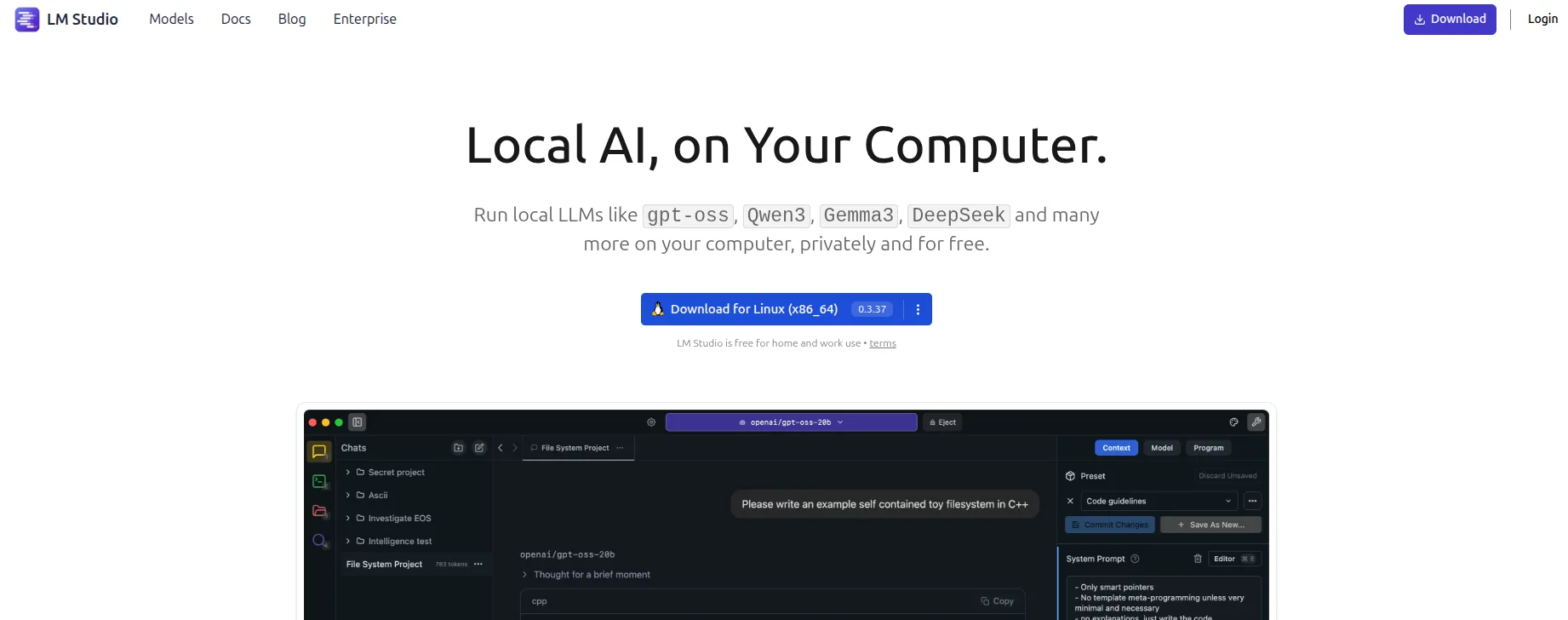
First, download the installer from the official website:
https://lmstudio.ai/Download the latest .AppImage file to your local machine.
Screenshot:
1.2 Extract the AppImage
Extract the AppImage contents into the squashfs-root directory:
chmod u+x LM-Studio-*.AppImage
./LM-Studio-*.AppImage --appimage-extract1.3 Fix chrome-sandbox Permissions
Navigate to the squashfs-root directory and set the appropriate permissions for the chrome-sandbox file (this binary is required for the application to run securely):
cd squashfs-root
sudo chown root:root chrome-sandbox
sudo chmod 4755 chrome-sandbox1.4 Launch LM Studio
Start the LM Studio application from the current directory:
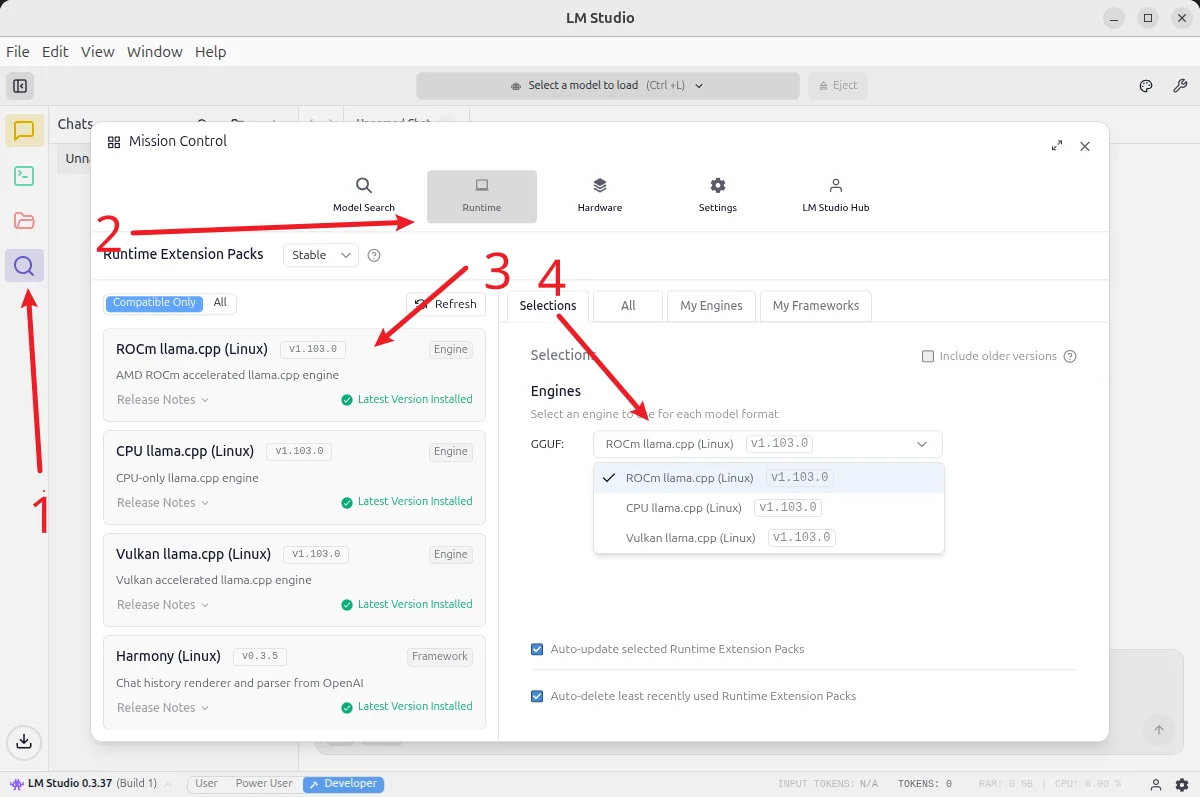
./lm-studio2. Install the ROCm Version llama.cpp Backend
In LM Studio, select the ROCm version of the llama.cpp backend to install:
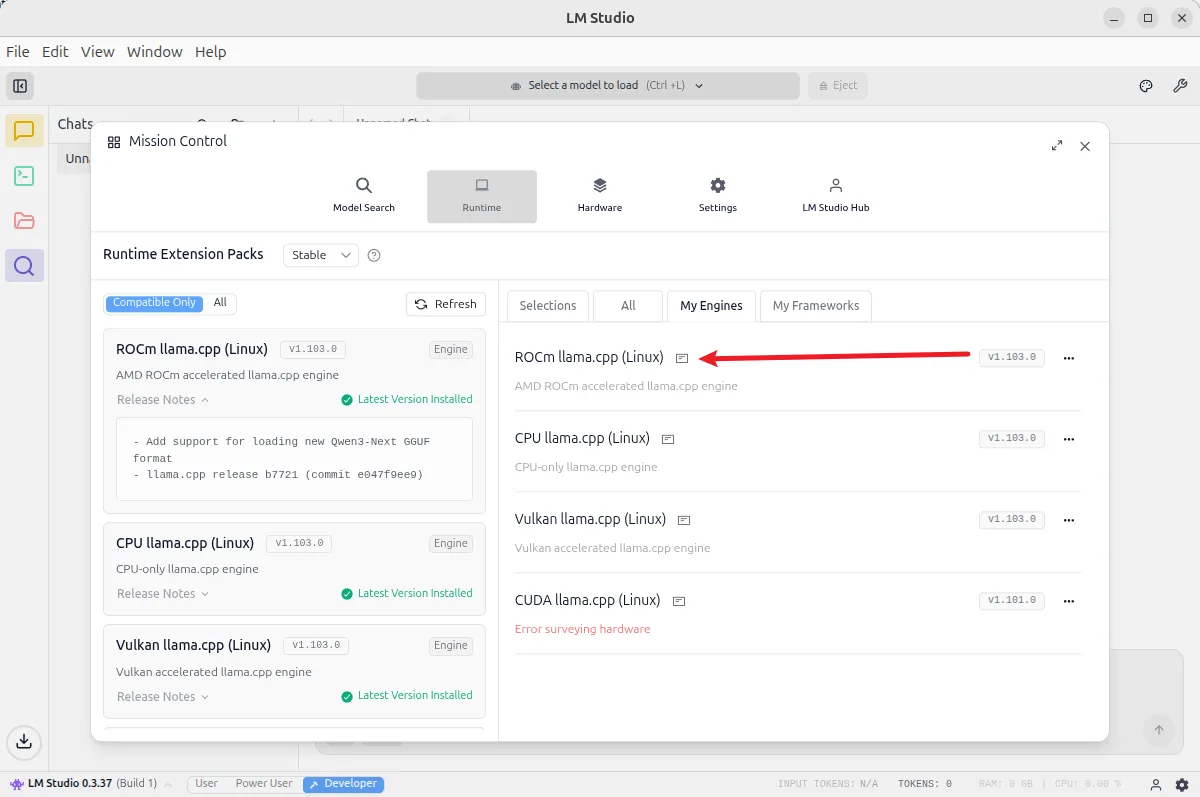
Note the supported architecture list for the ROCm version of llama.cpp currently provided by LM Studio (GPU architecture support status):
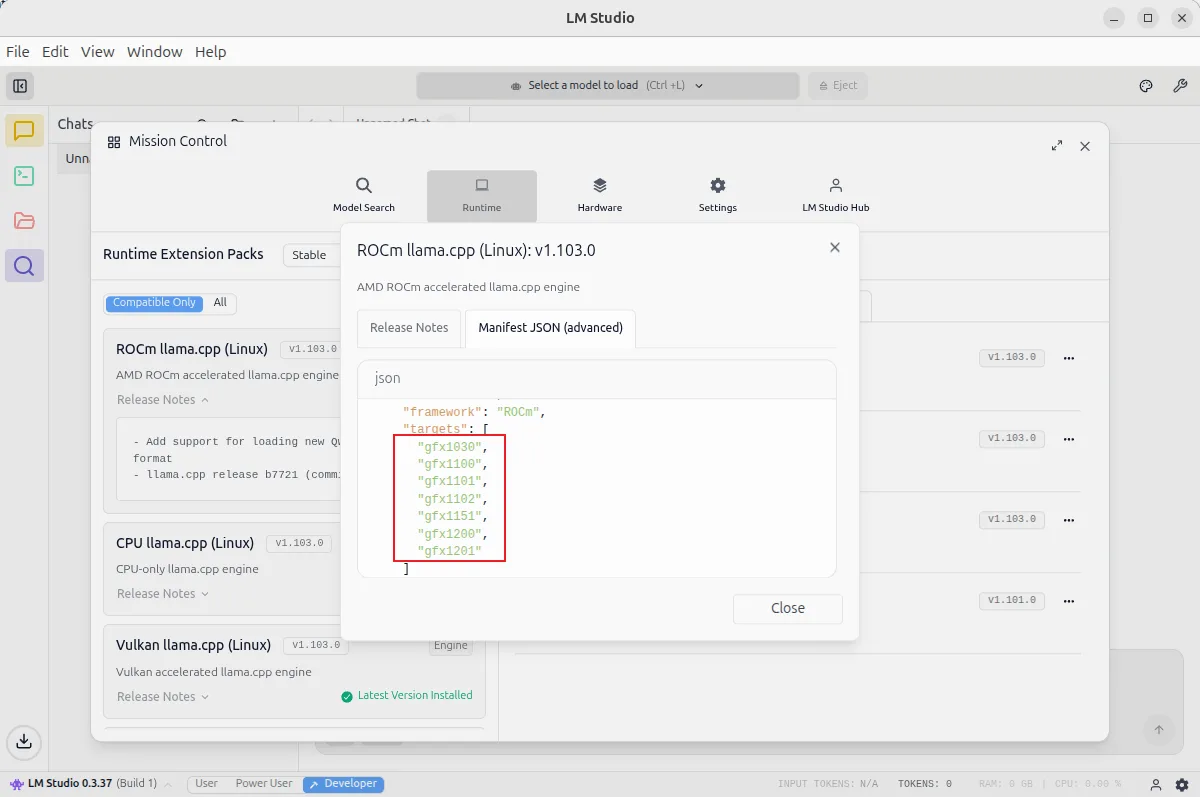
3. Qwen3-8B Q4_K_M Performance Example
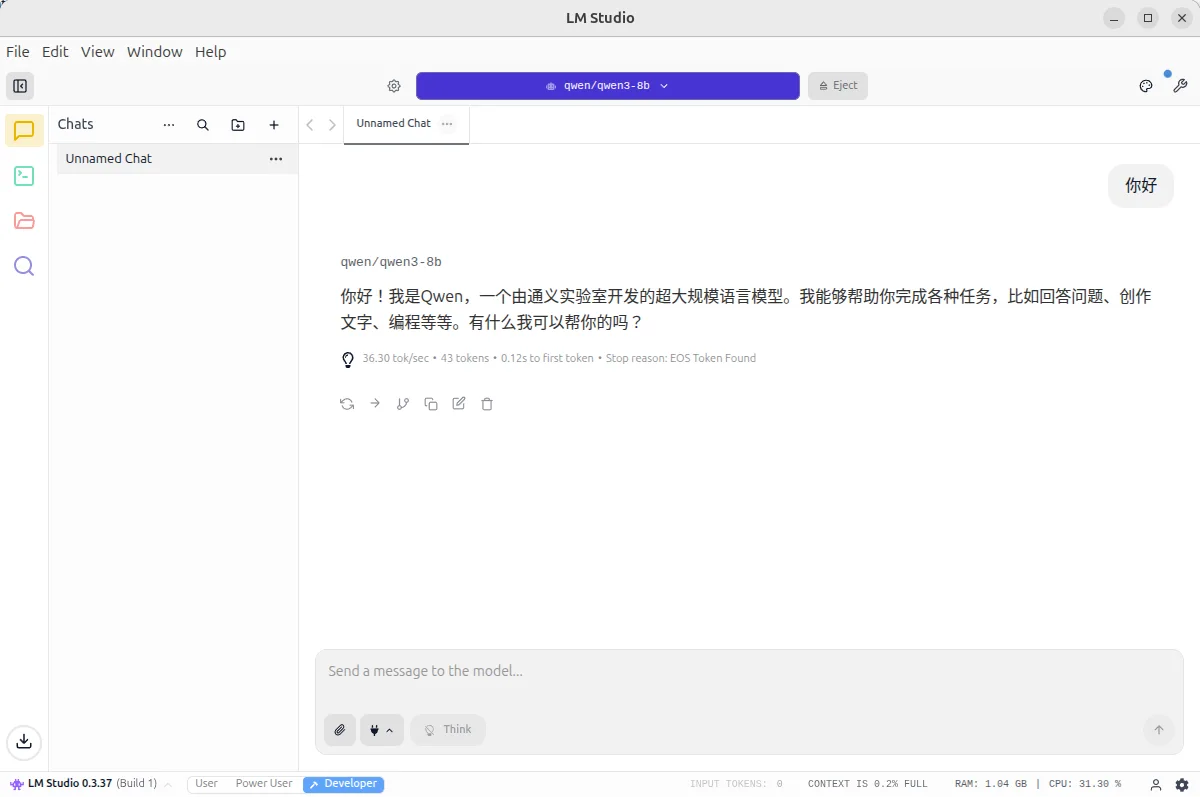
Load the Qwen3-8B Q4_K_M model in LM Studio, set the context length to 4096. Actual test results:
- Approximately 36 tokens/s
Screenshot example: