Ollama Deployment from Scratch (Ubuntu 24.04 + ROCm 7+)
This section explains how to install and use Ollama (ROCm version llama.cpp backend) on Ubuntu 24.04 + ROCm 7+, with performance testing using Qwen3-8B Q4_K_M as an example.
Prerequisite: ROCm 7.1.0 environment setup is complete (refer to
env-prepare-ubuntu24-rocm7.md).
1. Install Ollama (System Service)
Step one: One-click installation managed via systemctl, which starts the service on local port 11434.
For more information, refer to the official documentation: https://docs.ollama.com/linux
Installation command:
curl -fsSL https://ollama.com/install.sh | sh2. Verify Service Connectivity
After installation, verify the service is running properly:
curl http://localhost:11434If JSON information is returned (such as version number, etc.), the service has started successfully.
3. Basic Usage Commands
Common basic commands:
# List all models
ollama list

# Download a model
ollama pull qwen3:8b-q4_K_M

# Test model execution (interactive)
ollama run qwen3:8b-q4_K_M4. Benchmarking with curl (Calculating tokens/s)
The following example command calls Ollama's REST API and uses jq to parse the evaluation information from the response to calculate inference speed:
curl -s -X POST http://localhost:11434/api/generate \
  -H "Content-Type: application/json" \
  -d '{
  "model": "qwen3:8b-q4_K_M",
  "prompt": "Explain what a large language model is in one sentence",
  "stream": false
}' | jq '.eval_count, .eval_duration' | \
awk 'NR==1{count=$1} NR==2{duration=$1/1e9} END{printf "tokens/s: %.2f\n", count/duration}'eval_count: Number of tokens generated during inferenceeval_duration: Inference time (in nanoseconds)tokens/s: Calculated ascount / (duration / 1e9)
5. Qwen3-8B Q4_K_M Performance Example
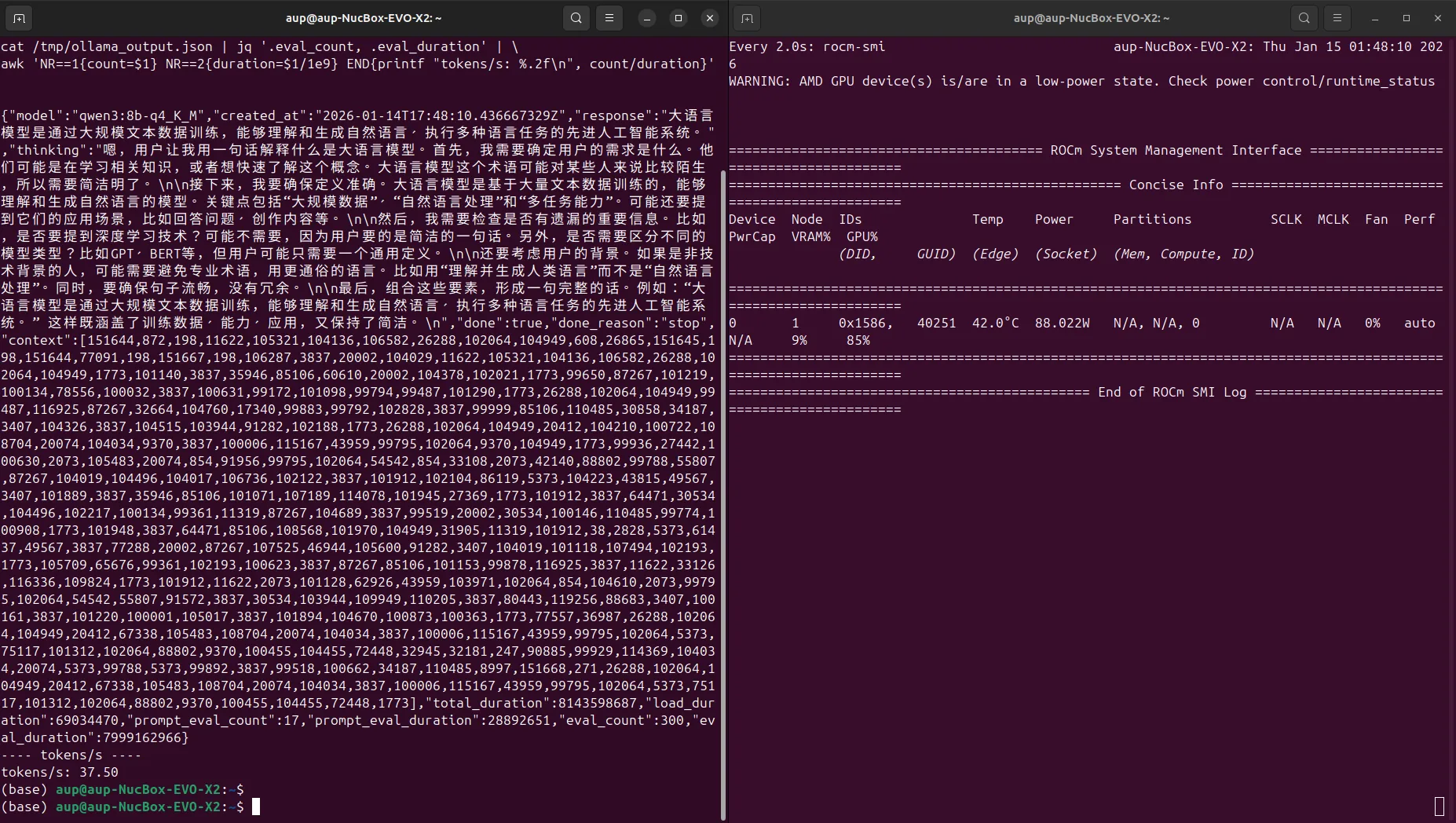
Testing the Qwen3-8B Q4_K_M model in the above environment (context length 4096), example results:
- Approximately 37.50 tokens/s
Screenshot example: