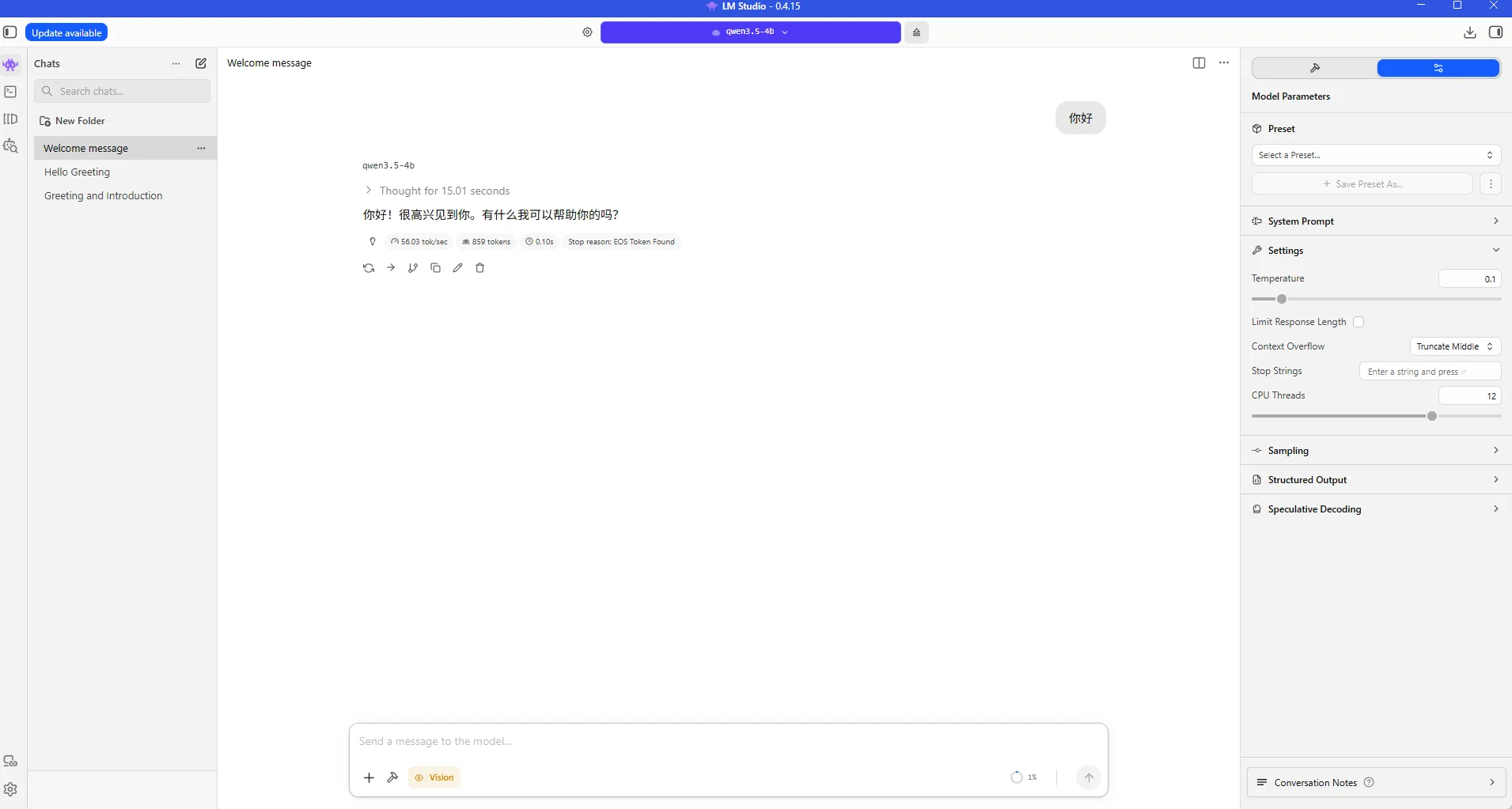
LM Studio Deployment for Qwen3.5 (Ubuntu 24.04 + ROCm 7+)
This guide shows how to use LM Studio + ROCm llama.cpp backend to run Qwen3.5 GGUF models on AMD GPUs.
Prerequisite: complete ROCm 7.13 environment setup.
1. Download LM Studio
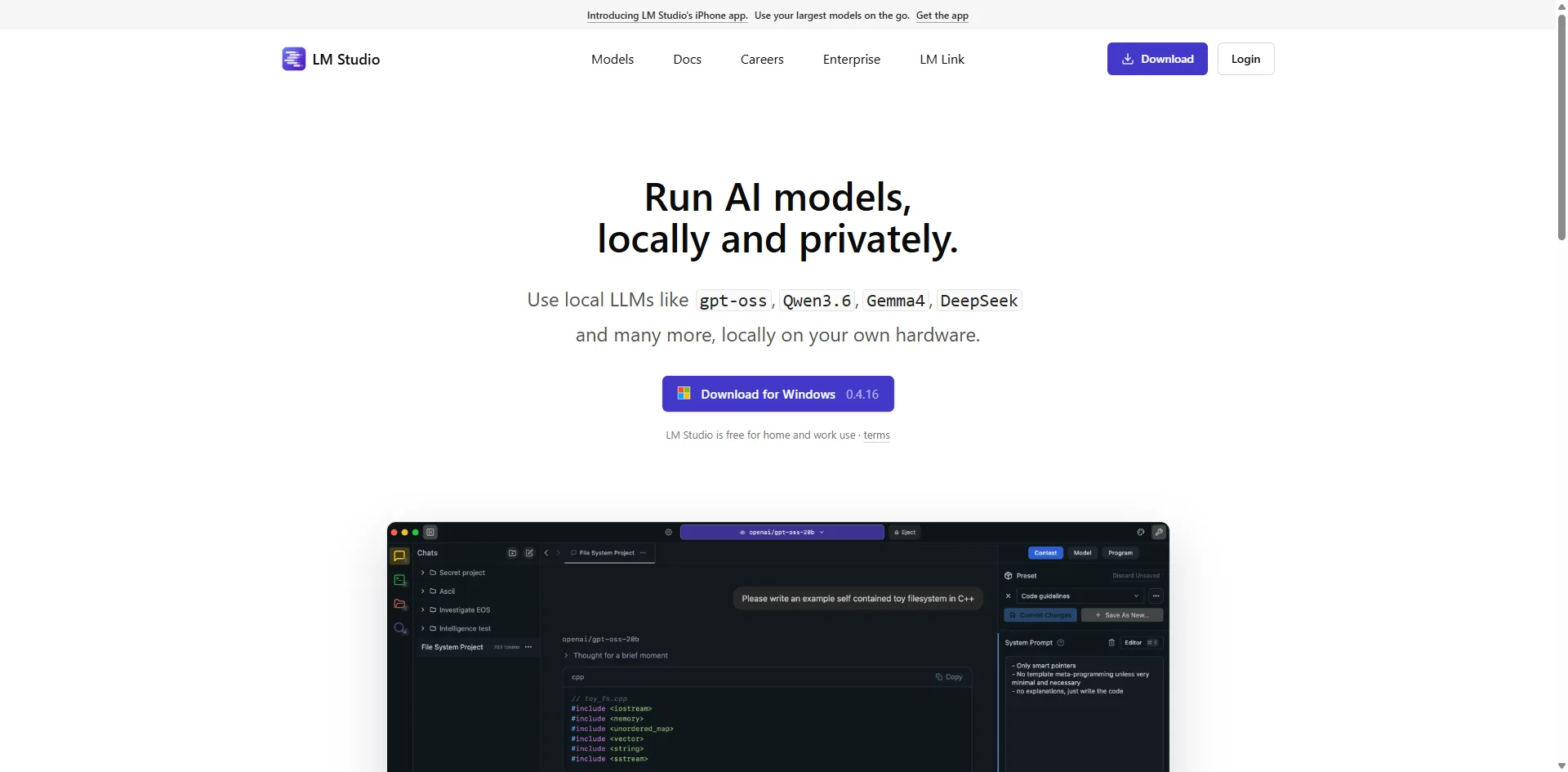
Download the latest AppImage from:
bash
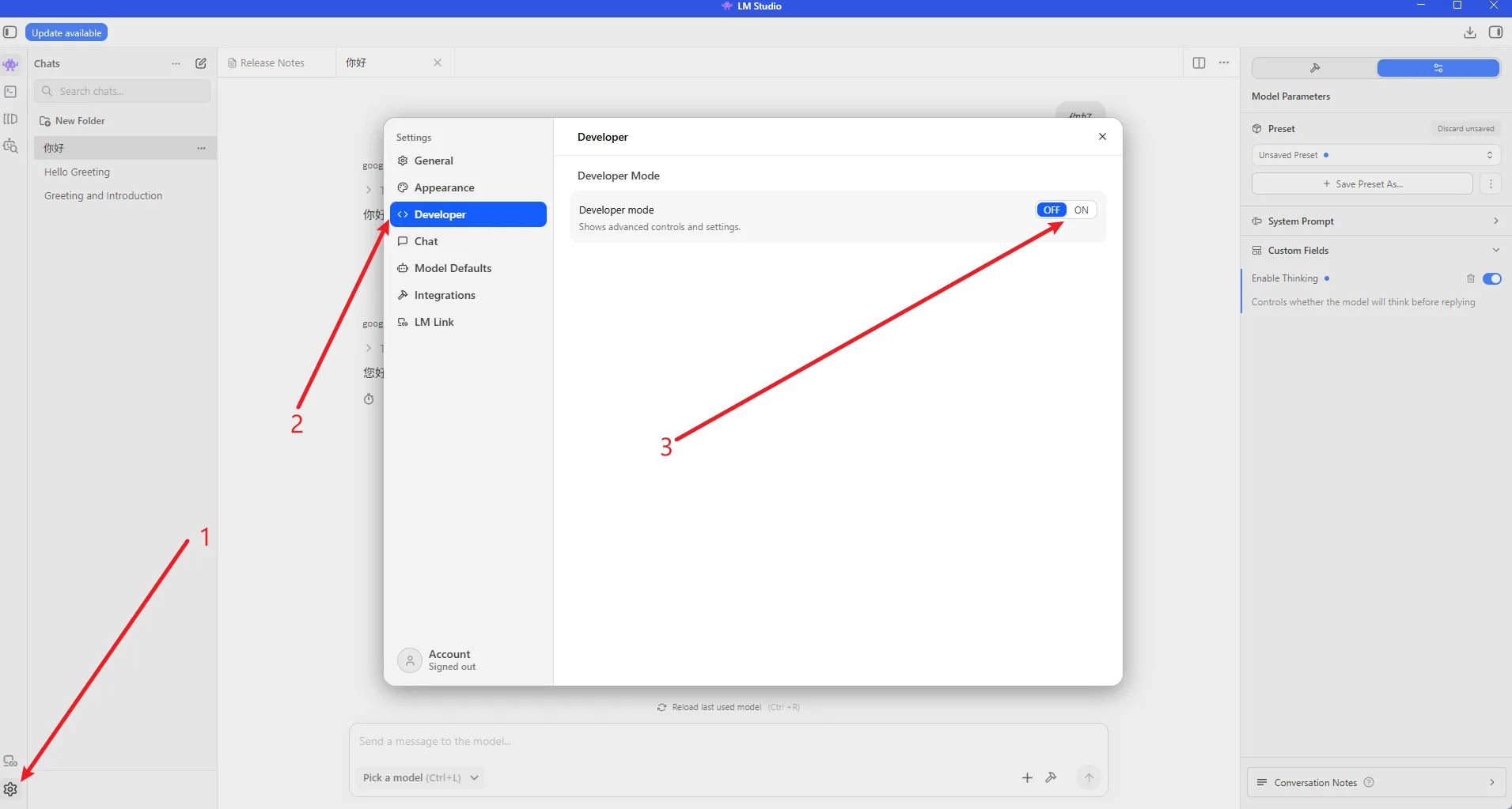
https://lmstudio.ai/The following screenshots show the LM Studio download page and ROCm backend selection flow:
2. Extract and Start LM Studio
bash
chmod u+x LM-Studio-*.AppImage
./LM-Studio-*.AppImage --appimage-extract
cd squashfs-root
sudo chown root:root chrome-sandbox
sudo chmod 4755 chrome-sandbox
./lm-studio3. Install the ROCm llama.cpp Backend
Select the ROCm llama.cpp backend in LM Studio:
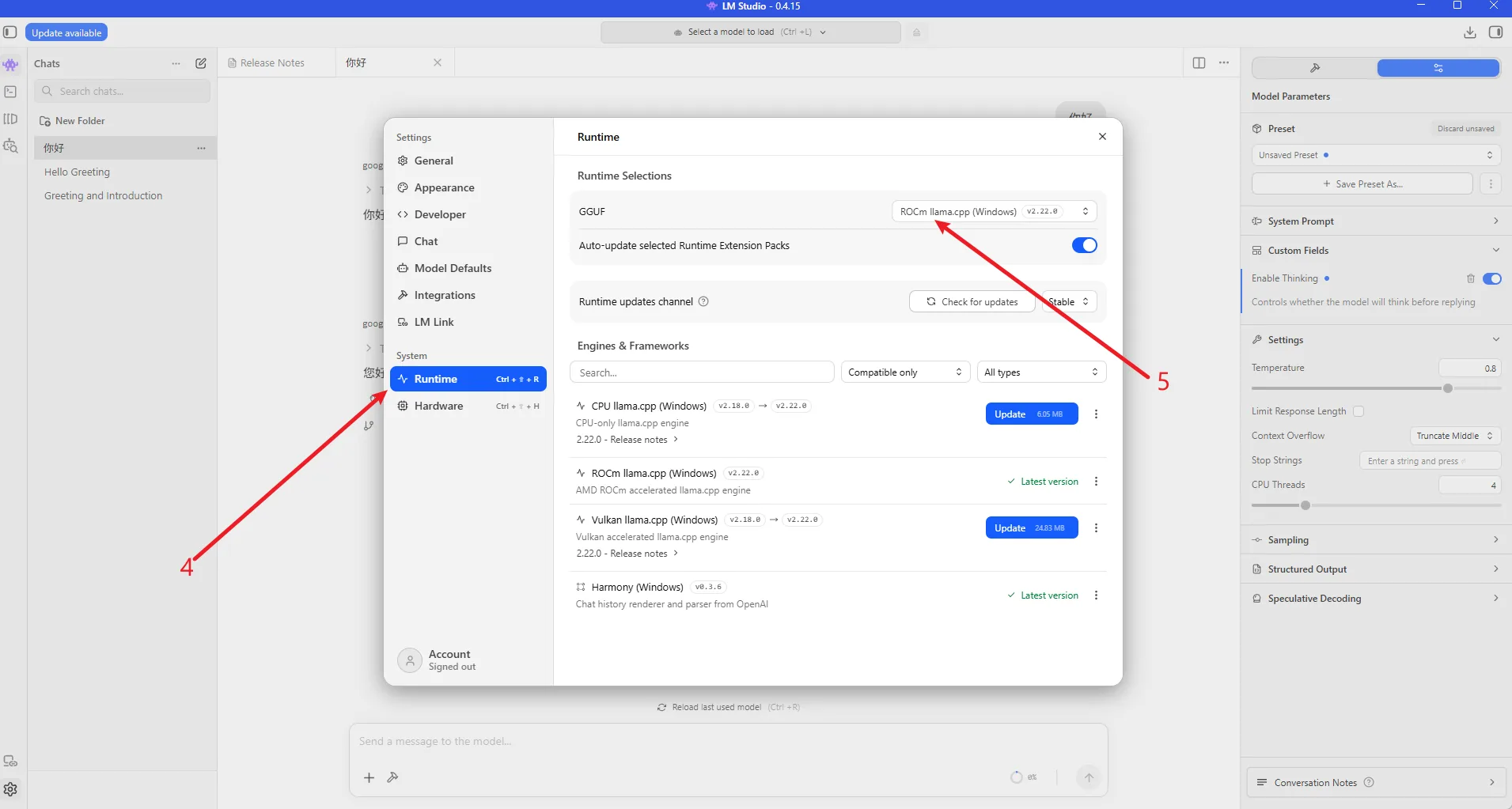
LM Studio lists the GPU architectures supported by the ROCm llama.cpp backend:
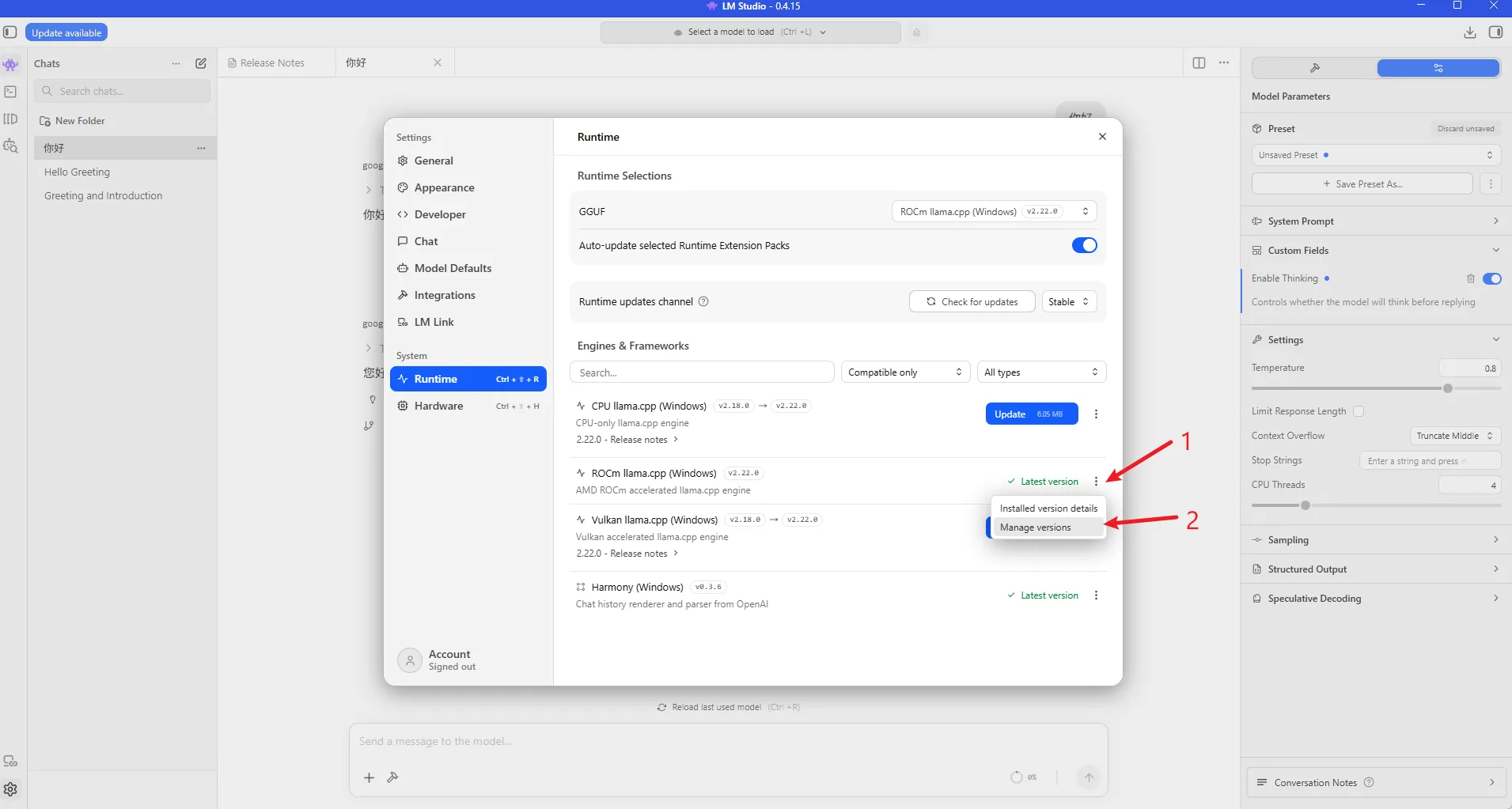
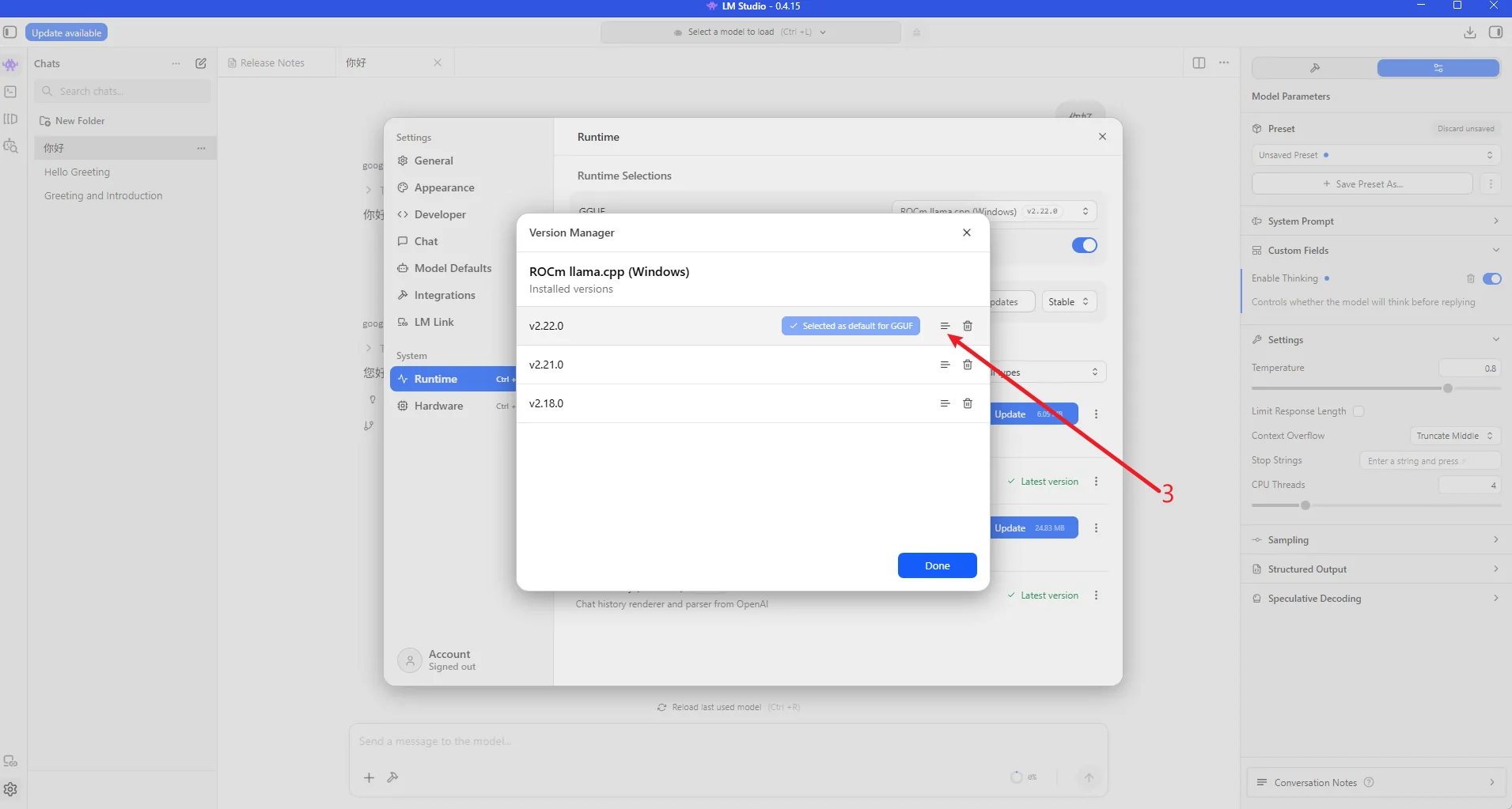
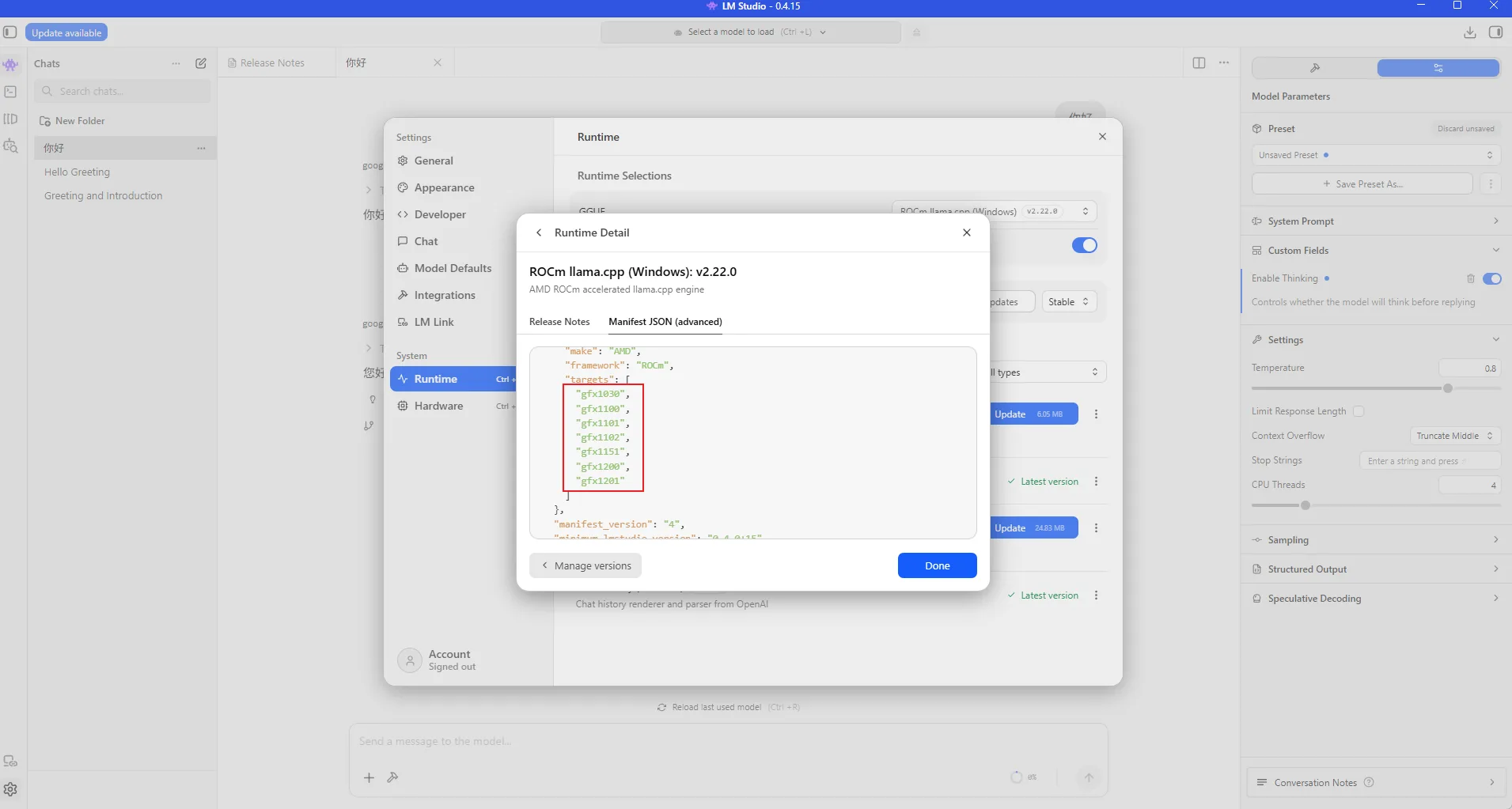
4. Load a Qwen3.5 GGUF Model
Choose a Qwen3.5 GGUF model that fits your VRAM budget. For smaller GPUs, start with Q4_K_M or a similar quantization.
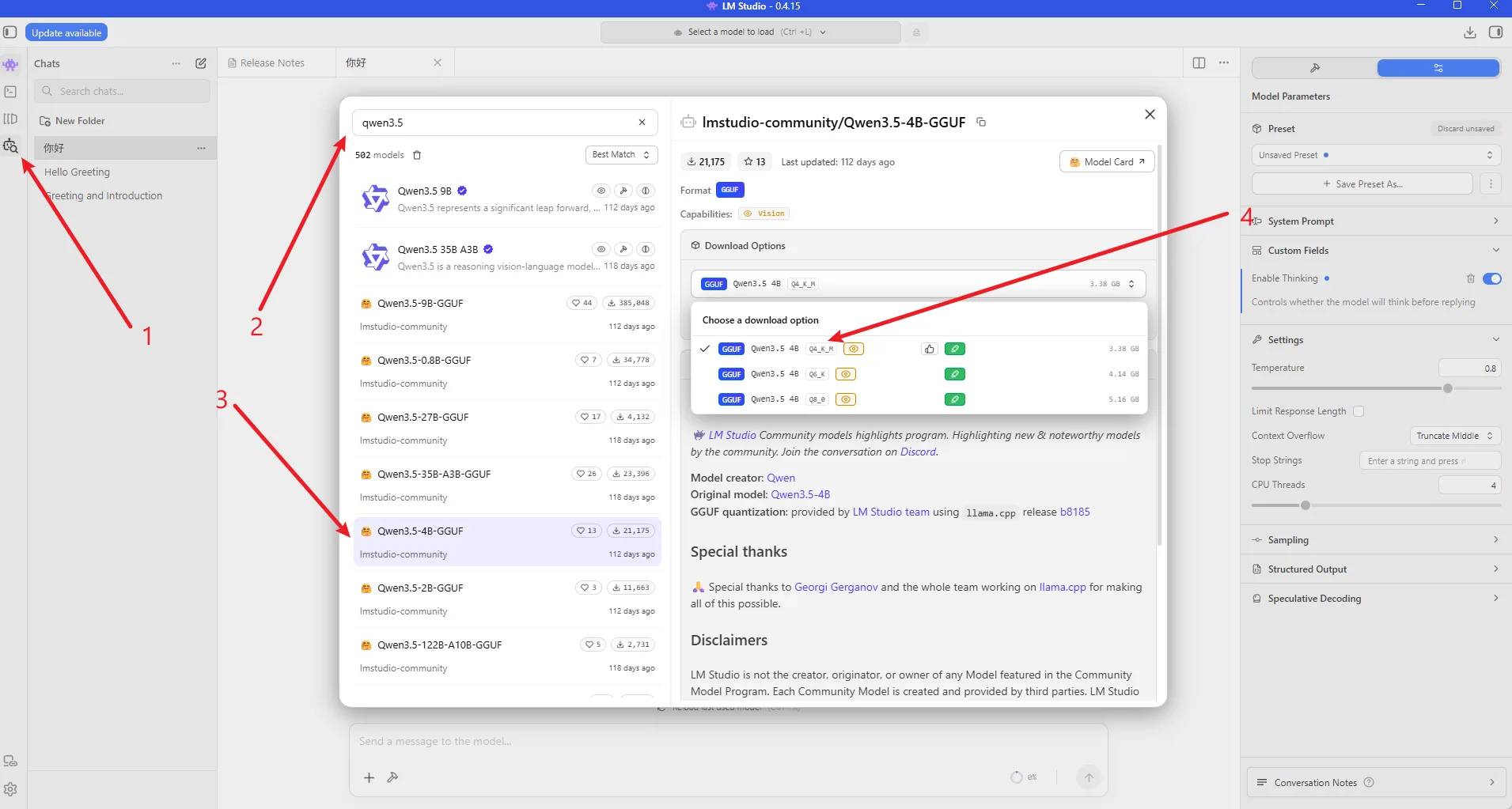
5. Performance Notes
Record the model name, quantization, context length, GPU model, and tokens/s when adding benchmark screenshots.