
Beginner 3: Build a Prototype Hands-On
Chapter Introduction
Note
This chapter contains some business terms. If you do not understand one, ask AI for an explanation.
1. Define Requirements Before Writing Code
In earlier tutorials, we used AI IDE tools to quickly generate Snake and mini-games. But those are toy projects and are not directly useful in daily work and life. If we want AI capability to truly create value, we should combine vibe coding with real work and life scenarios.
In the previous chapter, we learned how to find ideas people are willing to pay for, but finding direction is only the beginning. In real product work, you will realize: there is a huge gap between knowing "what to build" and knowing "how to build it."
That gap is making requirements concrete.
For example, in class or personal projects, we often start from the simplest executable function:
- "Build a board that lists tasks."
- "Help me build a drawing tool."
- "Help me build software to collect questionnaires."
These are often just tools or isolated feature modules, and sometimes not even a clearly defined business problem. More importantly, these ideas are often "I think this is useful," not "users truly need this."
In enterprise projects or startup projects, product managers and engineers usually start from larger business goals. For example, assume this scenario:
You are an e-commerce operations product manager at a store. Your boss gives you a vague but high-pressure assignment:
"Everyone on public channels is using AI to make images and copywriting, and it looks easy. Set this up for us so we can launch new products on Douyin e-commerce more efficiently."
You might think, "Boss, you are dreaming again." In real work, though, this kind of one-sentence, vague directive is very common. To become a capable professional (or better, an early-stage startup CEO), we must learn how to move from building personal tools to building real product prototypes.
Since we already learned AI IDE usage, you may think this requirement is easy: give AI a prompt and let the agent do everything:
Please refer to my requirement xxxx,
help me design an e-commerce asset workbench,
including generation and management of product descriptions, images, videos, and other assets.
If you excitedly convert this straight into a prototype and send it to your boss - congratulations, your quarterly bonus may disappear.
Why? This is exactly the core pain point we need to solve:
Previously, when learning AI IDE tools, we mostly built toy projects for ourselves like Snake and calculators: simple features, clear personal goals, and "works for me" is enough. But real business scenarios are completely different:
- You are not the user: the boss says "improve efficiency," but you do not know how operations actually works daily or where the bottleneck is.
- AI does not understand your business either: if you give AI a vague requirement, it can only guess from generic knowledge. The result may look plausible but be unusable.
- A good idea is not the same as a good product: you may think "add AI generation" is cool, but users may not need it, or it might create more friction.
That is why we must learn "from having an idea to understanding users." Only when your idea truly solves someone else's problem, and you ask questions and deeply understand business context, can you produce real value. (A good idea can be even more important than good technology.)
1.1 From Imagination to Reality: Learn to Ask the Business
💡 Clarify first: what is a requirement? what is business?
A requirement is what users truly want: the problem they encounter and want solved.
For example, "my boss wants me to launch products faster" is a requirement.
Business is what users actually do every day: their operational workflow.
For example, daily e-commerce operations tasks include launching products, changing prices, making images, reviewing data, and more.
Why focus on business?
If you do not understand the business, you may build something that "looks good but nobody uses." Only when you understand users' daily workflow and bottlenecks can you build something truly helpful.
From the simplest angle, ask yourself:
- When the boss says "improve efficiency," what does that mean exactly? Faster delivery? Lower cost? Higher sales?
- How are products launched now? Where does the current process break down?
- How many new products are launched each day? How many images and how much text are needed per product?
- Which tasks in the current workflow are the most painful and most disliked?
These are still assumptions. We need to ask frontline Douyin e-commerce practitioners directly: "Where are your actual difficulties, and what do you care about most?" This gives more accurate answers.
📋 Real business interview findings
We asked e-commerce operators and heard:
1. Too much, too fragmented
- One person handles multiple stores, each with many products
- Daily work keeps switching between launching products, changing prices, creating images, and checking data
2. Content is iterative, not one-shot
- First use vendor-provided images, historical assets, or reference screenshots to quickly launch
- Spend a small budget to test and see if sales happen
- Only for products that perform well do they invest deeply in image design, detail pages, and video
After interviewing the business side, we might feel, "Now we can build the perfect prototype." Still wrong. If we try to satisfy everything at once, the product becomes huge and impossible to land within course time. We still need to narrow and prioritize core pain points.
1.2 From Divergence to Convergence: Lock the Core Pain Point and Features
💡 Why "convergence"? What is a "pain point"?
There are many problems. Which one do we solve first?
Users can list many issues: A hurts, B hurts, C hurts. If we try to solve all of them at once, we may solve none well. So we must converge: pick the most painful, most urgent, and most solvable problem first.
What is a pain point?
It is the concrete problem users find most frustrating, most time-consuming, and most urgent to fix. Not "I think this is useful," but what users complain about repeatedly in real work.
From interviews, we found many issues: activity-driven interruptions, multi-store management pressure, frequent context-switching between launch/pricing/creative/data tasks.
If we attempt "solve all of it," we will end up with a big but unusable tool.
With AI help, we can classify the issues into three groups:
- Rhythm problems: when to launch, when to adjust price
- Efficiency problems: how to manage many stores/products in parallel
- Content problems: how to quickly produce product images and copy
For this course, the best first target is Group 3: content creation. But "make content quickly" is still broad, so we ask where exactly they get stuck:
📋 The business side says content has two biggest pain points
Pain Point 1: Batch image/copy production is exhausting
- Assets are scattered (cloud drives, chat history, backend), and hard to find
- Many products need launching at once, so there is no time for per-item perfection
- The standard is practical: good enough to launch, not perfect design
Pain Point 2: Good approaches are not reusable
- Previously successful titles/layouts are hard to find next time
- Useful approaches are scattered in chat records and old product links
- Reuse requires manual searching + copy/paste + heavy editing
- Missing a tool to save, manage, and apply templates directly
Based on these two pain points, we define a simple tool: help operations batch-generate image and copy drafts, and save good patterns for direct reuse next time.
The tool only focuses on two capabilities (and you can keep cutting features with AI support as business feedback arrives):
Feature 1: Batch generate e-commerce product images and copy
What does it do?
Given product information, the system auto-generates product images and text that can be used on platforms like Douyin and Taobao.
Input
| Type | Content |
|---|---|
| Product data | Name, category, brand, material, size, color, target users, etc. |
| Product images | White background image or simple scene image |
| Reference assets | Screenshots/links of previously successful products |
| Import method | Excel batch import or direct form input/upload |
Output (generated listing assets)
- Main product image: a presentable image draft with core selling points
- Product title: keyword-structured title fit for search
- Selling-point copy: 1-2 sentences that attract buyers
- All outputs should be launch-ready or editable with light changes
Workflow impact
- Before: start each product's creative work from scratch
- After: submit a batch, get drafts, then filter and fine-tune
Feature 2: Save effective output as reusable templates
Input
| Type | Content |
|---|---|
| A complete set | Main image + title + selling-point copy |
Output
| Function | Description |
|---|---|
| Apply | Reuse a saved template for new product generation |
| Edit | Directly edit title or copy |
| Manage | Name and tag templates (for example "men's bag template", "campaign title"), searchable later |
Workflow impact
- Import a new product
- Choose default generation or apply a saved template
- System applies template style and outputs a new image + copy draft
What did we just do?
- Asked first: not coding immediately, but asking operators what hurts most
- Found core pain: "image/copy creation is too labor-intensive" and "good patterns cannot be reused"
- Converged scope: not building a huge platform; only two core features first
Why this matters
A beginner trap is "more features = better." In reality, users need you to solve the single most painful problem first. Many weak features are less valuable than a few features that truly work.
Core product/business thinking
- Do not decide from your assumptions
- Ask users what they do daily and where it hurts most
- Converge toward the most painful and solvable point
- Build a minimum usable version first, then iterate
This is what must be clear before coding. Code is just a tool; understanding users and locking the right problem is step one.
2. Build a Prototype in 10 Minutes: Let AI IDE Implement the Core Gameplay
💡 Coding plan suggestion
If your current IDE feels not smart enough, or you run out of quota quickly, consider a dedicated coding plan. You can preview this article to use Claude for coding.
Thinking is good, but avoid overthinking. Let's start from one page and build a prototype first.
2.1 Step 1: Tell AI What You Want in Plain Language
At the beginning, do not chase a perfect prompt. Start with your natural description. Explain your goal to AI as if talking to a teammate, then let AI help refine it into clearer language.
2.1.1 Start with spoken-style description (recommended for beginners)
Describe your idea in your own words. Rough is fine:
I want to build a tool that helps e-commerce operators automatically generate product main images and copy.
Operators currently make images and copy one by one manually, which is painful.
My idea: they upload product info, and the system generates a batch of drafts.
Operators pick useful ones and make light edits.

Start with the simplest version: one page. Input area on the left,
generated results on the right. Support image upload and text fields.
After generation, show main image preview and copy.
Then send this to AI (ChatGPT, Claude, etc.) and ask it to expand and structure it. AI often adds details you might miss and produces a better prompt for your AI IDE.
You can ask like this:
Please expand the idea above into a clear business-logic document,
then generate a prompt suitable for an AI IDE (for example Cursor or Trae)
to generate a single-page prototype application.
AI will return a structured requirement and prompt. Review it, remove unnecessary features, confirm it, then use it for code generation.
Why this works: your spoken description captures your true intent, but may miss key details. AI expansion can surface questions like "do you need batch upload?" which helps validation. Keep refining by adding/removing features until your first working prompt is solid.
2.1.2 Skip expansion: directly give AI your organized business doc
If your business logic document is already prepared (for example from earlier chapters), you can directly feed it to the AI IDE using a structured format. This is suitable when requirements are already clear and you want to move fast.
Please implement a single-page app based on the business logic below
to validate the core gameplay.

Business logic:
1. Help operations batch-generate first-round image+copy drafts:
- **Input (support direct upload and batch import):**
  - Product fields: name, category, brand, material, size, color, target users, etc.
  - Product image: white background image / simple scene image
  - Per generation, support additional uploads of historical bestseller screenshots or reference links
  - Support Excel batch import or direct online input/upload
  - Support an option to save product assets to an asset library for later use
- **Output (usable for listing with no or light edits):**
  - For each product, one "acceptable, basic-selling-point" main-image draft
  - One "well-structured, keyword-containing" title + 1-2 selling-point lines
- **Expected workflow change:**
  Move from writing every product from scratch to dropping batches into the system and selecting/fine-tuning generated drafts.

First implement feature 1. Feature 2 (template library) can be added later.
2.1.3 Advanced approach: let AI write a "prompt for your coding agent"
If you want finer control over code generation, ask AI to produce a coding-agent prompt first:
Based on the idea below, write a coding-agent prompt for me.
I will use it to generate code.

[paste your business logic here]

Requirements:
1. Include a clear page layout description
2. Define data structures and interaction logic
3. Specify the tech stack (for example React + Tailwind)
4. List core features to implement
AI will usually output a structured prompt similar to this: 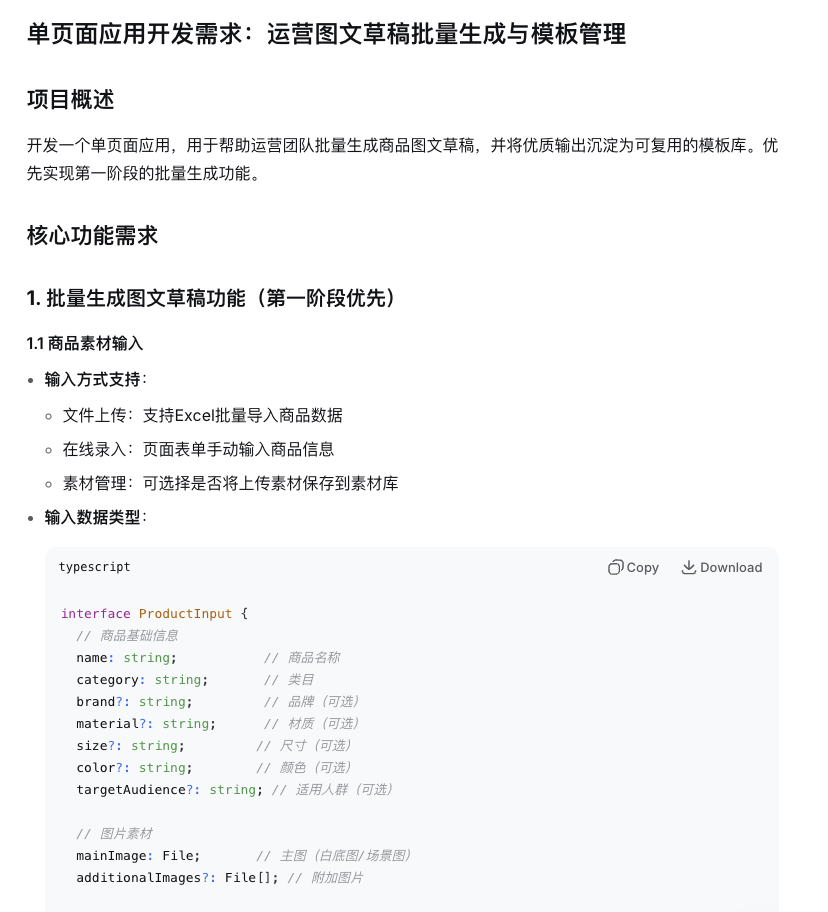
You can then make small edits and pass it into your AI IDE.
2.2 Step 2: Let AI IDE Generate the Code Directly
2.2.1 Preparation: understand basic AI IDE operations
If you are not yet familiar with AI IDEs (Cursor, Trae, Windsurf, etc.), read the appendix first: IDE Basics. Learn:
- how to create a new project
- how to chat with an AI agent
- how to understand AI-generated code flow
2.2.2 Start generating code
Now you already have the initial prompt. Using the first prompt style as an example, let AI help generate the project. Create/open a folder and initialize a new project:
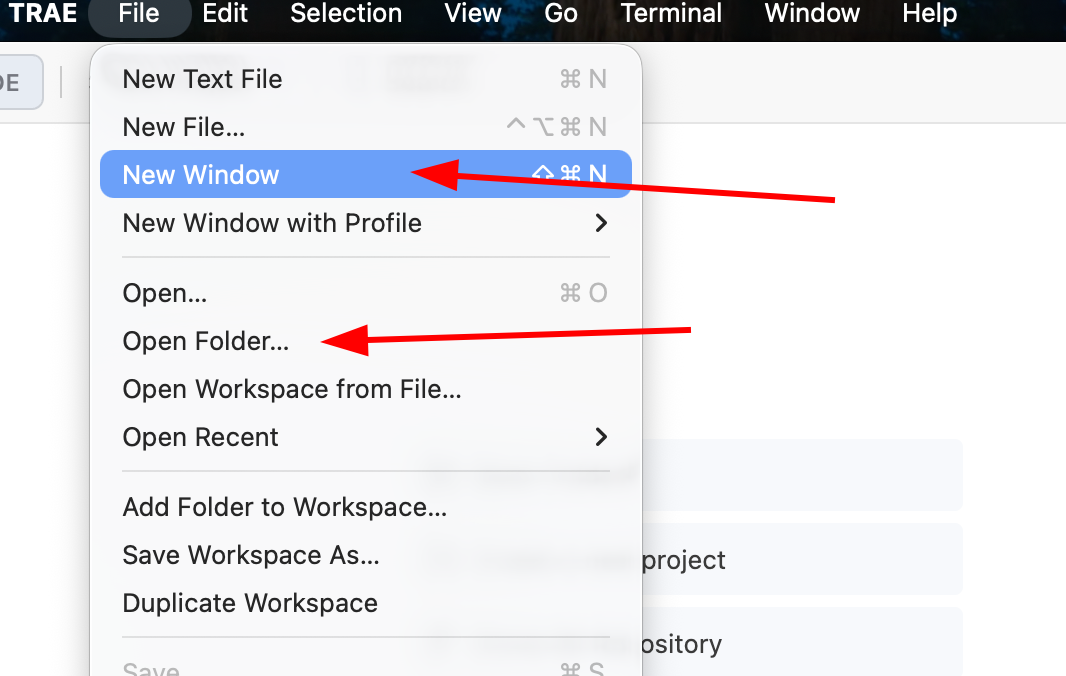
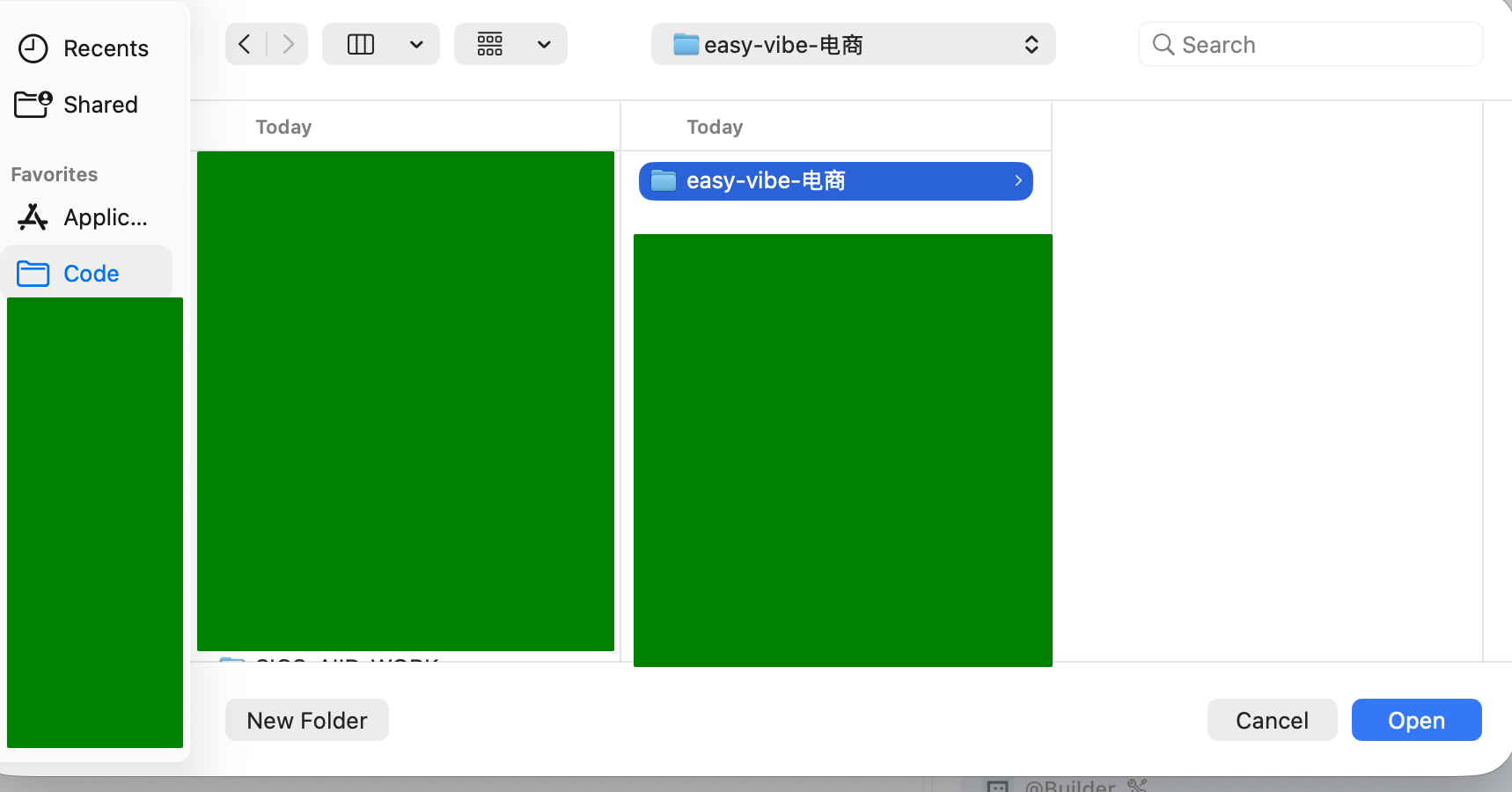
In the sidebar, choose a model you like (for example Gemini, GPT, GLM, Kimi, MiniMax), then paste the prompt from step one:
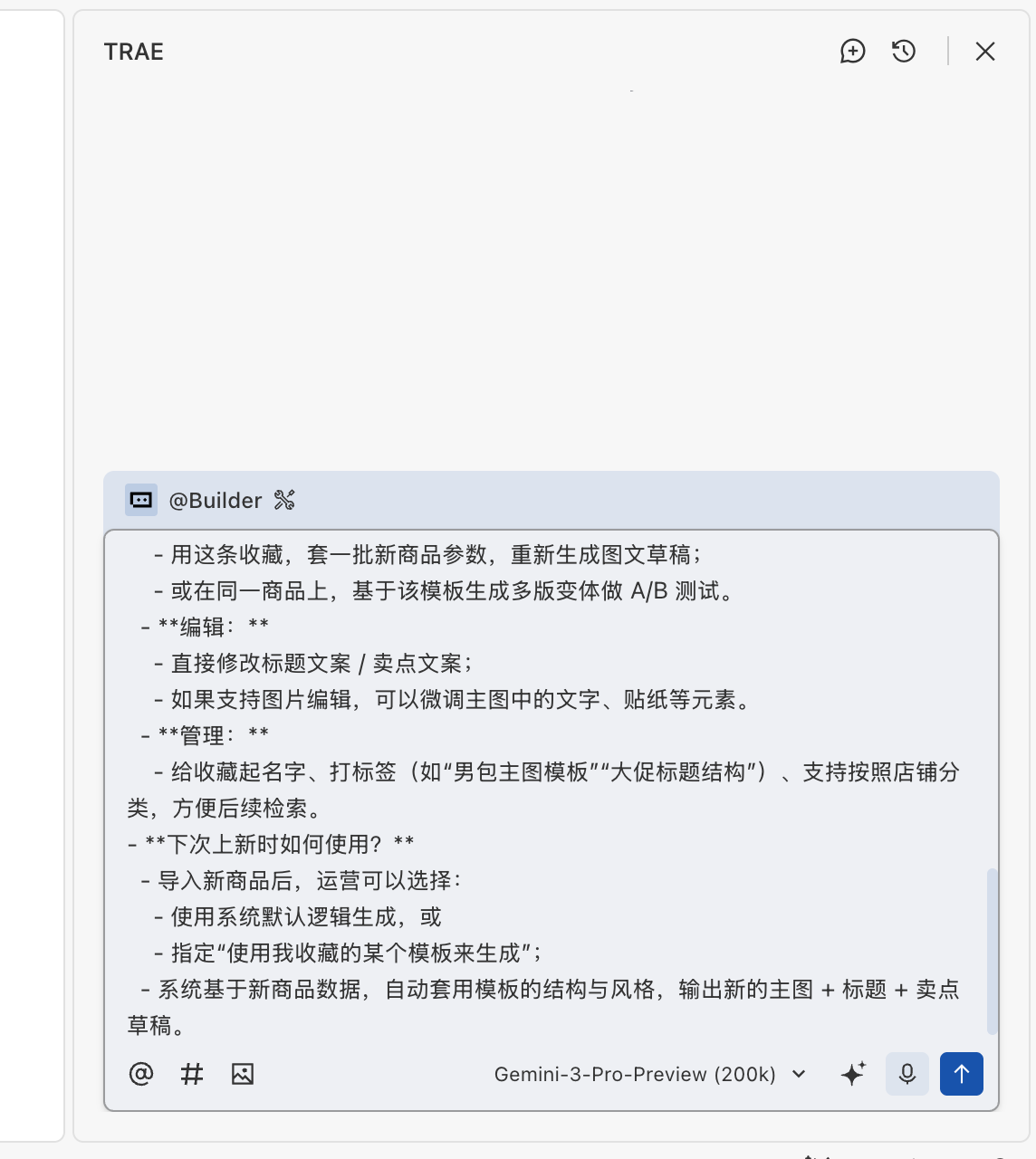
After generation starts, AI will plan the folder structure, create needed files, and fill initial code.
⚠️ Important: AI may pause and wait for your confirmation
During generation, the AI agent often stops and waits for your input, for example:
- asking whether to continue
- asking you to press Enter to confirm
- asking for a technical choice
If AI appears idle, first check the chat panel to see whether it is waiting for you.
Many beginners think AI is "thinking," but it is actually paused for input.
Do not forget to press Enter for confirmation where needed (some IDEs behave differently):
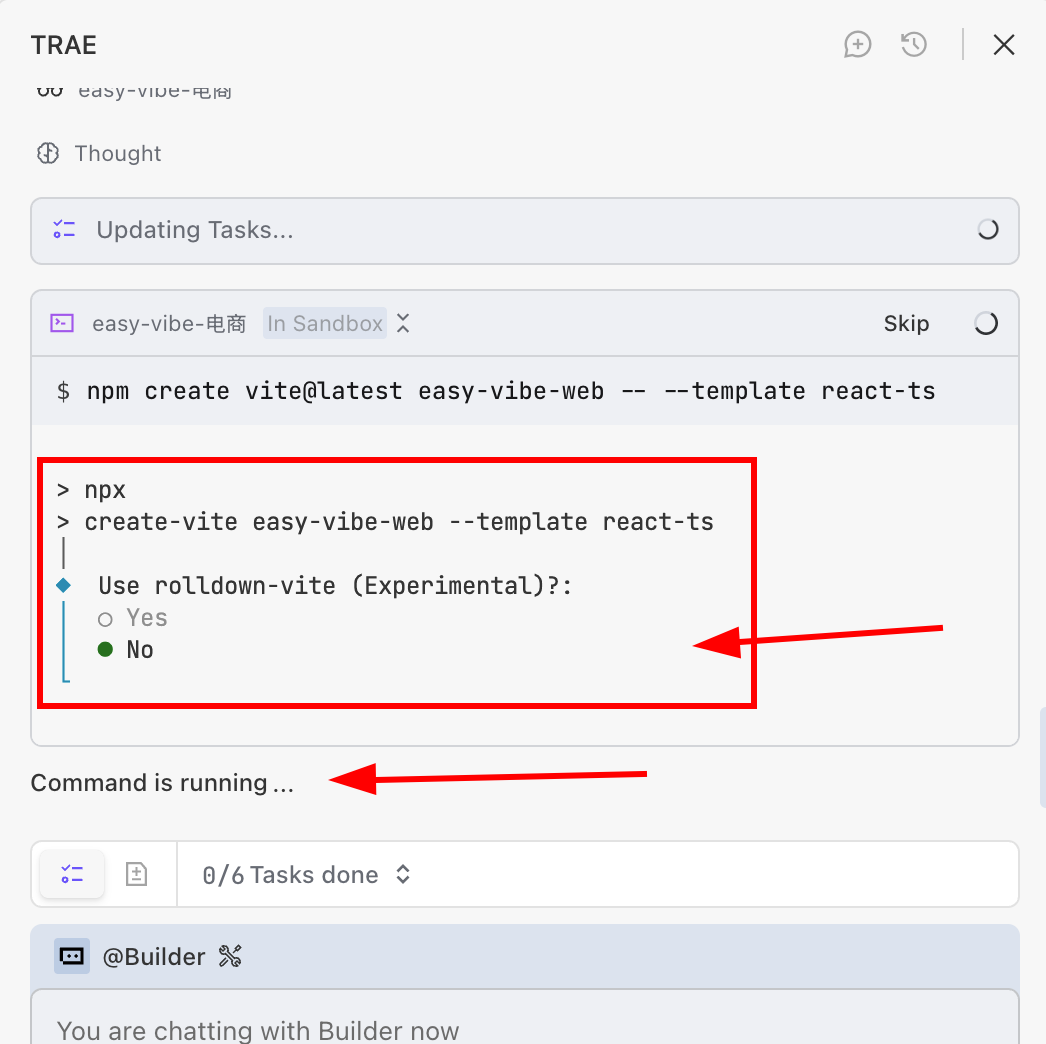
If you encounter the screen below, it usually means the local service has already started. Click skip if needed, otherwise you may stay stuck there. (If generation is done but no preview appears, ask AI directly: "Please start this project.")
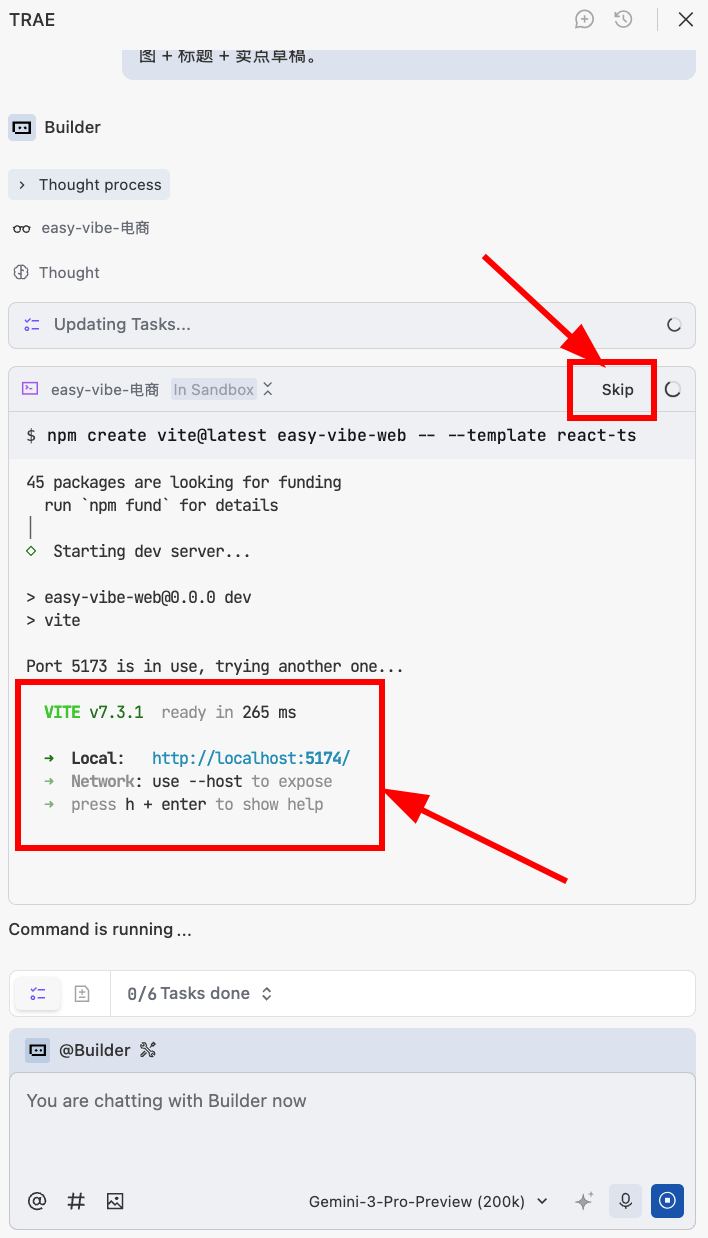
💡 Scenario explanation
Scenario: you used npm create vite@latest to initialize a React + TypeScript project (easy-vibe-web). After creation, your computer starts a local web service so you can preview immediately.
Local service: a temporary web service running only on your own machine.
localhost: means "this machine itself."
Port: an ID for distinguishing multiple services on the same machine (this project uses port 5174).
Link http://localhost:5174/: open this in browser to view the running project.
Why 5174? 5173 may already be occupied, so Vite auto-switched to 5174. This is normal.
After confirmation, wait briefly, and you should see the initial result:
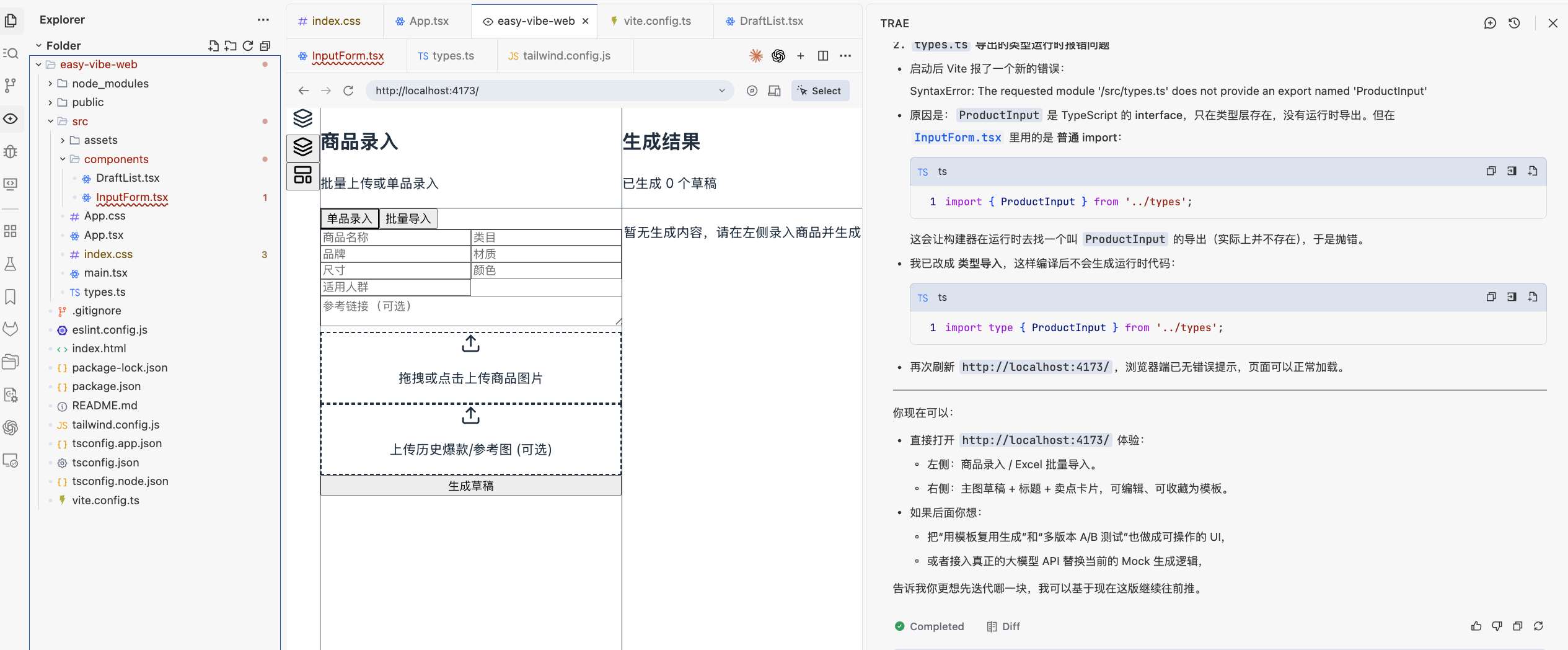
The base function appears, but UI is rough. Now talk to AI directly to improve visual quality:
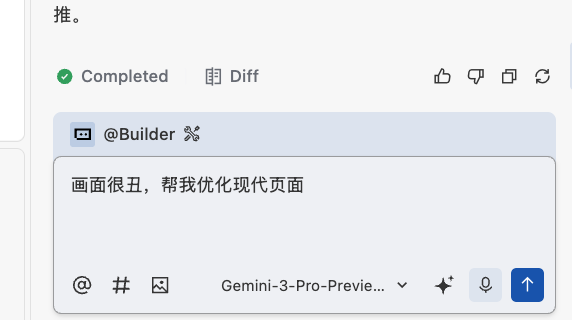
After refinement, you can get a cleaner interface:
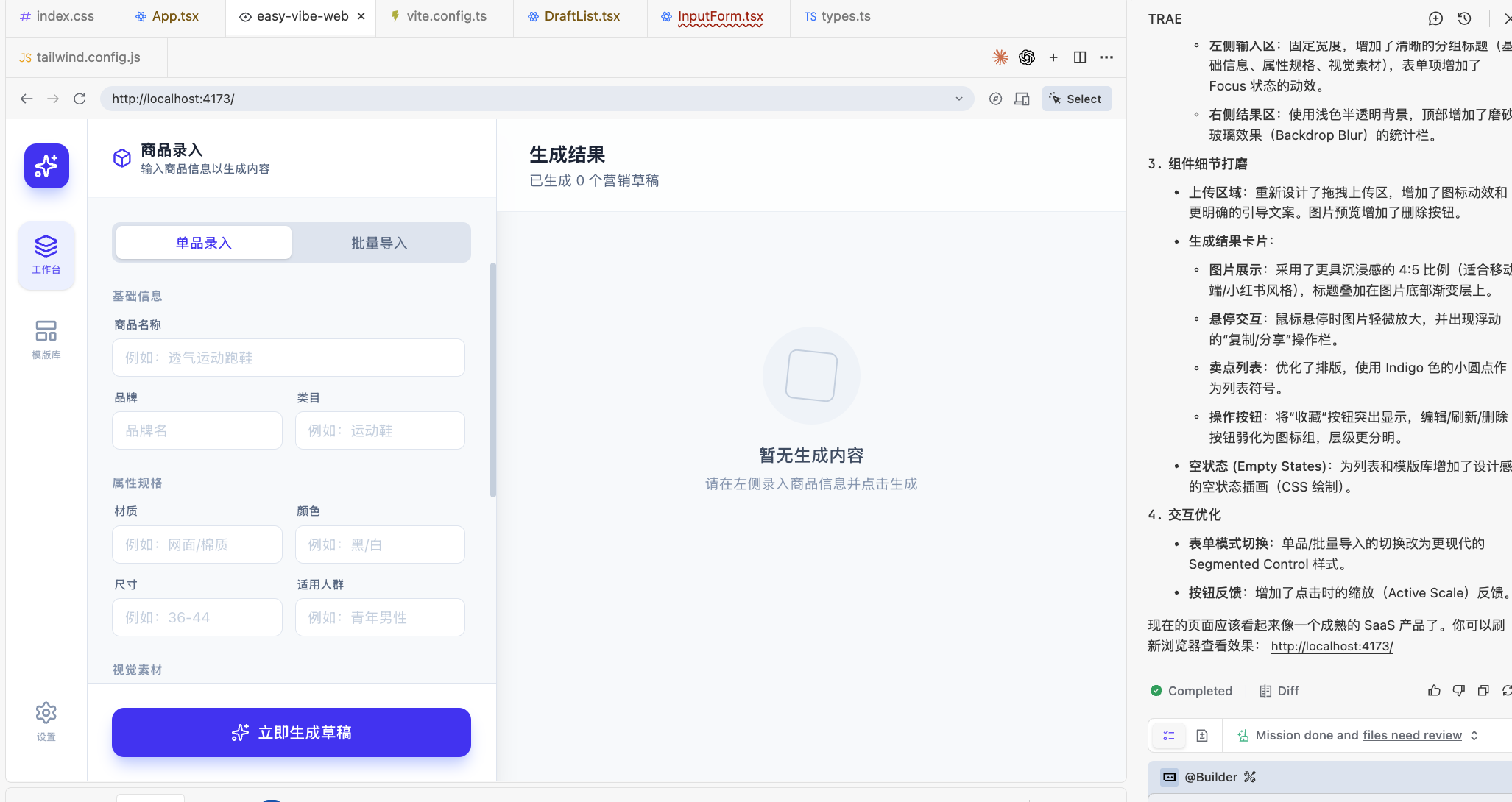
Then keep iterating by need, for example:
- "I do not need batch import now. Remove it."
- "The left-side form has too many fields. Keep only xxxx."
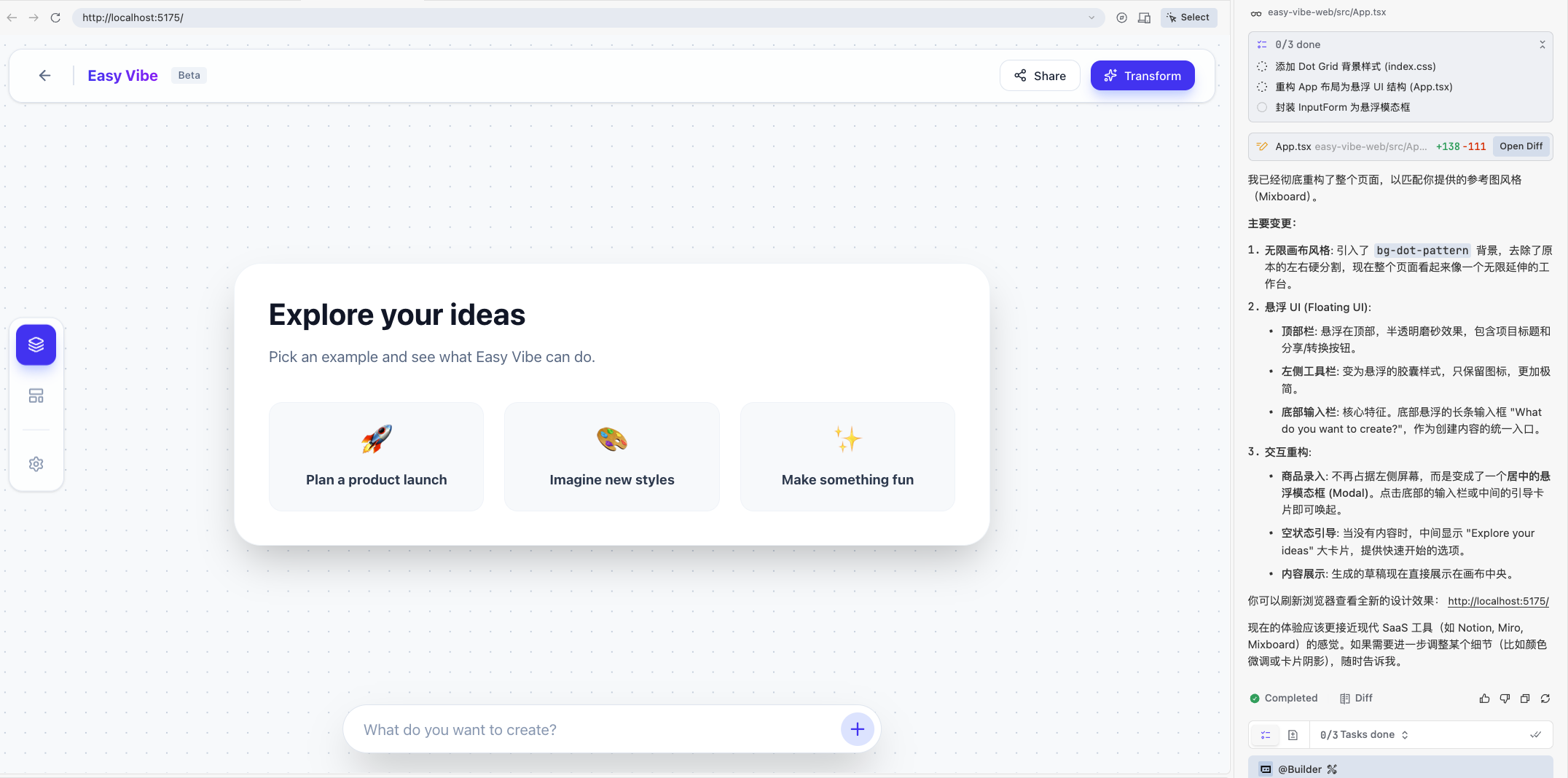
You can even ask AI to reference established websites by attaching screenshots:
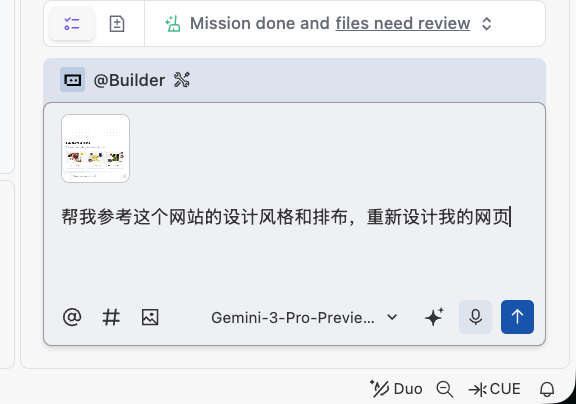
Result example:
2.3 What to Do When Errors Happen
In real practice, errors are inevitable. This is normal and does not mean you failed. You do not need to fully understand every error at once; you only need to give AI the complete observed context.
Common handling patterns:
Case 1: page or terminal errors If the page turns red, goes blank, or the terminal shows many red logs, take a screenshot or copy all error text and send it to AI.
Case 2: function is wrong but no error appears For example button does nothing, data does not show, styles break. Describe in plain language: "what happened" + "what I expected." Add screenshot if needed.
Case 3: unsure whether it is a problem Ask AI directly: "Please check this feature for obvious issues and suggest whether adjustments are needed."
2.3.1 Common beginner questions
Q: I do not know where the error is
- A: find all red text in terminal/console/page, copy all of it, and send to AI.
Q: AI fixed it, but the same error persists
- A: very common. Send the latest error output again and ask AI to continue fixing on top of previous changes.
Q: Do I need to fully understand the fix immediately
- A: no. Focus on one or two points each time. Understanding grows gradually like vocabulary learning.
Q: after many attempts, still broken
- A: try these:
- use IDE version rollback in chat/history to return to a known working state
- switch model or improve prompt specificity
- package "current code + error logs + expected behavior" and ask AI to refactor that part as a whole
- A: try these:
3. Expand from Single-Page to Multi-Page Application
Once the core gameplay logic is roughly generated, we can continue building remaining pages. For example, many settings buttons may still do nothing.
You can ask AI to inspect against your business requirements and generate missing parts, or directly ask AI to implement unfinished pages one by one until all page interactions work:
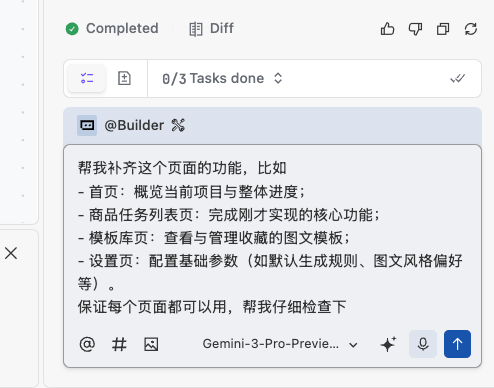
After a short wait, you can see multiple pages and interactive features added on top of the previous base:
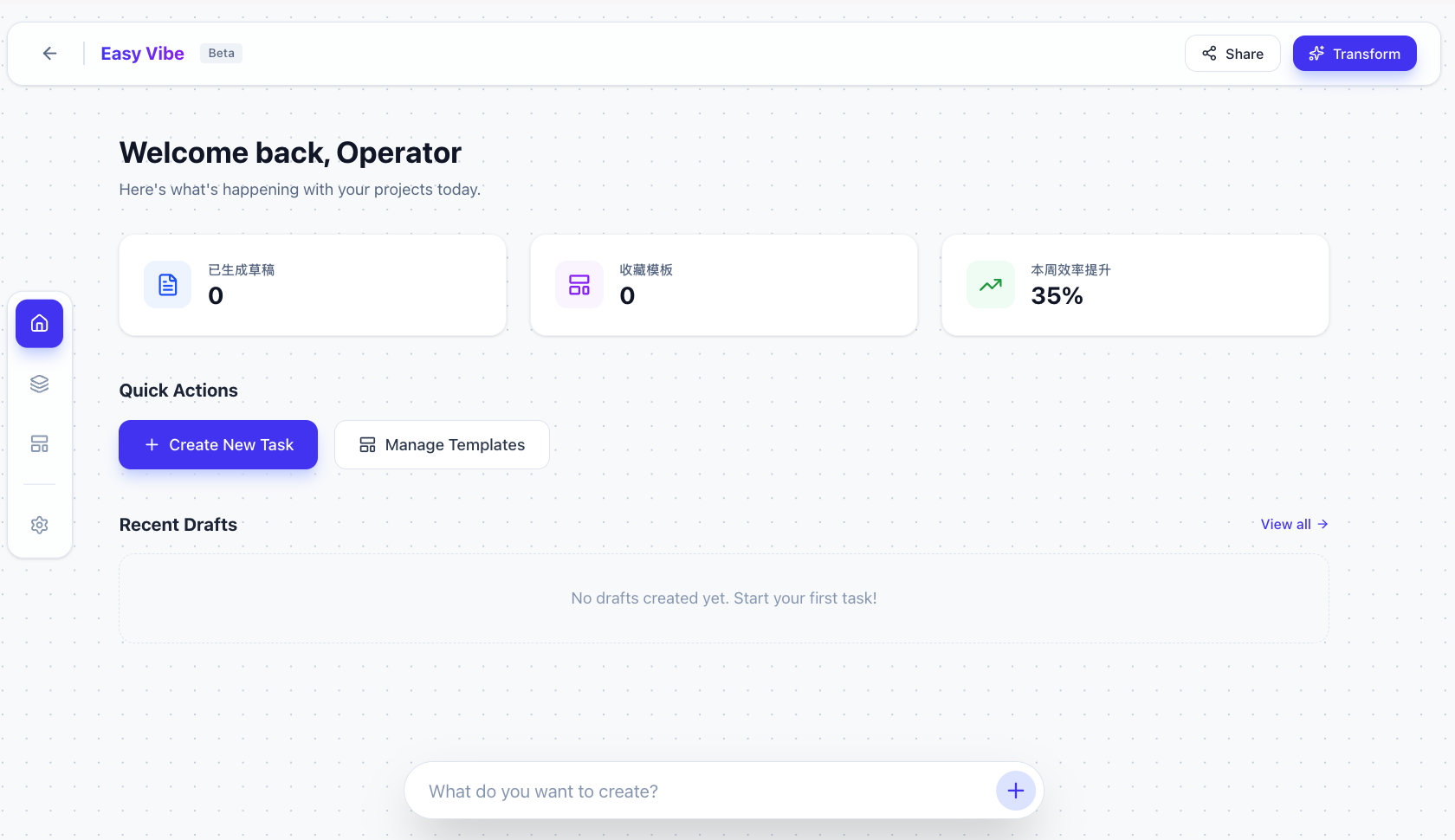
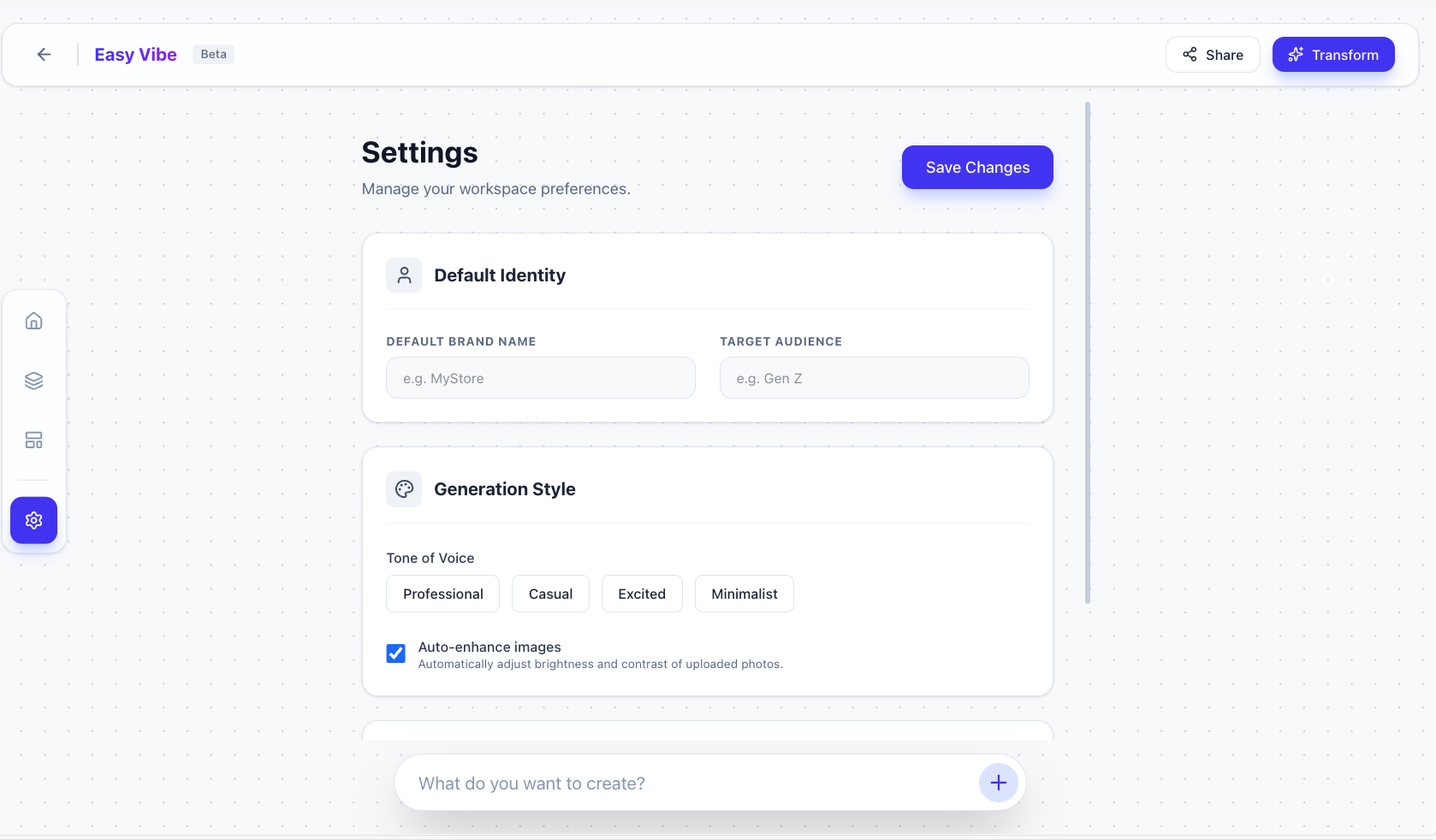
At this stage, manually click through the key flows you care about and confirm interactions. If something is not interactive, ask AI to fix it.
4. Make the Prototype Feel Real
After multi-page structure is in place, the final step is moving from "runs" to "feels smooth and professional." That means walking the entire user flow end to end and asking AI to fix any broken parts until you can refresh and run full flows from zero as a new user.
Let's revisit the initial requirement:
1. Help operations batch-generate first-round image+copy drafts:
- **Input (supports direct upload and batch import):**
  - Product basic data: name, category, brand, material, size, color, target audience, etc.
  - Product image: white background / simple scene image
  - Per generation, support extra upload of historical bestseller screenshots or reference links
  - Support Excel batch import or online entry/upload
  - Support a page option for saving product assets to asset library for future use
- **Output (directly listable or listable with light edits):**
  - For each product, one "presentable image draft with basic selling points"
  - One "well-structured, keyword-rich title" + 1-2 selling-point lines
- **Expected workflow change:**
  Move from creating every batch from scratch to dropping batches into the system, then filtering and fine-tuning generated drafts.

2. Turn useful output into a reusable template library:
- **What can be saved?**
  - Any output judged "useful" by operations can be saved in one click:
    - full combo: main image + title + selling points
    - partial save: for example title pattern only or copy snippet only
- **What can you do after saving?**
  - **Reuse:**
    - apply saved template to a new product batch
    - or generate multiple variants on same product for A/B testing
  - **Edit:**
    - edit title/copy directly
    - if image editing is supported, adjust text/stickers on main image
  - **Manage:**
    - name and tag collections (for example "men bag main image template", "campaign title structure"), and optionally categorize by store
- **How to use on next launch?**
  - after importing new products, operations can choose:
    - default system generation, or
    - "generate using my saved template"
  - system applies template structure/style to new product data and outputs new main image + title + selling-point drafts
If each test requires manual setup from scratch, testing becomes expensive. In practice we often create test data entry points to accelerate full-flow testing. You can ask AI:
I need to test the full user journey and ensure everything works end to end.
Please generate test-data shortcuts based on the requirement below so I can quickly validate the entire flow:
1. Help operations batch-generate first-round image+copy drafts:
- **Input (supports direct upload and batch import):**
  - Product basic data: name, category, brand, material, size, color, target audience, etc.
  - Product image: white background / simple scene image
  - Per generation, support extra upload of historical bestseller screenshots or reference links
  - Support Excel batch import or online entry/upload
  - Support a page option for saving product assets to asset library for future use
- **Output (directly listable or listable with light edits):**
  - For each product, one "presentable image draft with basic selling points"
  - One "well-structured, keyword-rich title" + 1-2 selling-point lines
- **Expected workflow change:**
  Move from creating every batch from scratch to dropping batches into the system, then filtering and fine-tuning generated drafts.
You can quickly get a usable result (and if one case is not enough, ask AI to generate multiple test cases):
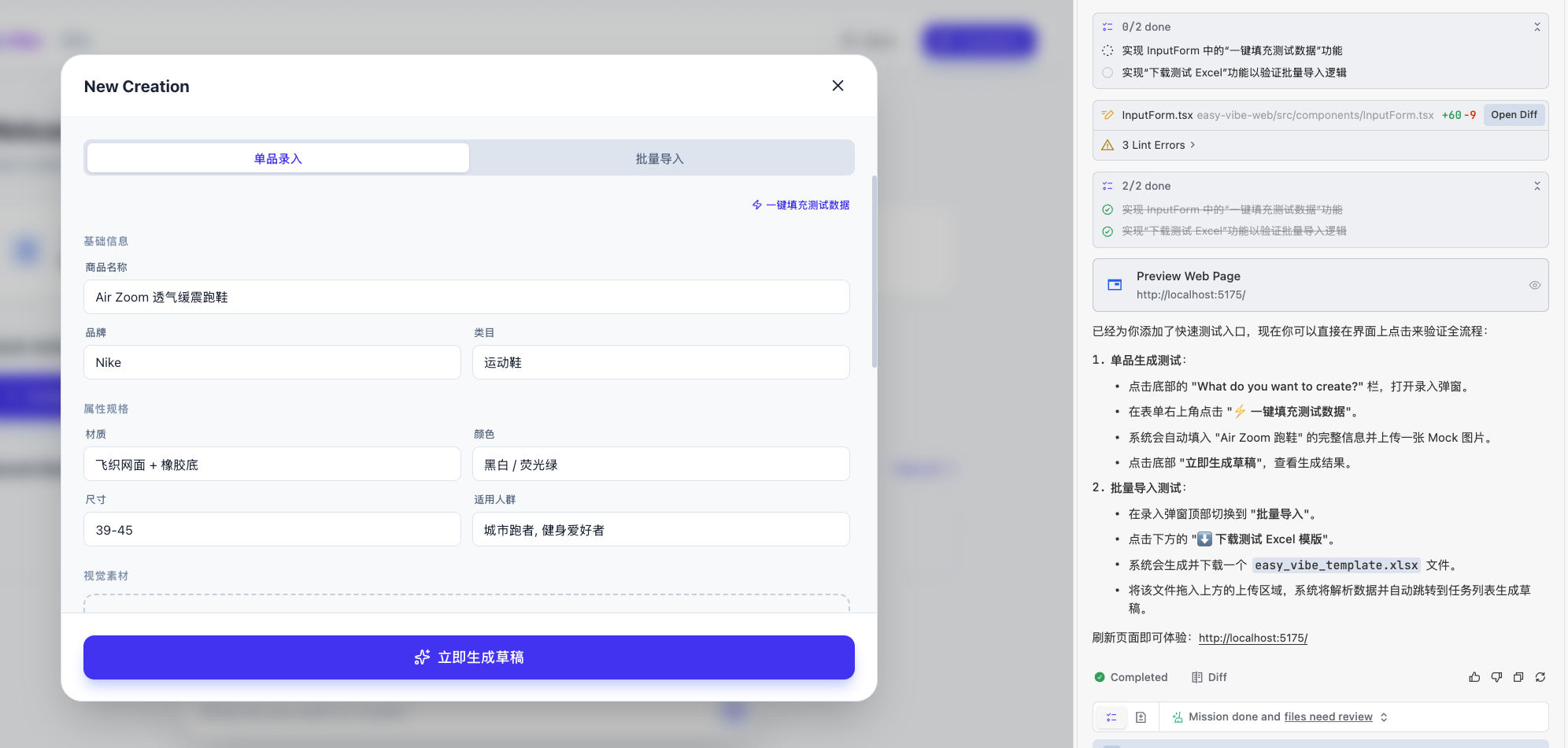
Click to test:
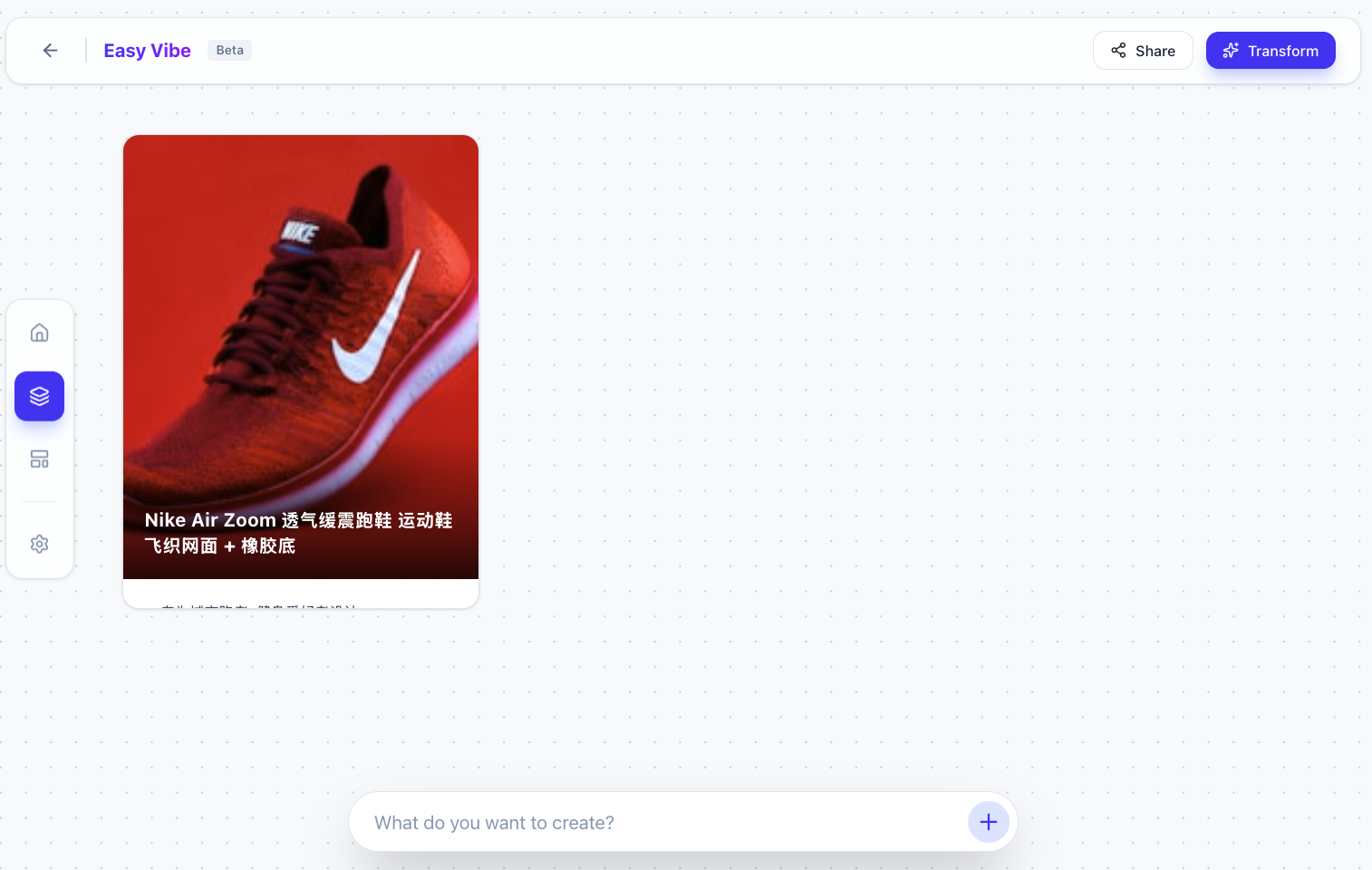
At this point, the result may appear immediately without a simulated generation process. If you want realistic delay/feedback, ask AI:
"Please simulate a real generation process so after clicking, results appear after a short delay."
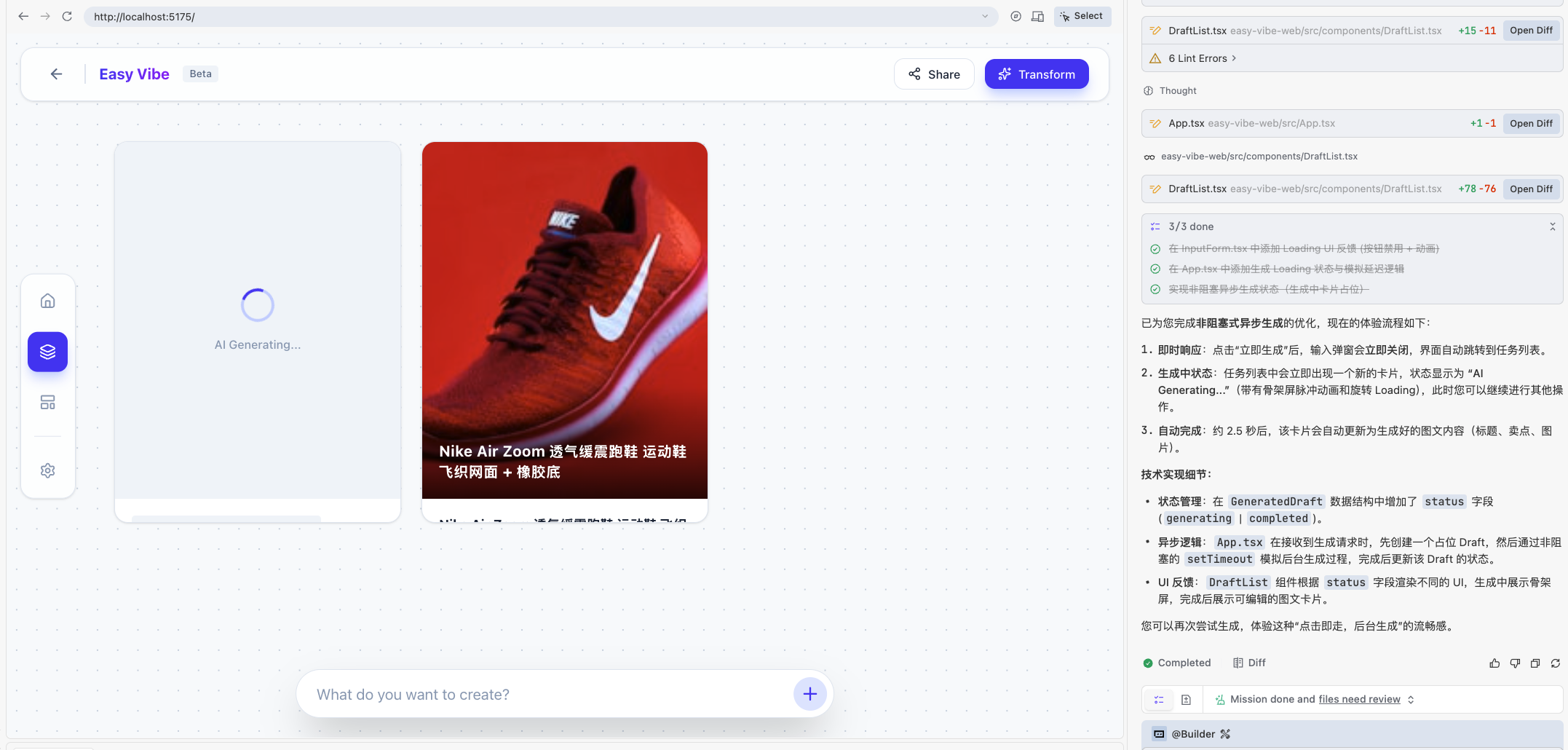
After generation flow works, verify template-library behavior. If the "save template" interaction is missing, ask AI:
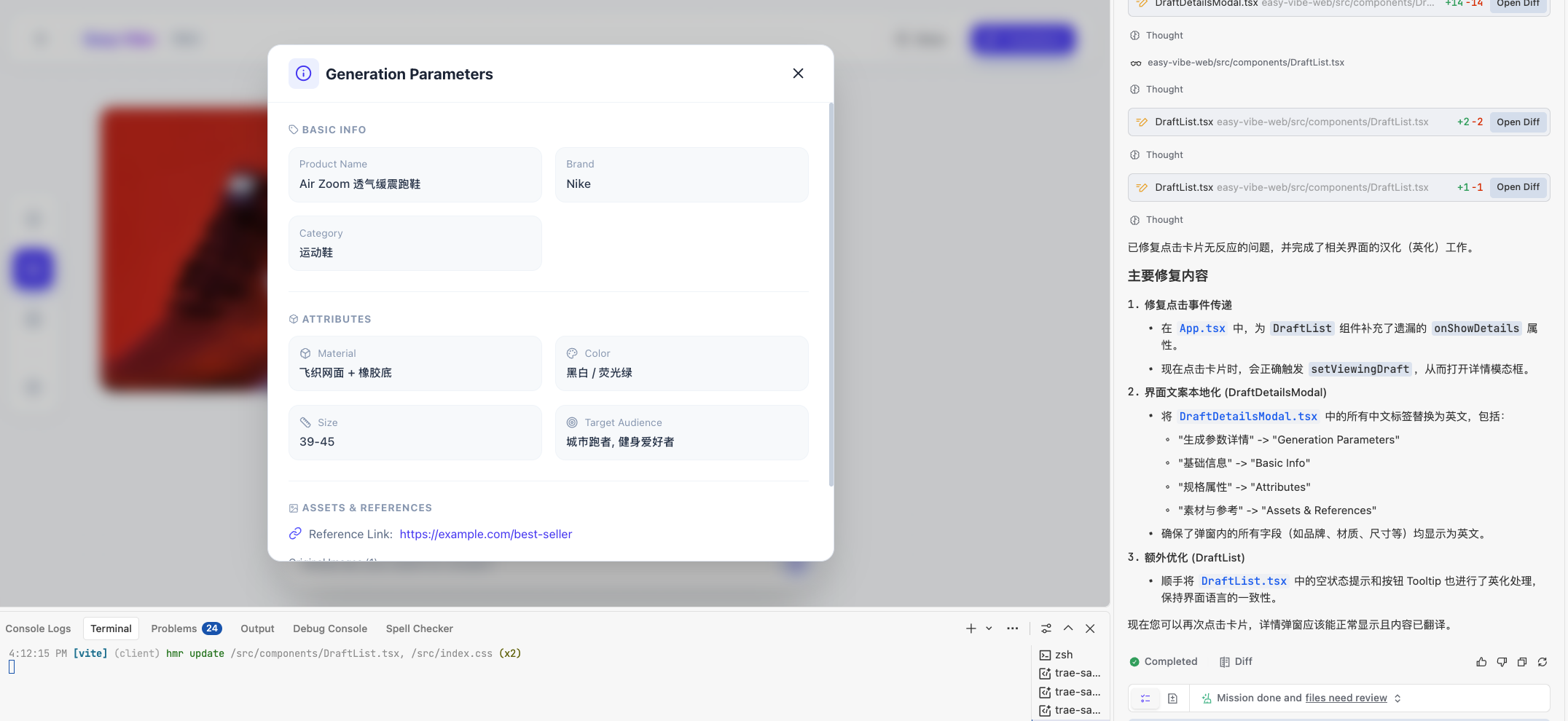
"Please ensure requirement 2 works correctly: I can save a generated result as a template, open it, and view generation parameters."
Generation is usually iterative, and screenshots are often needed for correction:
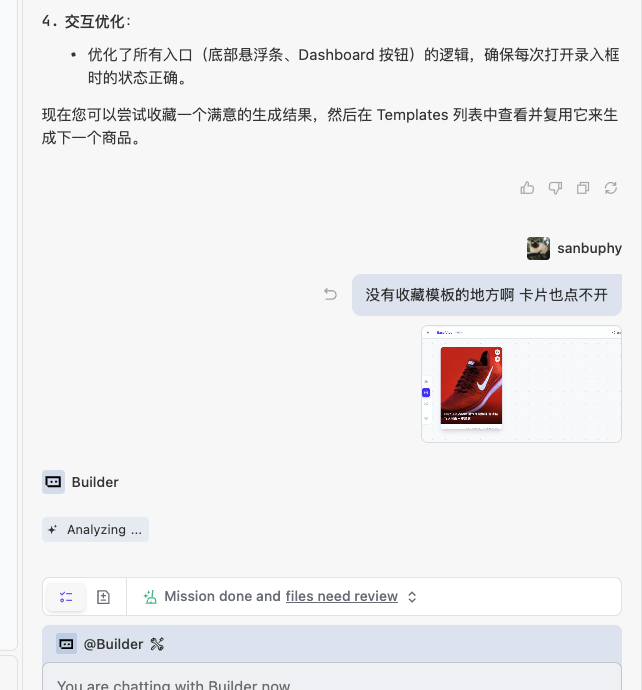
Expected final result:
Besides manual user-flow testing, you can also ask AI to do requirement coverage checks:
- "Compare this app against my original requirement. Are all core features covered?"
- "Give me a checklist: completed, missing, and weak-experience parts."
AI will usually return a checklist. Use it to decide whether to continue iterating. After several rounds, you can get a much stronger prototype.
5. 📚 Assignment: Recreate Your Own Douyin E-commerce Workbench
Follow this chapter's approach and complete one full loop:
- Full-loop practice
- Business requirement prompt generation → single-page prototype generation → multi-page prototype generation
- Share your result
- Take screenshots of your application and share them with everyone
- Thinking question
- Reserve space for next chapter ("Integrating LLM and text-to-image capabilities"). Think in advance: how can your workbench embed AI copywriting, image generation, and script generation?
Next Step
In the next chapter, on top of this content-production workbench, we will integrate concrete AI capabilities (text-to-text, image-to-text, text-to-image), for example:
- Auto-generate first-draft copy and multiple title candidates for a given content task
- Auto-generate visual drafts from task descriptions (text-to-image)
- Auto-classify and summarize historical tasks to help plan the next campaign theme