
Primary 1: AI Era, If You Can Speak, You Can Code
This is a project-based learning tutorial. We encourage you to follow the steps one by one and try to reproduce the results. Don't worry about making mistakes or modifying the content. We always believe you can do it. Please always remember:
Chapter Outline
1. Dilemmas and Opportunities for Ordinary People
Many people have a bunch of product ideas in their heads: a small tool to help manage finances, a webpage to record a child's growth, or even a mini-game. But the thought of having to write code or find a programmer often discourages them directly.
After the emergence of AI, for the first time, ordinary people have a completely new possibility: you don't need to know how to write code, you just need to learn how to clearly tell AI what you want. Data from GitHub Copilot shows that over 15 million developers are using AI-assisted programming, with an average of 46% of code being AI-generated! In Java projects, this proportion can reach 61%.
For ordinary people, this trend is even more significant: if professional programmers are relying heavily on AI to write code, why can't those of us who don't know how to program communicate directly with AI to realize our ideas?
The goal of this course is to help you practice a new skill: building apps through natural language conversations. We will teach you how to communicate with AI using computer language and how to let AI turn the ideas in your head into real, usable products.
2. To What Extent Can AI Help You?
In this section, we only discuss one question: if you completely don't know how to write code, to what extent can today's AI help you?
Roughly speaking, you can understand current LLM capabilities as: competent in developing simple internal tools, data visualization dashboards, and some lightweight mini-games. These are generally sufficient for making tools for personal use or validating requirements from a product manager's perspective. But to generate a commercially mature product with one click, it still typically requires manual, continuous polishing of process design and details.
Next, let's take Snake as an example and see exactly what AI programming can achieve.
2.1 Build a Snake Game in 60 Seconds
First, please open the experimental site used in the course, z.ai. z.ai is an AI platform developed by Zhipu AI (one of China's leading LLM companies), powered by their proprietary GLM models. This platform includes various features, such as slideshow generation, poster design, and full-stack development. In this tutorial, we will focus on its full-stack development module.
💡 What is the "programming right on the web" paradigm?
In the past, developing a web app required:
- Installing programming environments (Node.js, Python, etc.)
- Configuring code editors
- Learning HTML/CSS/JavaScript
- Dealing with dependencies and errors
Now, with AI coding platforms, you only need to:
- Open your browser and visit the site
- Describe your desired features in natural language
- Have AI instantly generate the code and let you preview the result live
This "conversation as programming" paradigm changes coding from "writing instructions" to "describing requirements". You don't need to care about low-level technical details; just clearly state what you want. This is the new programming paradigm of the AI era—Vibe Coding.
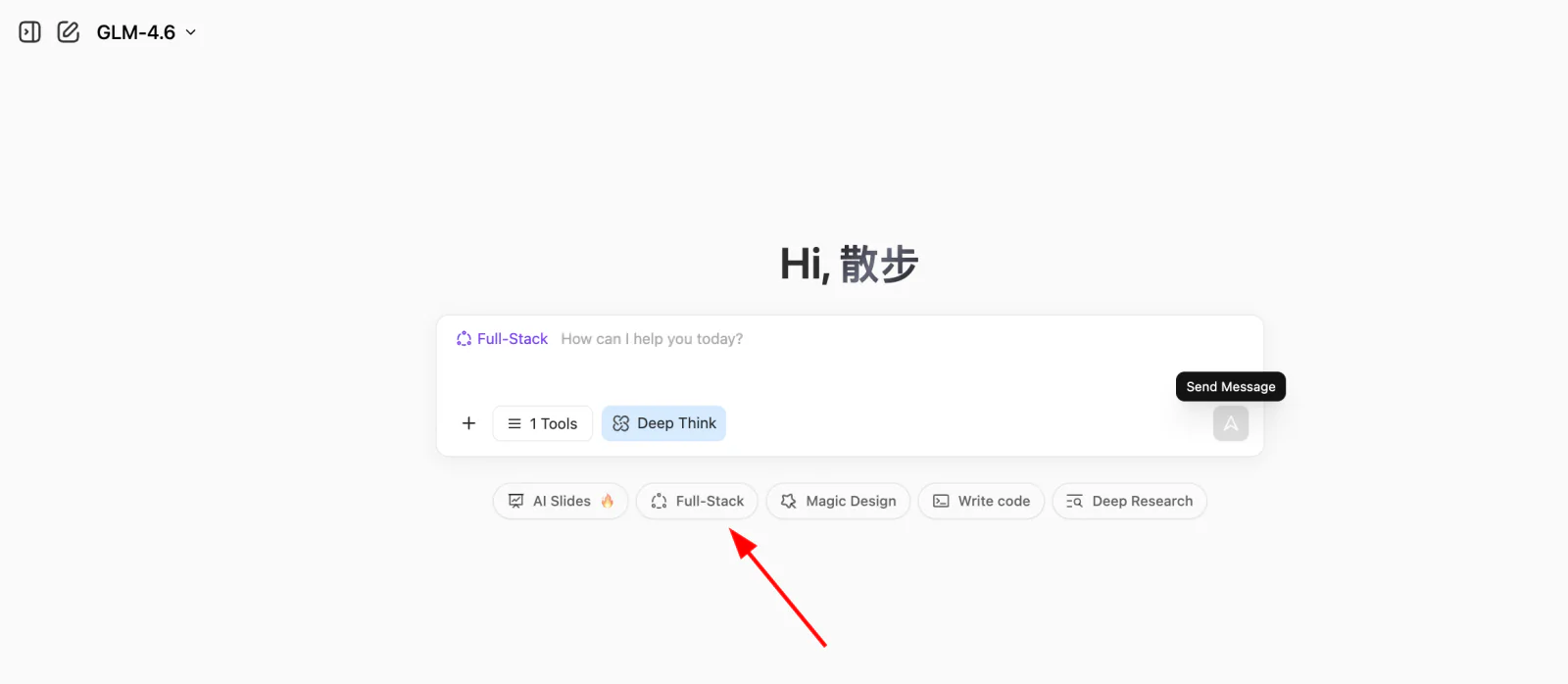
Input our simple requirement and click the Full-stack Development button. You can watch the webpage being built in real time. Usually, it takes just the time to brew a coffee!
Help me create a Snake game:
1. Control snake movement with arrow keys
2. When it eats food, it gets longer and the score increases
3. Hitting walls or itself results in Game Over
4. Include Start and Restart buttons
5. The UI should be clean and elegant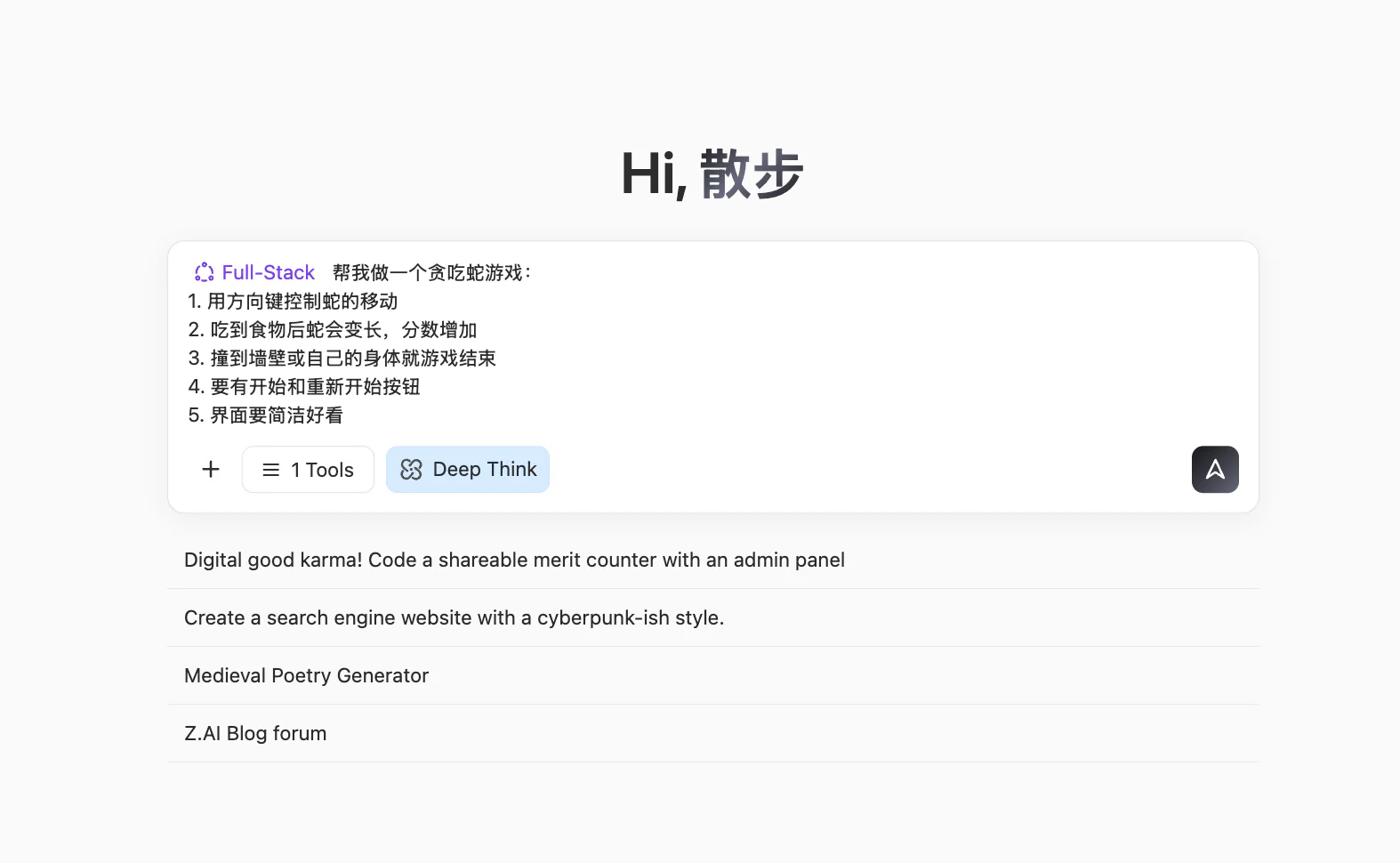
Once generated, you will see a browsable webpage UI on the right. Scroll around or click the 🧭 button at the top to view it in full screen.
The buttons at the top from left to right are: Arrow button expands chat history, Pencil button to start a new chat, Refresh icon to rebuild the page, Compass icon to toggle fullscreen, Download button to download the project, <> button to view code, and Publish button to publish it.
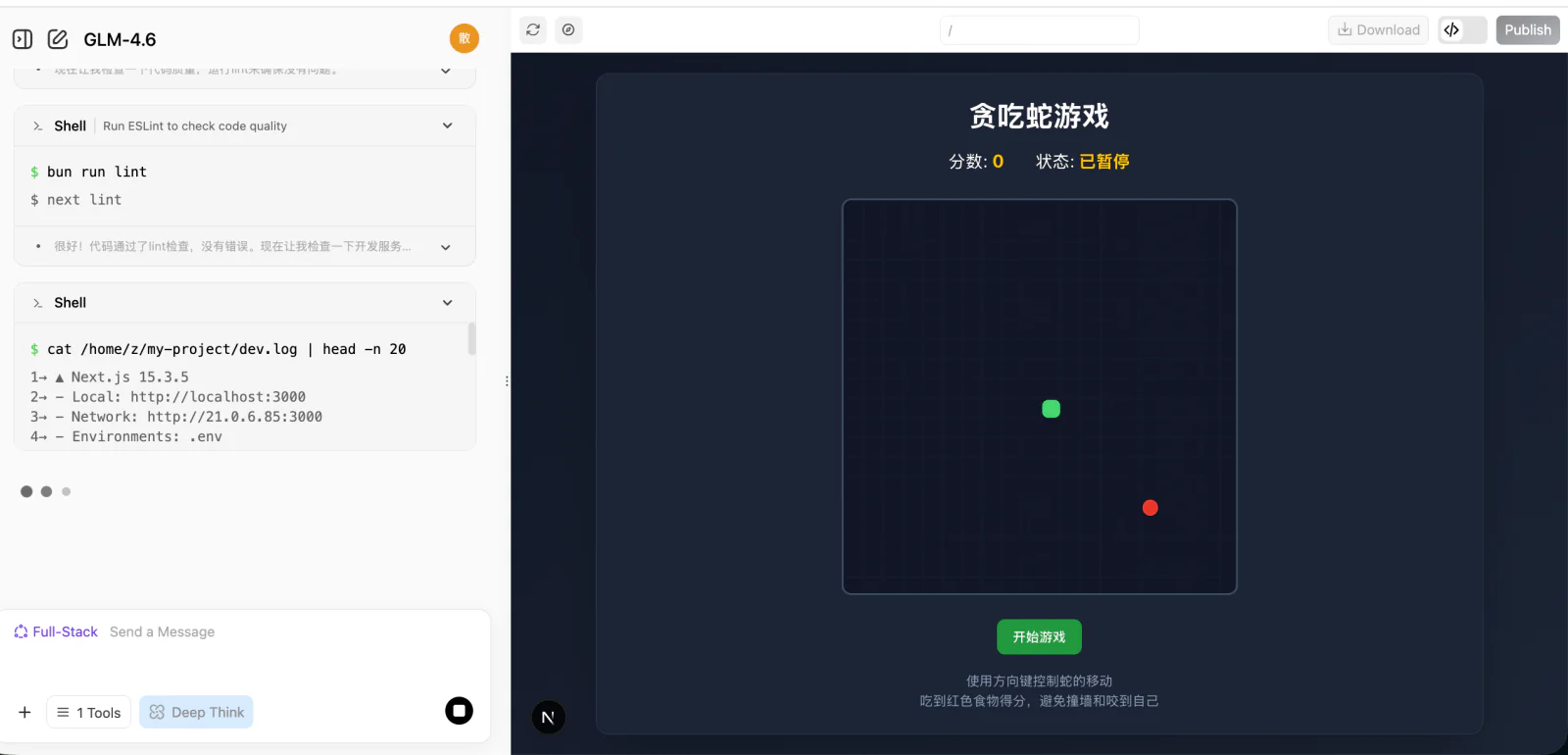
If you'd like to check the webpage's source code, click the code icon in the top right to view the entire codebase.

🌐 Explore More AI Programming Tools
Besides z.ai, we also recommend trying out these excellent AI programming platforms:
| Tool | Link | Features |
|---|---|---|
| Kimi Code | kimi.com/code/console | Moonshot AI's AI coding assistant, offering a terminal-based Kimi Code CLI and a VS Code extension, powered by the code-specialized Kimi K2.7 Code model, and compatible with Claude Code, Roo Code, and other tools |
| Google AI Studio (Recommended) | aistudio.google.com/apps | Official tool from Google, powered by Gemini, great for rapid prototyping |
| Figma Make | figma.com/make | Deeply integrated with design tools, ideal for interactive prototypes |
| Coze | coze.com | AI bot platform by ByteDance, zero-code visual building |
| v0.dev | v0.dev | AI generation for React components from Vercel |
| Bolt.new | bolt.new | AI full-stack development capable of generating deployed apps |
| Lovable | lovable.dev | High-quality React app generation |
| Replit Agent | replit.com | Online IDE integrated with AI |
For more comparisons, view the appendix: Comparison of 7 AI Programming Tools
2.2 What Conversational Programming Can and Cannot Do
This section focuses on a specific question: When relying exclusively on conversational AI and writing no code at all, how far can you push a project? In terms of experience, a fairly consistent conclusion is: It can help you complete a "small but complete" thing, but determining "how much is enough" still requires your personal decision on every detailed step.
Excels at "Small and Clear" Apps
From the Snake game example, you already saw a typical pattern: As long as you can clearly describe the UI and interaction, AI can often piece together a fully functional, clickable webpage in just a few rounds of conversations.
Such tasks often share a few characteristics:
- Clear scope: one page, a simple internal tool, a small game mechanic.
- Visible results: you immediately see if it works as expected.
- Direct debugging: you can point out errors and ask for corrections easily.
Within these boundaries, you can view the AI as a highly capable "junior assistant".
AI's success rate in handling small-scale tasks:
Large Projects Require a "Process Perspective"
Once it exceeds the small and clear scope, relying purely on conversational requests to build complex systems end-to-end will quickly hit ceilings. Large projects deal with backend databases, third-party services, authentication, permissions, edge cases, state management, etc.
In these situations, the logical approach is to define a clear process flowchart and break it into segments to be handled individually.
The Difference Between Generating and Validating
Just because AI wrote it doesn't mean it's ready for a commercial launch! Always validate AI-generated code, especially in secure systems.
⚠️ Usage Guidelines
- Prototypes/Tools/Demos: Highly suitable for early stage builds iterations.
- Large consumer-facing products: Usually needs developers for architecture.
- High-security systems: Not suitable to deploy immediately. Needs stringent checks.
3. Hands-on: Your First AI Native Application
Let's do some hands-on work. We'll add some native AI integration elements into our game.
3.1 AI-Native Snake
You can simply provide these prompts:
💡 Example Prompt: Build me a Snake game.
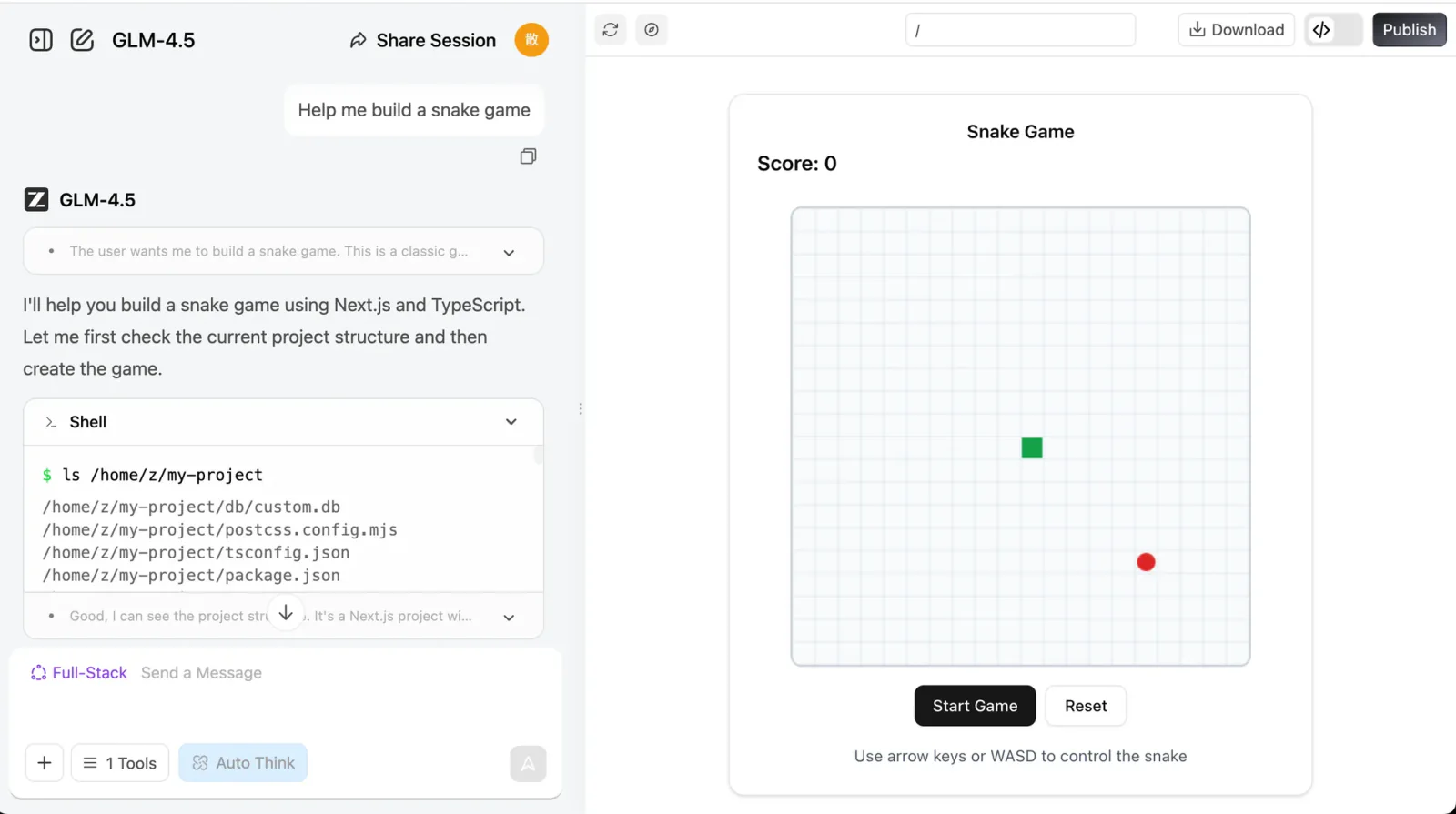
💡 Example Prompt: Build me a Snake game that supports:
- Eating different words and placing them in a collection box.
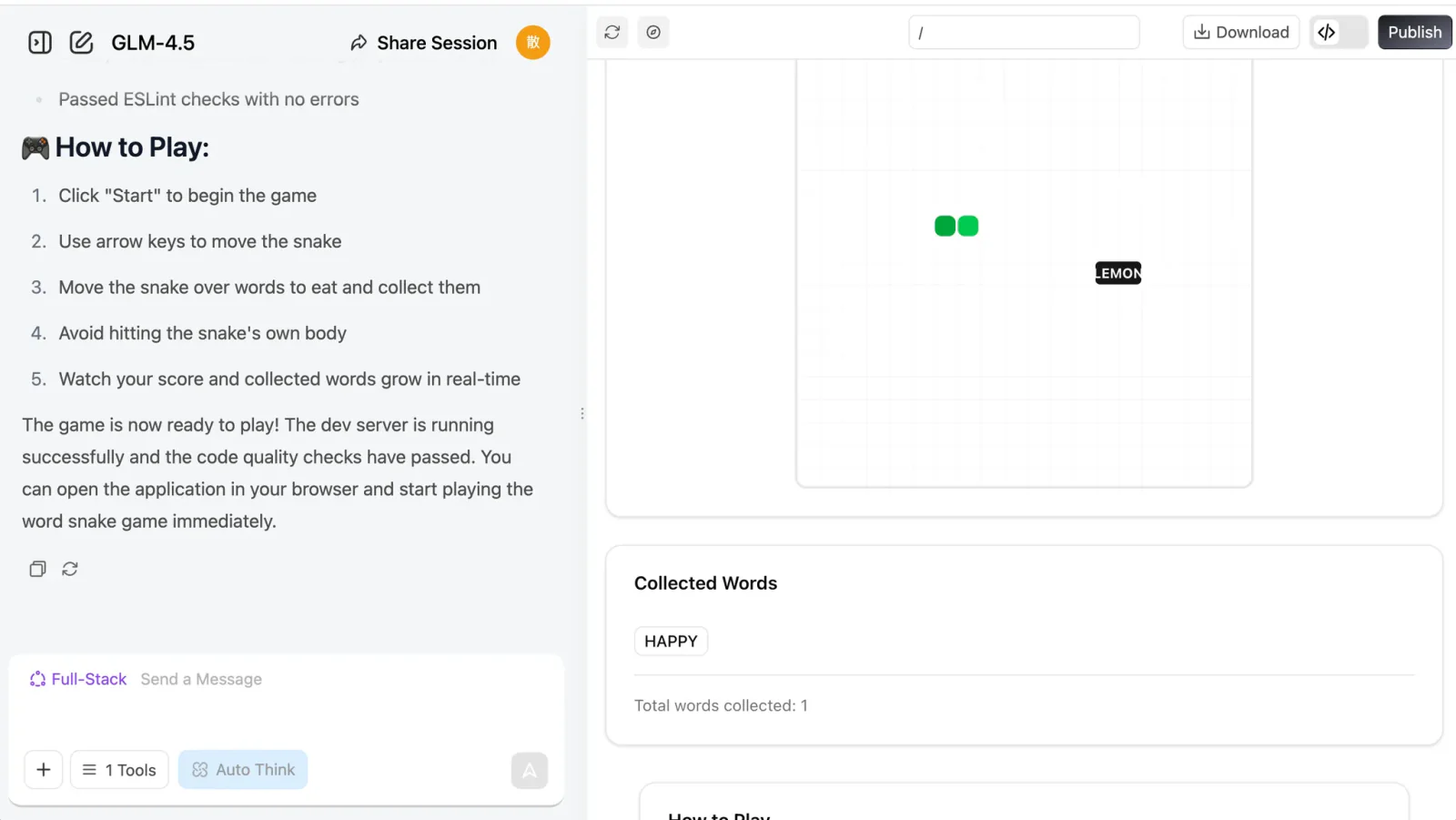
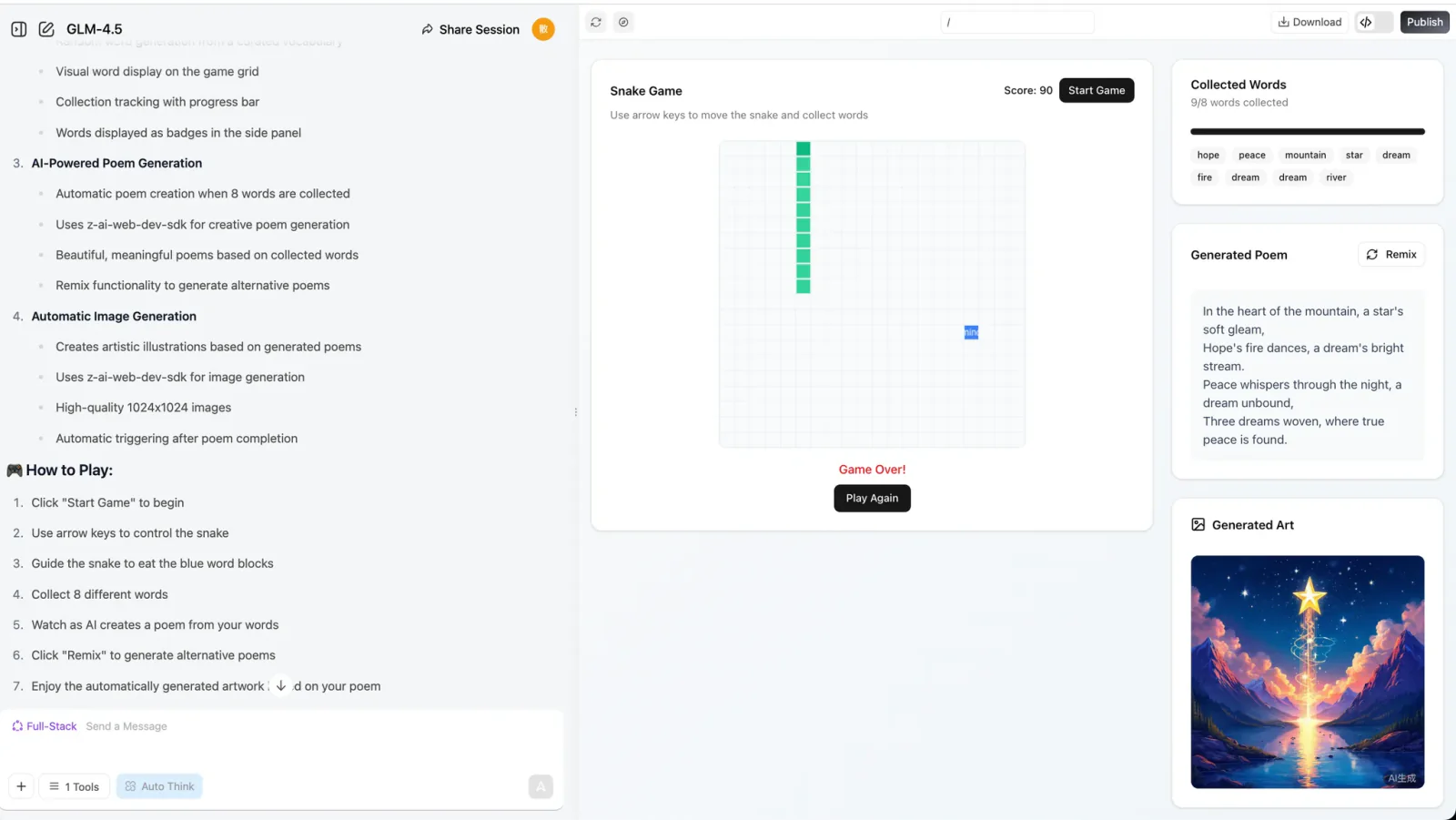
💡 Example Prompt: Build a Snake game that supports:
- I can eat distinct words, collected in a box.
- When eating 8 words, the LLM generates a poem using them.
- An image generation API is called right after the poem is composed.
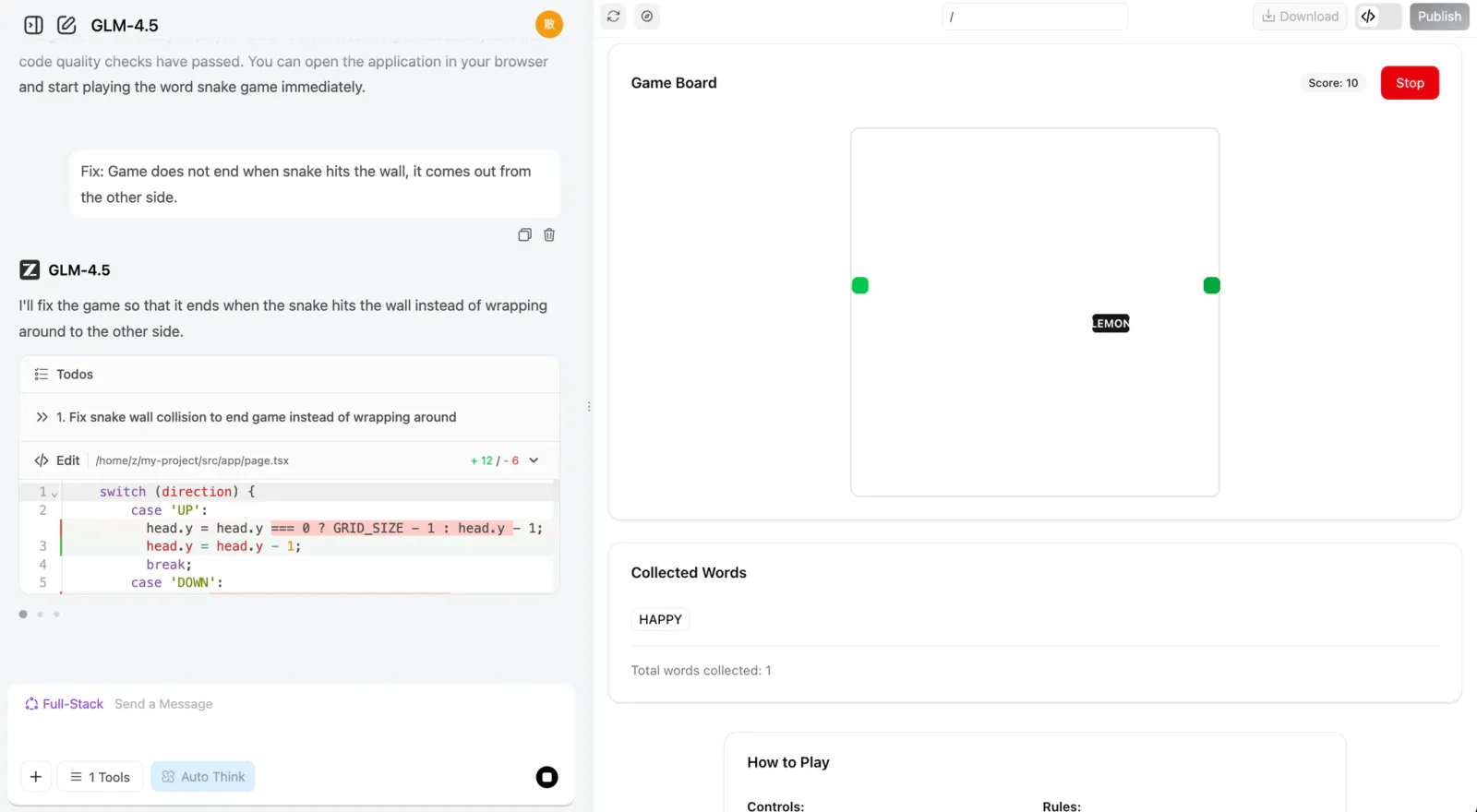
If you face any issues, just screenshot the error or tell the bot what's wrong and it will iterate the changes.
3.2 Add New Features to the Game
After completing the basic functionality, we can try adding some new twists to our program! If you find the process of the snake eating words or characters a bit boring, you can have the snake eat words of different colors and change the snake's color accordingly.
You can also add special effects to the "eating" process, or introduce magic words that trigger special effects—like increasing the snake's speed or size. Another idea is to have the model generate a poem and an image every time the snake eats a word, instead of waiting until it eats eight.
If these feel challenging, you can ask the language model directly for help! It can provide creative suggestions to make your game more fun. Give it a try!
1. "Word Unlocks World" Mechanic
   Feature: After the snake eats a word, the image model instantly generates a small artwork for that word, gradually piecing together a unique panorama created by the player—painting and "writing poetry" as you play.

2. "Poetry Puzzle" Gameplay
   Feature: Each word the snake eats triggers the LLM to generate a line of poetry and the image model to generate an illustration, which combine like puzzle pieces into an AI-collaborative poem and painting at the end of the round.

3. "Magic Words" & "Story Branches"
   Feature: Eating magic words like "wind", "night", or "dream" makes the LLM change the scene's theme, switching the image style to nighttime, stormy, or dreamlike atmospheres; the different words the player eats also keep the AI-generated story evolving.

4. "Real-time Interactive Generation"
   Feature: Each word eaten makes the LLM generate a line of dialogue or description, so NPCs in the game can "speak" and the environment changes accordingly; the snake's appearance and obstacles also change based on the words eaten.

5. "Sentence Snake" Challenge
   Feature: Reverse mode—the LLM gives a line of poetry or a riddle, and the player guides the snake to eat words in order to reconstruct the sentence; eating the wrong word triggers the image model to generate funny, artistic consequences.

6. "Themed Levels" & "Style Selection"
   Feature: At the start of the game, the player chooses a theme (e.g., "fairy tale", "sci-fi", "Tang poetry"), and the LLM and image model adjust the words, poetic style, and visuals to match, making every run feel fresh.

7. "Live Co-creation"
   Feature: When a special word is eaten, the LLM prompts the player to input a phrase or choose a style, then generates matching verses and illustrations, making it a true human-AI co-creation.

8. "A Growing Story"
   Feature: As the snake keeps growing, the LLM continues writing the story-poem, and the image model generates a long panoramic scroll, letting the player experience "writing, painting, and playing" all at once.
Additionally, we can also ask the LLM to generate project-level prompts for you directly. In the previous section, we only wrote the Snake game prompt ourselves. Now let's try having the LLM generate a prompt with an overall framework and implementation path (you can generate it directly with z.ai).
If you want to learn how to write better prompts, check out the Prompt Engineering Appendix.
I want AI to generate a web-based Snake game and need a more complete prompt to make the result more impressive and fun. Please generate the corresponding prompt. The current goal is: generate a Snake game that implements the function of eating different words to generate poetry, and should include an image generation module.
z.ai's response will look like this:
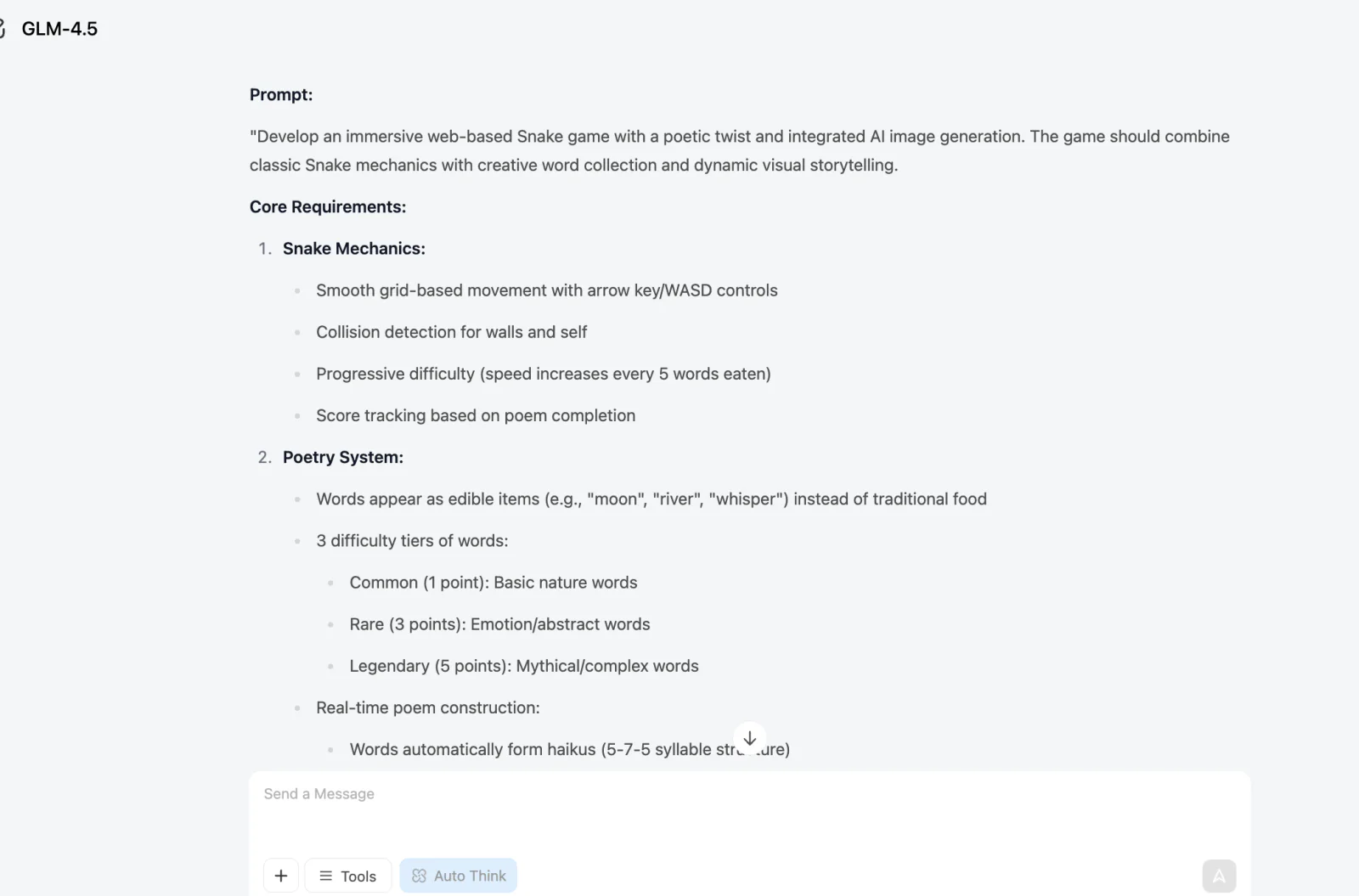
We can use this prompt to regenerate the project in full-stack development mode:
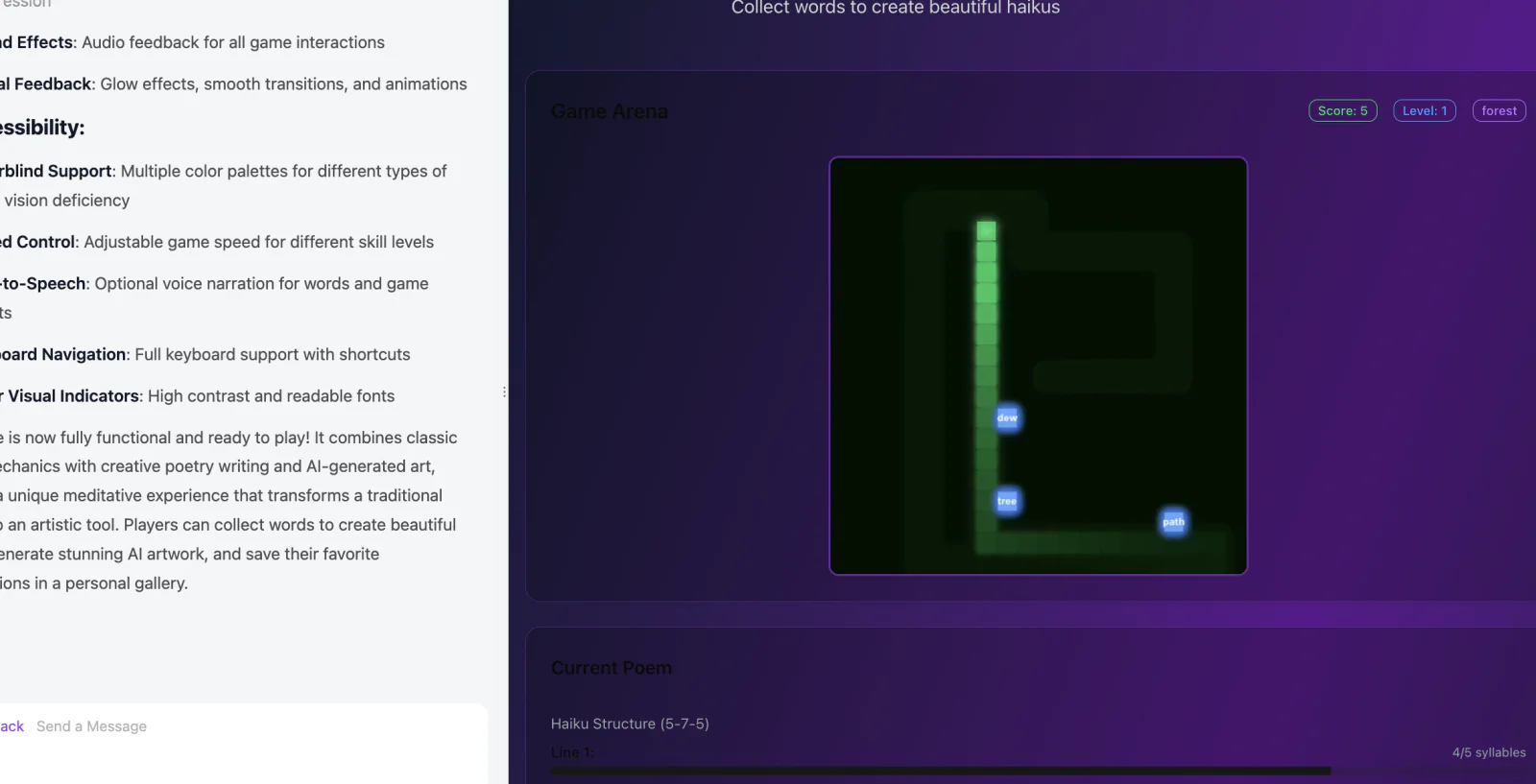
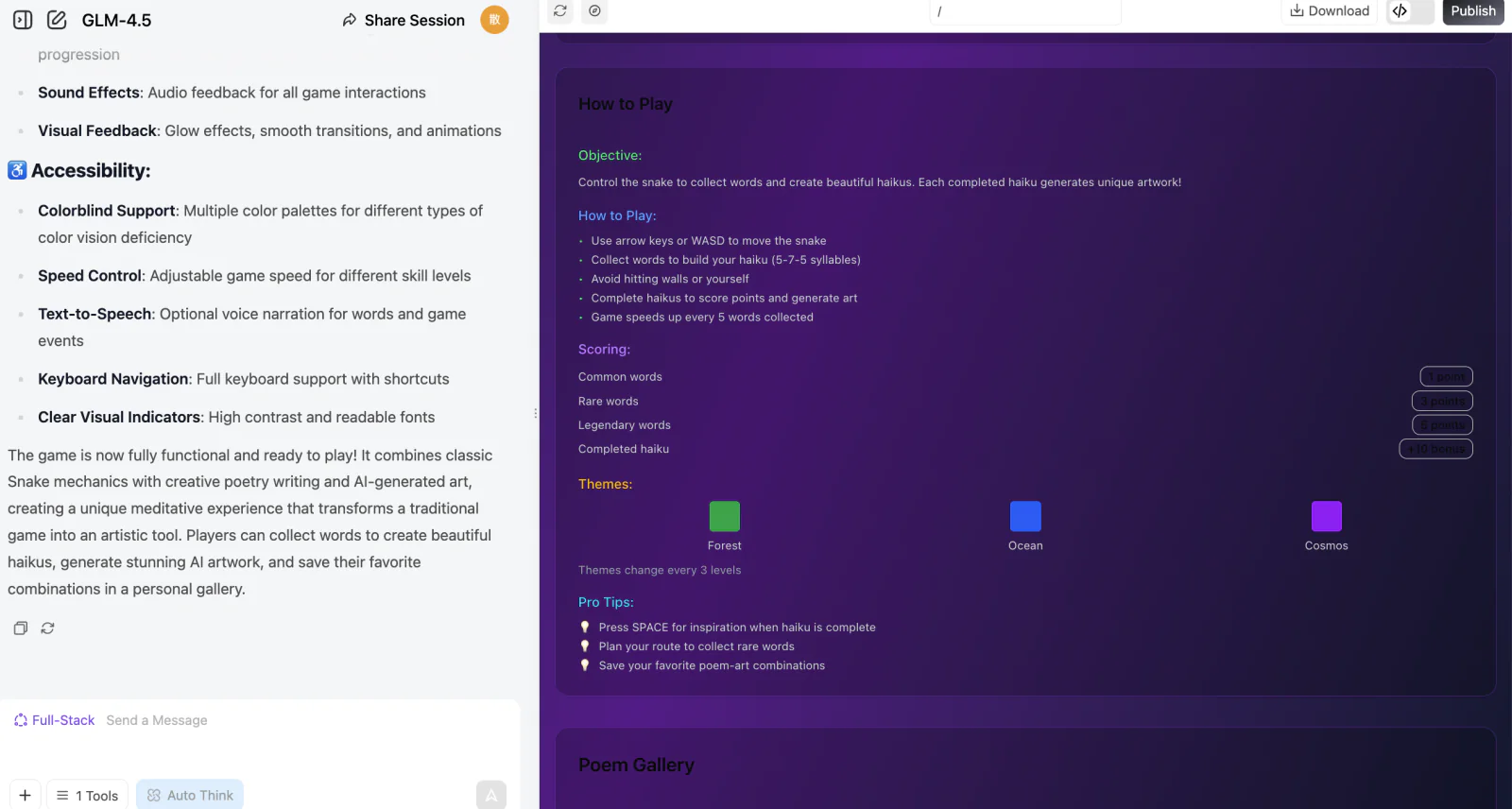
3.3 Try Making Other Mini-Games
Beyond Snake, we can let our imagination run wild.
Create anything we want to create, and even try to mess everything up! Then start over!
- AI Art Gallery Platform: Help me build an online gallery where users can upload, browse, like, and comment on AI-generated artworks, with category-based browsing.
- Retro Game Archive: Help me build a website paying tribute to classic games, featuring game history, gameplay guides, and a few classic retro mini-games that can be played online directly.
- Sustainable Living Tracker: Help me build a carbon footprint tracker where users fill in their daily activities to get an automatic carbon emission estimate, along with eco tips and weekly challenges.
- Virtual Kitchen Assistant: Help me build an AI cooking assistant where users enter the ingredients they have at home and get recipe recommendations with step-by-step cooking instructions.
- Underground Music Discovery Platform: Help me build a music streaming website that highlights indie and emerging artists, supporting playlist creation and community comments.
- Minimalist Task Management System: Help me build a minimalist task management tool that supports creating tasks, setting priorities, drag-and-drop sorting, and viewing completion progress.
- Sci-Fi Writing Workshop: Help me build a sci-fi writing platform that provides world-building templates, character profile cards, and story outline tools to help authors build their settings.
- Personal Knowledge Graph: Help me build a visual note-taking tool that turns scattered ideas into nodes and connects related content into a knowledge web.
- Virtual Botanical Garden: Help me build a plant encyclopedia website featuring illustrated profiles of various plants, where users can also plant their own virtual plants and watch them grow.
- Programming Challenge Arena: Help me build an online programming contest platform with algorithm problems of different difficulty levels, an online code editor, automatic judging, and leaderboards.
And... if you enjoy playing games, let's try creating games together!
- 3D Open World RPG: Help me build a freely explorable 3D open-world game with a day-night cycle, dynamic weather, quest systems, and character growth.
- First-Person Shooter (FPS) Arena: Help me build a fast-paced multiplayer FPS game supporting team deathmatch, capture the flag, multiple game modes, and multiple maps.
- AI Chess and Multiplayer: Help me build a chess platform where I can play against AI at different difficulty levels and also match with real players online.
- Mahjong Online Multiplayer: Help me build a traditional Mahjong game that supports multiple rule sets, private rooms, and automatic scoring.
- Turn-Based Strategy Game: Help me build a grid-map-based turn-based strategy game with unit movement, attacking, upgrading, and fog of war.
- Time Trial Racing Game: Help me build a 3D racing game focused on time trial gameplay, supporting multiple tracks, car customization, and ghost replays.
- Card Battle Game (Deck Building): Help me build a card battle game where players can collect cards, freely build decks, and compete in ranked matches.
- Battle Royale (Top-Down 2D): Help me build a top-down 2D battle royale game with a shrinking zone, random loot, and solo/squad modes.
- Horror Survival Game (First-Person): Help me build a first-person horror survival game focused on resource management, sneaking past enemies, and finding a way to escape.
- Music Rhythm Game (3D): Help me build a 3D music rhythm game where notes fly in from a distance to the beat of the music and players hit them at the right moment to score.
3.4 Curated Cases from Around the Web: What Others Have Built with AI
At this point, you might still be thinking: Snake is just an introductory example—can AI really build more complex games?
The answer is yes. Below are 8 curated real-world cases from across the web—from collections of classic arcade games and 2048-style puzzles, to recreations of Minecraft and Super Mario, and even a 3D game and an official game platform made by the Chinese LLM Kimi. Some of these developers are professional programmers, while others had zero programming experience at all, but they all share one thing in common: they had AI write most of the code through conversation.
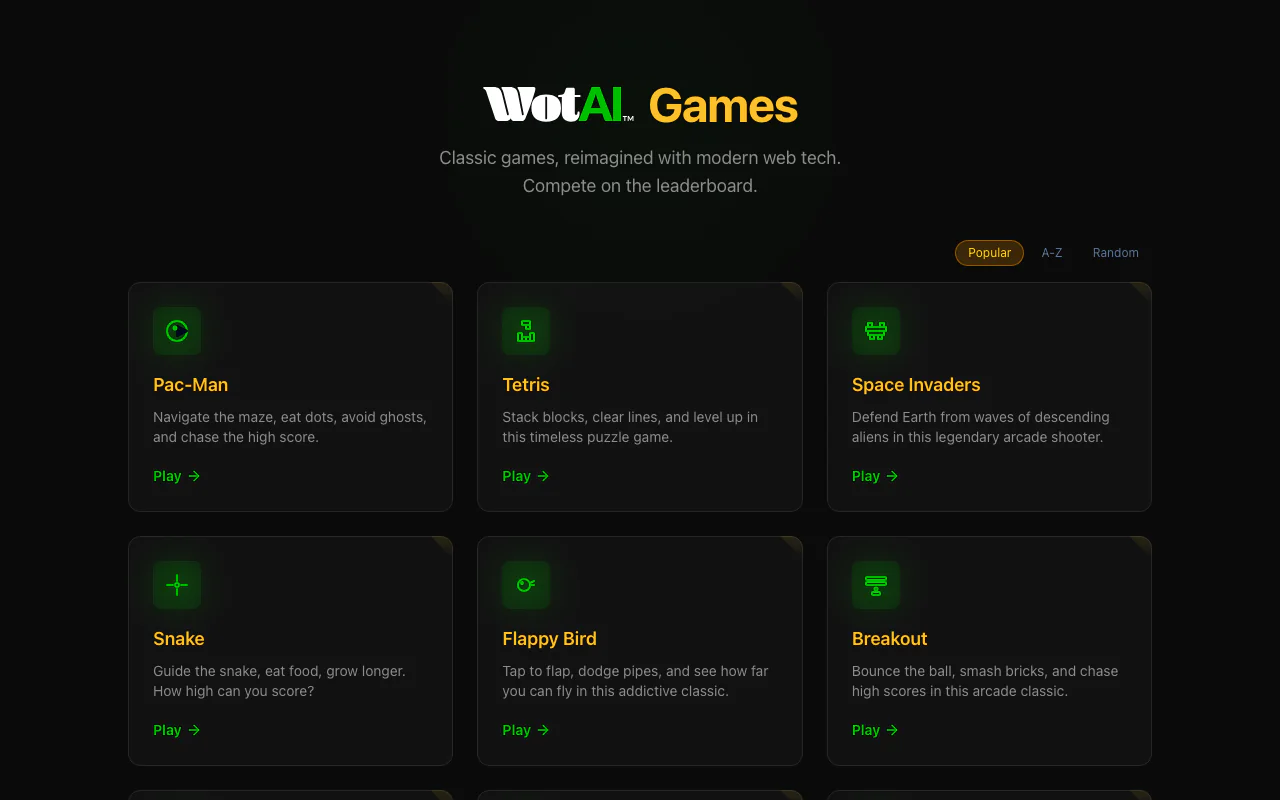
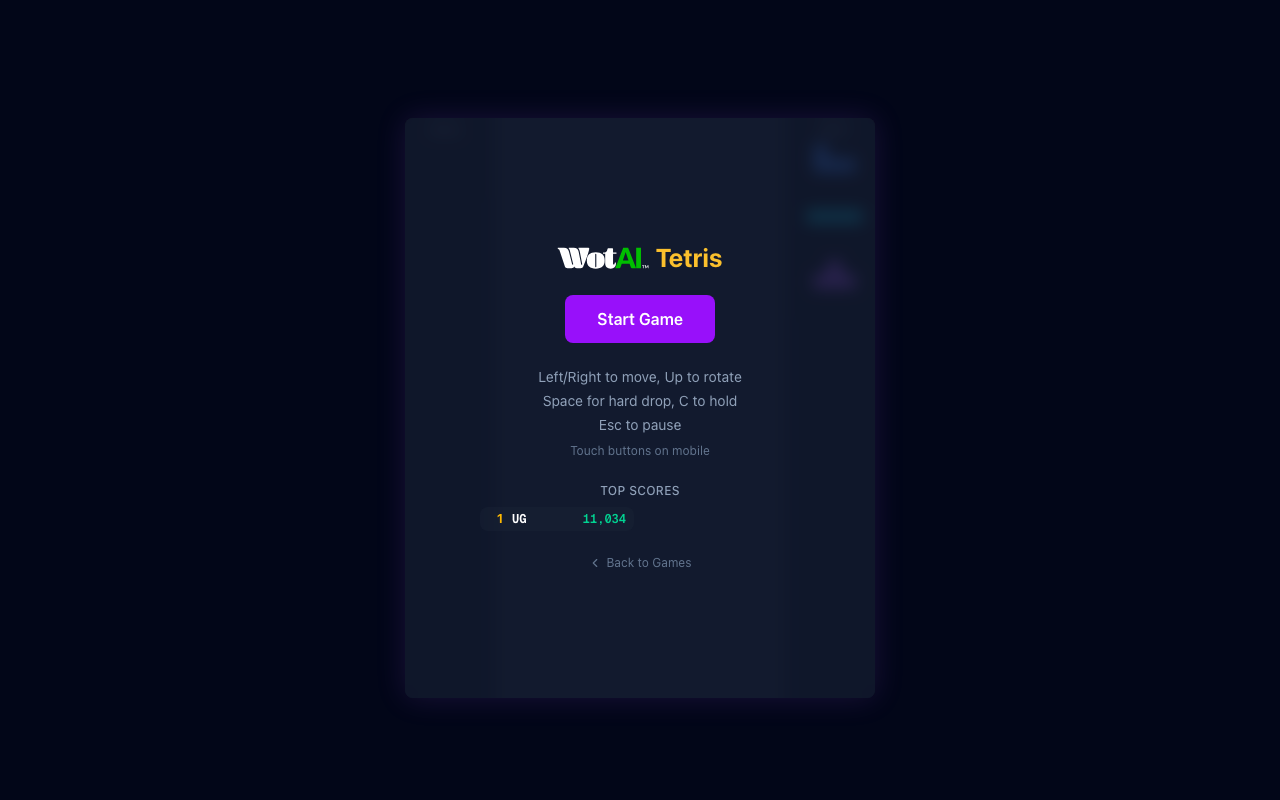
🕹️ Case 1: 10 Classic Arcade Games Recreated in an Afternoon (WotAI Games)
WotAI Games is a collection of browser games built entirely from scratch with Claude Code (Vibe Coding), without using any game engine. Through conversation, they had AI recreate 10 classic arcade games in one go: Pac-Man, Tetris, Space Invaders, Snake, Flappy Bird, Breakout, Galaxian, Frogger, Doodle Jump, and Sudoku. Each one can be played online directly, and it even comes with a built-in leaderboard system.
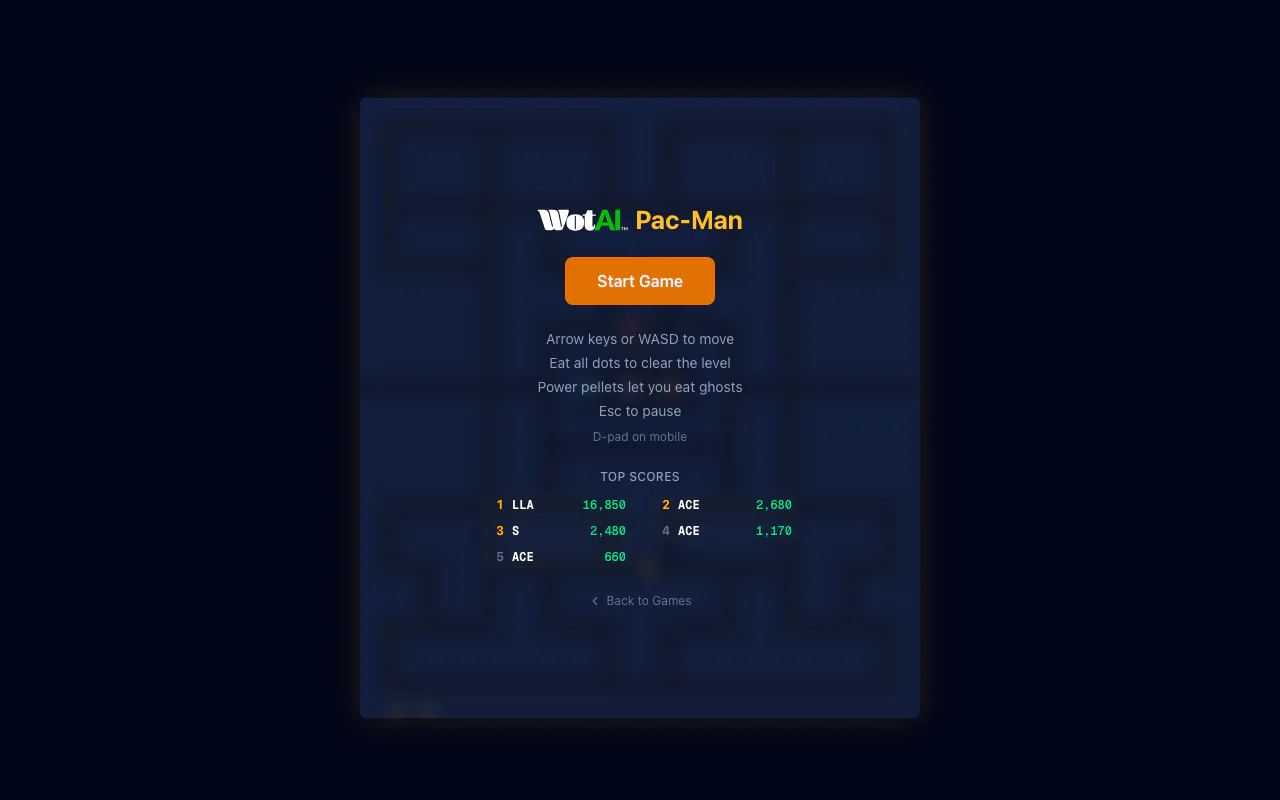
🔗 Play online: games.wotai.co | Dev retrospective: We vibe coded 10 classic arcade games with Claude Code
🌸 Case 2: A Complete Beginner Made a 2048-Style Game in 2 Hours (Blooming Garden)
Japanese developer in0ho1no, who knew absolutely nothing about programming, used Claude through pure conversation (Vibe Coding) to build the 2048-style "flower garden" game Blooming Garden in about 2 hours: merging identical plants to upgrade them, gorgeous blooming effects, particle animations, leaderboards, sound effects, mobile adaptation... All of these features were completed through natural language conversation, without writing a single line of code by hand.
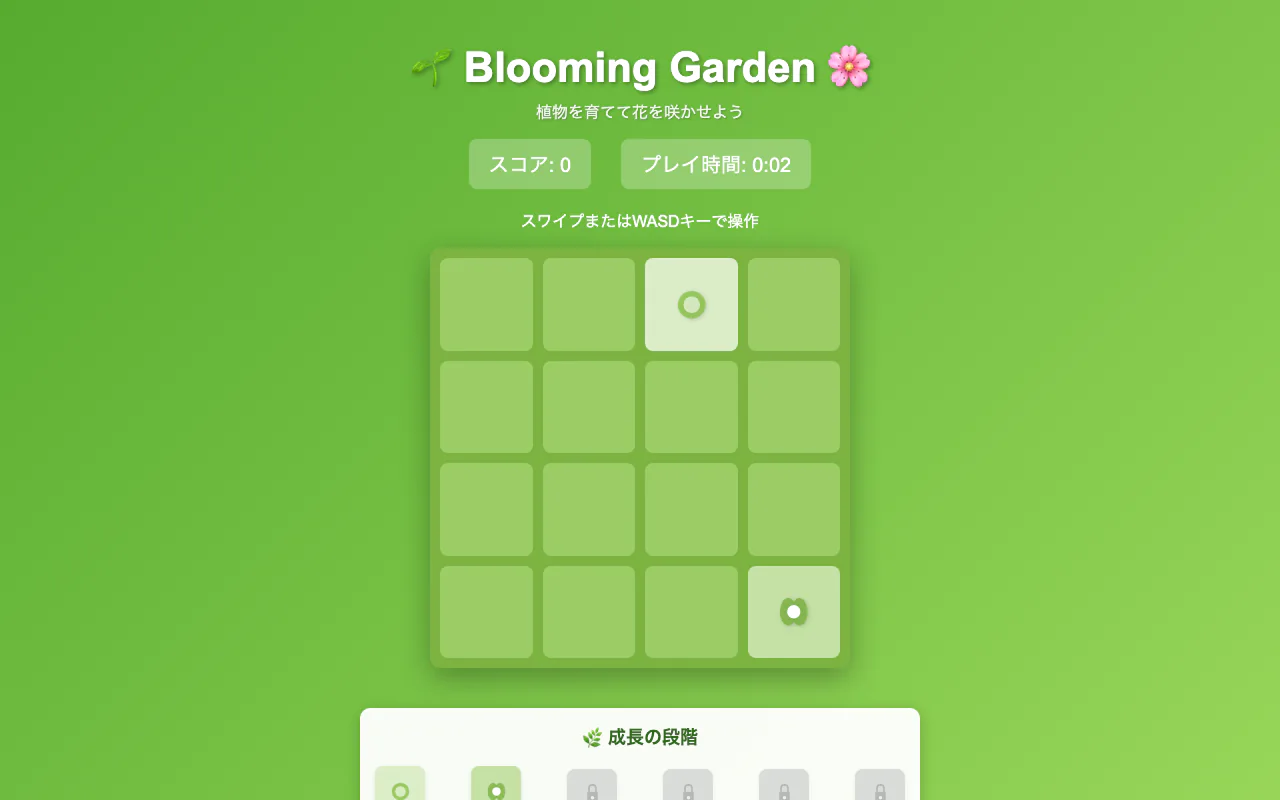
🔗 Play online: in0ho1no.github.io/2025-adhoc-blooming-garden | Source code: github.com/in0ho1no/2025-adhoc-blooming-garden
🌍 Case 3: A Designer Used AI to Build a 3D Online Multiplayer Game (Planet Jumper)
Designer Ricardo de Zoete (Hammy) used OpenAI's AI through pure conversation (Vibe Coding) on top of three.js to build Planet Jumper—a 3D multiplayer platformer: run, dash, and jump across the surface of a small spherical planet, competing online against strangers in the same arena. Systems that are far from simple—spherical gravity, networked synchronization, and jump feel—were all "chatted" into existence with prompts.
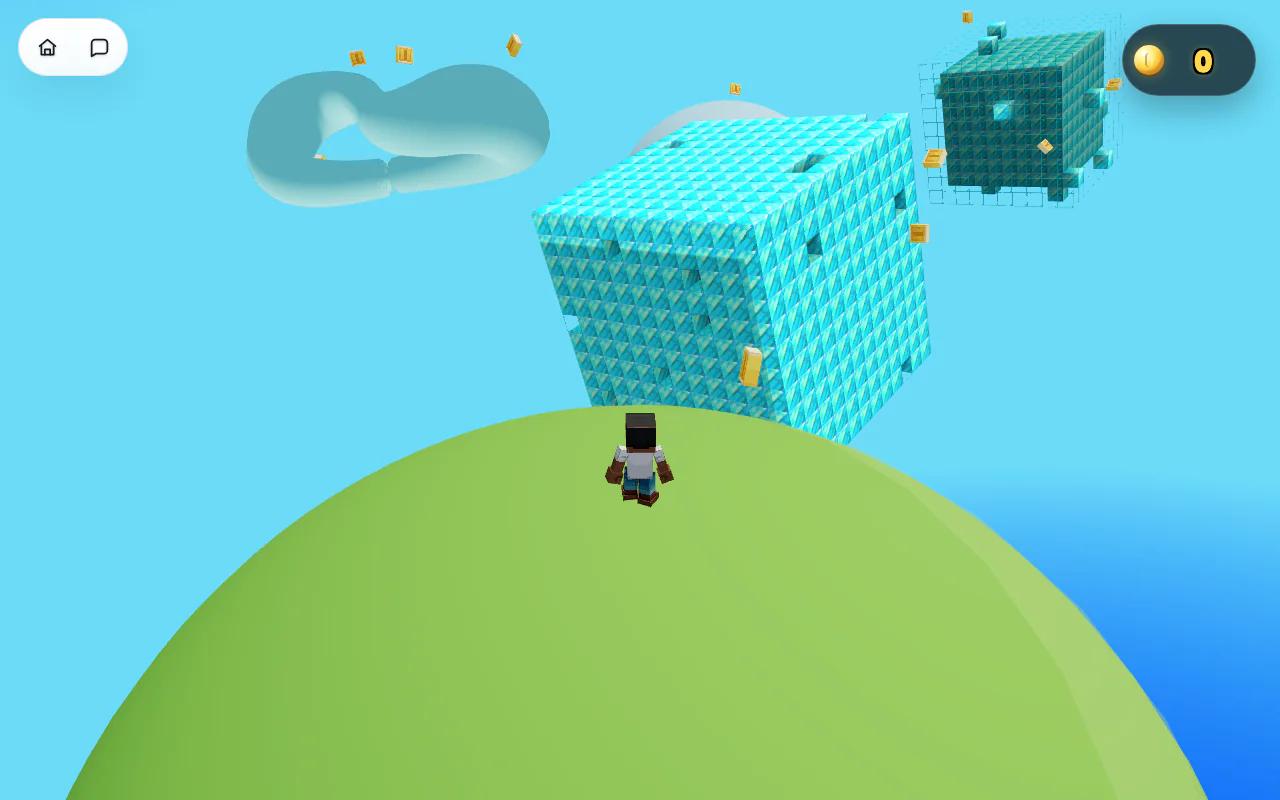
🔗 Play online: gamesbyhammy.cloud/play/planetjumper | Detailed write-up: Planet Jumper: A Vibe-Coded Three.js Multiplayer Platformer
🎮 Case 4: One Person Built 100 Browser Games with Vibe Coding (2026)
In July 2026, Chinese community developer wangzifan396-wzf open-sourced mini-browser-games—100 browser mini-games built and continuously polished by one person with Vibe Coding, all as zero-dependency single HTML files that run with a double-click. The gameplay spans action, strategy, tower defense, management, card games, physics, deduction, racing, rhythm, board games, and puzzle genres, and quite a few of them have already reached full product-level depth with multi-chapter campaigns, progression systems, and save-code cross-device sync. The entire project is open-sourced under the MIT license, and the online catalog lets you start playing right away.


🔗 Online catalog: wangzifan396-wzf.github.io/mini-browser-games | Source code: github.com/wangzifan396-wzf/mini-browser-games | Creation retrospective: I Built 100 Browser Games with Vibe Coding and Open-Sourced All of Them
⛏️ Case 5: A Minecraft Remake Made for the Creator's Nephews (CraftMine, 2026)
In February 2026, developer Trent Sterling wanted to let his nephews play Minecraft, but they didn't own the official game, so he simply opened a blank HTML file and used Claude Code through pure conversation to build CraftMine—a 6,820-line, single-file web-based Minecraft remake: 46 block types (plus 21 DOOM hell-themed blocks), 36 creatures (from chickens to a Titan boss with 300 HP), 19 weapons (including the BFG 9000), 5 biomes, a day-night cycle, and even P2P multiplayer. There's no build step—open the webpage and play.
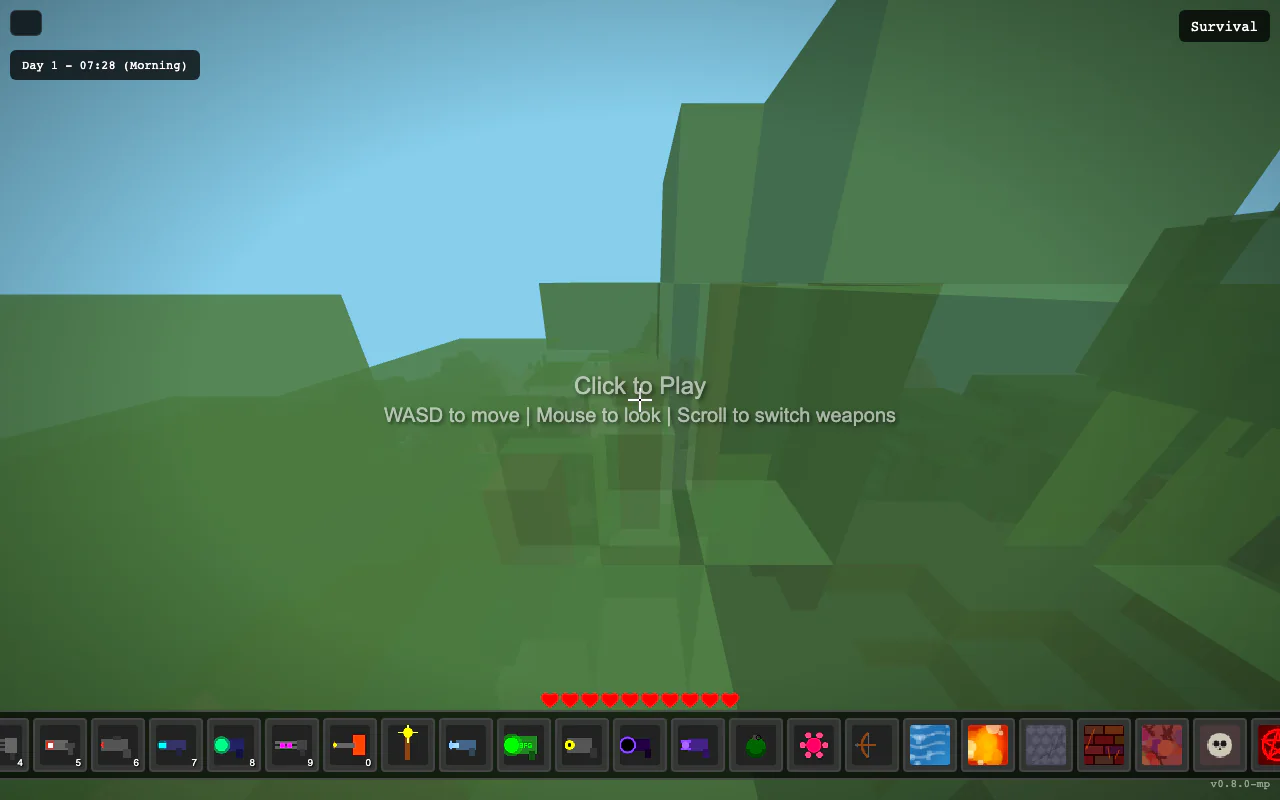
🔗 Play online: tront.xyz/craftmine | Dev retrospective: CraftMine: A 6,820-line vibe-coded Minecraft clone in one HTML file
🍄 Case 6: A Super Mario with AI-Generated Infinite Levels in Real Time (2026)
In March 2026, a developer combined an open-source version of Super Mario with OpenAI's models to build AI Super Mario: you can play the classic original levels, or let AI generate new levels in real time—in "Infinite Mode", AI dynamically generates brand-new scenes and enemies as you advance, and in testing it could be played continuously for 45 minutes. You can even type text directly in the game to ask AI to add enemies, place platforms, or change the theme.


🔗 Play online: supermario.leanmcp.live | Detailed write-up: OpenAI and Idiomorph Power Infinite Mario Level Generation in Browser
🇨🇳 Case 7: One Prompt Made the Chinese LLM Kimi K3 Build a 3D Game (2026)
In July 2026, developer Dr. Josh Simmons sent just one prompt to the Chinese LLM Kimi K3, and it built a playable first-person 3D game: collect data cores in a procedurally generated server facility, dodge patrolling drones, and take a freight elevator down three floors. The entire game was playable in a single generation, and after two rounds of conversation to fix two bugs, it could be completed smoothly—all for about 2 US dollars.
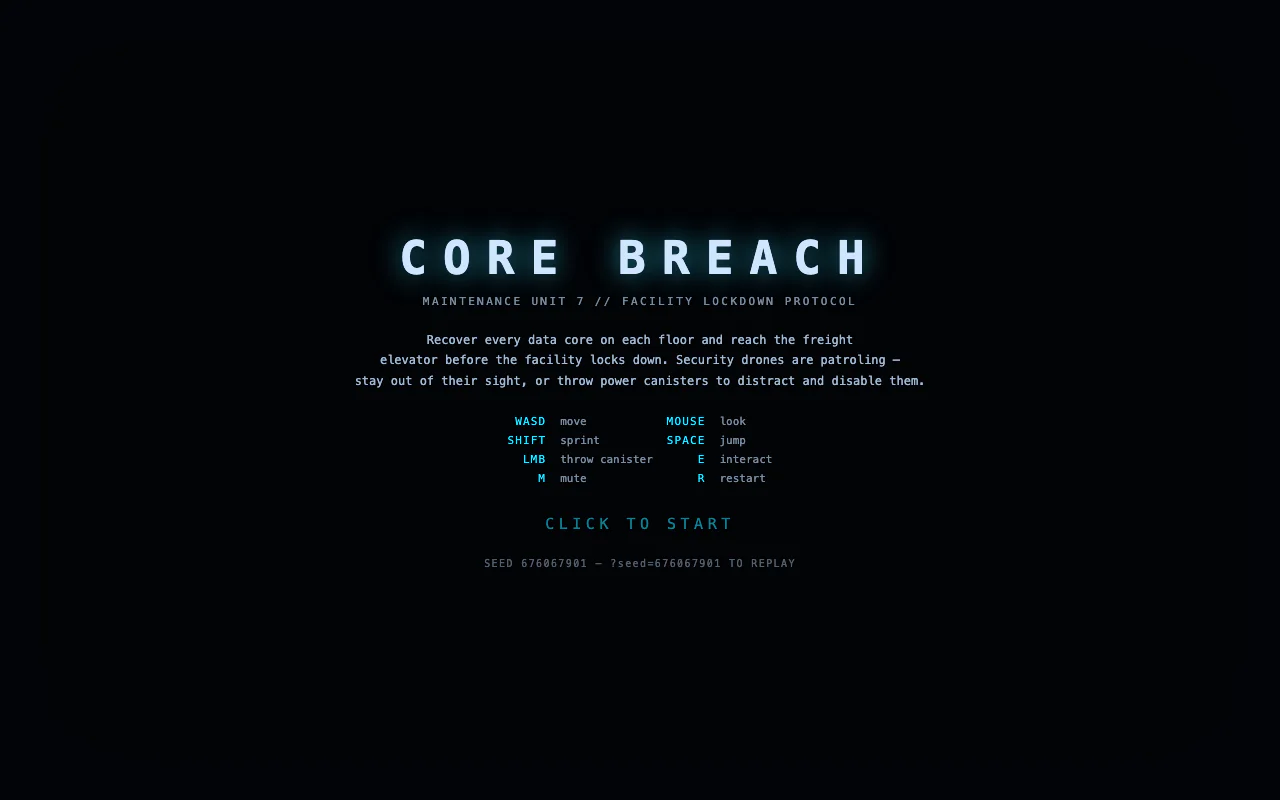
🔗 Play online: kimi-test-theta.vercel.app | Source code: github.com/jcpsimmons/kimi-test | Dev retrospective: Kimi K3 Built the Game. I Still Had to Play It.
🎯 Case 8: K399, Kimi's Official Game Platform—Dozens of AI Games to Play Online (2026)
On July 17, 2026, Moonshot AI released the Kimi K3 model and, at the same time, launched the browser game platform K399—where dozens of games were all made with the K3 model and can be played with one click. The genres span 3D shooters, rhythm games, side-scrolling action, court-intrigue AVGs, 3D puzzles, and even open-world games: alongside works that recreate classic gameplay like The Legend of Zelda, Black Myth: Wukong, Bubble Land, and Vampire Survivors, there are also original games far beyond demo-level completeness, such as Pioneer Practice Ground (a 3D FPS with movement, jumping, sliding, aiming, and shooting), the open-world SpiderPunk, and the court-intrigue AVG Fengque Shen Gong with a five-chapter main story, eight side quests, and 32 random events.
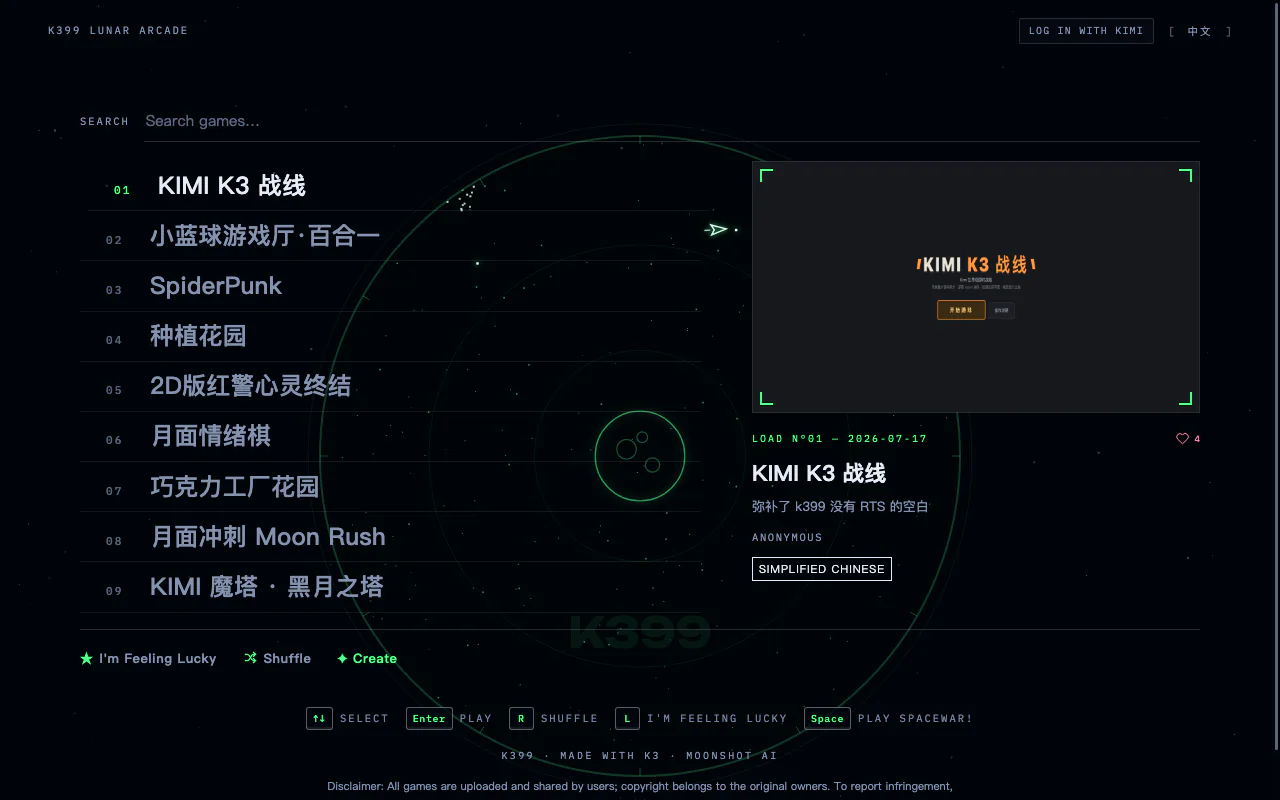

🔗 Play online: k399.games (K3 Game Arcade, play with one click) | Detailed write-up: A Former miHoYo Executive Joined, and the Hottest AI Company Suddenly Made Dozens of Games | Kimi K3: Who's Getting Nervous?
After seeing these cases, you'll realize: Snake is just the tip of the iceberg when it comes to AI programming. Whether it's classic arcade games, 2048 puzzles, 3D games, recreations of Minecraft and Super Mario, collections of a hundred games, or even an official game platform from a Chinese LLM, as long as you can clearly describe your ideas and are willing to polish them through multiple rounds of conversation, AI can help you build them from 0 to 1. Next up, it's your turn!
📚 Assignment
Complete Your First AI-Native Mini Games
In this section, you've followed the steps to experience the complete process from "conversational Snake generation" to "understanding AI-native game design thinking." The following assignments will help you turn this understanding into real skills.
- Fully Reproduce the AI-Native Snake Game
- At minimum, implement: the snake can move, eating "food" changes its length and score, and hitting walls or itself ends the game.
- During reproduction, practice sending the error description + error message + key code snippets all at once to the AI, asking it to fix things in "beginner mode."
- (Optional) Create 1 Original AI-Native Mini-Game or Demo
- It can be any lightweight gameplay involving text, images, music, rhythm, etc., such as "eat words to write poems," "rhythm clicking," "generative runner," etc.
- The focus isn't on flashy graphics, but on being able to clearly articulate: what specifically did AI help with here, and what "hard-to-do-manually or tedious" part did it solve.
That's the complete tutorial! You may need about 4 hours to finish all the content and build your own Snake game. Don't rush—explore, experiment, and enjoy the process. If you encounter concepts you don't quite understand along the way, we recommend checking the relevant sections in the appendix below.
Appendix
Appendix 1: Do We Need Frontend Knowledge?
💡 One-line Summary
You don't need to write code, but understanding the basic concepts helps you describe requirements to AI more effectively.
- Page titles, text, images
- Buttons, input fields, dropdown menus
- Game interfaces, animation effects
- User score storage
- Login account verification
- Level content distribution
The Frontend Trio
Think of a webpage as a house. Three types of "code" each handle one thing:
- HTML: decides what's on the page — like drawing the house blueprint first
- CSS: decides how it looks — like painting walls and arranging furniture
- JavaScript: decides how it reacts — like a light switch: press it and the light turns on
How Does Code Become a Page?
The browser builds the frame with HTML, decorates with CSS, and switches on the power with JavaScript — three steps, and there's your webpage.
So What Are React and Vue?
They're "prefab tools" for building complex pages — faster and more reliable. You don't need to learn them; just know they're helpers.
In Vibe Coding
No code writing, just describing. Talk to AI in plain language, for example:
"Use React to make a leaderboard page, with a score list on the right. Clicking a row shows player details below. Clean, modern style."
To learn more, check out the Web Basics Appendix and the Frontend Evolution Appendix.
Appendix 2: What Exactly is Vibe Coding
💡 What is Vibe Coding? Computer scientist Andrej Karpathy (one of the co-founders of OpenAI, former head of AI at Tesla) coined the term vibe coding in February 2025. This concept refers to a coding methodology that relies on LLMs, allowing programmers to generate working code by providing natural language descriptions instead of manually writing code.
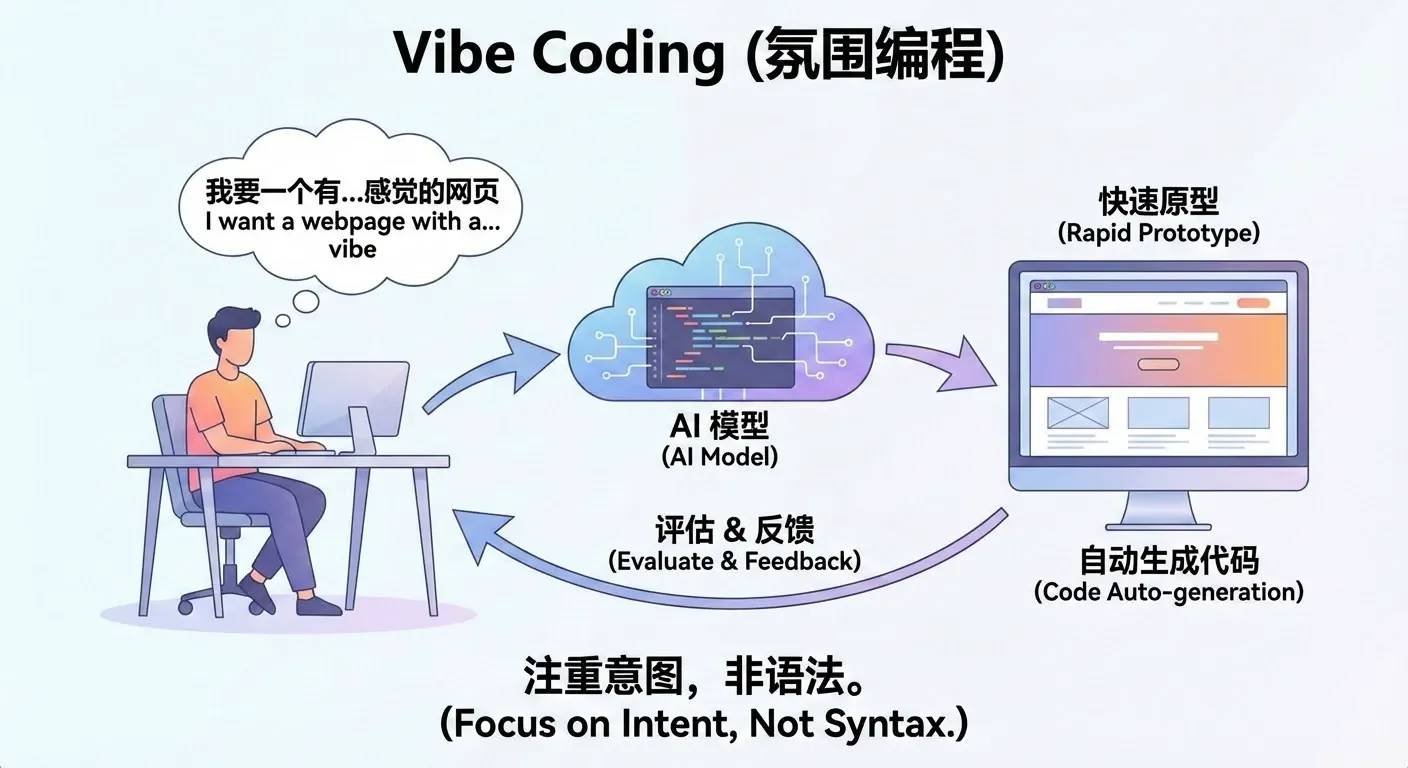
Literally, Vibe Coding can be understood as a way of "developing by talking." The core change is: you no longer need to write code line by line, look up syntax, or debug yourself. Instead, you directly describe what you want in natural language, for example:
"I need a login page with a phone number input field and a verification code input field." "After successful login, redirect to the homepage and display the username in the top right corner." "Give me a simple Snake game that can be controlled with keyboard arrow keys."
The Large Language Model (LLM) will automatically translate these descriptions into real, runnable code and generate the corresponding pages, logic, and data structures. After you see the results, you can propose modifications in natural language, such as "make the button bigger," "change the background to dark," "record scores and display a leaderboard," and the AI will continue adjusting the implementation according to your requirements.
In this mode, you don't need to learn a programming language first before writing code. Instead, you focus your main energy on: clearly stating what you want to do, judging "what's wrong" after seeing the results, and then proposing new modifications. AI handles turning these high-level ideas into concrete implementations, significantly reducing mechanical, repetitive coding work.
You can click here to learn more about vibe coding: https://www.ibm.com/think/topics/vibe-coding
You can click here to see more of Karpathy's shared content: https://karpathy.bearblog.dev/blog/
How to Pretend You're a Vibe Coding Master
In practice, during real vibe coding, we usually don't use many complex prompts. Perhaps we need a specific and moderately complex prompt for the entire program at the beginning, but after that, at each step, you may only need prompts like these:
"There's a bug in the code, please fix it."
"I don't want partial code, give me the complete modified code."
"Your code still has problems."
"Please modify again and give me the complete corrected code."
"It was working before, why isn't it working now?"
"Did you not understand what I meant? Don't change my original code."
"Don't add any debugging features."
"Don't do things I didn't ask you to do."
"Where is the feature I asked you to implement?"
"Can you not understand what I'm saying?"
"I only want one function."
"I told you to refer to my previous code."
"Please don't add unnecessary comments."
"Please don't modify the basic logic of my original code."
"Help me modify the code."
"Modify based on my code..."
"Don't change my variable names!!!"
"Don't change the original function names!"
"Don't mess with my variables."
"Don't add extra features."
"Don't just generate a skeleton, generate the complete code."
This may sound a bit exaggerated, but in reality, these are the prompts we might use in daily work. Due to the context length limitations of large language models, or sometimes because their instruction following ability isn't very strong, models may forget content discussed earlier in the conversation. In vibe coding, we tend to use models with long context and strong instruction following ability. We can judge whether a model is good through rankings or metrics of these two aspects.
Alternatively, due to the style of training datasets, large models tend to respond in the style of their training data. For example, some speak very seriously, some like to add lots of embellishments, and some models like to add lots of comments or unnecessary modules to code.
Appendix 3: Model Context
Model context can be understood as AI's short-term memory. It refers to all the text content that the model can "see" and "remember" during a single conversation or task, including your previous questions, system-provided instructions, relevant materials, etc.
It is precisely because of context that AI can understand you're continuing from previous content, enabling round after round of coherent, natural conversation. Without context, every sentence you say would appear to the model as a completely new question—it wouldn't know what you said before, and there would be no way to continue a conversation.
Each model has its own effective context length (context window). This length is usually measured in tokens (which can be roughly understood as units of "word fragments"), and most mainstream models currently range from 32k to 128k tokens. The longer the context, the more content the model can "read" at once, for example:
- Reading an entire lengthy paper or report in one go
- Referencing multiple materials and cases in the same conversation
- Having the model remember conclusions from complex discussions several rounds ago
When your input approaches or exceeds the model's context limit, some common phenomena often appear:
- The model starts forgetting details or key information from earlier in the long text
- As the conversation progresses, the topic gradually drifts from the original goal
- Across different Q&As about the same material, the referenced content becomes inconsistent
These phenomena don't mean the model suddenly "got dumber"—they are natural results of the context capacity being used up or nearly used up.
In practical use, we want the context to be as long as possible, while also being aware that:
- The longer the context, the more computing resources it consumes
- The corresponding API costs (fees) also increase accordingly
Therefore, when designing AI applications, you need to balance letting the model see enough information with controlling costs and improving efficiency. For example:
- Distill information that truly needs long-term retention before feeding it to the model
- Avoid stuffing detail information that's no longer needed into the context repeatedly
- Use external knowledge bases and similar approaches to hand "long-term memory" to the system rather than forcing it into the model's context
Appendix 4: Instruction Following
Instruction following refers to: after the model understands your instructions, whether it can accurately and completely execute according to your requirements. This includes not only answering questions, but also completing tasks in specified formats, styles, and steps.
For example, the following are all instructions with clear requirements for the model:
- Summarize this article into three key points
- Write a reply email in a formal, polite tone
- Translate this word into English and create an example sentence for each
- Extract the author, time, and main events from the article
A model with strong instruction following ability typically has these characteristics:
- Outputs content in the required quantity For example, if asked to summarize three key points, it won't give five.
- Covers all specified elements For example, if asked to extract author, time, and events, it won't omit any of them.
- Follows the specified format and tone For example, if asked to use a formal tone, it won't output overly colloquial responses.
- Doesn't make unnecessary additional extensions For example, if only asked to translate and create sentences, it won't output a large paragraph of unrelated explanations.
In practical applications, strong instruction following ability is very important for these reasons:
- Improved stability: The same instruction produces more consistent output structure and behavior patterns across different times and multiple runs, less likely to go off-script
- Improved reproducibility: When you configure a prompt into a product or workflow, you can predict roughly how the model will respond, making testing and iteration easier
- Easier system integration: When model output conforms to expected formats, it's easier to automatically interface with backend programs, workflows, or other tools
Therefore, when selecting and evaluating a large language model, in addition to focusing on whether it's smart and has broad knowledge coverage, you also need to pay special attention to its instruction following ability. For industrial-grade applications, being able to stably and accurately execute instructions is often more important than occasionally giving a stunning answer.